


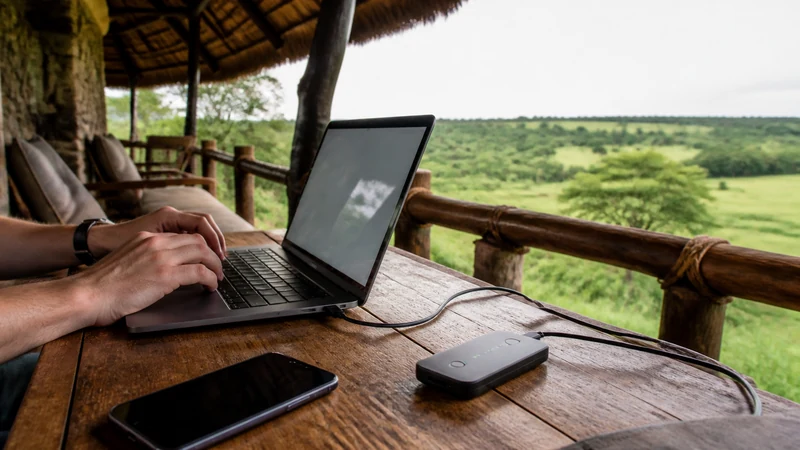

You can use a hotspot with a Uganda eSIM when both the selected NoveSIM plan and the phone support tethering. Check the current plan terms before relying on it, because hotspot availability is not guaranteed by eSIM technology alone.
A phone hotspot can connect a laptop, tablet or another traveller’s device where trusted Wi-Fi is unavailable. Every connected device shares the phone’s mobile connection, data allowance and local network conditions.
NoveSIM Uganda plans are data-only. Hotspot use shares internet access; it does not add a local Ugandan number, traditional voice calls or SMS to the travel line.
Quick answer: Confirm that tethering is included in the live NoveSIM plan, activate the eSIM as the phone’s mobile-data line and verify that data works on the phone first. Then enable Personal Hotspot on iPhone or Mobile Hotspot on Android, protect it with a strong password and connect one device for the first test. Pause laptop updates and cloud backup to protect the allowance.
Top Uganda eSIMs

Uganda eSIM
Fixed
1 GB, 7 days€ 11.112 GB, 15 days€ 21.333 GB, 30 days€ 29.33Unlimited
Unlimited, 1 day€ 10.22Unlimited, 3 days€ 29.33Unlimited, 5 days€ 47.99
What must be true before hotspot can work?
Successful tethering depends on more than the presence of a hotspot switch. The complete connection path must work.
| Requirement | Why it matters |
|---|---|
| Current plan permits tethering | The mobile service must allow shared data use |
| Phone supports hotspot | The device must be able to create the connection |
| NoveSIM is active for mobile data | The hotspot shares the phone’s selected data line |
| Data Roaming is enabled for NoveSIM | The travel profile normally needs roaming to use its partner network |
| Phone has working mobile data | A hotspot cannot share a connection that is already offline |
| Useful local signal is available | Connected devices cannot overcome weak or absent coverage |
Availability depends on the plan, device, permitted partner network, region and local coverage. Review the live NoveSIM Uganda eSIM plans rather than assuming that a previous plan’s terms still apply.
How should you test hotspot before depending on it?
Test the exact phone and client device before an important meeting, upload or check-in. A laptop workflow can fail for reasons that are not visible during ordinary browsing on the phone.
- Confirm that the NoveSIM profile is installed and enabled.
- Select NoveSIM as the phone’s mobile-data line.
- Enable Data Roaming for NoveSIM.
- Turn off Wi-Fi on the phone.
- Open a normal webpage on the phone over mobile data.
- Enable the hotspot.
- Connect one laptop, tablet or second phone.
- Open the same lightweight webpage on the connected device.
- Disconnect it when the test is complete.
If data does not work on the phone itself, fix that first with the Uganda eSIM troubleshooting guide. Hotspot settings are not the right starting point for a line that has no internet.
How do you turn on Personal Hotspot on iPhone?
Apple requires an active mobile plan that includes Personal Hotspot service. If the control is unavailable, confirm that Cellular Data is on and that the plan permits tethering.
- Open Settings.
- Tap Personal Hotspot, or open Cellular → Personal Hotspot.
- Turn on Allow Others to Join.
- Review or change the Wi-Fi password.
- On the other device, open its Wi-Fi list.
- Select the iPhone’s hotspot name.
- Enter the displayed password.
- Confirm that the connected device can load a webpage.
If the other device cannot see or maintain the network, try Maximise Compatibility when that option is available. It may improve compatibility with some clients, although performance and battery behaviour can differ.
On a Dual SIM iPhone, confirm that NoveSIM remains selected under Cellular Data before sharing. The Uganda eSIM guide for iPhone explains the travel-line and roaming controls.
How do you turn on hotspot on Google Pixel?
Google places Wi-Fi tethering under Hotspot & tethering. It also notes that Data Saver must be off for Wi-Fi hotspot use on Pixel.
- Open Settings.
- Tap Network & internet.
- Select Hotspot & tethering.
- Tap Wi-Fi hotspot.
- Turn off Data Saver if the phone requires it.
- Set a network name, security type and strong password.
- Turn on Use Wi-Fi hotspot.
- Connect the other device using the displayed network and password.
- Test a lightweight webpage.
Pixel can turn the hotspot off automatically when no devices are connected. This is useful for battery and security, but it can explain why the network disappears after an idle period.
How do you turn on hotspot on Samsung Galaxy?
Samsung’s current path is under Connections. Menu wording can vary by One UI version, device model, region and carrier configuration.
- Open Settings.
- Tap Connections.
- Select Mobile Hotspot and Tethering.
- Tap Mobile Hotspot.
- Set the network name, password and security options.
- Turn on Mobile Hotspot.
- Connect the other device to the displayed Wi-Fi network.
- Test a webpage before starting a large task.
Other Android brands usually place tethering under Network, Connections or Portable Hotspot. Consult the Uganda eSIM guide for Android for the underlying data-line settings.
How much data can a laptop use?
A laptop can consume far more data than a phone because its operating system and applications assume a less restricted connection. The visible task may be a short email while backups, updates and synchronisation continue in the background.
| Activity | Hotspot planning implication |
|---|---|
| Email and text documents | Usually manageable when attachments are controlled |
| Maps and booking pages | Moderate for short sessions; download offline content beforehand |
| Video meetings | Can use substantial data and needs stable upstream performance |
| Cloud photo or file backup | Can consume gigabytes without obvious foreground activity |
| Operating-system and app updates | Pause until trusted Wi-Fi is available |
| Streaming video | Reduce quality or avoid when preserving the allowance |
Check the current allowance rather than relying on a generic estimate. The Uganda trip data guide helps plan the phone and laptop workload together.
How do you stop background data use?
Prepare the client device before connecting it. Otherwise the hotspot may trigger queued downloads immediately.
- Pause operating-system and application updates.
- Pause iCloud, OneDrive, Google Drive, Dropbox and photo backup.
- Disable video autoplay and reduce streaming quality.
- Close unused browser tabs and collaboration applications.
- Mark the hotspot as a metered connection when the client supports it.
- Disconnect every device as soon as its task finishes.
Review usage after the first session. If the trip includes repeated laptop work, compare the requirement with the current Uganda unlimited-data guide; an “unlimited” label may still have hotspot, fair-use or speed conditions.
Why is the hotspot visible but not connecting?
The client may have stored an old password, may not support the hotspot’s chosen Wi-Fi band or may be too far from the phone.
- Confirm that hotspot is still on.
- Keep the two devices close together.
- Re-enter the current password.
- Forget the hotspot network on the client and reconnect.
- Try the phone’s compatibility mode or 2.4 GHz option if available.
- Restart the hotspot once without deleting the eSIM.
Use a strong password and avoid an open hotspot. An unprotected network can allow nearby devices to consume data or expose local traffic.
Why does the client connect but have no internet?
Test the phone itself with Wi-Fi off. If the phone also has no internet, check the NoveSIM data line, Data Roaming, registration and APN. When manual APN entry is required, use data.esim.
If the phone works but the client does not, disconnect any client VPN temporarily when safe, renew the Wi-Fi connection and reconnect one device. Do not alter the APN merely because one laptop fails while the phone and another client work.
The complete field guidance is in the Uganda eSIM APN article. Preserve the installed profile while diagnosing the connection.
Why can hotspot performance be slow?
Tethering adds a local Wi-Fi link on top of the mobile connection. Performance is limited by the weaker part of that path: mobile signal, congestion, the phone, hotspot band, distance, interference or client activity.
Disconnect other clients and compare the same webpage on the phone and laptop. If both are slow, follow the slow mobile data guide for Uganda. If only the laptop is slow, investigate its updates, VPN, Wi-Fi connection and distance from the phone.
Does 5G make hotspot better?
Not automatically. A 5G-capable phone may still use 4G depending on the plan, permitted partner, supported frequencies, region and local coverage. A stable 4G connection can be better for a meeting than weak or intermittent 5G.
Keep the phone’s normal automatic network mode unless device guidance or Support recommends otherwise. See 4G and 5G in Uganda for realistic expectations.
How do you manage battery and heat?
Hotspot use keeps both the mobile radio and Wi-Fi radio active. Long sessions, weak signal, charging and direct sun can increase heat and battery drain.
- Keep the phone shaded and ventilated.
- Avoid covering it with bedding or placing it on a hot dashboard.
- Use a suitable charger or power bank for longer sessions.
- Disconnect idle clients.
- Turn off hotspot immediately after the task.
- Pause if the phone displays a temperature warning.
Can hotspot replace lodge or airport Wi-Fi?
It is a useful backup when mobile coverage is adequate and the plan permits tethering, but it should not be treated as guaranteed broadband. Remote lodges, road sections and parks can have limited or absent mobile service.
For accommodation use, compare mobile data with the practical limits in the Uganda lodge internet guide. Travellers moving between regions should also review Uganda road-trip connectivity and download essential material before leaving reliable coverage.
Related Articles
- Uganda eSIM Plans
- How Much Data for a Uganda Trip?
- Slow Mobile Data in Uganda
- Uganda eSIM Troubleshooting
- Uganda eSIM APN Settings
- Use a Uganda eSIM on iPhone
- Use a Uganda eSIM on Android
- Uganda eSIM Coverage
- Mobile Data in Uganda
- How NoveSIM Works
FAQ
Can I use a hotspot with a NoveSIM Uganda eSIM?
Yes, when the selected plan and phone permit tethering. Confirm the live plan terms and test the exact phone and client device before relying on it.
Does every NoveSIM Uganda plan allow hotspot use?
Do not assume so. Hotspot availability depends on the current plan, device and network conditions. Check the live plan details or ask NoveSIM Support.
Why is Personal Hotspot missing on iPhone?
Confirm Cellular Data is on and the active plan supports Personal Hotspot. The control can remain unavailable when the plan or carrier settings do not permit it.
Why will Pixel not start a Wi-Fi hotspot?
Check that mobile data works, the plan permits tethering and Data Saver is off. Google states that Data Saver must be disabled for Pixel Wi-Fi hotspot use.
Does hotspot use a separate data allowance?
Normally the connected devices use the same plan allowance as the phone. Confirm the current plan terms, including any tethering or fair-use conditions.
Can several devices connect at once?
The number depends on the phone and plan, but more clients share the same capacity and can consume the allowance faster. Start with one device.
Why is the hotspot slow on my laptop?
The cause may be weak mobile signal, congestion, distance, Wi-Fi interference, client updates, cloud backup or VPN use. Compare the same page on the phone and laptop.
Should I delete the eSIM if hotspot fails?
No. Confirm phone data, plan support and hotspot settings first. Keep the installed profile unless NoveSIM Support explicitly instructs you to remove it.
Final Recommendation
Use a Uganda eSIM hotspot only after confirming that the current NoveSIM plan and phone support tethering and that mobile data works directly on the handset.
Connect one device first, use a strong password and pause laptop updates, cloud backup and streaming. Monitor the same allowance used by the phone.
For important work, test the exact workflow in advance, keep the phone powered and plan an alternative for locations where Uganda’s mobile coverage is limited.