


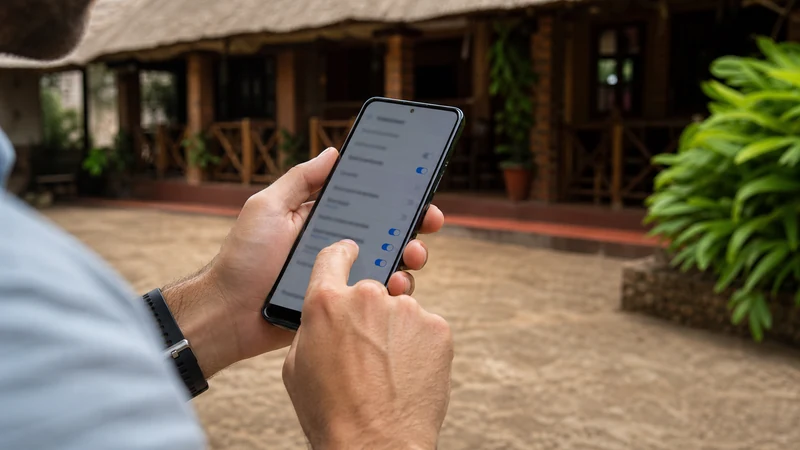

Most phones configure a NoveSIM Uganda eSIM automatically. If manual APN entry is required, use data.esim and leave the username and password blank unless the current NoveSIM instructions specifically provide different values.
Check the APN only after confirming that the eSIM is installed and enabled, selected for mobile data, allowed to use Data Roaming and registered on a permitted network. Changing the APN cannot fix the wrong data line or an area without usable coverage.
NoveSIM Uganda plans are data-only. The APN controls the mobile-internet path; it does not add a Ugandan number, traditional voice calls or carrier SMS.
Quick answer: Open the mobile-data settings for the NoveSIM line, enter data.esim in the APN field, leave username and password blank, save or select the profile, refresh the connection and test a new webpage with Wi-Fi switched off.
Top Uganda eSIMs


What are the correct NoveSIM APN values?
Use only the provider-approved value. Do not copy a retail APN belonging to MTN, Airtel or another domestic operator, because the phone is using a NoveSIM travel profile rather than that operator’s local consumer SIM.
| Field | NoveSIM value |
|---|---|
| Name | NoveSIM or Uganda |
| APN | data.esim |
| Username | Leave blank |
| Password | Leave blank |
| Authentication type | Leave unchanged unless instructed |
| APN type | Leave unchanged unless instructed |
| MCC and MNC | Do not edit automatically supplied values |
| Proxy, port and server | Leave blank or unchanged unless instructed |
Spelling and punctuation matter. Enter data.esim in lowercase with one full stop and no spaces. Do not enter a web address, add quotation marks or substitute the eSIM label for the APN value.
When is manual APN entry actually needed?
Usually it is not. Modern phones commonly receive the APN as part of the installed profile. If mobile data already works, leave the setting unchanged.
Manual entry becomes relevant when the eSIM is enabled and registered but websites still do not load, the order instructions request it, or NoveSIM support asks you to verify the field. Signal bars alone do not prove that an internet data session has been created.
- The NoveSIM line appears and is turned on.
- NoveSIM is selected as the mobile-data line.
- Data Roaming is enabled for NoveSIM.
- The plan is valid for Uganda and has usable data.
- The phone shows a local network or signal.
- A new webpage still fails with Wi-Fi disabled.
If the profile is missing, follow the guide to install a Uganda eSIM. If it is present but has not connected, use the separate Uganda eSIM activation steps before editing the APN.
Check these settings before changing the APN
An APN change should come after the basic data path. This order prevents an unrelated line-selection or roaming problem from being misdiagnosed.
- Confirm that the NoveSIM profile appears in the phone’s SIM settings.
- Turn on the NoveSIM line.
- Select NoveSIM for mobile data.
- Enable Data Roaming for NoveSIM.
- Disable automatic mobile-data switching.
- Keep Data Roaming off for the primary SIM if avoiding home-carrier data use.
- Leave network selection on Automatic.
- Wait several minutes for registration.
- Turn Wi-Fi off and open a new webpage.
The broader Uganda mobile-data guide explains why enabling an eSIM is not the same as assigning it to the data connection.
How to enter data.esim on iPhone
Many iPhones hide the APN fields because the provider manages them automatically. A missing Cellular Data Network or Mobile Data Network menu is not itself an error. Do not install unofficial configuration profiles to expose it.
- Open Settings.
- Select Cellular, Mobile Data or Mobile Service.
- Tap the NoveSIM or Uganda line.
- Open Cellular Data Network or Mobile Data Network if the option is available.
- Under Cellular Data, enter data.esim in the APN field.
- Leave username and password blank.
- Return to the previous screen so iOS retains the value.
- Toggle Aeroplane Mode once or restart the iPhone if the connection does not refresh.
- Disable Wi-Fi and open a new webpage.
Do not place the value only in Personal Hotspot while leaving the main mobile-data APN incorrect. Menu visibility and field management depend on the iPhone, iOS version and installed profile. See the Uganda eSIM guide for iPhone for the complete dual-SIM setup.
How to enter data.esim on Samsung Galaxy
Samsung normally exposes APN profiles under its mobile-network settings. Exact wording can vary by One UI version and regional model.
- Open Settings.
- Select Connections.
- Tap Mobile Networks.
- Select Access Point Names.
- Confirm that the NoveSIM line is the relevant SIM if the phone asks.
- Tap Add or the plus symbol.
- Enter NoveSIM as the name.
- Enter data.esim in the APN field.
- Leave username, password and unrelated fields unchanged.
- Open the menu and tap Save.
- Select the new NoveSIM APN so its indicator is active.
- Refresh the connection and test with Wi-Fi off.
Saving the profile is not always the same as selecting it. Return to the APN list and check that the indicator beside NoveSIM is active.
How to enter data.esim on Google Pixel and other Android phones
Pixel and other Android interfaces often place the APN under Network & Internet, SIMs or Mobile Network.
- Open Settings.
- Select Network & Internet, SIMs or Mobile Network.
- Choose the NoveSIM profile.
- Open Access Point Names.
- Tap Add, New APN or the plus symbol.
- Enter NoveSIM as the profile name.
- Enter data.esim as the APN.
- Leave username and password blank.
- Save the profile using the menu.
- Select the newly saved APN.
- Refresh the connection and test a new webpage with Wi-Fi disabled.
Manufacturer paths differ, so the Uganda eSIM guide for Android should be used when the phone does not match the common labels.
How should you test the new APN?
Test the data path rather than relying on a signal icon. A phone can register successfully while Wi-Fi carries every visible application connection.
- Confirm that the saved NoveSIM APN is selected.
- Confirm that NoveSIM still owns mobile data.
- Confirm that Data Roaming remains on for NoveSIM.
- Turn Aeroplane Mode on for about 10 seconds, then turn it off.
- Wait several minutes for network registration.
- Turn Wi-Fi completely off.
- Open a browser and request a new page.
- Test a second lightweight application if necessary.
If pages load, stop changing settings. Repeated speed tests are unnecessary and can consume plan data. If the connection works but is slow, use the focused guide for slow mobile data in Uganda.
Why can the phone show signal but no internet?
Signal bars show that the phone can see or register on a mobile network. They do not prove that the correct SIM owns mobile data or that a valid data session has been created.
| Visible result | What to check next |
|---|---|
| No NoveSIM profile | Installation, compatibility and the original order instructions |
| Profile present but no signal | Activation, permitted network, location and coverage |
| Signal but no data | Selected data line, roaming, plan status and APN |
| Data works only on Wi-Fi | Mobile-data assignment and Wi-Fi-off testing |
| Data works but is slow | Coverage, congestion, allowance and application activity |
Coverage depends on the selected plan, permitted partner network, phone, terrain, region and local conditions. An APN cannot create service where no usable network is available. Review Uganda eSIM coverage before changing a working configuration repeatedly.
Should you reset all network settings?
Not as an early step. A full network reset can remove saved Wi-Fi networks, Bluetooth pairings and other useful configuration without proving that the APN was responsible.
First record the current APN screen, change only the required field and test. If the new profile does not help, compare it with the original values or contact NoveSIM support. Do not delete the installed eSIM unless support explicitly instructs you to do so.
When should manual network selection be used?
Network selection and APN serve different purposes. Network selection controls which permitted mobile network the phone attempts to register on; the APN controls the mobile-internet data path after registration.
Keep selection on Automatic initially. Use a manual scan only after the data line, roaming and APN have been checked and current plan information identifies a permitted partner. Follow the Uganda manual network selection guide, then return to Automatic unless support advises otherwise.
What should you report to NoveSIM support?
- The order reference, without publicly sharing the QR code.
- The exact phone model and software version.
- The current town or area in Uganda.
- Whether the NoveSIM profile is enabled and selected for data.
- Whether Data Roaming is on for the travel line.
- Whether a network name and signal bars appear.
- A non-sensitive screenshot of the APN fields.
- Whether data.esim was saved and selected.
- The result of the Wi-Fi-off webpage test.
Keep the installed profile in place so its configuration remains available for diagnosis. The structured Uganda eSIM troubleshooting guide covers the wider sequence when APN entry does not restore data.
Related Articles
- Uganda eSIM Plans
- Install an eSIM for Uganda
- Activate a Uganda eSIM
- Uganda eSIM Settings on iPhone
- Uganda eSIM Settings on Android
- Uganda eSIM Not Working
- Slow Mobile Data in Uganda
- Manual Network Selection in Uganda
- Mobile Networks in Uganda
- Uganda eSIM Coverage
FAQ
What is the NoveSIM APN for Uganda?
When manual entry is required, use data.esim. Leave username and password blank unless the current NoveSIM instructions specifically provide different values.
Do all Uganda eSIM users need to enter an APN?
No. Most phones receive the APN automatically. If mobile data works, leave the existing settings unchanged.
Should I use an MTN or Airtel Uganda APN?
No. Those retail APNs belong to the operators’ own local SIM products. A NoveSIM travel profile should use data.esim when manual entry is required.
Why can’t I see APN settings on iPhone?
The installed profile or carrier settings may manage the field automatically. A hidden APN menu is not necessarily a fault, and unofficial profiles should not be installed to expose it.
Why does the new Android APN not work?
Confirm that it was saved and selected, NoveSIM owns mobile data and roaming is enabled. Then refresh registration and test with Wi-Fi off.
Can the wrong APN cause signal without internet?
Yes. The phone may register on a network but fail to create a usable data session. The wrong data line, roaming setting, expired allowance or coverage can produce similar symptoms.
Should I change MCC, MNC or APN type?
Leave automatically supplied fields unchanged unless the current NoveSIM instructions or support provide exact values for the device.
Should I delete the eSIM if data still fails?
No. Keep the installed profile and report the device, location, line status, roaming setting and APN test to NoveSIM support. Delete it only if support explicitly instructs you to do so.
Final Recommendation
Leave the automatically configured Uganda eSIM APN unchanged when mobile data works. Manual entry is a focused repair for a registered NoveSIM line that cannot create a usable internet connection.
When manual configuration is required, enter data.esim, leave username and password blank, save and select the profile, then refresh the connection. Test a new webpage with Wi-Fi off.
If the test still fails, preserve the installed eSIM and record the exact result. Check the plan, data line, roaming, network registration and local coverage before escalating with a precise support report.