
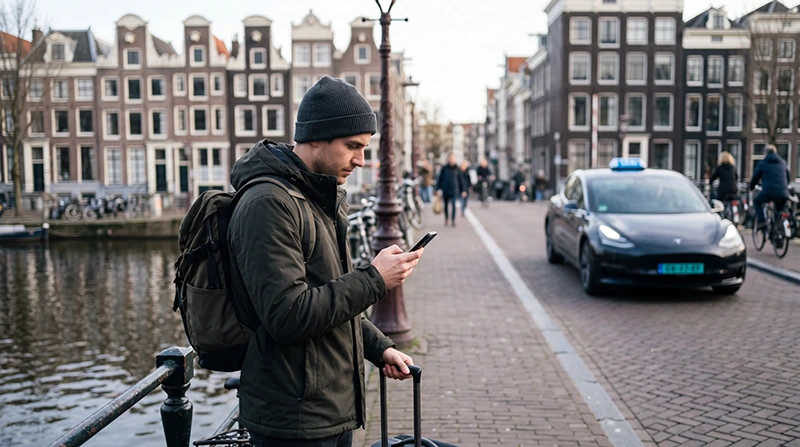

Uber can be a convenient transport option for visitors travelling in parts of the Netherlands, particularly when carrying luggage, arriving late or travelling between a station, hotel and meeting location.
The service works through the Uber app, so you need mobile internet to request a ride, confirm the pickup point, contact the driver and follow the vehicle’s arrival.
Quick answer: Uber is available in Amsterdam and a number of other Dutch locations, but driver availability, prices and ride types vary. Open the app at your location to see the current options before depending on it for an important journey.
Top Netherlands eSIMs
Does Uber Work in the Netherlands?
Yes, Uber operates in parts of the Netherlands. It is commonly considered by visitors in Amsterdam, around Schiphol Airport and in several other urban areas.
Coverage should not be assumed to be identical across the entire country. A city may appear in the app while having fewer available drivers than Amsterdam, particularly late at night or outside busy districts.
Before planning a ride:
- Open the Uber app at your current location.
- Enter the exact destination.
- Review the available ride categories.
- Check the estimated pickup time.
- Confirm the displayed price or fare estimate.
- Prepare a train, bus or licensed taxi alternative.
Where Can Tourists Use Uber?
Uber availability is generally most useful in and around larger Dutch cities, airports and busy travel areas. However, the live app is the most reliable way to check whether a vehicle can actually be requested.
| Location Type | What to Expect |
|---|---|
| Amsterdam | Usually the most practical Dutch city for app-based ride requests |
| Schiphol Airport | Dedicated instructions and an official app pickup location |
| Other large cities | Availability may be possible but can vary by area and time |
| Smaller towns | Fewer drivers and longer waiting times may occur |
| Remote countryside | Do not depend on immediate availability |
For a trip outside a major urban area, check both the outbound and return journey before leaving. Finding a ride into a rural destination does not guarantee that another driver will be nearby for the return.
How to Request an Uber Ride
- Install the official Uber app before travelling.
- Sign in and complete any required account verification.
- Add or confirm your payment method.
- Allow location access while using the app.
- Enter your destination.
- Confirm the pickup point shown on the map.
- Select an available ride option.
- Review the estimated price and waiting time.
- Confirm the request.
- Check the vehicle and driver details before entering.
In crowded city centres, the app may direct you to a nearby location where a vehicle can stop safely. Walking a short distance to the suggested pickup point can make it easier to meet the driver.
Using Uber at Schiphol Airport
Schiphol Airport has a designated location for taxis requested through apps such as Uber. After collecting your luggage, follow the airport signs for the official app-based taxi pickup area rather than waiting directly outside an unsuitable terminal exit.
After requesting the ride:
- Check the pickup instructions displayed in the app.
- Follow official airport signs.
- Confirm the terminal and meeting location.
- Check the vehicle registration and driver details.
- Keep your phone connected until you meet the driver.
- Contact the driver through the app when necessary.
Do not accept an unsolicited ride from someone approaching you inside the terminal. Use the vehicle assigned through the app or an official airport taxi service.
Should You Request the Ride Before Collecting Luggage?
It is usually better to wait until you have collected your luggage and are ready to walk toward the pickup area. Immigration queues, baggage delays and walking time can make an early request difficult to coordinate.
Before confirming:
- Make sure every traveller is ready.
- Check that all luggage has arrived.
- Review the walking route to the pickup point.
- Confirm that your phone has enough battery.
- Check the estimated driver arrival time.
Uber from Amsterdam Airport to the City
Uber may be convenient for travellers with heavy luggage, young children, mobility requirements or accommodation that is not close to a railway or tram stop.
Public transport may be more practical for some central destinations, especially during busy road conditions. Compare:
| Option | Best For |
|---|---|
| Uber or app-based taxi | Door-to-door travel and heavy luggage |
| Train | Fast access to destinations near a railway station |
| Bus | Specific neighbourhoods and hotel areas |
| Official airport taxi | Travellers who prefer a taxi without using an app |
| Prearranged transfer | Groups, business travellers and scheduled pickups |
Check the live route, price and travel time before deciding.
Using Uber in Amsterdam
Uber can be useful for journeys between hotels, business districts, stations and attractions, but cars cannot always stop directly beside every canal, pedestrian area or restricted street.
To make pickup easier:
- Move to a legal and accessible stopping point.
- Use the pickup pin carefully.
- Check which side of the street is selected.
- Avoid waiting in a bicycle lane.
- Look for the assigned registration number.
- Keep messages short and clear.
Walking, cycling, trams and metro services may be more efficient for short journeys through crowded central areas.
How Much Does Uber Cost in the Netherlands?
There is no single fixed tourist price. The amount shown in the app can depend on the route, ride category, traffic, demand, time and available drivers.
Before confirming a ride, review:
- The displayed fare or estimate.
- The selected vehicle category.
- The pickup point.
- Any airport or location-related charges shown.
- The cancellation conditions.
- The expected arrival time.
Compare the price with public transport or an official taxi when cost is important.
Can You Pay with Cash?
Available payment methods depend on the user account, app and location. Visitors should add a supported card or digital payment method before departure rather than assuming that cash will be accepted.
Check that:
- Your payment card allows international transactions.
- The billing information is correct.
- Your bank will not block an unfamiliar foreign payment.
- A backup payment method is available.
- Your app is updated before travelling.
Can You Use Your Existing Uber Account?
Travellers can normally sign in with the account they already use in another country. Confirm your phone number, email address and payment method before leaving home.
A Netherlands travel eSIM is usually data-only, but that does not prevent you from using the Uber account connected to your existing mobile number.
Do You Need Mobile Internet?
Yes. Reliable mobile data is important because the app needs an internet connection to:
- Find your current location.
- Display available ride options.
- Request and confirm a vehicle.
- Receive driver and vehicle information.
- Follow the driver’s arrival.
- Send in-app messages.
- Update the pickup location.
- Receive the digital receipt.
A Netherlands travel eSIM provides mobile data while allowing you to keep your primary SIM in the phone.
Browse Netherlands eSIM plans.
Recommended eSIM Settings
| Setting | Recommended Value |
|---|---|
| Travel eSIM | Enabled after arrival |
| Mobile Data | Travel eSIM |
| Data Roaming on travel eSIM | On |
| Data Roaming on primary SIM | Off |
| Automatic Data Switching | Off |
| Network Selection | Automatic |
| APN | data.esim when required |
Using Uber with a Data-Only eSIM
A data-only eSIM is sufficient for most app functions. In-app messaging and calling features can use the internet connection, depending on the app and device.
Keep your primary SIM active when you need to receive ordinary SMS verification codes, but disable Data Roaming on that line to reduce the risk of unexpected roaming charges.
Safety Tips for Uber Passengers
- Confirm the driver’s name and vehicle registration.
- Check the vehicle model before entering.
- Use only the ride assigned in the app.
- Wait in a safe, well-lit location.
- Do not stand in bicycle or traffic lanes.
- Share the journey details with a trusted person when appropriate.
- Wear the available seat belt.
- Keep personal belongings with you.
- Report concerns through the official app.
Uber for Families and Groups
Families and groups should check the number of passengers and the amount of luggage before selecting a ride. A standard vehicle may not be suitable for several large suitcases.
When travelling with children, verify current child-seat requirements and whether an appropriate seat is available. Do not assume that every vehicle carries one.
For larger groups, compare a larger ride category with two separate vehicles or a prebooked transfer.
Uber Alternatives in the Netherlands
Uber is only one transport option. Depending on your route, alternatives may be faster or less expensive.
- Trains between cities and Schiphol Airport.
- Trams, buses and metros inside urban areas.
- Licensed street or taxi-rank services.
- Other available taxi-booking apps.
- Hotel-arranged taxis.
- Prebooked airport transfers.
- Walking or bicycle rental for shorter journeys.
For an early flight or important meeting, plan a backup rather than relying on one app alone.
What If the Uber App Has No Internet?
- Confirm that the travel eSIM is selected for Mobile Data.
- Turn on Data Roaming for the travel eSIM.
- Keep Data Roaming off on the primary SIM.
- Disable Automatic Data Switching.
- Keep Network Selection on Automatic.
- Check that the APN is data.esim.
- Turn Airplane Mode on for 30 seconds and turn it off.
- Restart the phone when necessary.
Move away from underground stations, parking garages or enclosed buildings where the mobile signal may be weaker.
Do not delete the eSIM during troubleshooting. The installation QR code may be valid for one installation only.
FAQ
Is Uber available in the Netherlands?
Yes, Uber is available in Amsterdam and several other Dutch locations. Check the live app for current local availability.
Can I use Uber at Schiphol Airport?
Yes. Schiphol has an official app pickup point for services such as Uber. Follow the airport signs and the instructions in your app.
Is Uber available everywhere in the Netherlands?
No availability should be assumed nationwide. Driver coverage and waiting times can be more limited outside major cities.
Can I use Uber with a data-only eSIM?
Yes. Mobile data supports ride requests, navigation, in-app messages and digital receipts.
Can I keep my existing Uber account?
Yes. You can normally use your existing account, payment method and registered number while the travel eSIM provides data.
What APN should I use for NoveSIM?
Use data.esim when manual APN configuration is required.
Final Recommendation
Uber can be a convenient option in Amsterdam, around Schiphol Airport and in other supported Dutch locations. Always check the live app because driver availability, prices and waiting times vary.
At Schiphol, follow signs to the official app pickup point. In city centres, check the pickup pin carefully and move to a safe place where the driver can legally stop.
Install the app, confirm your payment method and set up mobile data before departure. A Netherlands travel eSIM keeps the app connected while allowing your primary SIM to remain available for calls and verification messages.


