


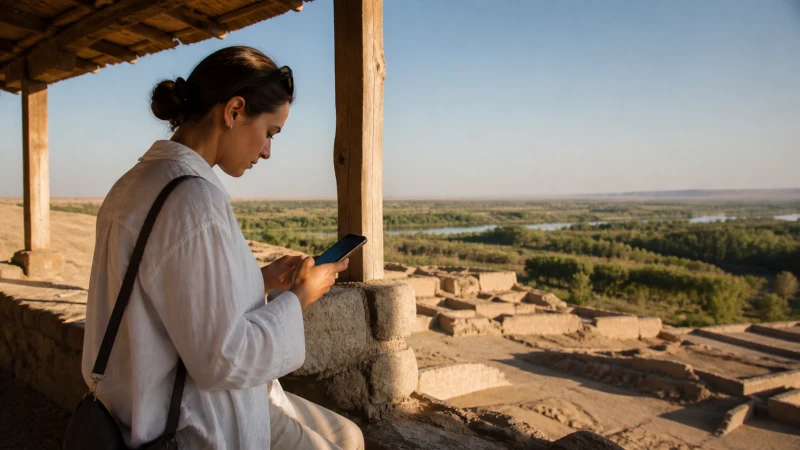

Mobile internet in Termez is useful for arranging transport and staying in contact, but an archaeological outing needs more than a working connection at your hotel. Prepare the destination, return arrangements and contact details before leaving the city.
The official Uzbekistan tourism guide to Termez presents its archaeological heritage as a reason to visit southern Uzbekistan. Treat each excursion as a separate journey: city reception does not establish service at a site or along the road.
Our eSIM provides mobile data only. We do not provide an Uzbek number, conventional calls or SMS, so agree with your accommodation or driver whether internet messaging is a suitable contact method.
Quick answer: For Termez mobile internet, choose a plan that includes Uzbekistan and test it in town. Before an excursion, save the route, your driver’s details and the return agreement offline. Do not treat mobile reception as confirmation that a site or border route is accessible.
Top Uzbekistan eSIMs

Uzbekistan eSIM
Fixed
1 GB, 7 days€ 3.182 GB, 15 days€ 4.093 GB, 30 days€ 5.00Unlimited
Unlimited, 1 day€ 2.73Unlimited, 3 days€ 5.46Unlimited, 5 days€ 8.19
Arrange the excursion before searching for a signal
Ask your host or guide to confirm the site you intend to visit and the current arrangements for reaching it. A place appearing on a map is not proof that a visitor can enter today. This guide makes no assumption about border crossings, restricted areas or available transport.
Write down a return plan that still works if neither person receives a message. Include the meeting point, time and what to do if the visit ends earlier than expected. A driver waiting at an agreed location is a different arrangement from calling for a new pickup when you finish.
- Save the actual destination and the route area offline.
- Keep the accommodation address and contact details on the phone.
- Record the vehicle or driver identification and agreed return time.
- Share the day’s itinerary with someone before departure.
What a Termez connection test can tell you
A test at your accommodation confirms that your current line can carry data there at that moment. It does not verify coverage for an archaeological site, the wider Surkhandarya region or a long-distance journey.
Check the Uzbekistan coverage guidance before extending your itinerary. For driving preparation, use the Uzbekistan road-trip guide alongside your local transport arrangements.
If you need to work from Termez, test the actual call or upload on the network you intend to use. Hotel Wi-Fi and mobile data are separate connections; one may be useful when the other is unavailable, but neither is a guaranteed backup.
Prepare the phone without consuming the excursion allowance
Review the supported destination, validity and data amount on the Uzbekistan eSIM page. Download maps and app updates on reliable Wi-Fi first. Limit background photo uploads so the remaining mobile allowance is available for communication.
- Check that your phone accepts eSIMs and is not carrier-locked.
- Follow the Uzbekistan installation instructions, taking account of when validity starts.
- Select the travel eSIM for data and enable its required roaming setting.
- Disable automatic data switching, then test with Wi-Fi disconnected.
Keep a charged power bank accessible on a long outing. Store essential notes locally rather than relying on a cloud document that has not been downloaded.
If data stops working away from the hotel
First check the selected data line and remaining allowance. If a manual NoveSIM APN is needed, it is data.esim. Do not erase the installed profile while trying to recover service; use the Uzbekistan eSIM troubleshooting guide when you can access it, or contact support on reliable Wi-Fi.
When the problem is a lack of reception, repeatedly changing settings will not create coverage. Follow the saved return plan instead of travelling to an unfamiliar location just to find a connection.
Related Articles
FAQ
Does an eSIM working in Termez guarantee data at archaeological sites?
No. The city test only establishes service at the test location. Save excursion details and arrange your return before leaving.
Can I use the travel eSIM to call a local driver?
You can use an agreed internet calling app when connected. The data-only plan does not provide conventional calls or a local number.
Does a map pin mean a site or border route is open?
No. Confirm current access and transport arrangements separately with the appropriate local source before travelling.
Should I delete the eSIM if it loses service outside Termez?
No. Keep the profile installed, check settings and allowance, and contact support when connected. Deletion is not a solution to missing coverage.
Final Recommendation
Use Termez mobile data for coordination, with each excursion planned independently of your city connection.
Test the travel line before departure and carry downloaded directions, contacts and sufficient battery.
For an archaeological visit, the essential safeguard is a confirmed way back, not an assumption that a message will always go through.