
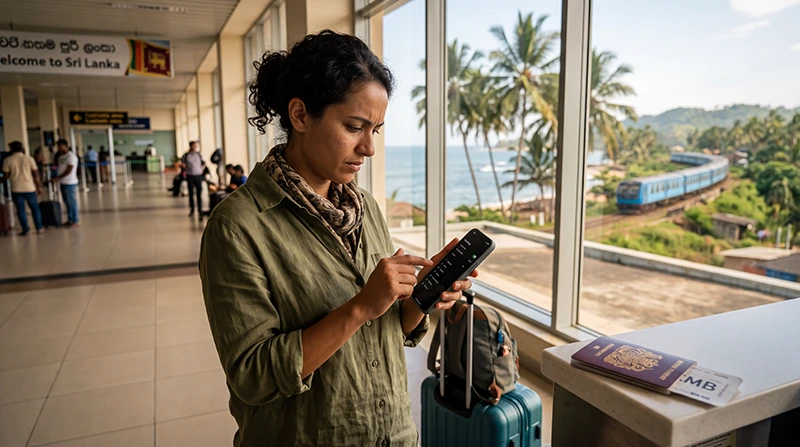

Traveler checking roaming charges before using mobile data in Sri Lanka

Sri Lanka Roaming Charges: Costs, Data Rates and Better Alternatives

Planning a trip to Sri Lanka? Using your home SIM card after arrival may seem convenient, but international roaming charges can quickly become expensive if Sri Lanka is not included in your mobile plan.

Roaming costs depend on your mobile operator, country of residence, contract and whether you activate a travel pass before departure. Some carriers offer daily roaming bundles, while others charge separately for mobile data, calls and SMS.

Whether you are visiting Colombo, Kandy, Ella, Sigiriya, Galle, Mirissa or Sri Lanka’s beautiful beaches, understanding roaming charges before departure can save you from an unexpectedly high mobile bill.

Quick answer: Sri Lanka is outside the EU and EEA roaming zone, so most travelers pay international roaming rates. A travel eSIM is often the easiest way to avoid expensive roaming charges.

Top Sri Lanka eSIMs

Does EU Roaming Work in Sri Lanka?

No.

Sri Lanka is not part of the European Union or the European Economic Area. This means that the European “Roam Like at Home” regulation does not apply.

If your mobile operator is based in Europe, your domestic allowance usually cannot be used in Sri Lanka without additional charges.

How Much Does Roaming Cost in Sri Lanka?

There is no universal price for roaming in Sri Lanka. Costs vary depending on your mobile operator and the roaming package included with your plan.

Roaming Option Typical Pricing Cost Predictability
Pay-as-you-go roaming Usually the most expensive Low
Daily roaming pass Fixed daily charge Medium
Travel roaming package Fixed data allowance High
Sri Lanka eSIM Prepaid data package Very High

Why Roaming Bills Can Become Expensive

  • Background app updates.
  • Cloud photo backups.
  • Automatic software updates.
  • Video streaming.
  • Social media uploads.
  • Video calls.
  • Personal Hotspot usage.
  • Automatic data switching to your primary SIM.

Roaming Charges for Mobile Data

Mobile data is usually responsible for the highest roaming costs.

Activities like navigation, uploading photos, watching videos and syncing cloud storage may consume gigabytes of data without you noticing.

Activity Typical Data Usage
Google Maps Low
WhatsApp messaging Very Low
Email Low
Instagram Moderate
Video Calls High
Netflix / YouTube Very High
Hotspot Very High

Roaming Charges for Calls and SMS

Depending on your operator, outgoing calls, incoming calls and SMS messages may all generate additional roaming charges.

If you use a data-only travel eSIM, you can continue using WhatsApp, FaceTime, Messenger or Viber over mobile data while keeping your original phone number.

Travel eSIM vs International Roaming

Feature Sri Lanka eSIM International Roaming
Known price before travel Yes Usually No
Install before departure Yes Not required
Keep home SIM Yes Yes
Unexpected charges Very Low Possible
Physical SIM required No No
Best for tourists Excellent Depends on operator

Travel eSIM vs Local SIM Card

Feature Travel eSIM Local SIM Card
Buy before departure Yes No
Digital delivery Yes No
Airport queue No Possible
Physical installation No Yes
Keep home SIM Yes Usually No
Local phone number No Usually Yes

How Much Data Do You Need?

Trip Length Recommended Data
2–3 days 3–5 GB
5 days 5–10 GB
1 week 10 GB
10 days 15–20 GB
2 weeks 20–30 GB
Remote work 30 GB+

Coverage in Sri Lanka

Destination Coverage
Colombo Excellent
Kandy Excellent
Galle Excellent
Ella Very Good
Mirissa Very Good
Sigiriya Very Good
Nuwara Eliya Good
Yala National Park Variable

How to Avoid Roaming Charges in Sri Lanka

The easiest way to avoid unexpected roaming costs is to prepare your phone before departure. Installing a travel eSIM while you still have access to reliable WiFi allows you to connect immediately after landing without relying on your home operator’s roaming service.

  1. Check whether your operator includes Sri Lanka in your roaming package.
  2. Purchase a Sri Lanka eSIM before departure.
  3. Install the eSIM while connected to WiFi.
  4. Keep the eSIM disabled until your trip if preferred.
  5. After landing, enable the eSIM.
  6. Select the eSIM for Mobile Data.
  7. Enable Data Roaming on the eSIM.
  8. Disable Data Roaming on your primary SIM.
  9. Turn off Automatic Data Switching.

Recommended Phone Settings

Setting Recommended Value
Mobile Data Sri Lanka eSIM
Calls Primary SIM
SMS Primary SIM
Data Roaming (eSIM) ON
Data Roaming (Primary SIM) OFF
Automatic Data Switching OFF
Network Selection Automatic
APN data.esim

Why Should Data Roaming Be Enabled on the eSIM?

Many travelers are surprised to see that travel eSIM providers recommend enabling Data Roaming. This is completely normal.

Your travel eSIM connects through partner mobile operators in Sri Lanka, so Data Roaming must be enabled on the eSIM profile in order to establish the connection.

At the same time, keep Data Roaming disabled on your primary SIM card to prevent accidental roaming charges from your home operator.

Sri Lanka eSIM APN Settings

Most devices configure the APN automatically. If your phone connects to the network but mobile data does not work, configure the APN manually.

Field Value
APN data.esim
Username Leave blank
Password Leave blank
Authentication None

Can You Keep Your Home SIM Active?

Yes.

Most modern Dual SIM smartphones allow you to keep your primary SIM active for calls and SMS while using your Sri Lanka eSIM for mobile data.

This means you can still receive verification codes, banking SMS messages and important calls while avoiding expensive roaming data charges.

Does WhatsApp Work with a Sri Lanka eSIM?

Yes.

WhatsApp continues using your existing phone number while the Sri Lanka eSIM provides the internet connection.

You do not need to register WhatsApp again or change your number.

Can You Use Personal Hotspot?

Most Sri Lanka eSIM plans support Personal Hotspot, although availability depends on the specific plan.

If you need internet on a laptop or tablet, check your plan details before traveling.

What If Your Internet Doesn’t Work?

  1. Confirm the Sri Lanka eSIM is enabled.
  2. Select it for Mobile Data.
  3. Enable Data Roaming on the eSIM.
  4. Disable Data Roaming on your primary SIM.
  5. Turn off Automatic Data Switching.
  6. Turn Airplane Mode on for 30 seconds.
  7. Restart your phone.
  8. Keep Network Selection on Automatic.
  9. Enter data.esim as the APN if required.

Travel Tips

  • Check roaming prices before departure.
  • Install your eSIM before flying.
  • Keep your QR code available.
  • Download offline maps.
  • Turn off automatic photo backups.
  • Disable automatic app updates.
  • Carry a power bank.
  • Monitor your data usage during your trip.

Related Sri Lanka Guides

FAQ

Does EU roaming work in Sri Lanka?

No. Sri Lanka is outside the EU and EEA, so European roaming rules do not apply.

Is roaming expensive in Sri Lanka?

It can be. Prices depend entirely on your home mobile operator and the roaming package included with your plan.

How can I avoid roaming charges?

The easiest solution is to use a Sri Lanka travel eSIM for mobile data while disabling Data Roaming on your primary SIM.

Can I keep my home SIM active?

Yes. Most Dual SIM phones allow you to use your home SIM for calls and SMS while using your Sri Lanka eSIM for mobile data.

Does WhatsApp work with an eSIM?

Yes. WhatsApp keeps your existing phone number because it uses your internet connection rather than your mobile number.

Do I need to enable Data Roaming?

Yes. Enable Data Roaming only on your Sri Lanka eSIM. Leave Data Roaming disabled on your primary SIM.

What APN should I use?

If manual configuration is required, use data.esim.

Can I use Personal Hotspot?

Most Sri Lanka eSIM plans support hotspot, depending on the selected package.

Should I buy an eSIM before departure?

Yes. Installing your eSIM before your flight is the easiest way to have internet available shortly after landing.

Is an eSIM cheaper than roaming?

For most travelers, a prepaid Sri Lanka eSIM provides more predictable pricing than pay-as-you-go international roaming.

Final Recommendation

International roaming in Sri Lanka is convenient, but it can become expensive very quickly if your mobile operator does not include Sri Lanka in its roaming packages.

For most tourists, a prepaid Sri Lanka eSIM offers the best combination of convenience, predictable pricing and fast setup. You can install it before departure, avoid airport SIM card queues and keep your home SIM active throughout your trip.

After landing, simply enable the eSIM, select it for Mobile Data, turn on Data Roaming for the eSIM and use data.esim if manual APN configuration is required.

Browse Sri Lanka eSIM plans here.

Scroll to Top