
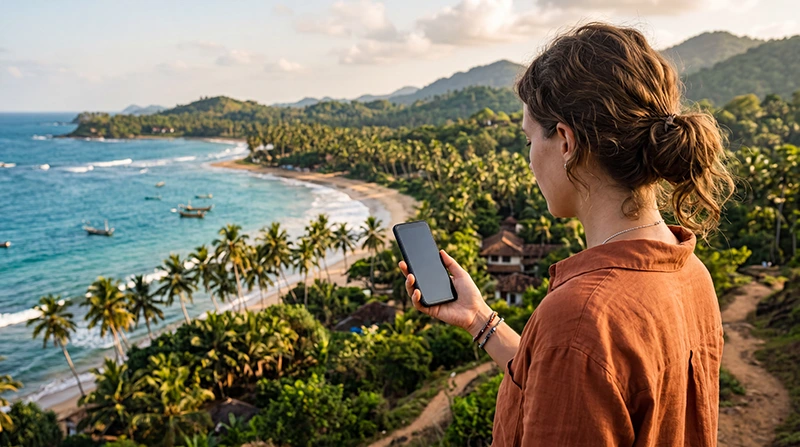

Traveler using a Sri Lanka eSIM on an Android smartphone while exploring the tropical coast

Sri Lanka eSIM for Android: Installation and Setup Guide

Using a Sri Lanka eSIM on an Android phone is a convenient way to get mobile data without replacing your regular SIM card. You can install the travel eSIM before departure, keep your primary number active and connect to a supported local network after arriving in Sri Lanka.

Mobile data is useful throughout the island, whether you are visiting Colombo, Kandy, Sigiriya, Ella, Galle, Mirissa, Nuwara Eliya, Trincomalee or Arugam Bay. You can use your connection for Google Maps, WhatsApp, hotel communication, ride-hailing apps, train information, restaurant searches and travel bookings.

Many recent Samsung Galaxy, Google Pixel, Motorola, Xiaomi, Honor, Oppo and other Android devices support eSIM technology. However, compatibility varies by model, country of purchase, software version and mobile operator.

Quick answer: install your Sri Lanka eSIM while connected to reliable WiFi. After landing, enable the eSIM, select it for Mobile Data, turn on Data Roaming and keep automatic data switching turned off.

Top Sri Lanka eSIMs

Can You Use an eSIM on Android in Sri Lanka?

Yes. A compatible and unlocked Android phone can use a travel eSIM in Sri Lanka. The eSIM connects to a supported local partner network and provides mobile internet during the validity period of your selected plan.

You usually do not need to remove your regular physical SIM. Dual SIM Android phones can keep the primary line active for calls and SMS while using the Sri Lanka eSIM for mobile data.

NoveSIM Sri Lanka plans are data-only. They do not include a traditional Sri Lankan phone number, standard voice minutes or SMS. You can still make calls and send messages through internet-based applications such as WhatsApp, Viber, Messenger, Telegram, Google Meet and Microsoft Teams.

Which Android Phones Support eSIM?

eSIM support is available on many recent premium and selected mid-range Android smartphones. Compatibility cannot be confirmed by the brand name alone because different versions of the same device may have different SIM configurations.

Android Brand General eSIM Availability
Samsung Galaxy Available on many recent Galaxy S, Z Fold, Z Flip and selected other models
Google Pixel Available on many Pixel models
Motorola Available on selected Razr, Edge and other compatible models
Xiaomi Available on selected international flagship and newer models
Honor Available on selected compatible models
Oppo Available on selected Find and other supported models
Sony Xperia Available on selected regional models
Other Android brands Check the exact model number and device settings

A phone model sold in Europe may support eSIM while a version sold in another market may not. Always check the exact model number, region and available settings before buying a travel eSIM.

How to Check Whether Your Android Phone Supports eSIM

The easiest method is to look for an eSIM installation option in your device settings.

On many Samsung phones:

  1. Open Settings.
  2. Select Connections.
  3. Tap SIM Manager.
  4. Look for Add eSIM.

On Google Pixel and other stock Android devices:

  1. Open Settings.
  2. Select Network and Internet.
  3. Tap SIMs or the plus symbol beside SIMs.
  4. Look for an option to download or add an eSIM.

Depending on the manufacturer, the option may be called:

  • Add eSIM.
  • Add Mobile Plan.
  • Download a SIM.
  • Add SIM.
  • Set Up an eSIM.
  • Download New eSIM.

You can also open the phone dialer and enter *#06#. If an EID appears together with the IMEI numbers, the phone usually includes eSIM hardware. However, the settings menu remains the most practical compatibility check.

Read our full guide to checking whether your phone supports a Sri Lanka eSIM.

Make Sure Your Android Phone Is Unlocked

An Android phone may support eSIM technology but still be locked to the mobile operator that sold it. A carrier-locked device may reject an international travel eSIM or prevent it from connecting to partner networks.

The lock status is not displayed consistently across all Android brands. You can check it by:

  • Contacting your home mobile operator.
  • Checking the original purchase agreement.
  • Looking for Network Lock or SIM Lock in the settings.
  • Testing the phone with a SIM card from another operator.

If you are unsure, contact your provider before purchasing the eSIM. Unlocking requirements and waiting periods depend on the operator and contract.

Why Use a Sri Lanka eSIM on Android?

  • Install your mobile data plan before departure.
  • No need to replace your physical SIM card.
  • Avoid queues at airport mobile operator counters.
  • Keep your existing number available for calls and SMS.
  • Connect shortly after arriving in Sri Lanka.
  • Manage both SIM lines from the Android settings.
  • Continue using WhatsApp with your existing number.
  • Choose a data plan based on your trip length.

An eSIM is particularly useful for short holidays, backpacking trips, road trips, business travel and journeys covering several destinations in Sri Lanka.

What You Need Before Installing the eSIM

Prepare the following before starting the installation:

  • A compatible and unlocked Android smartphone.
  • A reliable WiFi connection.
  • Your eSIM QR code or installation link.
  • The manual installation details if provided.
  • An updated version of Android.
  • Enough battery power to complete the setup.

Your NoveSIM QR code and installation instructions are delivered by email after purchase. The same details can also be found in your NoveSIM account by opening your order and viewing the eSIM information.

When Should You Install Your Sri Lanka eSIM?

Install the eSIM before departure while connected to stable WiFi. This gives you time to confirm that the profile appears correctly in your SIM settings and resolve any installation issue before travelling.

Installing an eSIM and activating the data plan are not always the same event. Depending on the selected package, the plan commonly begins when the eSIM first connects to a supported network in Sri Lanka.

Do not delete the eSIM after installation. Many travel eSIM QR codes can only be used once and may not support a second installation after the profile has been removed.

How to Install a Sri Lanka eSIM on Samsung

The menu names may vary slightly depending on the Samsung model and One UI version.

  1. Connect the phone to stable WiFi.
  2. Open Settings.
  3. Select Connections.
  4. Tap SIM Manager.
  5. Select Add eSIM.
  6. Choose Scan QR Code.
  7. Scan the QR code supplied after purchase.
  8. Confirm that you want to add the mobile plan.
  9. Wait for the eSIM to download.
  10. Label the new line Sri Lanka, Travel or NoveSIM.

If the QR code is displayed on the same phone, open it on another device or computer. You may also be able to use a direct installation link when one is provided.

How to Install a Sri Lanka eSIM on Google Pixel

  1. Connect the Pixel phone to WiFi.
  2. Open Settings.
  3. Select Network and Internet.
  4. Tap SIMs or the plus symbol beside SIMs.
  5. Select the option to download a new eSIM.
  6. Choose Use a Different Network if requested.
  7. Scan the supplied QR code.
  8. Confirm the download and installation.
  9. Label the eSIM for easy identification.

The wording can differ between Android versions. Follow the on-screen prompts until the new profile appears in the SIMs menu.

How to Install the eSIM on Other Android Phones

Motorola, Xiaomi, Honor, Oppo and other manufacturers use different names for their SIM menus. The general process is similar:

  1. Connect the phone to WiFi.
  2. Open Settings.
  3. Find Mobile Network, SIMs, SIM Manager or Network and Internet.
  4. Select Add eSIM or a similar option.
  5. Choose the QR code installation method.
  6. Scan the supplied QR code.
  7. Confirm the installation.
  8. Label the new mobile plan.

Use the settings search field and search for eSIM when you cannot find the correct menu manually.

How to Install the Sri Lanka eSIM Manually

If QR code scanning is unavailable, you may be able to install the profile with the SM-DP+ address and activation code supplied with your order.

  1. Open the eSIM installation menu.
  2. Select the manual entry option.
  3. Enter the supplied SM-DP+ address.
  4. Enter the activation code exactly as provided.
  5. Confirm the download.
  6. Wait for the eSIM profile to be added.

A missing character, extra space or incorrect symbol can prevent installation. Copy the information exactly and use stable WiFi throughout the process.

Recommended Settings During Installation

Your Android phone may ask which SIM should be used for calls, messages and mobile data.

Setting Recommended Choice
Calls Primary SIM
SMS Primary SIM
Mobile Data before arrival Primary SIM or off
Mobile Data after arrival Sri Lanka eSIM
Automatic Data Switching Off

You can keep the eSIM installed but disabled until you arrive. After landing, select it as the preferred mobile data line.

How to Activate the Sri Lanka eSIM After Landing

  1. Turn off Airplane Mode.
  2. Open Settings.
  3. Go to the SIM or Mobile Network menu.
  4. Enable the Sri Lanka eSIM.
  5. Select it as the preferred SIM for Mobile Data.
  6. Open the settings for the Sri Lanka eSIM.
  7. Turn on Data Roaming.
  8. Turn off automatic mobile data switching.
  9. Keep Network Selection on Automatic.
  10. Wait several minutes for the phone to register.

Data Roaming must be enabled on the travel eSIM because it connects through a supported local partner network. This does not mean that roaming should also be enabled on your primary SIM.

Recommended Android Settings in Sri Lanka

Android Setting Recommended Value
Preferred SIM for Mobile Data Sri Lanka eSIM
Preferred SIM for Calls Primary SIM
Preferred SIM for SMS Primary SIM
Data Roaming on Sri Lanka eSIM On
Data Roaming on primary SIM Off
Automatic Data Switching Off
Network Selection Automatic
Preferred Network Type 5G Auto or 4G/LTE
APN data.esim if required

How to Avoid Roaming Charges on Your Primary SIM

You can keep your regular SIM active for incoming SMS and calls, but incorrect settings may allow it to use international mobile data.

To reduce the risk of unwanted charges:

  1. Open the SIM settings.
  2. Select your primary SIM.
  3. Turn Data Roaming off.
  4. Select the Sri Lanka eSIM for Mobile Data.
  5. Disable automatic data switching or backup calling data.
  6. Check that the data icon is linked to the travel eSIM.

Your home operator may still charge for answering or making calls abroad. Check its roaming prices before travelling.

Sri Lanka eSIM APN Settings on Android

The APN is normally configured automatically. If the phone connects to a network but websites and apps do not load, you may need to enter the APN manually.

APN Field Value
Name NoveSIM
APN data.esim
Username Leave blank
Password Leave blank
Authentication Type None
APN Type default,supl if required

To add the APN:

  1. Open Settings.
  2. Select Connections, Mobile Network or Network and Internet.
  3. Choose the Sri Lanka eSIM.
  4. Open Access Point Names.
  5. Tap the plus symbol or Add.
  6. Enter data.esim in the APN field.
  7. Leave the username and password blank.
  8. Save the new APN.
  9. Select it as the active access point.

Restart the phone or enable Airplane Mode for 30 seconds after changing the APN.

See our full guide to Sri Lanka eSIM APN settings.

Which Mobile Network Will Your Android Phone Use?

A travel eSIM connects through one or more supported local partner networks in Sri Lanka. The exact operator depends on the selected plan and its roaming agreements.

Automatic Network Selection is normally recommended because it allows the phone to register with an available supported network. Coverage is generally strongest in Colombo, Kandy, Galle and other populated locations.

Signal quality can vary in Ella, Nuwara Eliya, national parks, mountain roads and isolated coastal destinations. Download offline maps before travelling through areas where coverage may be inconsistent.

Read our comparison of the best mobile networks in Sri Lanka for tourists.

Should You Use 5G or 4G?

If your device, plan and local network support 5G, the phone may connect automatically. For most users, the default 5G Auto setting provides a good balance between speed and battery consumption.

Switch to 4G or LTE when:

  • The 5G signal is weak.
  • The connection repeatedly disconnects.
  • The phone battery is draining quickly.
  • 4G provides a more stable signal.

A strong 4G connection is sufficient for maps, messaging, browsing, ride-hailing and most normal travel activities.

Does WhatsApp Work with a Sri Lanka eSIM?

Yes. WhatsApp continues to use your existing phone number even when the Sri Lanka eSIM provides mobile data.

You do not need to change the number registered with WhatsApp. Continue using your current account for messages, voice calls and video calls.

If WhatsApp asks whether you want to register a new number after installing the eSIM, keep your existing number unless you intentionally want to change the account.

Learn more in our guide to using WhatsApp in Sri Lanka.

Can You Use Personal Hotspot on Android?

Hotspot availability depends on the selected eSIM plan and device. When supported, you can share mobile data with a laptop, tablet or another phone.

On Samsung and many other Android phones:

  1. Open Settings.
  2. Select Connections or Network and Internet.
  3. Open Mobile Hotspot and Tethering or Hotspot and Tethering.
  4. Enable Mobile Hotspot.

Hotspot use can consume data quickly. Laptops may automatically download software updates, synchronise files or back up photographs after connecting.

How to Reduce Mobile Data Usage on Android

  • Download offline Google Maps.
  • Enable Data Saver.
  • Disable automatic application updates over mobile data.
  • Pause Google Photos and cloud backups.
  • Reduce video streaming quality.
  • Disable social media video autoplay.
  • Download music and entertainment over WiFi.
  • Restrict background data for unnecessary applications.

To enable Data Saver:

  1. Open Settings.
  2. Select Connections or Network and Internet.
  3. Open Data Usage or Data Saver.
  4. Enable the data-saving option.

What to Do If the Sri Lanka eSIM Is Not Working

Check the main settings before deleting or reinstalling the profile.

  1. Confirm that the Sri Lanka eSIM is enabled.
  2. Select it as the preferred SIM for Mobile Data.
  3. Enable Data Roaming on the eSIM.
  4. Disable automatic mobile data switching.
  5. Keep Network Selection on Automatic.
  6. Confirm that the APN is data.esim.
  7. Turn Airplane Mode on for 30 seconds.
  8. Turn Airplane Mode off and wait for reconnection.
  9. Restart the phone.

Do not delete the eSIM while troubleshooting. The original QR code may not work for another installation.

For more help, read our guides to an eSIM not working in Sri Lanka and no internet on a Sri Lanka eSIM.

What If the Phone Shows No Service?

No Service usually means that the Android phone has not registered with a supported local network.

  1. Confirm that you are already in Sri Lanka.
  2. Enable the travel eSIM.
  3. Turn on Data Roaming.
  4. Use Airplane Mode for 30 seconds.
  5. Restart the device.
  6. Keep Network Selection on Automatic.
  7. Move outdoors or closer to a window.

If automatic network selection fails, test a supported network manually.

How to Select a Mobile Network Manually

  1. Open Settings.
  2. Select the Sri Lanka eSIM in the Mobile Network or SIM menu.
  3. Open Network Operators or Network Selection.
  4. Disable automatic selection.
  5. Wait for the available networks to appear.
  6. Select a network supported by your eSIM plan.
  7. Wait several minutes for registration.

Return to automatic selection if the manually selected network does not provide a stable connection.

Can You Transfer the eSIM to Another Android Phone?

A travel eSIM is normally intended for installation on one device. Standard Android eSIM transfer tools may not work with a travel profile.

Install the eSIM on the phone you plan to carry during the trip. Do not test it on one device if you intend to use it on another.

Can You Delete and Reinstall the eSIM?

Do not delete the eSIM unless customer support specifically instructs you to do so. Many travel eSIM QR codes are valid for one installation only.

Disabling an eSIM is different from deleting it. You can turn the line off temporarily and enable it again later without removing the profile.

Related Sri Lanka Guides

FAQ

Can I use a Sri Lanka eSIM on an Android phone?

Yes. You can use a Sri Lanka eSIM when your Android phone supports eSIM technology and is unlocked from its original mobile operator.

How do I know whether my Android supports eSIM?

Open the SIM or Mobile Network settings and look for Add eSIM, Download a SIM or Add Mobile Plan. You can also check whether an EID appears after dialing *#06#.

When should I install the Sri Lanka eSIM?

Install it before departure while connected to stable WiFi. Enable it for Mobile Data after arriving in Sri Lanka.

Do I need to turn on Data Roaming?

Yes. Data Roaming must be enabled on the Sri Lanka travel eSIM because it connects through a supported local partner network.

What APN should I use on Android?

If manual APN configuration is required, enter data.esim. Leave the username and password blank.

Can I keep my regular SIM active?

Yes. Keep the primary SIM active for calls and SMS while selecting the Sri Lanka eSIM for Mobile Data. Disable automatic data switching.

Will WhatsApp keep my existing number?

Yes. WhatsApp continues using your existing number while the travel eSIM supplies the mobile internet connection.

Can I use a hotspot?

Hotspot availability depends on the selected plan and phone. When supported, you can share data with a laptop, tablet or another device.

Should I use 5G or 4G?

Use 5G Auto when available. Switch to 4G or LTE when the 5G connection is weak, unstable or consuming too much battery.

Why does my phone show signal but no internet?

Confirm that the travel eSIM is selected for Mobile Data, Data Roaming is enabled and the APN is set to data.esim if manual configuration is required.

Can I install the same eSIM on another Android phone?

Travel eSIMs are generally intended for one device. Install the profile directly on the phone you plan to use during your trip.

Can I delete and reinstall the eSIM?

Do not delete the eSIM unless support instructs you to do so. Many QR codes can only be installed once.

Final Recommendation

A Sri Lanka eSIM is a convenient way to use mobile data on a compatible Android smartphone while keeping your regular SIM card and phone number active.

Install the eSIM before departure while connected to WiFi. After landing, enable the Sri Lanka eSIM, select it for Mobile Data, turn on Data Roaming and disable automatic data switching.

If the phone connects to a network but mobile internet does not work, enter data.esim as the APN, activate Airplane Mode for 30 seconds and restart the device. Do not delete the eSIM while troubleshooting.

Browse Sri Lanka eSIM plans here.

Scroll to Top