
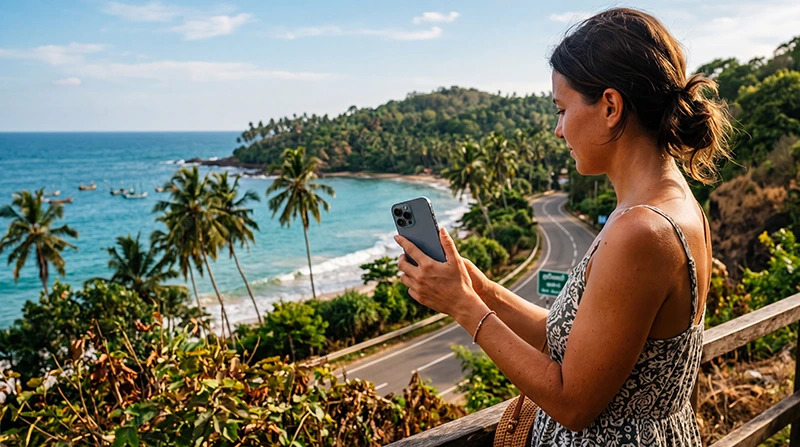

Traveler using a Sri Lanka eSIM on a smartphone while exploring the island

How to Use an eSIM in Sri Lanka

Using an eSIM in Sri Lanka is one of the easiest ways to stay connected while travelling around the island. You can install the digital SIM before departure, keep your regular SIM card active and use mobile data shortly after arriving.

A Sri Lanka eSIM is useful for Google Maps, WhatsApp, hotel communication, ride-hailing apps, train information, restaurant searches, flight updates and travel bookings. It can be used in popular destinations such as Colombo, Kandy, Sigiriya, Ella, Galle, Mirissa, Nuwara Eliya, Trincomalee and Arugam Bay.

The process has three main stages: install the eSIM before travelling, activate it after landing and select it as your preferred Mobile Data line. Data Roaming must normally be enabled on the travel eSIM because it connects through a supported local partner network.

Quick answer: install your Sri Lanka eSIM while connected to WiFi, then after landing enable the eSIM, select it for Mobile Data, turn on Data Roaming and disable automatic data switching.

Top Sri Lanka eSIMs

What Is a Sri Lanka eSIM?

An eSIM is a digital SIM profile that is installed directly on a compatible smartphone. Instead of inserting a physical SIM card, you scan a QR code, open an installation link or enter the activation details manually.

Once installed, the eSIM appears as an additional mobile line in your phone settings. You can keep your primary SIM active for calls and SMS while using the Sri Lanka eSIM for mobile internet.

NoveSIM Sri Lanka plans are data-only. They do not include a traditional Sri Lankan phone number, standard voice minutes or SMS. You can still make internet-based calls through WhatsApp, Viber, FaceTime, Messenger, Telegram, Google Meet and similar applications.

What Do You Need Before Using an eSIM?

  • A smartphone that supports eSIM technology.
  • An unlocked device without carrier restrictions.
  • A stable WiFi connection for installation.
  • Your QR code or installation link.
  • The manual activation details if supplied.
  • An active Sri Lanka eSIM data plan.
  • An updated operating system.

Before purchasing, confirm that your phone supports eSIM and is unlocked. Regional versions of the same device can have different eSIM capabilities.

Read our guide to checking whether your phone supports a Sri Lanka eSIM.

Install the eSIM Before Departure

The best time to install your Sri Lanka eSIM is before travelling, while you still have access to reliable WiFi.

Your QR code and installation instructions are delivered by email after purchase. You can also find them in your NoveSIM account by opening the relevant order and viewing the eSIM details.

After installation, label the line Sri Lanka, Travel or NoveSIM. This makes it easier to identify the correct line later.

Do not delete the eSIM after installation. Many travel eSIM QR codes can only be used once and may not support another installation.

For full setup instructions, read our guide on how to install a Sri Lanka eSIM.

How to Use the eSIM After Arriving in Sri Lanka

After landing, configure your phone to use the travel eSIM for mobile internet.

  1. Turn off Airplane Mode.
  2. Open your SIM or Mobile Network settings.
  3. Enable the Sri Lanka eSIM.
  4. Select it as the preferred line for Mobile Data.
  5. Turn on Data Roaming for the eSIM.
  6. Turn off automatic mobile data switching.
  7. Keep Network Selection on Automatic.
  8. Wait several minutes for registration.

The phone should connect automatically to a supported local network. Registration may take several minutes after leaving Airplane Mode.

Recommended eSIM Settings

Setting Recommended Value
Mobile Data Sri Lanka eSIM
Calls Primary SIM
SMS Primary SIM
Data Roaming on Sri Lanka eSIM On
Data Roaming on primary SIM Off
Automatic Data Switching Off
Network Selection Automatic
Preferred Network Type 5G Auto or 4G/LTE
APN data.esim if required

How to Use a Sri Lanka eSIM on iPhone

  1. Open Settings.
  2. Select Cellular or Mobile Data.
  3. Tap the line labelled Sri Lanka, Travel or NoveSIM.
  4. Enable Turn On This Line.
  5. Turn on Data Roaming.
  6. Return to the main Mobile Data menu.
  7. Select Mobile Data or Cellular Data.
  8. Choose the Sri Lanka eSIM.
  9. Turn Allow Cellular Data Switching off.

Keep your primary SIM selected as the default line for calls and SMS if you want to continue receiving messages on your regular number.

See our detailed Sri Lanka eSIM for iPhone guide.

How to Use a Sri Lanka eSIM on Samsung

  1. Open Settings.
  2. Select Connections.
  3. Tap SIM Manager.
  4. Enable the Sri Lanka eSIM.
  5. Select it as the preferred SIM for Mobile Data.
  6. Return to Connections.
  7. Open Mobile Networks.
  8. Enable Data Roaming for the travel eSIM.
  9. Disable automatic or backup data switching.
  10. Keep Network Operators set to automatic.

The wording may vary depending on the Samsung model and One UI version.

How to Use a Sri Lanka eSIM on Google Pixel

  1. Open Settings.
  2. Select Network and Internet.
  3. Tap SIMs.
  4. Select the Sri Lanka eSIM.
  5. Enable Use SIM.
  6. Turn on Roaming.
  7. Select the eSIM for Mobile Data.
  8. Disable automatic data switching if available.
  9. Keep automatic network selection enabled.

For more Android instructions, visit our Sri Lanka eSIM for Android guide.

Why Does Data Roaming Need to Be On?

A travel eSIM uses a local partner network in Sri Lanka. Because the eSIM profile is issued internationally, the phone treats the connection as roaming.

Data Roaming must therefore be enabled on the Sri Lanka eSIM. This is normal and does not create extra charges beyond the selected prepaid eSIM plan.

Keep Data Roaming turned off on your primary SIM to help avoid charges from your home mobile operator.

Can You Keep Your Regular SIM Active?

Yes. Most modern Dual SIM phones allow your regular SIM and travel eSIM to remain active together.

A recommended configuration is:

Function SIM to Use
Mobile Data Sri Lanka eSIM
Calls Primary SIM
SMS Primary SIM
WhatsApp Internet Sri Lanka eSIM
Data Roaming Travel eSIM only

Your home operator may still charge for making or answering calls abroad. Check its roaming prices before travelling.

Does WhatsApp Work with a Sri Lanka eSIM?

Yes. WhatsApp continues to use your existing phone number while the travel eSIM supplies mobile data.

You do not need to change the number registered with WhatsApp. Messages, calls, contacts and group chats can continue working normally.

If WhatsApp asks whether you want to use a new number after installing the eSIM, keep your existing number unless you intentionally want to change your account.

Read our guide to using WhatsApp in Sri Lanka.

Can You Make Calls with the eSIM?

NoveSIM Sri Lanka plans provide mobile data only. They do not include a traditional voice number or standard call minutes.

You can make internet calls using:

  • WhatsApp.
  • Viber.
  • FaceTime.
  • Messenger.
  • Telegram.
  • Google Meet.
  • Microsoft Teams.
  • Skype.

Your primary SIM can remain active for normal calls if international roaming is available through your home operator.

How to Use Google Maps in Sri Lanka

Google Maps can use the Sri Lanka eSIM connection for navigation, route planning, restaurant searches and accommodation directions.

Download offline maps before travelling through mountain areas, national parks and remote roads. Offline maps continue working even when mobile coverage temporarily disappears.

Mobile data may be less consistent in remote parts of Ella, Nuwara Eliya, Yala National Park, Sigiriya and rural coastal areas.

How to Use Ride-Hailing Apps

Mobile data allows you to use ride-hailing and transport applications after landing. These services may require location access and an active internet connection.

Before requesting a ride:

  • Enable location services.
  • Confirm that the eSIM has mobile data.
  • Save your hotel address.
  • Check the pickup location carefully.
  • Keep the driver’s details available.

Mobile data is especially useful when leaving Bandaranaike International Airport or moving around Colombo.

How to Use the eSIM on Sri Lanka Trains

Mobile data can work during many parts of a train journey, but coverage may change frequently in the central highlands.

The Kandy to Ella route passes through tunnels, forests, mountains and valleys. Temporary signal interruptions are normal.

Before boarding:

  • Download your ticket or booking confirmation.
  • Save your hotel address.
  • Download offline maps.
  • Download music, podcasts or entertainment.
  • Keep your destination details available offline.

Read our guide to internet on Sri Lanka trains.

Can You Use Personal Hotspot?

Personal Hotspot availability depends on the selected plan and device. When supported, you can share the eSIM connection with a laptop, tablet or another phone.

Hotspot use can consume data quickly, especially when the connected device downloads updates, synchronises files or streams video.

Before using hotspot:

  • Disable automatic software updates.
  • Pause cloud backups.
  • Reduce video quality.
  • Disconnect unused devices.
  • Monitor data consumption.

How Much Data Do You Need?

Travel Style Suggested Data Amount
Maps and messaging only 3–5 GB per week
Normal tourist use 5–10 GB per week
Frequent social media 10–20 GB per week
Video calls and hotspot use 20 GB or more
Remote work Large or unlimited plan

Data usage depends on your habits. Streaming video and sharing mobile data with a laptop use much more data than maps and text messaging.

See our guide to how much data you need for Sri Lanka.

How to Reduce Mobile Data Usage

  • Download offline maps.
  • Use hotel WiFi for large downloads.
  • Disable automatic application updates.
  • Pause photo and video backups.
  • Reduce video streaming quality.
  • Turn off social media autoplay.
  • Enable Low Data Mode or Data Saver.
  • Download entertainment before long journeys.

Sri Lanka eSIM APN Settings

The APN is normally configured automatically. If the phone connects to a network but websites and applications do not load, enter the APN manually.

APN Field Value
Name NoveSIM
APN data.esim
Username Leave blank
Password Leave blank
Authentication None or automatic

Save the settings, select the new APN and restart the phone or activate Airplane Mode for approximately 30 seconds.

Read our full guide to Sri Lanka eSIM APN settings.

Which Mobile Network Will the eSIM Use?

A travel eSIM connects through one or more supported local partner networks. The exact operator depends on the selected package and roaming agreements.

Keep Network Selection on Automatic for normal use. This allows the phone to connect to an available supported network.

Coverage is generally strongest in Colombo, Kandy, Galle and other populated areas. It may be less consistent in mountain regions, national parks and remote beaches.

Learn more in our guide to the best mobile networks in Sri Lanka for tourists.

Should You Use 5G or 4G?

Use 5G Auto when the device and plan support it. The phone can switch between 5G and 4G depending on local availability.

Switch to 4G or LTE when:

  • The 5G signal is weak.
  • The connection disconnects repeatedly.
  • The phone battery drains quickly.
  • 4G provides a more stable signal.

A stable 4G connection is sufficient for maps, messaging, browsing and travel bookings.

What to Do If the eSIM Is Not Working

  1. Confirm that the eSIM is enabled.
  2. Select it as the preferred Mobile Data line.
  3. Turn on Data Roaming.
  4. Disable automatic data switching.
  5. Keep Network Selection on Automatic.
  6. Check that the APN is data.esim.
  7. Turn Airplane Mode on for 30 seconds.
  8. Turn Airplane Mode off.
  9. Restart the phone.

Do not delete the eSIM while troubleshooting. The original QR code may not support another installation.

See our guides to an eSIM not working in Sri Lanka and no internet on a Sri Lanka eSIM.

What If the Phone Shows No Service?

No Service usually means that the phone has not registered with a supported local network.

  1. Confirm that you are already in Sri Lanka.
  2. Enable the travel eSIM.
  3. Turn on Data Roaming.
  4. Move outdoors or closer to a window.
  5. Use Airplane Mode for 30 seconds.
  6. Restart the phone.
  7. Keep Network Selection on Automatic.

If automatic selection does not work, you can test another supported network manually.

How to Select a Network Manually

  1. Open the settings for the Sri Lanka eSIM.
  2. Select Network Selection or Network Operators.
  3. Turn automatic selection off.
  4. Wait for the available networks.
  5. Select a network supported by the plan.
  6. Wait several minutes for registration.

Return to automatic selection if the manually selected network does not connect.

Common Mistakes to Avoid

  • Forgetting to enable Data Roaming.
  • Selecting the primary SIM for Mobile Data.
  • Leaving automatic data switching enabled.
  • Deleting the eSIM when it does not connect immediately.
  • Entering the APN incorrectly.
  • Testing the eSIM before arriving in Sri Lanka.
  • Using the QR code on the wrong device.
  • Assuming that installation and activation are the same.

Related Sri Lanka Guides

FAQ

How do I use an eSIM in Sri Lanka?

Install it before travelling. After arrival, enable the eSIM, select it for Mobile Data, turn on Data Roaming and disable automatic data switching.

Do I need Data Roaming enabled?

Yes. Enable Data Roaming on the travel eSIM because it connects through a supported local partner network.

Can I keep my normal SIM active?

Yes. Keep your primary SIM active for calls and SMS while using the Sri Lanka eSIM for Mobile Data.

Will WhatsApp keep my current number?

Yes. WhatsApp continues to use your existing number while the eSIM provides mobile internet.

Can I make normal phone calls?

NoveSIM plans are data-only. Use WhatsApp, Viber, FaceTime or another internet calling application.

Can I use Personal Hotspot?

Hotspot availability depends on the selected plan and device. When supported, you can share data with another device.

What APN should I use?

If manual configuration is required, enter data.esim and leave the username and password blank.

Should I use 5G or 4G?

Use 5G Auto when available. Switch to 4G or LTE if the connection is unstable or the battery drains quickly.

Why does my phone show signal but no internet?

Check that the eSIM is selected for Mobile Data, Data Roaming is enabled and the APN is set to data.esim.

Can I turn the eSIM off temporarily?

Yes. You can disable and re-enable the line without deleting the profile.

Should I delete the eSIM after the trip?

You can remove it after the plan is finished and you no longer need it. Do not delete it during the trip or while troubleshooting.

Can I use the eSIM on another phone?

Travel eSIMs are generally intended for one device. Install the profile directly on the phone you plan to use.

Final Recommendation

Using a Sri Lanka eSIM is simple once the correct settings are enabled. Install it before departure, keep the profile on your phone and activate it after landing.

Select the Sri Lanka eSIM for Mobile Data, turn on Data Roaming and disable automatic data switching. Keep roaming turned off on your primary SIM to reduce the risk of unexpected charges.

If the phone connects to a network but has no internet, enter data.esim as the APN, use Airplane Mode for 30 seconds and restart the device.

Browse Sri Lanka eSIM plans here.

Scroll to Top