
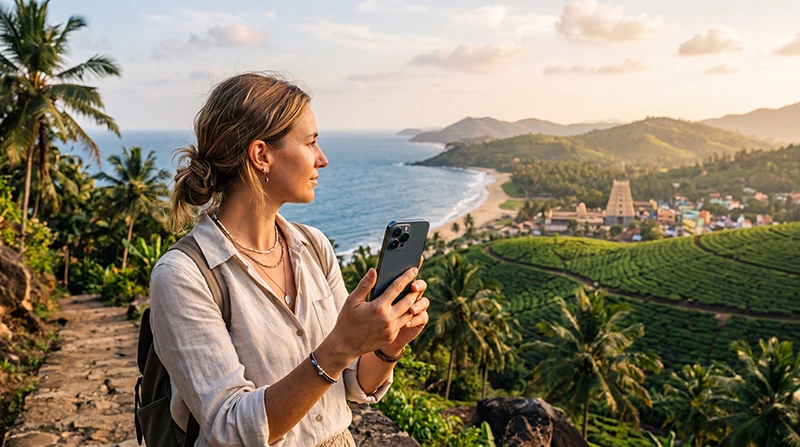

Traveler using one eSIM while visiting Sri Lanka and India

Sri Lanka and India eSIM: Stay Connected Across South Asia

Sri Lanka and India are often combined into one unforgettable journey. Many travelers explore Sri Lanka’s beaches, tea plantations and wildlife before continuing to India’s vibrant cities, cultural landmarks and mountain regions.

Reliable mobile internet helps throughout the trip, whether you’re booking transportation, navigating unfamiliar streets, checking flight information, contacting hotels or sharing your experiences online.

For most international travelers, a travel eSIM is the easiest way to stay connected because it can be installed before departure and activated immediately after arriving.

Quick answer: install your travel eSIM before leaving home, activate it after arrival and enjoy seamless mobile data while traveling across both countries.

Top India eSIMs

Should You Buy One eSIM or Two?

The best option depends on your itinerary. Some regional Asia eSIM plans include both Sri Lanka and India, while country-specific plans only work within one destination.

Option Best For Main Advantage
Regional Asia eSIM Multi-country trips One installation
Separate country eSIMs Maximum flexibility Dedicated plans
Local SIM cards Long stays Local phone numbers
International roaming Emergency use No installation required

Why Choose an eSIM?

  • Install before departure.
  • No physical SIM card replacement.
  • No airport queues.
  • Keep your regular phone number.
  • Ideal for multi-country travel.
  • Works with Dual SIM smartphones.
  • Easy activation after arrival.

Browse Sri Lanka eSIM plans.

How Does a Regional eSIM Work?

Once your eSIM is installed, your phone automatically connects to supported mobile networks whenever you enter a covered country.

If your plan includes both Sri Lanka and India, you won’t need to replace SIM cards or scan another QR code when crossing the border.

How to Activate Your eSIM

  1. Purchase your travel eSIM.
  2. Install it while connected to WiFi.
  3. Travel to Sri Lanka or India.
  4. Enable the eSIM.
  5. Select it for Mobile Data.
  6. Turn on Data Roaming.
  7. Leave Network Selection on Automatic.

Your QR code and installation guide are delivered immediately after purchase and remain available in your NoveSIM account.

Coverage Across Both Countries

Destination Expected Coverage
Colombo Excellent
Kandy Excellent
Galle Excellent
Delhi Excellent
Mumbai Excellent
Bangalore Excellent
Goa Very Good
Rural and mountain regions Good to Very Good

Coverage is generally strongest in cities, airports and tourist destinations. Some remote mountain regions and national parks may experience weaker signal.

How Much Data Do You Need?

Trip Style Recommended Data
One-week holiday 10 GB
Two-week multi-country trip 20 GB
Frequent social media use 30 GB
Remote work Unlimited or large plan

Maps, messaging and travel apps consume relatively little data, while streaming, cloud backups and hotspot use require larger plans.

Can You Use Google Maps?

Yes. Google Maps works very well throughout both Sri Lanka and India and is one of the most useful travel apps for navigation, hotels, restaurants and attractions.

Download offline maps before visiting remote areas or mountain regions.

Does WhatsApp Work?

Yes. WhatsApp continues using your existing phone number while your eSIM provides mobile data.

You can communicate with hotels, drivers, tour operators and friends without changing your account.

Recommended Mobile Settings

Setting Recommended Value
Mobile Data Travel eSIM
Calls Primary SIM
SMS Primary SIM
Data Roaming ON (eSIM)
Automatic Data Switching OFF
Network Selection Automatic
APN data.esim if required

Sri Lanka & India eSIM APN Settings

Most phones configure the APN automatically. If manual configuration is required, use the following settings.

Field Value
APN data.esim
Username Leave blank
Password Leave blank
Authentication None

What If Your eSIM Doesn’t Connect?

  1. Confirm the eSIM is enabled.
  2. Select it for Mobile Data.
  3. Enable Data Roaming.
  4. Keep Network Selection on Automatic.
  5. Confirm the APN is data.esim.
  6. Turn Airplane Mode on for 30 seconds.
  7. Restart your phone.

Travel Tips

  • Install your eSIM before departure.
  • Download offline Google Maps.
  • Keep boarding passes available offline.
  • Carry a power bank.
  • Use hotel WiFi for large uploads.
  • Disable roaming on your primary SIM.
  • Keep your QR code until your trip ends.
  • Monitor your data usage.

Related Guides

FAQ

Can one eSIM work in both Sri Lanka and India?

Yes, if you choose a regional eSIM plan that includes coverage in both countries.

Should I install the eSIM before traveling?

Yes. Installing it before departure allows you to connect immediately after landing.

Will WhatsApp keep my existing number?

Yes. Your WhatsApp account continues using your current phone number while the eSIM provides mobile data.

How much data do I need?

For most two-country holidays, 20 GB is sufficient unless you stream video frequently or work remotely.

What APN should I use?

If manual configuration is required, use data.esim.

Final Recommendation

A regional travel eSIM is one of the easiest ways to stay connected while visiting both Sri Lanka and India. It lets you avoid changing SIM cards, keep your regular number and enjoy reliable mobile internet across both destinations.

Install your eSIM before departure, enable Data Roaming after arrival and use data.esim if manual APN configuration is required.

Browse Sri Lanka eSIM plans here.

Scroll to Top