


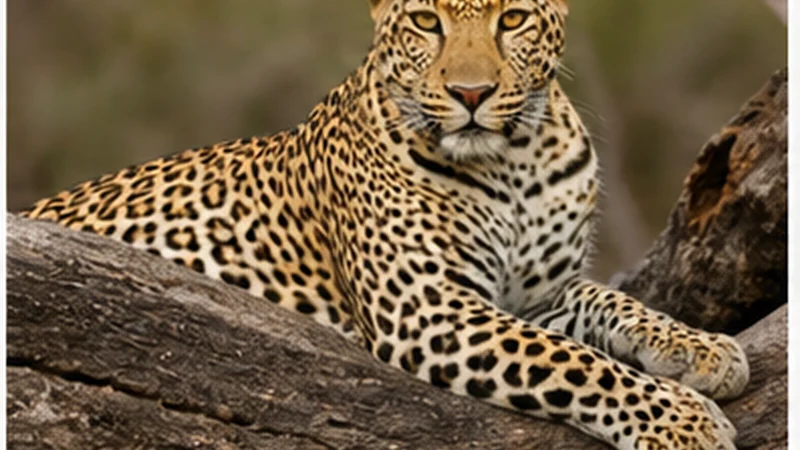

Mobile internet on a South African safari can work near towns, gates and some lodges, then disappear along a game-drive route. The exact reserve, camp, partner network and terrain matter more than a national coverage claim.
A connection is useful for transfer messages, lodge details and the journey before and after the reserve. It should not be the only copy of an entry permit, meeting point or self-drive route.
NoveSIM South Africa eSIMs are data-only. They support online apps where the selected plan can register on an available partner network, but they do not provide a South African number, conventional calls or carrier SMS.
Quick answer: Ask the lodge about reception at the exact property, download the route and booking details before the gate, and expect gaps during drives. Keep the eSIM on Automatic network selection and carry enough power for the full excursion.
Top South Africa eSIMs

South Africa eSIM
Fixed
1 GB, 7 days5.50$2 GB, 15 days9.50$3 GB, 30 days12.50$Unlimited
Unlimited, 1 day6.00$Unlimited, 3 days15.50$Unlimited, 5 days24.50$
Coverage at the lodge does not describe the whole reserve
A lodge may have mobile signal or Wi-Fi while a road, hide or picnic site does not. Hills, vegetation, distance from a site and building materials can change reception within a short distance.
Ask the accommodation two separate questions: whether guests receive mobile signal at the rooms, and whether Wi-Fi reaches the room or only a common area. Use the South Africa coverage guide for the broader network context.
Save the arrival and gate information offline
- Download the route to the correct gate, not only the reserve name.
- Save the booking confirmation, entry requirements and check-in time.
- Store the lodge address, reception number and transfer instructions.
- Take a screenshot of the meeting point for an organised drive.
- Keep the next fuel stop or charging stop available offline.
Offline maps can preserve a prepared route but do not provide current traffic, closures or live navigation data. The Google Maps South Africa guide explains these limits.
Do not depend on a phone during a game drive
Follow the guide, reserve staff and posted rules. A live map is not a substitute for official directions, permitted roads or gate times.
Keep the phone quiet and secure in an open vehicle. Avoid standing, leaning out or handling equipment in a way that conflicts with the guide’s instructions. Connectivity should support the trip, not distract from safety or wildlife etiquette.
Prepare power for a long day away from the lodge
Searching for signal, using the camera, running navigation and uploading photos can drain a battery quickly. Carry a charged power bank and a suitable cable, and use Battery Saver when necessary.
Wait for stable lodge Wi-Fi or reliable mobile coverage before uploading large photo and video libraries. Automatic backups can consume both battery and high-speed data without helping during the drive.
Configure the eSIM before entering the reserve
- Install the eSIM on reliable Wi-Fi and keep the installation details accessible.
- Label the line clearly, such as South Africa.
- At the appropriate activation time, select it for mobile data.
- Turn Data Roaming on for the travel eSIM and off for the home line.
- Disable automatic mobile-data switching.
- Keep Network Selection on Automatic.
Check the complete arrival sequence in the South Africa eSIM activation guide. Do not wait until a remote gate to install or diagnose the profile.
Use lodge Wi-Fi as a second connection
Lodge Wi-Fi may be limited to reception or another shared area and can slow down when many guests connect. Use it for non-urgent uploads or app updates only after confirming its stability.
For sensitive accounts, prefer your own mobile data when coverage is usable, keep software updated and avoid ignoring browser security warnings. Neither a travel eSIM nor lodge Wi-Fi guarantees continuous service.
If mobile data disappears
Do not repeatedly rewrite the APN while travelling through a known coverage gap. Wait until the vehicle reaches a safe stop or the lodge, then confirm the active data line and roaming settings.
If service does not return where coverage is expected, follow the South Africa troubleshooting guide. The NoveSIM APN is data.esim when manual entry is required. Keep the eSIM installed unless Support specifically asks you to remove it.
Related Articles
- Mobile Internet in Kruger National Park
- Rural Mobile Coverage in South Africa
- South Africa Road-Trip Internet
- How Much Data You Need in South Africa
FAQ
Will I have mobile internet throughout a South African safari?
No. Reception can vary between the gate, lodge, roads and remote areas. Prepare the essential route and booking information offline.
Can I use lodge Wi-Fi instead of an eSIM?
Possibly at the property, but availability, coverage and speed vary. Mobile data and lodge Wi-Fi are more useful as separate backups than as guaranteed replacements for each other.
Should I select a network manually inside a reserve?
Keep Automatic selection first. Manual testing is appropriate only when troubleshooting and only with networks supported by the selected plan.
How much data do safari photos use?
Taking photos does not use mobile data, but cloud backup and sharing them does. Delay large uploads until a stable connection is available.
Final Recommendation
Prepare South Africa safari mobile internet around the exact reserve and lodge rather than a country-wide coverage promise.
Save the gate route, booking, meeting point and useful contacts before leaving a connected town, and carry enough battery for the full day.
Use mobile data when available, keep lodge Wi-Fi as a second option and allow offline preparation to cover the inevitable reception gaps.