


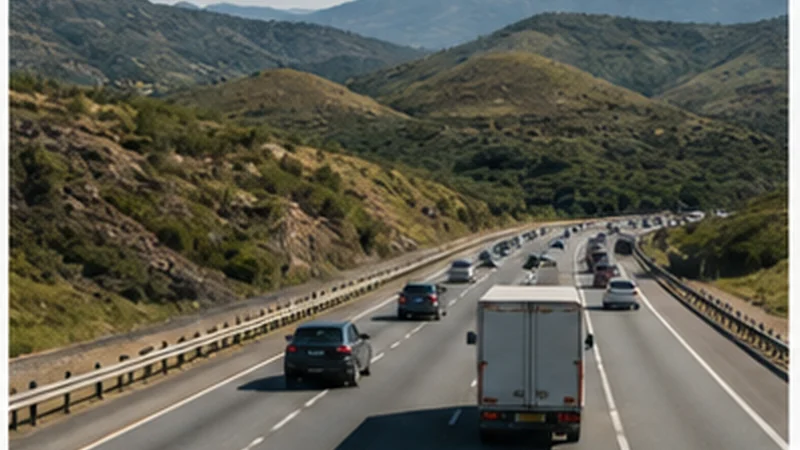

South Africa eSIM coverage depends on the partner network available to the selected plan, the phone and the exact location. Strong service in Cape Town or Johannesburg does not predict reception on every rural road or inside a reserve.
A travel eSIM does not create a separate network. It registers on authorised local partner networks, and coverage follows their available signal, congestion and technical conditions.
NoveSIM South Africa plans are data-only. Network access, 4G or 5G and hotspot availability depend on the selected plan, device, region and local coverage.
Quick answer: Check the supported networks shown for the live plan and compare coverage against every important stop, not only the arrival city. Expect stronger continuity in major urban areas and more variability on remote roads, in mountainous terrain and around safari destinations.
Top South Africa eSIMs

South Africa eSIM
Fixed
1 GB, 7 days€ 4.902 GB, 15 days€ 8.463 GB, 30 days€ 11.14Unlimited
Unlimited, 1 day€ 5.35Unlimited, 3 days€ 13.81Unlimited, 5 days€ 21.83
Which networks can a NoveSIM South Africa plan use?
The live NoveSIM product page currently lists MTN 5G, Telkom 4G and Vodacom 5G across available South Africa plans. The exact plan shown at purchase is the final reference because network access can differ between products and change over time.
Seeing another carrier in manual selection does not mean the eSIM is authorised to use it. Leave Network Selection on Automatic unless a troubleshooting step requires a controlled manual test.
Review current plan details on the South Africa eSIM page and use the South Africa network guide to understand partner access.
Coverage in major South African cities
Cape Town, Johannesburg, Durban and Pretoria generally offer broader mobile coverage than remote parts of the country. Indoor reception can still vary in large buildings, underground parking, lifts and rooms surrounded by dense materials.
Congestion can reduce speed even when the phone shows a strong signal. A 5G icon also does not guarantee the same performance at every address or remove the plan’s usage terms.
Coverage on highways and regional routes
Main routes often connect through populated areas, but reception can weaken between towns or where terrain blocks the signal. Do not wait for the connection to disappear before downloading the next section of the journey.
Save the full route, accommodation entrance, fuel stops and emergency contacts before leaving a connected town. The South Africa road-trip guide covers longer multi-stop preparation.
Safari, reserve and rural coverage
Reception in and around reserves can differ by gate, lodge and road. Lodge Wi-Fi may be available only in a shared area or depend on its own backhaul and power conditions.
Ask the accommodation what works at the exact property, but treat the answer as local rather than a guarantee for the entire reserve. Use the South Africa safari guide and the rural coverage guide for offline-first planning.
Why the phone may show signal but data feels slow
- Local network congestion.
- Weak indoor or terrain-obstructed signal.
- A daily high-speed threshold has been reached.
- The phone is moving between network generations.
- Background updates or hotspot devices are using the allowance.
- The plan has access to a different partner network than expected.
Test a simple web page, review plan usage and move to an open location before changing settings. Speed and coverage are related but are not the same problem.
Prepare the phone for changing coverage
- Install and label the eSIM before departure.
- Select it for mobile data after arrival.
- Enable Data Roaming on the travel eSIM.
- Disable automatic data switching to protect the home SIM.
- Leave Network Selection on Automatic.
- Download maps and booking details for weak-coverage sections.
If the phone cannot register or use data in a covered area, follow the South Africa eSIM troubleshooting guide. Keep the eSIM installed.
Related Articles
- Best Network in South Africa for Tourists
- 5G in South Africa for Tourists
- Garden Route Mobile Internet
- Kruger National Park Mobile Internet
FAQ
Does a South Africa eSIM have coverage everywhere?
No. Coverage depends on the selected plan’s partner network, the phone, terrain, buildings, congestion and the exact location.
Which networks does NoveSIM use in South Africa?
The live product page currently lists MTN, Telkom and Vodacom access across available plans. Check the exact selected plan before purchase because access can change.
Will I have mobile data on safari?
Coverage varies by reserve, road and lodge. Prepare maps, contacts and meeting instructions offline and ask the accommodation about its exact location.
Does 5G mean coverage will be better?
Not necessarily. 5G availability is local, and stable 4G can be more useful than weak 5G. Choose by route coverage rather than the network icon alone.
Final Recommendation
Evaluate South Africa eSIM coverage against the complete itinerary and the partner networks listed for the exact plan.
Expect stronger service in major cities and greater variation on rural roads, in reserves and inside difficult buildings.
Keep automatic network selection enabled and download every essential route, booking and contact before entering a section where reception is uncertain.