


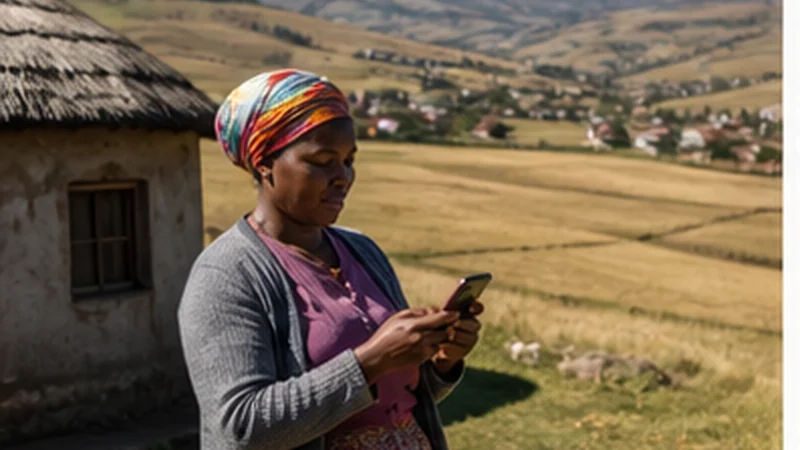

Rural mobile coverage in South Africa varies between towns, farms, mountain passes, long road sections and wildlife areas. A phone can work normally near one settlement and lose service later on the same journey.
The safest approach is offline-first: download the route, confirm the next stop and keep essential contacts available before leaving a connected area. Mobile data remains useful, but it should not be the only copy of critical information.
NoveSIM South Africa eSIMs are data-only. Their coverage follows the partner network available to the selected plan and still depends on the device, terrain and local conditions.
Quick answer: Check coverage for every overnight stop, download the entire rural route, carry power and tell someone the expected arrival time. Keep Network Selection on Automatic and do not assume that a 5G-capable plan guarantees signal between towns.
Top South Africa eSIMs

South Africa eSIM
Fixed
1 GB, 7 days€ 4.882 GB, 15 days€ 8.433 GB, 30 days€ 11.09Unlimited
Unlimited, 1 day€ 5.32Unlimited, 3 days€ 13.75Unlimited, 5 days€ 21.74
Why rural signal changes quickly
Distance from a site, hills, valleys, building materials and vegetation can affect reception. Low population density also changes where networks invest in capacity and how much redundancy exists.
A coverage map is a planning tool, not a guarantee for one room, road bend or campsite. Compare the official information for the plan’s partner network with advice from the accommodation or local operator.
Prepare each rural road section
- Download the complete driving area, not only the destination town.
- Save accommodation coordinates and entrance instructions.
- Record fuel, food and rest stops.
- Check gate-closing or check-in deadlines.
- Save emergency and roadside-assistance numbers.
- Share the route and expected arrival time with a trusted contact.
The Google Maps South Africa guide explains what offline maps can and cannot provide. For a multi-stop drive, use the South Africa road-trip guide.
Choose coverage before speed
A stable 4G connection is more useful than intermittent 5G when the task is navigation, messaging or booking contact. Leave the phone on its recommended automatic network mode unless a specific test is needed.
The live NoveSIM product page currently lists MTN, Telkom and Vodacom access across available plans. Check the exact selected plan because partner access can differ. The South Africa eSIM coverage guide provides the broader comparison.
Keep enough battery for a long gap
Weak signal can increase battery use while the phone repeatedly searches for service. Navigation, photography and hotspot use add further demand.
- Start the day with the phone and power bank charged.
- Use Airplane Mode during a known long no-service period when communication is not expected.
- Lower screen brightness and close unnecessary background apps.
- Do not rely on the vehicle’s only charging port without testing it.
- Keep one charged device available for essential communication.
Plan for lodges and reserves
Ask the property whether mobile service reaches guest rooms, shared areas or only a nearby point. “Wi-Fi available” may describe a limited lodge connection rather than dependable high-speed access.
Download tickets, permits and meeting instructions before entering the reserve. The South Africa safari connectivity guide covers lodge Wi-Fi and route preparation in more detail.
Use dual-SIM settings safely
Select the South Africa eSIM for Mobile Data, enable Data Roaming on that line and disable automatic data switching. Keep roaming off on the home SIM unless its international price is known.
The home number can remain available for calls or SMS on a compatible phone, but those services may incur roaming charges. A rural signal gap is not a reason to enable home-SIM data without checking the tariff.
If the signal disappears
- Continue using the downloaded route and avoid repeated settings changes while driving.
- At a safe stop, confirm that the eSIM is enabled and selected for data.
- Leave Network Selection on Automatic and wait for registration.
- Turn Airplane Mode on briefly, then off.
- Retry in an open location or the next populated area.
- If service does not return where coverage is expected, use the South Africa troubleshooting guide.
Do not delete the eSIM during troubleshooting unless NoveSIM Support instructs you to do so.
Related Articles
- Mobile Networks in South Africa
- Garden Route Mobile Internet
- Kruger National Park Mobile Internet
- South Africa eSIM Hotspot Guide
FAQ
Is there mobile coverage throughout rural South Africa?
No. Coverage varies with the network, terrain, distance, buildings and exact route. Prepare offline navigation and essential information.
Is 4G enough for a rural road trip?
Yes when the signal is stable. Maps, messages and bookings do not require 5G, and dependable 4G is preferable to intermittent 5G.
Will a South Africa eSIM work inside a reserve?
It may work in some locations, but reception can vary by road, lodge and gate. Ask the accommodation and keep essential information offline.
Should I select a network manually in a rural area?
Keep Automatic selection first. A manual test is useful only when troubleshooting and only with networks authorised for the selected plan.
Final Recommendation
Treat rural mobile coverage in South Africa as useful but variable, and prepare every important route before leaving a connected town.
Prioritise partner-network coverage and stable 4G over a 5G label, while keeping predictable dual-SIM settings.
Carry power, offline maps, accommodation coordinates and emergency contacts so a temporary signal gap does not interrupt the journey.