


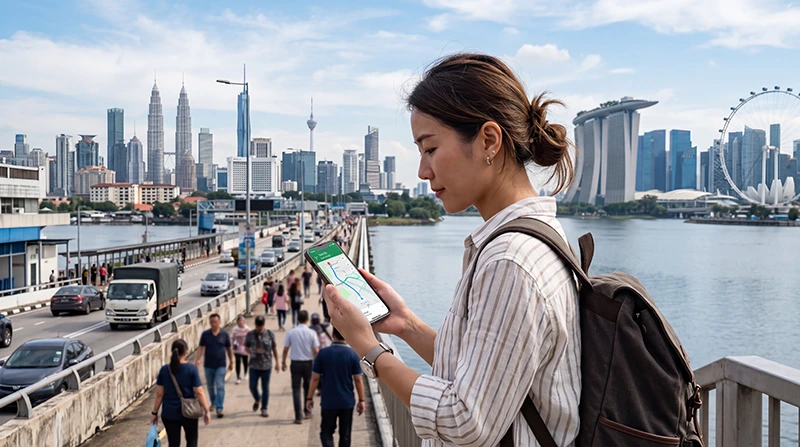

An eSIM Singapore and Malaysia itinerary should keep the phone connected on both sides of the border without requiring a new installation during the journey. The key is explicit two-country coverage, not a regional name alone.
A single regional plan is convenient for a combined itinerary, while separate country plans can offer clearer allowances or pricing. Both approaches work when activation and line switching are planned before the crossing.
NoveSIM travel eSIMs are data-only. They support maps, Grab, messaging and internet calls but do not provide a Singapore or Malaysian number, ordinary calls or SMS.
Quick answer: Use one regional eSIM when it explicitly includes Singapore and Malaysia and the shared allowance remains valid for the full trip. Use separate plans when their country-specific data or prices are better. Install every required profile before departure, keep Network Selection on Automatic and save border transport details offline.
Top Malaysia eSIMs

Malaysia eSIM
Fixed
1 GB, 7 days€ 4.022 GB, 15 days€ 7.153 GB, 30 days€ 9.39Unlimited
Unlimited, 1 day€ 5.36Unlimited, 3 days€ 12.96Unlimited, 5 days€ 21.00

eSIM Singapore and Malaysia route checklist
One regional plan versus two country plans
| Approach | Advantage | Trade-off |
|---|---|---|
| One regional eSIM | No manual profile change at the border | Shared allowance and network choices may differ by country |
| Two country eSIMs | Separate pricing, allowance and validity | Traveller must select the correct data line |
| Singapore SIM roaming | Keeps one local line | Malaysia roaming price and inclusion require verification |
| Home roaming | Minimal setup | Often higher cost and operator-specific limits |
Coverage wording to check
Both countries must appear in the exact plan details. Do not infer Malaysia from “Singapore,” Southeast Asia from “Asia,” or cross-border access from an unlimited-data label.
- Confirm Singapore and Malaysia are listed by name.
- Check whether one allowance is shared across both countries.
- Identify the partner network available in each country.
- Verify 4G/5G availability separately.
- Check whether hotspot use is allowed throughout the region.
The Singapore–Malaysia eSIM guide covers the handover itself as well as plan selection.
Prepare before the border
- Install the regional plan or both country profiles over reliable Wi-Fi.
- Save the QR codes and support details securely offline.
- Download the border route, tickets and accommodation address.
- Keep network selection automatic.
- Enable roaming on the travel eSIM when instructed.
- Disable roaming and automatic data switching on the home SIM.
If using two profiles, label them Singapore and Malaysia before travelling. This reduces the risk of selecting the home line or the wrong country plan under time pressure.
What happens while crossing?
The phone must leave its Singapore partner and register on an authorised Malaysian network. A short interruption is normal on a bus, train or road crossing. Avoid editing the APN during the handover.
If data does not return after several minutes, toggle airplane mode, confirm the correct eSIM is selected and test a supported Malaysian network. Keep the provider APN unchanged unless its instructions say otherwise.
Plan data for both parts of the journey
Do not allocate the full allowance to Singapore if navigation, ride apps and uploads continue in Malaysia. Video and hotspot work remain the largest variables. A shared regional plan needs enough validity and data through the final Malaysian departure day.
Use Singapore data estimates as one part of the calculation, then add the separate Malaysia schedule and a border-day margin.
Calls, WhatsApp and verification
WhatsApp can retain the existing registered number while either country’s eSIM supplies data. Keep access to the original line if SMS verification may be required, but prevent it from carrying roaming data.
For the Singapore side, see using WhatsApp in Singapore and the dual-SIM roaming checklist.
Related Articles
- Singapore and Malaysia eSIM Guide
- Best eSIM for Singapore Travel
- Best Mobile Data in Singapore
- Activate a Singapore eSIM
FAQ
Can one eSIM work in Singapore and Malaysia?
Yes, when the exact regional plan explicitly includes both countries and remains valid for the full itinerary.
Do I need to change the APN at the border?
Normally no. Keep the APN supplied by the eSIM provider and allow the phone to register on a Malaysian partner network.
Is a regional eSIM better than two plans?
It is more convenient for automatic handover. Two plans may offer better country-specific price or allowance but require manual line selection.
Will my Singapore-only eSIM work in Malaysia?
Do not assume it will. Malaysia must be listed in the plan’s coverage or supported roaming terms.
Final Recommendation
Choose one regional eSIM when both countries, partner networks, allowance and validity are clearly documented.
Install before departure, keep automatic network selection on and expect a short registration pause at the border.
Use two labelled country profiles only when their clearer pricing or allowances outweigh the convenience of one plan.
An eSIM Singapore and Malaysia setup should retain the installed profile and keep data.esim unless specific support instructions say otherwise.