


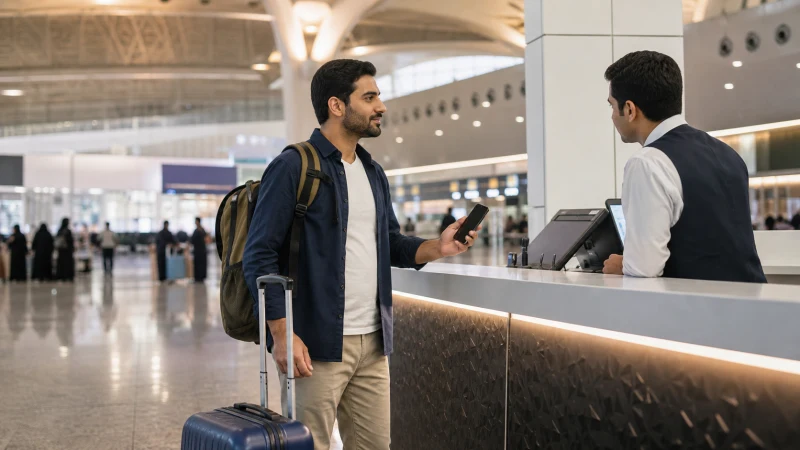

For travelers who’d rather sort out connectivity in person than install an eSIM beforehand, King Khalid International Airport’s arrivals area has kiosks for all three of Saudi Arabia’s main networks, making it a straightforward first stop before you head into Riyadh.
Quick answer: STC, Mobily, and Zain all operate SIM kiosks in the arrivals area at Riyadh airport, requiring your passport for registration. The process generally takes a few minutes, and staff will typically help set up your first data bundle at the same counter.
Top Saudi Arabia eSIMs


Where to find the SIM kiosks
SIM kiosks are located in the arrivals hall, generally visible as you make your way toward the exit after collecting luggage. Having your passport ready before you reach the counter speeds up the process, since registration is required by Saudi telecom regulations for every prepaid SIM sold to visitors.
What you’ll need
A passport is the standard requirement for SIM registration at the airport, and staff will typically photograph or scan it as part of setting up your line. Having a small amount of cash or a card ready for payment, alongside knowing roughly how much data you’ll want for your trip, speeds things along — the how much data guide helps estimate this before you arrive at the counter.
Choosing between the three networks
STC, Mobily, and Zain all have kiosks at Riyadh airport, and the best SIM card guide covers how they compare — STC generally makes sense if your trip extends into desert areas or destinations like AlUla, while any of the three works well if you’re staying mainly in Riyadh and Jeddah.
Setting up your first data bundle
Kiosk staff will typically help activate your SIM and set up an initial data bundle on the spot, saving you from navigating a USSD menu or app on your own for the first time. This is generally the quickest way to leave the airport already able to book a ride or look up directions.
How long the process takes
Registration and activation generally take a few minutes per person, though this can extend during busy arrival periods when multiple international flights land close together — worth building in a little extra time if you’re on a tight schedule to reach a hotel or meeting in the city.
An alternative: installing an eSIM before you fly
If you’d rather skip the kiosk altogether, installing an eSIM before departure means arriving already connected — the Riyadh Airport eSIM setup guide covers activating it once you land, and the local SIM vs eSIM guide covers the trade-offs between the two approaches.
What happens if the kiosks are busy or closed
During unusually busy periods, it’s worth having a backup plan — terminal WiFi, covered in the Riyadh Airport WiFi guide, can bridge the gap until you’re able to get a SIM, or you can wait until reaching a shop in the city if the airport kiosks aren’t a workable option at that moment.
FAQ
Can I buy a SIM card right at Riyadh Airport?
Yes, STC, Mobily, and Zain all operate kiosks in the arrivals area.
What do I need to buy a SIM at the airport?
Your passport for registration, plus payment for the SIM and any data bundle you choose.
How long does SIM registration take at Riyadh airport?
Generally a few minutes, though it can extend during busy arrival periods.
Will staff help me set up a data bundle?
Yes, kiosk staff typically help activate an initial bundle at the same time as registration.
Which network should I choose at the airport kiosks?
STC for wider coverage if traveling beyond Riyadh and Jeddah; any of the three for a city-focused trip.
What if the SIM kiosks are busy or closed when I arrive?
Terminal WiFi can bridge the gap, or you can get a SIM from a shop once you’re in the city instead.
Final Recommendation
Have your passport ready and a rough sense of your data needs before reaching the kiosk to keep the process quick. See the best SIM card guide if you haven’t decided which network to choose yet.