


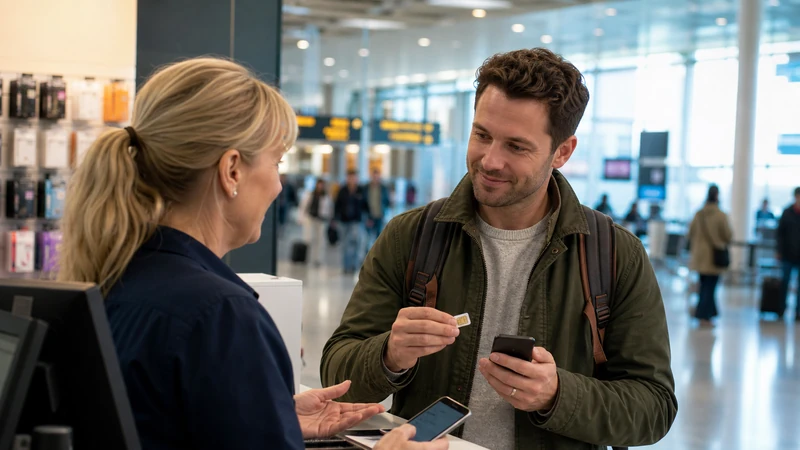

A late arrival at Gothenburg Landvetter is a poor time to discover that a SIM retailer is closed or does not stock the plan you expected.
NoveSIM provides a data connection for Sweden through a travel eSIM. The service can support maps and online messages, but it is not a Swedish voice-and-SMS plan.
Quick answer: Prepare an eSIM for predictable arrival data unless you have verified an airport retailer and genuinely need a Swedish phone number.
Top Sweden eSIMs

Sweden eSIM
Fixed
1 GB, 7 days€ 2.162 GB, 15 days€ 3.463 GB, 30 days€ 4.33Unlimited
Unlimited, 1 day€ 2.16Unlimited, 3 days€ 5.19Unlimited, 5 days€ 8.22
Europe Extra eSIM
Fixed
1 GB, 7 days€ 2.162 GB, 15 days€ 3.463 GB, 30 days€ 4.33Unlimited
Unlimited, 1 day€ 2.60Unlimited, 3 days€ 5.19Unlimited, 5 days€ 8.65Europe+ eSIM
Fixed
1 GB, 7 days€ 2.602 GB, 15 days€ 3.893 GB, 30 days€ 5.19Unlimited
Unlimited, 1 day€ 2.60Unlimited, 3 days€ 6.06Unlimited, 5 days€ 9.95Check retail details before arrival
Airport stock, opening hours and plan choice can change. A physical SIM purchase should not be the only way to access a first transfer or accommodation message. See our Sweden eSIM plans for the connected detail.
Decide whether a local number matters
A local SIM can help with domestic calls during a longer stay. A travel eSIM is usually simpler when the requirement is data for navigation, messages and reservations. See Sweden SIM options for the connected detail.
Allow time for setup
Registration, packaging and APN configuration can take longer than expected after a flight. Keep the phone unlocked and the home SIM stored safely. See local SIM and eSIM comparison for the connected detail.
Compare the complete cost
Include unused allowance, registration, top-ups and the risk of home-SIM roaming. Convenience can be worth more than a small price difference. See connection options for the connected detail.
Protect the physical SIM and account
Use the supplied SIM tool carefully, store the home SIM in a labelled holder and keep purchase documents. A lost home SIM can complicate account verification, while an unlabelled card is easy to misplace during the trip. The related NoveSIM guidance is available in connection options.
Check activation before leaving the counter
Ask how to view remaining data or add credit. Resolve these questions while the retailer and packaging are still available. Verify that data on the journey eSIM works, the correct APN is present and the plan duration is understood. The related NoveSIM guidance is available in mobile-data guide.
Avoid paying twice for the same need
If an eSIM already provides sufficient data, a second airport plan may add complexity without improving the trip. Buy a local SIM only when its number, allowance or duration solves a requirement the existing connection does not cover. The related NoveSIM guidance is available in Sweden destination guide.
Purchase details to confirm
- Late-arrival shop hours and current physical-SIM availability.
- The need for a Swedish number compared with data-only access.
- Activation and APN tested while assistance is still nearby.
- Safe storage for the home SIM if it is removed from the phone.
A practical preparation checklist
- Confirm that the phone is unlocked and supports eSIM.
- Install and label the eSIM while connected to stable Wi-Fi.
- Select the travel line for mobile data and disable automatic data switching.
- Enable data roaming for the eSIM when the plan instructions require it.
- Download maps, tickets and essential contact details before remote travel.
Coverage, 5G and hotspot expectations
Network access, 5G, hotspot use and performance depend on the purchased plan, the device, the region and the signal present locally. Telia, Tele2 or Hi3G may be available through particular Sweden plans, but the current product page should be followed. Steady 4G access is sufficient for directions, chats and travel bookings.
Complete a final pre-departure review
Protect the removed home SIM and verify that the phone will not use it for data when re-enabled. If a pre-installed eSIM already meets the trip requirements, avoid adding another line merely because a retailer is available after landing. Confirm these points again after any major phone update, plan change or itinerary revision, because the correct settings and allowance must still match the device and journey you will actually use. Before paying, confirm the allowance, validity, activation status, registration requirement, top-up method and whether the plan includes a Swedish number. Test data at the counter and keep the packaging or receipt.
Safe checks when data doesn’t start
Check that the eSIM is on, made the preferred line for data and configured with roaming enabled when instructed. Temporarily enable aeroplane mode, reboot the handset and use APN data.esim if the plan instructions request a manual value. Never erase the existing eSIM profile unless the support team at NoveSIM specifically tells you to do so.
Related Articles
- Sweden eSIM plans
- Sweden destination guide
- Roaming Charges in Sweden
- Internet in Sweden for Tourists
- Ways to Get Internet in Sweden
- Mobile Data in Sweden
- Best SIM Card for Sweden
- Local SIM vs eSIM in Sweden
FAQ
What should travellers know before relying on this option?
Prepare an eSIM for predictable arrival data unless you have verified an airport retailer and genuinely need a Swedish phone number.
Does a NoveSIM Sweden eSIM include a local number?
Supported apps for online calls and messages work through data, but ordinary calls and SMS are not included. No. Our travel eSIM plans are data-only.
Is 5G guaranteed throughout Sweden?
No. Availability varies with the plan, phone, location and local network. Letting the handset choose 4G or 5G is normally the most practical setting.
Should I delete the eSIM if it stops working?
Complete the safe checks and contact NoveSIM customer support. Delete it only when support explicitly instructs you to do so. No.
Final Recommendation
Keep the home SIM in a labelled holder and have a working data option ready before relying on airport retail stock.
Verifying the retailer and plan in advance prevents an airport purchase from becoming the only route to maps, messages or onward transport.