


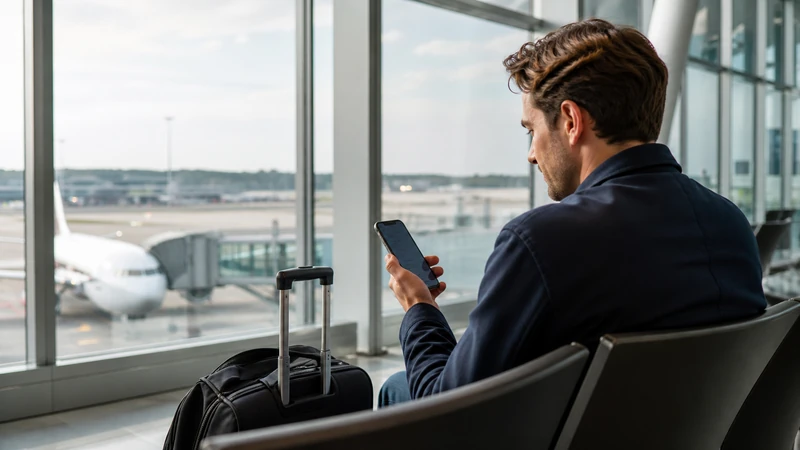

Stockholm Arlanda Airport provides Wi-Fi across its public areas, making it useful for retrieving a ticket, checking the Arlanda Express or sending an arrival message.
Swedavia’s current airport information states that passengers can use the service free for up to three hours. One hour is available initially, with two additional hours after confirming an email address. Terms can change, so follow the instructions shown on the official portal when you arrive.
A NoveSIM Sweden eSIM provides mobile data after you leave the airport network. It is data-only and does not include a Swedish number, conventional calls or carrier SMS.
Quick answer: Select Arlanda’s official airport network, complete the browser sign-in, use it for light arrival tasks, then test your travel eSIM with Wi-Fi switched off before leaving the terminal.
Top Sweden eSIMs

Sweden eSIM
Fixed
1 GB, 7 days€ 2.212 GB, 15 days€ 3.543 GB, 30 days€ 4.43Unlimited
Unlimited, 1 day€ 2.21Unlimited, 3 days€ 5.31Unlimited, 5 days€ 8.41
Europe Extra eSIM
Fixed
1 GB, 7 days€ 2.212 GB, 15 days€ 3.543 GB, 30 days€ 4.43Unlimited
Unlimited, 1 day€ 2.66Unlimited, 3 days€ 5.31Unlimited, 5 days€ 8.85Europe+ eSIM
Fixed
1 GB, 7 days€ 2.662 GB, 15 days€ 3.983 GB, 30 days€ 5.31Unlimited
Unlimited, 1 day€ 2.66Unlimited, 3 days€ 6.20Unlimited, 5 days€ 10.18How to connect to Wi-Fi at Arlanda
- Turn on Wi-Fi after entering the terminal’s public area.
- Select the network identified by current Swedavia signage and instructions.
- Open a browser if the sign-in page does not appear automatically.
- Follow the portal instructions and provide only the information requested by the official service.
- Confirm the email when offered if you need the additional free session.
Do not install unknown software or accept a payment request from a lookalike network. If the portal fails, forget the network, reconnect and open a simple browser page to trigger it again.
What is airport Wi-Fi suitable for?
Use the connection to check a gate, retrieve an onward ticket, contact accommodation or download the route into Stockholm. Avoid banking, password changes or other sensitive account work unless you are satisfied that the connection and website are secure.
Airport demand can affect speed. A working portal also does not guarantee that the terminal network will remain available on the platform, bus or road after departure.
Prepare the onward journey before leaving arrivals
Arlanda has several transport options, and different services leave from different parts of the airport. Save the chosen train, bus, taxi or car route, along with the stop and accommodation address, while the connection is stable.
If your trip continues beyond Stockholm, download the next rail or road segment as well. The Sweden internet options guide explains why venue Wi-Fi is best treated as a supplement to mobile data.
Can you buy or activate mobile data at Arlanda?
A compatible unlocked phone can use an eSIM without locating a physical SIM shop after landing. Install the plan before departure where possible, keep the order details offline and activate it according to the plan instructions.
Choose the correct allowance and partner details from the Sweden eSIM plans. Travellers who specifically need a Swedish number can compare physical options in the Sweden SIM-card guide.
Test the eSIM before leaving the terminal
- Disconnect from airport Wi-Fi.
- Confirm that the travel eSIM is enabled and selected for mobile data.
- Disable automatic data switching to the home SIM.
- Enable data roaming when the travel plan requires it.
- Load a simple webpage and reopen the saved route.
If data does not start, use a short aeroplane-mode cycle and restart the phone. Check Sweden eSIM troubleshooting before entering APN data.esim manually. Do not delete the installed eSIM unless NoveSIM support instructs you to do so.
Related Articles
- Sweden eSIM Plans
- Best Ways to Get Internet in Sweden
- Mobile Networks in Sweden
- Install an eSIM for Sweden
- How Much Data You Need in Sweden
FAQ
Is Wi-Fi free at Stockholm Arlanda Airport?
Swedavia currently states that airport Wi-Fi is free for up to three hours, with the additional time available after email confirmation. Check the live portal for current terms.
Does Arlanda Wi-Fi cover all terminals?
Swedavia describes coverage in public areas across the airport. Reception and speed can still vary with location and passenger demand.
Can I rely on airport Wi-Fi on the way to Stockholm?
No. The airport network is for the terminal. Prepare mobile data and save transport details before boarding the train, bus or taxi.
Should I delete my eSIM if data does not work at Arlanda?
No. Check the selected data line, roaming permission and APN, then contact NoveSIM support if necessary. Delete the eSIM only when support explicitly instructs you.
Final Recommendation
Use Arlanda’s official Wi-Fi to complete immediate arrival tasks and save the correct onward route while you are still inside the terminal.
Before leaving, disconnect from Wi-Fi and confirm that the Sweden eSIM can load data without allowing the home SIM to take over.
This combination gives you a practical arrival connection and continuous access for the journey into Stockholm or onward across Sweden.