


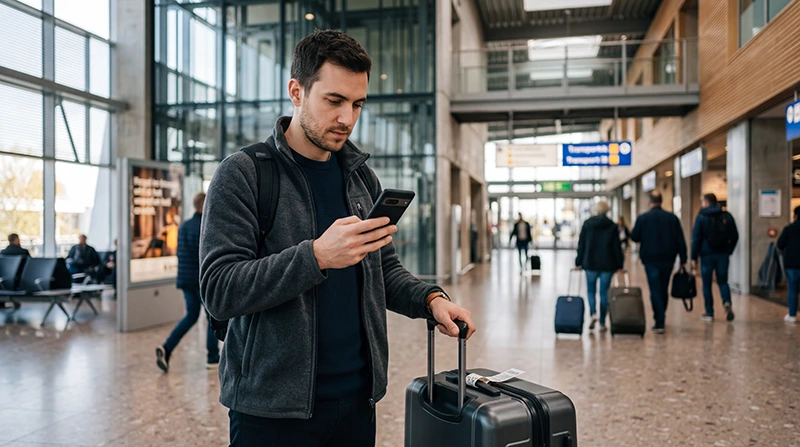

You may be able to buy a prepaid SIM card after arriving at Eindhoven Airport, but airport availability, opening hours and available plans can change. Travellers should not assume that a suitable prepaid SIM will always be available immediately after landing.
A physical SIM can be useful when your phone does not support eSIM or when you need a Dutch telephone number. For most travellers who only need mobile data, a Netherlands travel eSIM is often more convenient because it can be purchased and installed before departure.
Quick answer: check airport convenience or travel retail outlets after arrival, but prepare an alternative in case no suitable SIM is available. Before buying, confirm the data allowance, validity, activation process, hotspot rules and whether the plan includes calls or only mobile data.
Top Netherlands eSIMs

Netherlands eSIM
Fixed
1 GB, 7 days€ 2.162 GB, 15 days€ 3.463 GB, 30 days€ 4.33Unlimited
Unlimited, 1 day€ 2.16Unlimited, 3 days€ 5.19Unlimited, 5 days€ 7.79
Europe Extra eSIM
Fixed
1 GB, 7 days€ 2.162 GB, 15 days€ 3.463 GB, 30 days€ 4.33Unlimited
Unlimited, 1 day€ 2.60Unlimited, 3 days€ 5.19Unlimited, 5 days€ 8.65Europe+ eSIM
Fixed
1 GB, 7 days€ 2.602 GB, 15 days€ 3.893 GB, 30 days€ 5.19Unlimited
Unlimited, 1 day€ 2.60Unlimited, 3 days€ 6.06Unlimited, 5 days€ 9.95Can You Buy a SIM Card at Eindhoven Airport?
Prepaid SIM cards may be available from selected airport retailers or convenience shops, but stock is not guaranteed. Eindhoven Airport is smaller than Amsterdam Schiphol, so travellers may find fewer mobile-service options.
Before relying on an airport purchase, consider:
- Your arrival time.
- Whether the relevant shop is open.
- Available prepaid plans and data allowances.
- Whether activation requires registration.
- Whether staff can assist with setup.
- Whether the plan is suitable for the length of your stay.
Late-evening or early-morning arrivals may have fewer choices.
Where to Look for a SIM Card
After entering the public arrivals area, check shops that sell convenience products, electronics or travel accessories.
Possible places include:
- Airport convenience stores.
- Travel retail outlets.
- Electronics or accessory shops.
- Vending machines when available.
Ask whether the SIM is already activated and whether it will work immediately in your phone.
What to Check Before Buying
| Plan Detail | What to Confirm |
|---|---|
| Data allowance | Total included GB |
| Validity | Number of days after activation |
| Coverage | Netherlands only or multiple countries |
| Calls and SMS | Included or data-only |
| Activation | Automatic, online or staff-assisted |
| Hotspot | Allowed or restricted |
| Top-up | Available online or through an app |
| SIM size | Nano-SIM or multi-size card |
Airport SIM cards are usually sold for convenience. Compare the total price and included data rather than choosing the first available package.
Physical SIM or Netherlands eSIM?
| Feature | Airport SIM | Travel eSIM |
|---|---|---|
| Purchase | After arrival | Before departure |
| Physical card required | Yes | No |
| Keep home SIM | Not always | Usually yes |
| Connection after landing | Depends on shop and activation | Usually quick |
| Local telephone number | May be included | Usually not included |
| Best for | Phones without eSIM support | Compatible unlocked phones |
A physical SIM may be better when you need a local Dutch number. A travel eSIM is usually more convenient when you mainly need internet for maps, messaging, public transport and bookings.
Browse Netherlands eSIM plans.
Advantages of Buying a SIM at the Airport
- You can purchase a physical product after landing.
- It works with unlocked phones without eSIM support.
- A Dutch number may be included.
- Some retailers may help with installation.
- You can pay in person.
Disadvantages of an Airport SIM
- Availability may be limited.
- Airport prices may be higher.
- Shops may be closed when you arrive.
- The available plan may not match your trip.
- You may need to remove your primary SIM.
- Activation may require additional steps.
Can You Buy a SIM Card in Eindhoven City Centre?
Yes. Mobile operator stores, electronics retailers, supermarkets and convenience shops may sell prepaid SIM cards in Eindhoven.
Buying in the city can provide more choice, but you may need internet before reaching the store. A travel eSIM lets you use navigation, public transport information and messaging immediately after leaving the airport.
Can You Use Eindhoven Airport WiFi?
Airport WiFi can help you open a booking, send a message or check transport information inside the terminal.
However, WiFi does not provide continuous internet after you leave the airport. Mobile data may be needed for:
- Bus and train information.
- Digital transport tickets.
- Google Maps.
- Taxi or ride-hailing apps.
- Hotel communication.
- WhatsApp messages and calls.
How to Use a Travel eSIM at Eindhoven Airport
Install the eSIM before departure while connected to reliable WiFi. After landing:
- Turn off Airplane Mode.
- Enable the Netherlands eSIM.
- Select it for Mobile Data.
- Turn on Data Roaming for the travel eSIM.
- Keep Data Roaming off on your primary SIM.
- Disable Automatic Data Switching.
- Keep Network Selection on Automatic.
- Wait several minutes for connection.
Turn off airport WiFi temporarily and open a new webpage to confirm that mobile data is working.
Read how to activate a Netherlands eSIM.
Recommended eSIM Settings
| Setting | Recommended Value |
|---|---|
| Netherlands eSIM | Enabled |
| Mobile Data | Netherlands eSIM |
| Data Roaming on travel eSIM | On |
| Data Roaming on primary SIM | Off |
| Automatic Data Switching | Off |
| Network Selection | Automatic |
| APN | data.esim when required |
Will WhatsApp Keep Your Existing Number?
Yes. A Netherlands travel eSIM normally provides mobile data without changing the number registered with WhatsApp.
Keep your existing WhatsApp account and do not select Change Number. The travel eSIM only supplies the internet connection.
Read how WhatsApp works in the Netherlands.
Can You Keep Your Home SIM Active?
Yes. A compatible Dual-SIM phone can use the travel eSIM for mobile data while keeping the primary SIM active for calls, SMS and verification codes.
Your home operator may charge for traditional calls or sent SMS while abroad. Keep Data Roaming disabled on the primary SIM and disable Automatic Data Switching.
What If the eSIM Has No Internet?
- Confirm that the Netherlands eSIM is selected for Mobile Data.
- Enable Data Roaming.
- Disable Automatic Data Switching.
- Keep Network Selection on Automatic.
- Check that the APN is data.esim.
- Turn Airplane Mode on for 30 seconds.
- Turn it off and wait several minutes.
Do not delete the eSIM during troubleshooting because the QR code may support only one installation.
Fix a Netherlands eSIM with no internet.
Which Option Is Best?
| Traveller | Recommended Option |
|---|---|
| Short Eindhoven visit | Netherlands travel eSIM |
| Multi-country Europe trip | Regional Europe eSIM |
| Phone without eSIM support | Physical prepaid SIM |
| Needs a Dutch telephone number | Local physical SIM |
| Only needs internet inside the airport | Airport WiFi |
Related Netherlands Travel Internet Guides
- Netherlands eSIM Plans
- Best eSIM for the Netherlands
- Best SIM Card for the Netherlands
- How to Use an eSIM in the Netherlands
- How to Install a Netherlands eSIM
- No Internet on a Netherlands eSIM
FAQ
Can I buy a SIM card at Eindhoven Airport?
A prepaid SIM may be available from selected airport retailers, but stock, opening hours and available plans can vary.
Is an airport SIM expensive?
Airport plans may cost more than online or city-centre options because they are sold for immediate convenience.
Is an eSIM better than an airport SIM?
An eSIM is usually more convenient for compatible unlocked phones because it can be installed before departure.
Can I keep my regular SIM when using an eSIM?
Yes. Use the travel eSIM for mobile data and keep the primary SIM for calls, SMS and verification codes.
Will WhatsApp keep my existing number?
Yes. WhatsApp continues using the number already registered to your account.
What APN should I use for NoveSIM?
Use data.esim when manual APN configuration is required.
Final Recommendation
You may find a prepaid SIM card at Eindhoven Airport, but availability and opening hours can vary. Do not rely on an airport purchase as your only option.
For most travellers with compatible unlocked phones, a Netherlands travel eSIM is the easier choice. Install it before departure, then enable it after landing and select it for Mobile Data.
Choose a physical SIM when your phone does not support eSIM or when you specifically need a local Dutch number.