


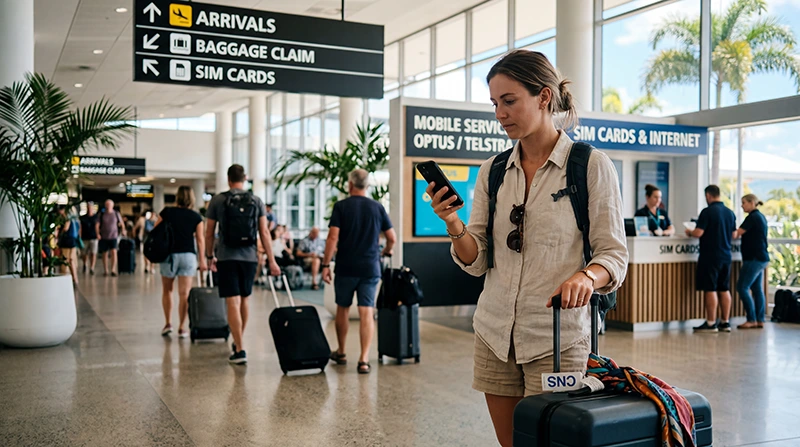

A Cairns Airport SIM card may be convenient if a suitable retailer is open when you arrive, but a pre-installed eSIM gives a compatible phone a more predictable route to mobile data. Check current terminal services rather than relying on an old shop list.
Your onward itinerary matters. Data that works around Cairns does not guarantee coverage on every coastal road, island transfer or remote section of Far North Queensland.
NoveSIM travel eSIM plans are data-only and do not include an Australian number, calls or SMS. Maps, messages and internet calls work through data.
Quick answer: Use an airport SIM if you require a local number or counter assistance. For immediate data, install a compatible eSIM before flying, then test it at Cairns Airport and save reef bookings and maps offline before leaving the urban area.
Top Australia eSIMs

Australia eSIM
Fixed
1 GB, 7 days€ 2.662 GB, 15 days€ 3.553 GB, 30 days€ 4.88Unlimited
Unlimited, 1 day€ 2.66Unlimited, 3 days€ 5.77Unlimited, 5 days€ 8.43
Asia eSIM
Fixed
1 GB, 7 days€ 4.442 GB, 15 days€ 7.993 GB, 30 days€ 10.65Unlimited
Unlimited, 1 day€ 5.77Unlimited, 3 days€ 15.53Unlimited, 5 days€ 25.29Will you find a Cairns Airport SIM card after landing?
Retail tenants, stock and opening hours can change, so check the airport’s current directory close to departure. If a physical SIM is essential, keep a second option in Cairns rather than making the entire trip depend on an airport purchase.
Australian prepaid activation requires identity verification. Ask the seller what document and activation process applies to the selected service.
Choose for the itinerary after Cairns
For a city stay, price, allowance and validity may decide the choice. For reef departures or regional driving, investigate the network used by the plan and prepare for gaps. The Australia network guide explains the coverage decision, while Great Barrier Reef mobile-data planning covers the special limits of offshore travel.
Airport SIM versus travel eSIM
- Physical SIM: useful for a local number and face-to-face help, but requires a shop visit and SIM swap.
- Travel eSIM: can be installed before arrival and preserves the physical SIM slot, but needs a compatible unlocked phone.
- Airport Wi-Fi: useful as a temporary connection, not a substitute for data after leaving the terminal.
Estimate the allowance with the Australia data-use guide instead of choosing the largest pack automatically.
Prepare the eSIM before arrival
- Confirm eSIM support and carrier-unlocked status.
- Install the plan on reliable Wi-Fi and label it “Australia”.
- Save the setup instructions and essential bookings offline.
- On arrival, choose the eSIM for mobile data and follow its roaming instruction.
- Test maps and messaging before leaving the terminal.
If manual APN entry is required for a NoveSIM eSIM, use data.esim. Keep the installed profile unless support explicitly instructs you to delete it.
Related Articles
FAQ
Can I rely on buying a SIM at Cairns Airport?
Do not rely on it without checking the current terminal directory and opening hours. Keep a city retailer or pre-installed eSIM as a backup.
Will Cairns coverage continue to the reef?
Not consistently. Offshore reception depends on location, vessel route, network and conditions; download tickets and essential information before departure.
Does a prepaid SIM require ID?
Australian prepaid services require identity verification. The retailer can confirm the accepted documents for that activation.
Can I keep my home SIM active?
Yes on many dual-SIM phones, but select the travel line for data and review home-carrier roaming charges for calls and SMS.
Final Recommendation
Choose a Cairns Airport SIM card only when a local number or in-person setup is genuinely useful.
Otherwise install an eSIM before travel, confirm its coverage and validity, and test it inside the terminal.
For reef or regional travel, carry offline information because no mobile plan guarantees reception throughout the route.