


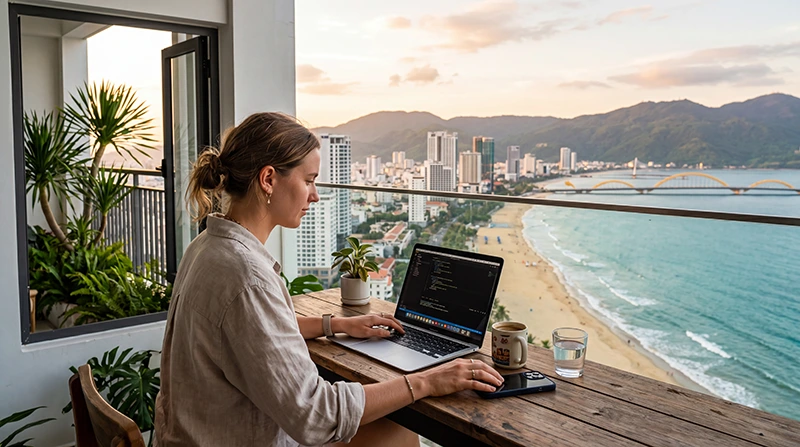

For remote work in Vietnam, prepare a tested connection at your accommodation or coworking space, a separately tested mobile backup and somewhere else to work if neither is usable. Choose the setup around your actual meetings, applications and file transfers.
A room advertised with Wi-Fi does not tell you whether your work laptop can hold a call from the desk. Test the connection where you will sit, using the VPN and applications you need, before committing an important working day to that location.
At NoveSIM, we provide travel eSIMs for mobile data. Our plans do not include a Vietnamese telephone number, conventional calls or carrier SMS. Work messaging and calling platforms can use the data connection, while login verification remains a separate requirement.
Quick answer: Test your main Wi-Fi connection with a real work task, then repeat the essential task through a phone hotspot if your selected plan and device support it. Check the mobile allowance, validity, high-speed limits and reception at the work address. Keep a second work location available: a mobile backup still depends on coverage, a charged phone and the plan’s conditions.
Top Vietnam eSIMs

Vietnam eSIM
Fixed
1 GB, 7 days3.50$2 GB, 15 days5.00$3 GB, 30 days6.50$Unlimited
Unlimited, 1 day3.50$Unlimited, 3 days8.00$Unlimited, 5 days12.50$
Asia eSIM
Fixed
1 GB, 7 days5.00$2 GB, 15 days9.00$3 GB, 30 days12.00$Unlimited
Unlimited, 1 day6.50$Unlimited, 3 days17.50$Unlimited, 5 days28.50$Global eSIM
Fixed
1 GB, 7 days13.00$2 GB, 15 days25.00$3 GB, 30 days35.00$Unlimited
Unlimited, 1 day18.50$Unlimited, 3 days52.50$Unlimited, 5 days87.00$South East Asia eSIM
Fixed
1 GB, 7 days6.00$2 GB, 15 days9.50$3 GB, 30 days12.50$Unlimited
Unlimited, 1 day6.50$Unlimited, 3 days15.50$Unlimited, 5 days24.00$Build a primary and backup connection
Accommodation or coworking Wi-Fi can handle the normal workday when it passes your workload test. A phone hotspot provides another route to the internet when its supported mobile network is available. It does not depend on the accommodation’s router, but it can still lose reception or run out of usable data or battery.
| Connection | Check beforehand | When to use it |
|---|---|---|
| Main Wi-Fi | Access from the actual desk, work-app performance, available power and any access restrictions. | Routine work once the required tasks have been tested. |
| Mobile hotspot | Plan and phone support, indoor reception, allowance, validity and phone charge. | A temporary alternative when the main connection fails and the hotspot passes the same essential-task test. |
| Second work location | Opening hours, workspace availability, access cost and a suitable connection. | When neither connection at the original location is adequate. |
Identify the alternative location before a time-sensitive meeting. Check whether it can accommodate calls, rather than assuming that any nearby café is a workable replacement. Our Vietnam mobile-internet guide covers the broader choice between travel data, local services and home-carrier roaming.
Test the actual workload at your desk
- Connect the laptop you will use at the intended desk and confirm the Wi-Fi network with the property or coworking staff.
- Open the required work applications and connect your employer-approved VPN where required.
- Make a test call through your normal meeting platform. Check audio and video in both directions, not just whether the login page opens.
- Upload and download a representative work file and confirm that essential cloud tools respond as needed.
- Disconnect the laptop from the main Wi-Fi, connect it to your phone hotspot and repeat the tasks you would need during an outage.
- Check power arrangements for the laptop and phone. Repeat the connection test at a comparable time of day to your planned meetings where possible.
A speed-test result alone does not establish that your VPN, remote desktop or video call will work. Shared-network performance can change as other guests connect, so assess the actual task rather than relying on a city-wide reputation for fast internet.
Check a coworking space before buying a pass
Before committing to a longer membership, ask whether you can try the space or buy a day pass. Use the visit to check the working arrangements as well as the connection:
- Confirm that opening hours cover your meetings, including any early or late calls.
- Ask whether calls are allowed at shared desks and whether phone booths or meeting rooms require a booking or an extra payment.
- Ask what remains available during a power cut: internet equipment, lighting and power sockets may have different backup arrangements.
- Test your phone hotspot from the desk you expect to use, with your laptop connected.
- If the space advertises backup internet, ask whether it uses a separate provider from the main connection.
Confirm these details with the individual space rather than assuming they are included. Use your trial visit to repeat the work tests above before paying for a longer stay.
Choose a mobile backup for your working hours
Compare our current Vietnam eSIM plans against the period you need to cover. Check hotspot support, supported partner networks, validity and activation conditions before buying. Available 4G or 5G service and speed depend on the plan, phone, location and local coverage.
Read any daily or total high-speed allowance, including on unlimited-labelled offers. Check what happens when that limit is reached and whether the resulting service will suit your essential work. Do not assume that a plan can be topped up or extended; confirm the options for the exact offer before relying on it.
A reserve for a few hours of email and calls is a different purchase from daily laptop use over several weeks. Check reception at the work address and test the laptop connection there. The same plan may perform differently in another building or at the next accommodation.
Plan data from a representative work session
Measure a session through the hotspot using the applications you intend to keep available during an outage. Note the mobile-data reading before and after, and check that other apps or devices have not used the same allowance during the test.
Separate video meetings, file uploads and cloud synchronisation from lighter messaging and document work. Use the measured session as a starting point for the hours you want to cover, allowing for different call settings, larger files and unexpected interruptions. Check both gigabytes and validity, and review the balance before a busy meeting day.
Pause non-essential photo backups, software updates and entertainment downloads while using the reserve. Laptop background activity can consume data even when you are only reading email. Our Vietnam data-planning guide explains how to review usage; a generic tourist allowance should not replace a test of your workload.
Set up and test the Vietnam eSIM
- Check your exact model against our eSIM-compatible device list and confirm that the phone is carrier-unlocked.
- Read the purchased plan’s installation and activation instructions before adding the profile. Installation and the start of validity may follow different rules.
- Install over a stable internet connection at the time permitted by those instructions, and label the home and travel lines clearly.
- In the covered destination, enable the travel line, select it for Mobile Data or Cellular Data and enable Data Roaming on that line as instructed.
- Keep Data Roaming off on the home SIM and disable automatic mobile-data switching when you do not want that line supplying data.
- Start with Automatic network selection. With Wi-Fi off on the phone, test a normal webpage, then test the laptop hotspot and essential work applications.
Our data plan does not take over your home number. Calls, SMS and voicemail on an enabled home line remain subject to that carrier’s service and charges. Keep access to any separate verification method needed to sign in to work accounts.
When the main connection fails
- Connect the laptop to the hotspot you tested, checking that the phone is still using the intended travel-data line.
- Pause non-essential transfers and confirm that the required VPN and meeting or work applications reconnect.
- Check the remaining mobile allowance, validity and phone charge before continuing a long session.
- If the mobile connection cannot support the essential task, use the alternative work location you checked earlier.
If our eSIM itself fails, check the selected data line, Data Roaming, plan status, allowance and Automatic network selection. Use data.esim when manual NoveSIM APN entry is required. Do not delete the installed profile unless our support team instructs you to do so; follow our Vietnam eSIM troubleshooting guide.
Prepare for a change of work base
Moving from Hanoi to Da Nang or another base means checking a new desk and connection. Download the files, tickets, accommodation details and work contacts you need before leaving. Keep essential documents available offline where your workplace permits it, and avoid making a transfer your only opportunity to attend a critical call.
On shared Wi-Fi, follow your employer’s connection requirements, keep device sharing disabled and avoid unexpected certificate or configuration-profile requests. A mobile connection is an alternative route, not a substitute for the security controls your work requires.
Related Articles
FAQ
Are mobile data plans enough for a full working day in Vietnam?
That depends on the workload, allowance, high-speed limits, hotspot support and reception at the work address. Test a representative session before relying on mobile data for a full day, and keep an alternative work location available.
How should I test accommodation Wi-Fi for remote work?
Use your work laptop at the actual desk. Connect the required VPN, make a test call and transfer a representative file. Repeat the essential tasks through your planned backup connection and test at a comparable time to your meetings where possible.
How do I choose an eSIM package for work backup?
Estimate the work hours and tasks you need to cover, then check hotspot terms, supported networks, validity, activation rules and high-speed limits. Confirm what happens after the allowance ends rather than assuming the package can be extended.
What should I do if Wi-Fi fails just before a meeting?
Switch to the hotspot you tested, pause non-essential transfers and check that the meeting platform and required VPN reconnect. If that connection is inadequate, use your pre-checked alternative location. Neither Wi-Fi nor a mobile backup guarantees an uninterrupted call.
Do I need an eSIM if my coworking space has Wi-Fi?
A mobile backup can be useful, but you do not need to buy a large plan simply because you use a coworking space. Check hotspot support and reception at your desk, then size the allowance around the essential work you need to cover during an outage. Keep another work location available if neither connection is adequate.
Final Recommendation
Prepare remote-work internet in Vietnam around your real working day. Test the main connection from the intended desk with the applications, calls and files you need.
Choose and separately test our mobile-data backup against that workload, checking hotspot support, allowance and validity. Keep the home line’s calls and messages under separate control.
Confirm a second place to work before a critical deadline. Recheck the setup whenever you move accommodation, and reserve enough usable data and phone power for the work that cannot wait.