


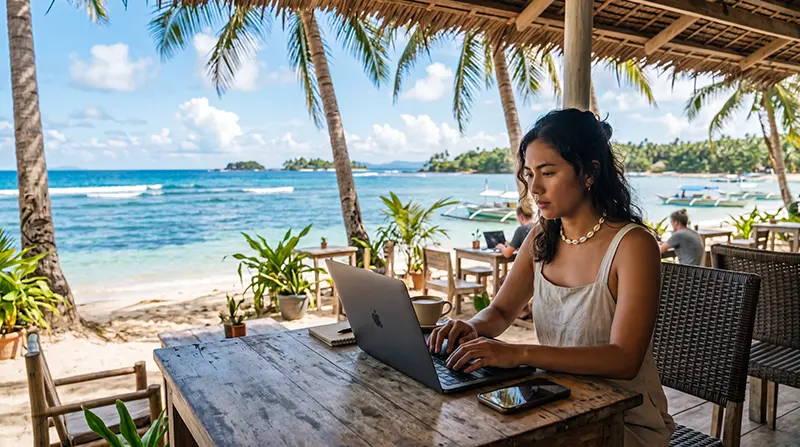

The Philippines has emerged as one of Southeast Asia’s most attractive destinations for remote workers. Combining tropical islands, affordable living costs, English-speaking locals, modern cities, and a growing digital nomad community, the country offers an excellent balance between productivity and lifestyle.
Whether you’re working from Manila, Cebu, Siargao, Boracay, Bohol, Palawan, or a smaller island destination, having reliable internet access is critical for maintaining productivity and staying connected with clients, colleagues, and business operations.
Quick answer: A Philippines eSIM is one of the easiest ways to stay connected while working remotely. It provides mobile internet across major destinations, serves as a backup to accommodation WiFi, and allows remote workers to stay productive while traveling throughout the country.
Top Philippines eSIMs


Why Reliable Internet Matters for Remote Work
For remote workers, internet access is not simply a convenience. It is an essential business tool.
Most professionals depend on internet connectivity for:
- Video meetings
- Email communication
- Cloud applications
- VPN access
- Project management platforms
- Team collaboration tools
- Client communication
- File sharing
- Content creation
- Online business operations
Even in destinations with good WiFi, having mobile data available as a backup can prevent interruptions during important work sessions.
Best Internet Options for Remote Workers
| Option | Best For | Main Limitation |
|---|---|---|
| Travel eSIM | Most remote workers | Requires eSIM-compatible phone |
| Local SIM Card | Long-term residents | Registration required |
| Accommodation WiFi | Daily work | Quality varies greatly |
| Coworking Spaces | Professional work environment | Only available in certain locations |
| International Roaming | Short stays | Usually expensive |
Why NoveSIM Is a Good Choice for Remote Work
Remote workers often move between airports, coworking spaces, hotels, cafés, and apartments. Reliable mobile data provides flexibility and peace of mind wherever you choose to work.
NoveSIM offers a simple way to stay connected throughout the Philippines.
- Instant QR code delivery by email
- Easy installation before departure
- No physical SIM card required
- Coverage across major cities and islands
- Keep your primary SIM active
- Works with Zoom, Teams, Slack, Google Meet, WhatsApp, and Telegram
- No SIM registration process
- Quick activation after arrival
- Reliable backup internet for work
- Customer support when needed
Many remote workers use their eSIM connection as a backup when accommodation WiFi becomes unstable or unavailable.
Best Places for Remote Work in the Philippines
| Destination | Why Remote Workers Choose It |
|---|---|
| Manila | Business infrastructure and coworking spaces |
| Cebu City | Modern city with strong connectivity |
| Siargao | Digital nomad and surfing community |
| Boracay | Beach lifestyle with modern amenities |
| Bohol | Affordable and relaxed atmosphere |
| Palawan | Nature-focused lifestyle destination |
| El Nido | Tropical remote work environment |
Can You Work Using Mobile Data?
Yes.
Many remote workers successfully use mobile data for:
- Video conferences
- Email management
- Cloud storage access
- VPN connections
- Remote desktop access
- Project collaboration
Mobile data is particularly useful when traveling between destinations or during temporary WiFi outages.
Internet Coverage Across Popular Remote Work Destinations
| Destination | Coverage Quality |
|---|---|
| Manila | Excellent |
| Cebu City | Excellent |
| Boracay | Very Good |
| Bohol | Very Good |
| Siargao | Good |
| Palawan | Good |
| El Nido | Good |
| Coron | Good |
| Siquijor | Moderate to Good |
How Much Data Do Remote Workers Need?
| Work Style | Recommended Data |
|---|---|
| Light Remote Work | 10–20 GB |
| Regular Video Calls | 20–50 GB |
| Full-Time Remote Work | 50–100 GB |
| Content Creator | 100 GB+ |
| Heavy Media Uploads | Unlimited |
Can You Use Your Phone as a Hotspot?
Yes.
Many professionals use their smartphone as a backup internet source for:
- Laptops
- Tablets
- Secondary devices
- Mobile workstations
- Emergency connectivity
This can be particularly useful during travel days or when changing accommodations.
Can You Keep Your Home Number?
Yes.
Most modern smartphones support dual-SIM functionality.
- Use your Philippines eSIM for mobile data
- Keep your home SIM active
- Receive SMS verification codes
- Continue using your existing number
Will Business Apps Work?
Yes.
Your eSIM connection supports internet access for:
- Zoom
- Google Meet
- Microsoft Teams
- Slack
- Telegram
- Google Workspace
- Dropbox
- Notion
- Trello
How to Activate an eSIM Before Arriving
- Purchase your eSIM before departure.
- Connect to WiFi.
- Scan the QR code.
- Install the eSIM.
- Travel to the Philippines.
- Enable the eSIM.
- Select it for mobile data.
- Enable data roaming.
Recommended eSIM Settings
| Setting | Recommended Value |
|---|---|
| Mobile Data | Philippines eSIM |
| Data Roaming | ON |
| APN | data.esim |
| Primary SIM | Calls and SMS |
| Automatic Data Switching | OFF |
Related Philippines Travel Guides
- Best eSIM for Digital Nomads Philippines
- Best eSIM for Philippines
- Mobile Internet Philippines
- Internet Philippines for Tourists
- Best Mobile Data Philippines
- Best eSIM for Siargao
- Best eSIM for Boracay
- Best eSIM for Palawan
- Best eSIM for El Nido
- Best eSIM for Bohol
- Internet for Backpacking Philippines
- How Much Data Do You Need for Philippines Travel?
Frequently Asked Questions
Can I work remotely from the Philippines?
Yes. The Philippines is becoming increasingly popular among remote workers due to its affordability, English-speaking population, and attractive lifestyle.
Is mobile data reliable enough for video calls?
In most major destinations, mobile data is suitable for video meetings and serves as an excellent backup to WiFi.
Can I use my eSIM as a hotspot?
Yes. Many remote workers use their smartphone to provide internet access to laptops and tablets when necessary.
How much data do remote workers typically use?
Most remote workers consume between 20 GB and 100 GB per month depending on video calls and cloud-based workflows.
Can I keep my home phone number while working remotely?
Yes. Dual-SIM devices allow you to keep your primary SIM active while using the eSIM for mobile data.
Final Recommendation
If you’re planning to work remotely from the Philippines, a travel eSIM is one of the easiest ways to ensure reliable connectivity throughout your stay. It provides flexible mobile internet across the country’s most popular remote work destinations while allowing you to keep your primary number active. For remote workers seeking convenience, flexibility, and dependable connectivity, NoveSIM offers an excellent solution for staying productive in the Philippines.