


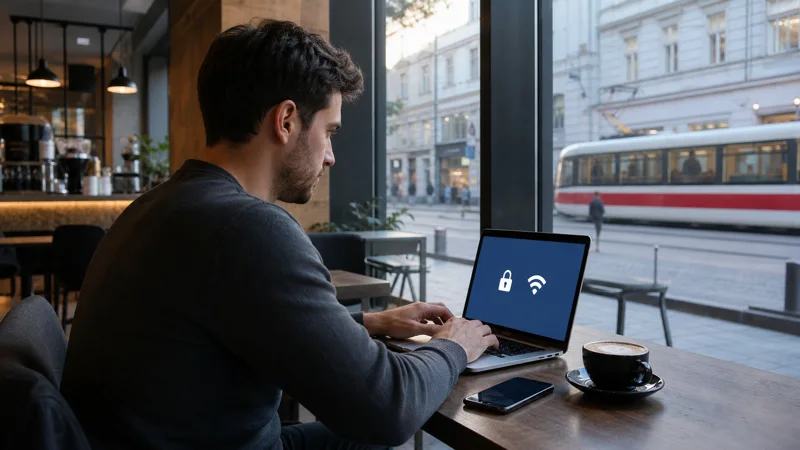

Public WiFi in Brno may be available at accommodation, cafés, shopping centres, universities, transport locations and coworking venues. Access conditions and speed vary, and a connection normally covers only the premises where it is offered.
A network name that appears official is not enough to prove that the access point is genuine. Verify it with staff or current venue information before joining.
Quick answer: Use verified Brno Wi-Fi for ordinary browsing and large downloads, avoid sensitive account work on unknown networks, and forget the access point afterward. Keep a Czech eSIM and offline tickets ready for transport and movement between venues.
Top Czech Republic eSIMs

Czech Republic eSIM
Fixed
1 GB, 7 days€ 1.772 GB, 15 days€ 3.553 GB, 30 days€ 4.44Unlimited
Unlimited, 1 day€ 2.22Unlimited, 3 days€ 4.88Unlimited, 5 days€ 7.99
Europe Extra eSIM
Fixed
1 GB, 7 days€ 2.222 GB, 15 days€ 3.553 GB, 30 days€ 4.44Unlimited
Unlimited, 1 day€ 2.66Unlimited, 3 days€ 5.32Unlimited, 5 days€ 8.87Europe+ eSIM
Fixed
1 GB, 7 days€ 2.662 GB, 15 days€ 3.993 GB, 30 days€ 5.32Unlimited
Unlimited, 1 day€ 2.66Unlimited, 3 days€ 6.21Unlimited, 5 days€ 10.20Where travellers may encounter public WiFi in Brno
Hotels and hostels are the most predictable fixed locations, but performance may differ by room and guest demand. Commercial venues may restrict access to customers, while transport or institutional networks can require a captive portal.
Airport arrivals should consult the separate Brno Airport internet guide instead of assuming city networks extend to the terminal.
Join a Brno Wi-Fi network more safely
- Confirm the exact network name with the venue.
- Read the captive portal before accepting.
- Reject unexpected profile, certificate or app installation requests.
- Disable file sharing and automatic joining.
- Use encrypted websites and limit sensitive activity.
- Forget the network when finished.
Postpone password resets, confidential work and financial transactions if the access point cannot be verified.
Understand the limits of free Wi-Fi
A venue network does not remain available while walking or using public transport. It may also slow significantly when many people connect. Save routes and tickets instead of relying on the next free hotspot.
The Brno internet guide compares Wi-Fi with eSIM, local SIM and home roaming for travellers who need a continuous option.
Use mobile data as an independent backup
A Czech eSIM can support maps, bookings and data-based calls between Wi-Fi locations. Install it before travel and confirm it works with Wi-Fi turned off.
The Czech eSIM setup guide explains how to select the correct line and prevent the home SIM from taking over data. NoveSIM plans do not include a Czech number.
Save essential Brno information offline
Keep accommodation access, the final transport stop, tickets and return details on the device. This protects the trip when both venue Wi-Fi and indoor mobile reception are unavailable.
Use trusted Wi-Fi for map downloads and media, but pause automatic backups on public networks unless the connection and privacy conditions are suitable.
Related Articles
Frequently Asked Questions
Is free Wi-Fi available in Brno?
It is available at various fixed venues, but availability, login conditions and speed differ and should be checked locally.
Is public Wi-Fi in Brno safe?
No public network is automatically safe. Verify the name, use encrypted sites and avoid sensitive tasks on an unknown access point.
Can Wi-Fi replace a travel eSIM?
It may cover fixed-location use but not navigation and messages while moving between venues.
Should I save transport tickets offline?
Yes. Keep tickets and essential route information locally even when a network is currently available.
Final Recommendation
Use public WiFi in Brno selectively and verify every access point before joining. Combine trusted venue networks with offline documents and a tested mobile-data backup so the trip does not depend on the next free connection.