


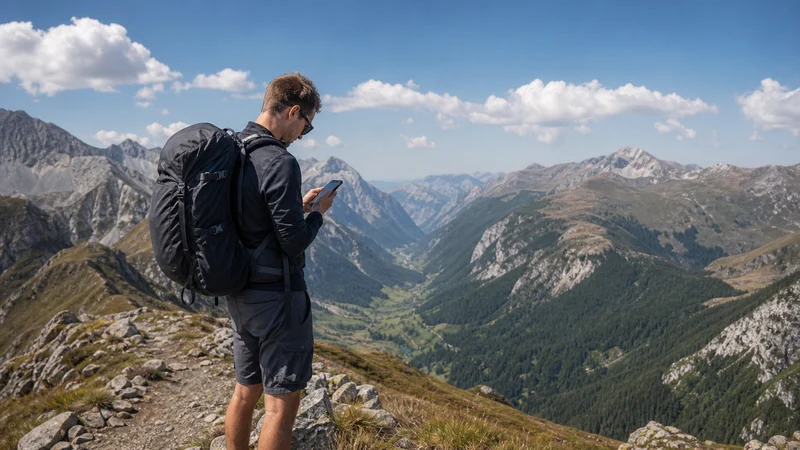

Mobile data can help with weather updates, transport changes and messages before or after a hike in North Macedonia. It should not be treated as a safety system for a mountain trail, lake crossing or remote national-park route.
Reception can change over a short distance when a path enters a valley, forest or area screened by a ridge. Download the route and essential information before leaving a populated place, even when the phone currently shows a strong signal.
NoveSIM travel eSIMs are data-only. We do not provide a North Macedonian telephone number, conventional calls or SMS. Internet calling and messaging apps require working mobile data or Wi-Fi.
Quick answer: Install and test the eSIM before the outdoor stage, download an authoritative offline map and save the return route, weather information and important contacts. Tell another person where you are going. Carry independent power, and never rely on continuous mobile reception for navigation or emergency help.
Top North Macedonia (Republic of North Macedonia) eSIMs

North Macedonia (Republic of North Macedonia) eSIM
Fixed
1 GB, 7 days4.00$2 GB, 15 days5.50$3 GB, 30 days7.00$Unlimited
Unlimited, 1 day4.00$Unlimited, 3 days8.50$Unlimited, 5 days12.50$
Balkans eSIM
Fixed
1 GB, 7 days5.00$2 GB, 15 days8.00$3 GB, 30 days10.50$Unlimited
Unlimited, 1 day5.50$Unlimited, 3 days12.50$Unlimited, 5 days19.50$Prepare the Route before Leaving Coverage
Save the complete trail or approach, not only the destination pin. Check that the map opens in Airplane Mode and that it contains the junctions, elevation information and exit options needed for the actual activity. A city map is not a substitute for a suitable hiking or paddling resource.
- Record the start point and planned return time.
- Save the transport or parking location.
- Keep accommodation and local contact details offline.
- Download the relevant forecast before departure.
- Carry the equipment and knowledge appropriate to the route.
The North Macedonia coverage guide can help with general planning, but no coverage map guarantees reception at one trail bend, lakeshore or shelter.
Hiking in Mountain and Forest Terrain
GPS positioning may continue when cellular data disappears, provided the map is already stored on the device. Keep the phone protected from rain, impact and cold, and stop in a stable place before reading detailed directions. Do not troubleshoot an eSIM while walking on exposed or difficult terrain.
Live location sharing is a useful supplement when data is available, but it is not a replacement for leaving an itinerary with another person. Agree on a time for that person to raise concern if you have not returned or checked in.
National Parks Need Route-Specific Planning
Conditions can differ between a visitor centre, a village approach and the interior of a park. Obtain current access, weather, fire-risk and route information from the relevant authority or local operator before setting out. A mobile-data article cannot confirm whether a path is open or suitable on the day of travel.
Download the national-park area while connected in town. Save any permits, booking confirmations and return-transport details locally. If the route is changed, update the person who holds the itinerary before entering another weak-signal area.
Kayaking and Lakeside Activities
A waterproof case protects the device from splashes but does not make a phone an emergency beacon. Keep it securely attached, and carry communication and safety equipment appropriate to the activity. Check wind and weather conditions before launching rather than expecting a forecast to refresh on the water.
Download the launch point, permitted route and return location. If travelling with an operator, follow its safety briefing and communication procedure. Do not assume that reception visible from shore will continue across every part of a lake or canyon.
Configure the Travel eSIM before the Activity
- Confirm that the phone is unlocked and eSIM compatible.
- Install the profile on reliable Wi-Fi when the plan permits.
- Label the travel line and select it for Mobile Data.
- Enable Data Roaming on the travel eSIM when required.
- Disable cellular-data switching and roaming data on the home SIM.
- Test a normal webpage with Wi-Fi switched off.
Use the North Macedonia installation guide for the complete setup. The NoveSIM APN is data.esim. Do not delete the installed profile during a temporary coverage gap unless support specifically instructs you to do so.
Protect Battery Power
GPS, screen brightness, camera use and repeated network searching can drain a battery quickly. Start with a fully charged phone and power bank. Use low-power mode, shorten screen time and pause automatic photo uploads until a trusted connection is available.
Airplane Mode can reduce network searching during a known gap while keeping downloaded maps accessible. Re-enable the travel line only when it is safe to check the phone. Cold conditions can reduce battery performance, so keep the device protected close to the body when appropriate.
What to Do When Reception Returns
Allow automatic network selection time to reconnect in an open or populated area. If data still does not pass, confirm the selected data line and roaming setting, then toggle Airplane Mode or restart once. Avoid changing the APN merely because the trail crossed a terrain shadow.
If service remains slow in a normally covered location, follow the North Macedonia slow-data checks. Preserve the installed eSIM while diagnosing the issue.
Related Articles
- North Macedonia road-trip internet
- Mobile data in North Macedonia
- Best way to get internet in North Macedonia
- Unlimited-data options for North Macedonia
FAQ
Will an eSIM work on every hiking trail in North Macedonia?
No. Terrain, distance from populated areas and the available partner network can create gaps. Download the route and carry an offline fallback.
Can GPS work when mobile data is unavailable?
The phone can often determine its position without cellular data, but the map and route must already be downloaded. Test the chosen navigation resource offline before departure.
Is a phone enough for emergency communication outdoors?
No. Mobile reception and battery power can fail. Use the safety plan and equipment appropriate to the route, and tell another person the itinerary and return time.
Should I edit the APN when reception disappears in a valley?
No. Move back into a covered area first and allow automatic registration to recover. The correct NoveSIM APN is data.esim.
Final Recommendation
For hiking, kayaking or national-park travel in North Macedonia, prepare the phone while a dependable connection is available and keep the complete route offline.
Use mobile data for current information and check-ins, but base safety on route planning, independent power, suitable equipment and a shared itinerary.
Expect coverage to vary with terrain and preserve the installed eSIM through temporary outdoor gaps.