


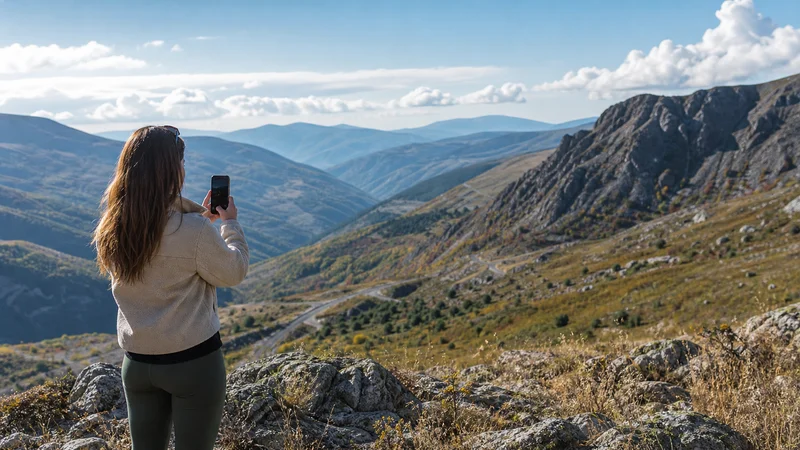

North Macedonia eSIM coverage depends on the partner network included with the plan, the device, local terrain and the traveller’s exact position. Coverage may be usable in a nearby town yet weaker inside a stone building, valley or remote road section.
A coverage map is a planning tool, not a guarantee of speed or continuous signal. Travellers should prepare offline routes and essential documents before leaving dependable service, especially for rural, mountain or cross-border stages.
NoveSIM travel eSIMs are data-only. We do not provide a local telephone number, conventional calls or SMS, and available partner networks depend on the purchased plan.
Quick answer: Expect the most dependable service in populated areas and along travelled corridors, with greater variation in villages, mountains and remote roads. Check current plan information, keep automatic network selection enabled and download the next route before departure. A local gap does not automatically mean the eSIM is configured incorrectly.
Top North Macedonia (Republic of North Macedonia) eSIMs

North Macedonia (Republic of North Macedonia) eSIM
Fixed
1 GB, 7 days€ 3.552 GB, 15 days€ 4.883 GB, 30 days€ 6.21Unlimited
Unlimited, 1 day€ 3.55Unlimited, 3 days€ 7.54Unlimited, 5 days€ 11.09
Balkans eSIM
Fixed
1 GB, 7 days€ 4.442 GB, 15 days€ 7.103 GB, 30 days€ 9.32Unlimited
Unlimited, 1 day€ 4.88Unlimited, 3 days€ 11.09Unlimited, 5 days€ 17.30What an eSIM Coverage Map Can and Cannot Show
Maps generally represent modelled outdoor coverage or operator measurements across an area. They cannot predict the signal at one hotel room, underground station, lakeshore or road bend. Indoor materials, elevation and congestion change the user experience.
A travel eSIM may also have access to a subset of the networks shown on a national map. Check the current plan rather than combining coverage claims from unrelated providers.
Coverage in Cities and Towns
Skopje, Ohrid, Bitola and other populated areas are more likely to provide stable service than an isolated route, but indoor conditions still vary. If data works outdoors and fails deep inside a building, test near a window or outside before changing the APN.
Crowds can reduce throughput even when signal bars remain visible. Save event tickets, meeting points and the return route before entering a busy venue.
Main Roads and Intercity Travel
A phone moving between cells may briefly lose or change service. Leave network selection automatic and allow it time to recover. Drivers should not troubleshoot while moving; stop safely before handling settings.
The North Macedonia road-trip guide covers offline navigation, fuel stops and cross-border preparation. Train and bus travellers can use the public-transport apps guide.
Remote Villages and Mountain Areas
A village centre may have service while the approach road, surrounding valley or higher path does not. Save accommodation directions and the return route before leaving the previous town. Ask the host for an offline landmark or written arrival instruction rather than depending only on a shared pin.
For a remote overnight stay, store contact details and payment information locally. Keep independent power available because repeated network searching can drain the battery. Do not treat a phone as the only emergency communication tool for an outdoor route.
National Parks and Hiking Routes
Terrain creates radio shadows, and reception at a visitor centre does not guarantee coverage on a trail. Download an appropriate route, current access information and weather details before setting out. Share the itinerary and expected return with another person.
The North Macedonia hiking guide covers offline maps, kayaking preparation and outdoor battery planning.
4G and 5G Availability
The phone may switch between technologies as conditions change. 5G requires a compatible device, supported bands, plan access and local availability. A stable 4G connection is normal and may be more usable than a weak 5G signal.
Read the North Macedonia 5G guide before adjusting preferred network mode. Do not force 5G-only service for a route that crosses variable coverage.
Set Up the eSIM before a Coverage Test
- Confirm that the phone is unlocked and eSIM compatible.
- Install the profile on reliable Wi-Fi when permitted.
- Select the travel eSIM for Mobile Data.
- Enable Data Roaming on that line when required.
- Disable cellular-data switching and home-SIM roaming data.
- Keep carrier selection automatic.
- Turn off Wi-Fi and test two ordinary online services.
Use the North Macedonia installation guide for the complete setup. The NoveSIM APN is data.esim. Preserve the installed profile while diagnosing a temporary gap.
Separate Weak Coverage from a Settings Problem
Test again in an open populated area. If service returns, the earlier problem was likely local coverage or building penetration. If the phone still has no data, confirm the line, roaming and APN before restarting once.
Manual network selection is a later step because a visible network can reject a plan that is not authorised to use it. Follow the manual selection guide only after the ordinary checks.
Cross-Border Coverage
A North Macedonia-only plan should not be assumed to continue after crossing into Albania, Bulgaria, Greece, Kosovo or Serbia. Confirm every included destination before the border and download the first route in the next country.
Regional plans and local Western Balkans roaming arrangements are separate products with their own terms. Review the destination list rather than relying on a signal that appears briefly near a border.
Related Articles
- Mobile networks in North Macedonia
- Mobile data in North Macedonia
- Slow mobile data in North Macedonia
- Unlimited data in North Macedonia
FAQ
Does an eSIM cover all of North Macedonia?
No provider can guarantee continuous service at every indoor or remote location. Coverage depends on the plan, partner network, device and terrain.
Will an eSIM work in remote villages?
It may work in or near a village, but roads, valleys and surrounding mountain areas can differ. Save directions and contacts offline before arrival.
Why do I have signal bars but slow data?
Congestion, building conditions or weak radio quality can reduce throughput. Test outdoors and in another location before changing configuration.
Should I manually choose a North Macedonia network?
Start with automatic selection. Use manual selection only for troubleshooting because the plan may not be authorised on every visible network.
Final Recommendation
Use North Macedonia eSIM coverage information to plan, not to promise continuous signal.
Keep automatic selection enabled, prepare offline routes before rural or mountain stages and distinguish a local gap from a persistent configuration problem.
Check that the purchased plan covers every country before continuing across a border.