


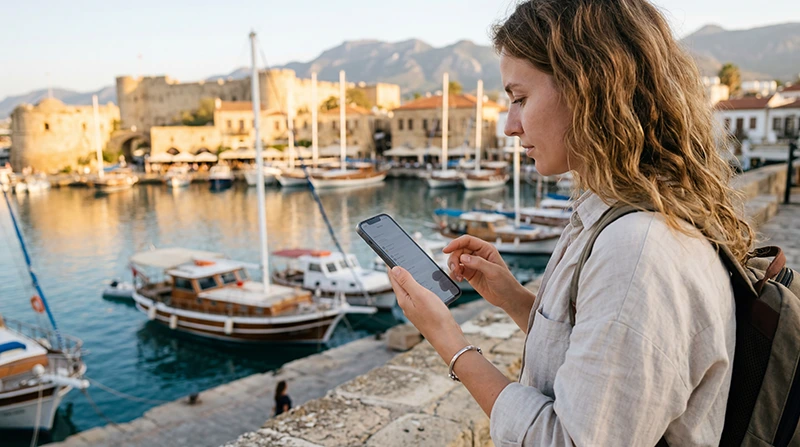

Using an eSIM on your iPhone is one of the easiest ways to stay connected while traveling in North Cyprus. Instead of searching for a local SIM card after landing, you can install your eSIM before departure and activate it as soon as you arrive.
Whether you’re visiting Kyrenia, North Nicosia, Famagusta, İskele, Bafra or the beautiful Karpaz Peninsula, an eSIM allows you to enjoy mobile internet without removing your primary SIM card.
Quick answer: install your North Cyprus eSIM while connected to WiFi before your trip, then enable it after arrival, turn on Data Roaming and select it for Mobile Data.
Top Northern Cyprus eSIMs

Northern Cyprus eSIM
Fixed
1 GB, 7 days€ 2.222 GB, 15 days€ 3.993 GB, 30 days€ 4.88Unlimited
Unlimited, 1 day€ 2.66Unlimited, 3 days€ 5.77Unlimited, 5 days€ 9.32
Europe Extra eSIM
Fixed
1 GB, 7 days€ 2.222 GB, 15 days€ 3.553 GB, 30 days€ 4.44Unlimited
Unlimited, 1 day€ 2.66Unlimited, 3 days€ 5.32Unlimited, 5 days€ 8.87Europe+ eSIM
Fixed
1 GB, 7 days€ 2.662 GB, 15 days€ 3.993 GB, 30 days€ 5.32Unlimited
Unlimited, 1 day€ 2.66Unlimited, 3 days€ 6.21Unlimited, 5 days€ 10.20Why Use an eSIM on iPhone?
- No physical SIM card required.
- Install before travelling.
- Keep your regular SIM active.
- Continue receiving SMS verification codes.
- Use your existing WhatsApp account.
- Instant mobile internet after arrival.
Compatible iPhone Models
Most recent iPhones support eSIM technology.
| iPhone Model | eSIM Support |
|---|---|
| iPhone XS / XS Max | Yes |
| iPhone XR | Yes |
| iPhone 11 Series | Yes |
| iPhone 12 Series | Yes |
| iPhone 13 Series | Yes |
| iPhone 14 Series | Yes |
| iPhone 15 Series | Yes |
| iPhone 16 Series | Yes |
| iPhone 17 Series | Yes |
Your iPhone should also be carrier unlocked.
Install Your eSIM Before Travelling
Always install your eSIM while connected to a reliable WiFi network before leaving for North Cyprus.
- Open Settings.
- Select Cellular or Mobile Service.
- Tap Add eSIM.
- Scan the QR code provided by your eSIM provider.
- Wait for the installation to complete.
- Keep the eSIM turned off until you arrive if instructed by your provider.
Recommended Settings After Arrival
| Setting | Recommended Value |
|---|---|
| eSIM Line | ON |
| Mobile Data | North Cyprus eSIM |
| Data Roaming | ON |
| Voice Line | Primary SIM |
| Automatic Data Switching | OFF |
| Network Selection | Automatic |
| APN | data.esim (if required) |
Can You Keep Your Regular SIM?
Yes.
Your iPhone supports Dual SIM functionality, allowing you to:
- Use the North Cyprus eSIM for mobile data.
- Keep your regular SIM for calls.
- Receive SMS messages.
- Use banking verification codes.
- Keep your existing phone number.
Does WhatsApp Work?
Yes.
Your WhatsApp account remains connected to your existing phone number. Installing an eSIM only changes your internet connection.
APN Settings
Most iPhones configure the APN automatically.
If manual configuration is required, use:
| Setting | Value |
|---|---|
| APN | data.esim |
| Username | Leave blank |
| Password | Leave blank |
Troubleshooting
If your iPhone doesn’t connect after arriving:
- Enable Data Roaming.
- Select the eSIM for Mobile Data.
- Restart your iPhone.
- Turn Airplane Mode on for 30 seconds.
- Verify APN is data.esim.
- Leave Network Selection on Automatic.
Common Mistakes
- Installing the eSIM without WiFi.
- Leaving Mobile Data on the primary SIM.
- Keeping Data Roaming disabled.
- Deleting the eSIM profile.
- Trying to scan the QR code multiple times.
- Using a carrier-locked iPhone.
Where Will It Work?
Your North Cyprus eSIM should provide connectivity throughout the island, including:
- Kyrenia.
- North Nicosia.
- Famagusta.
- İskele.
- Long Beach.
- Bafra.
- Ercan Airport.
- Karpaz Peninsula (coverage may vary in remote areas).
Related North Cyprus Guides
- North Cyprus eSIM
- North Cyprus eSIM for Android
- How to Activate a North Cyprus eSIM
- Install a North Cyprus eSIM
- Does My Phone Support eSIM?
- eSIM Not Working in North Cyprus
- APN Settings
- How to Use an eSIM
FAQ
Can I install my North Cyprus eSIM before travelling?
Yes. Installing it before departure over WiFi is recommended and makes activation much easier after arrival.
Will I lose my regular phone number?
No. Your primary SIM remains active for calls and SMS while the eSIM provides mobile data.
Do I need Data Roaming?
Yes. Enable Data Roaming for your North Cyprus eSIM after arriving.
What APN should I use?
If manual APN configuration is necessary, use data.esim.
Does WhatsApp still work?
Yes. Your WhatsApp account continues using your existing phone number.
Can I use FaceTime and iMessage?
Yes. Both services work normally when your iPhone has an active internet connection through your eSIM or WiFi.
Final Recommendation
An iPhone paired with a North Cyprus eSIM offers one of the easiest and most convenient ways to stay connected while travelling. By installing your eSIM before departure and using the recommended settings after arrival, you’ll be ready to navigate, message, browse and make internet calls throughout your trip.