


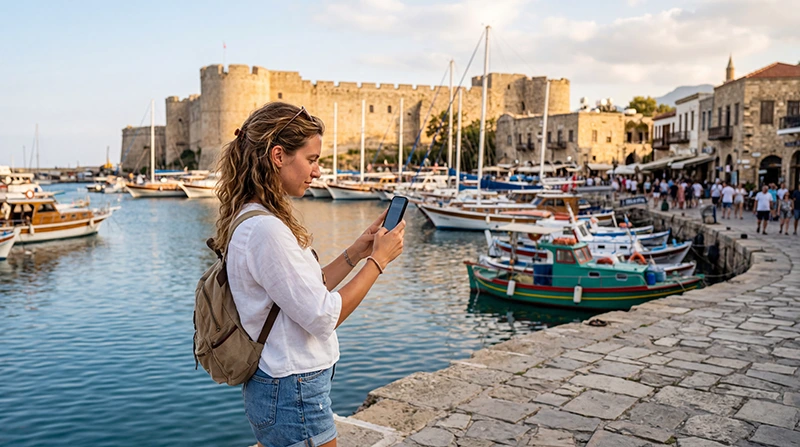

If you’ve never used an eSIM before, don’t worry. Using an eSIM in North Cyprus is very similar to using a regular SIM card, except everything is digital. There is no need to insert or remove a physical SIM card, making it one of the most convenient ways to stay connected while traveling.
Whether you’re visiting Kyrenia, North Nicosia, Famagusta, İskele, Bafra, Long Beach or the Karpaz Peninsula, a travel eSIM allows you to access mobile internet immediately after arrival.
Quick answer: install your eSIM before departure, enable it after arriving in North Cyprus, select it for Mobile Data, turn on Data Roaming and start using your phone as usual.
Top Northern Cyprus eSIMs

Northern Cyprus eSIM
Fixed
1 GB, 7 days€ 2.232 GB, 15 days€ 4.023 GB, 30 days€ 4.91Unlimited
Unlimited, 1 day€ 2.68Unlimited, 3 days€ 5.80Unlimited, 5 days€ 9.37
Europe Extra eSIM
Fixed
1 GB, 7 days€ 2.232 GB, 15 days€ 3.573 GB, 30 days€ 4.46Unlimited
Unlimited, 1 day€ 2.68Unlimited, 3 days€ 5.36Unlimited, 5 days€ 8.93Europe+ eSIM
Fixed
1 GB, 7 days€ 2.682 GB, 15 days€ 4.023 GB, 30 days€ 5.36Unlimited
Unlimited, 1 day€ 2.68Unlimited, 3 days€ 6.25Unlimited, 5 days€ 10.26What Is an eSIM?
An eSIM is a digital SIM that is built directly into your smartphone. Instead of inserting a plastic SIM card, you install a mobile plan by scanning a QR code or entering activation details provided by your eSIM provider.
Once installed, the eSIM works like any other mobile data connection.
How to Use an eSIM Before Your Trip
Before leaving for North Cyprus:
- Purchase your travel eSIM.
- Install it while connected to WiFi.
- Keep your QR code until the installation is complete.
- Do not delete the eSIM after installation.
How to Start Using Your eSIM After Arrival
After landing in North Cyprus:
- Turn on your phone.
- Enable your North Cyprus eSIM.
- Select it for Mobile Data.
- Enable Data Roaming.
- Leave Network Selection on Automatic.
- Wait a few minutes for the network connection.
Your phone should automatically connect to a supported local network.
Recommended Phone Settings
| Setting | Recommended Value |
|---|---|
| Mobile Data | North Cyprus eSIM |
| Data Roaming | ON |
| Network Selection | Automatic |
| Automatic Data Switching | OFF |
| Primary SIM | Calls and SMS |
| APN | data.esim (if required) |
Can You Keep Your Home SIM?
Yes.
Most modern smartphones support Dual SIM, allowing you to:
- Use the North Cyprus eSIM for mobile data.
- Keep your home SIM for calls.
- Receive SMS verification codes.
- Continue using your regular phone number.
Does WhatsApp Work?
Yes.
WhatsApp continues working exactly as before because your account remains linked to your existing phone number. The eSIM simply provides your internet connection.
What Can You Use Mobile Data For?
- Google Maps navigation.
- WhatsApp messaging.
- WhatsApp voice and video calls.
- Email.
- Online banking.
- Restaurant reservations.
- Taxi and ride-hailing apps.
- Social media.
- Photo uploads.
- Travel bookings.
Typical Data Usage
| Activity | Approximate Data Usage |
|---|---|
| Google Maps | 5–10 MB per hour |
| WhatsApp messaging | Very low |
| Voice calls | 30–50 MB per hour |
| Video calls | 250–500 MB per hour |
| 100–300 MB per hour | |
| YouTube HD | 1–3 GB per hour |
Common Mistakes
- Installing the eSIM after arriving without WiFi.
- Leaving Mobile Data assigned to the primary SIM.
- Keeping Data Roaming disabled.
- Deleting the eSIM profile.
- Trying to scan the QR code multiple times.
- Using a carrier-locked phone.
What If the eSIM Doesn’t Work?
If mobile data doesn’t start:
- Enable Data Roaming.
- Select the eSIM for Mobile Data.
- Verify the APN is data.esim.
- Turn Airplane Mode on for 30 seconds.
- Restart your phone.
- Leave Network Selection on Automatic.
Most connection issues are resolved by checking these settings.
Where Can You Use Your eSIM?
Your eSIM should work across the main tourist destinations, including:
- Kyrenia.
- North Nicosia.
- Famagusta.
- İskele.
- Long Beach.
- Bafra.
- Ercan Airport.
- Karpaz Peninsula (coverage may vary in remote areas).
Related North Cyprus Guides
- North Cyprus eSIM
- How to Install a North Cyprus eSIM
- How to Activate a North Cyprus eSIM
- North Cyprus eSIM for iPhone
- North Cyprus eSIM for Android
- Does My Phone Support eSIM?
- eSIM Not Working in North Cyprus
- APN Settings
FAQ
Is using an eSIM difficult?
No. Once installed, an eSIM works almost exactly like a physical SIM card and requires very little day-to-day management.
Can I keep my regular SIM?
Yes. Most Dual SIM phones allow you to use the eSIM for mobile data while keeping your primary SIM active for calls and SMS.
Do I need to enable Data Roaming?
Yes. Travel eSIMs require Data Roaming to be enabled on the eSIM.
What APN should I use?
If manual configuration is required, use data.esim.
Will WhatsApp still work?
Yes. Your WhatsApp account, contacts and conversations remain unchanged.
Can I remove the eSIM after my trip?
Yes. Once your trip is finished and you no longer need the plan, you can remove the eSIM from your device if you wish.
Final Recommendation
Using an eSIM in North Cyprus is one of the simplest ways to stay connected during your trip. By installing it before departure and following the recommended settings after arrival, you’ll have reliable mobile internet for navigation, messaging, social media and travel apps without replacing your regular SIM card.