


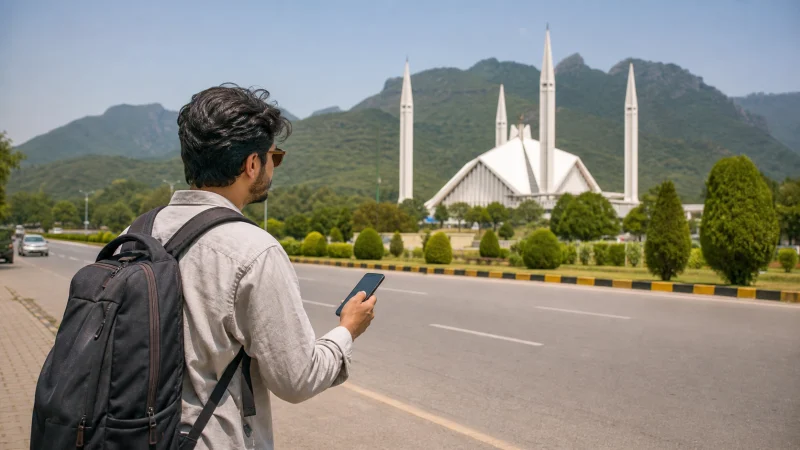

Travellers can get mobile internet in Pakistan through a travel eSIM, a registered local SIM, home-carrier roaming or Wi-Fi. The right choice depends on trip length, phone eligibility, whether a Pakistani number is needed and how far the itinerary goes beyond major cities.
A short urban trip prioritises immediate arrival data. A long stay or journey through Gilgit-Baltistan may need a more deliberate combination of mobile service, local advice and offline preparation.
NoveSIM travel plans are data-only. They support maps, booking apps and internet communication but do not provide a Pakistani number, traditional calls or SMS.
Quick answer: Use a travel eSIM when you want data prepared before arrival, consider a local SIM when you need a Pakistani number or longer-term local service, and keep offline maps and essential details for mountain routes, border areas and any journey where coverage gaps would cause a problem.
Top Pakistan eSIMs

Pakistan eSIM
Fixed
1 GB, 7 days€ 3.992 GB, 15 days€ 7.103 GB, 30 days€ 10.20Unlimited
Unlimited, 1 day€ 5.32Unlimited, 3 days€ 15.09Unlimited, 5 days€ 23.96
Compare the Main Internet Options
| Option | Useful for | Main limitation |
|---|---|---|
| Travel eSIM | Data ready before or soon after landing | Requires an unlocked compatible phone and does not include a local number |
| Local SIM | Longer stays and travellers needing local service | Purchase and identity-registration requirements apply |
| Home roaming | Keeping the existing mobile account in use | Price and allowances depend on the home carrier |
| Hotel, office or café Wi-Fi | Large downloads and stationary work | Availability, speed and security vary by venue |
Compare the total trip need rather than choosing solely by the lowest advertised price. The local SIM versus eSIM comparison separates convenience, registration and phone-number requirements.
Account for Pakistan’s Device-Registration Rules
Pakistan uses a device-identification and registration system administered by the Pakistan Telecommunication Authority. A travel eSIM changes the subscription profile, not the handset’s IMEI, so it cannot bypass a device that is no longer eligible to register.
Visitors should check current official rules for their length of stay, especially when returning with the same handset or remaining for an extended period. Avoid relying on a fixed grace period copied from an old article because procedures can change.
Prepare Differently for Cities and Northern Routes
Islamabad, Rawalpindi, Lahore and Karachi present a different connectivity task from the Karakoram Highway or remote valleys. In a city, the common problems are indoor signal, congestion, arrival logistics and data use. On mountain routes, long gaps, power, weather and road disruption become part of the internet plan.
Do not assume that a successful airport or hotel test predicts the full journey. Review the Pakistan coverage guide and the remote-area preparation guide before travelling north or towards sparsely served borders.
Choose Enough Data for the Actual Workload
- Maps, messages, email and ride coordination generally use modest amounts.
- Video calls, social video and streaming use substantially more.
- Photo backup and software updates can consume data without obvious activity.
- Hotspot use combines the traffic of every connected device.
Check a recent week in the phone’s mobile-data statistics, remove activity that will remain on trusted Wi-Fi and add a margin for navigation and disruption. The Pakistan data calculator turns this into a trip estimate.
Set Up a Travel eSIM Before Departure
- Confirm the exact phone model supports eSIM.
- Verify that the handset is carrier-unlocked.
- Choose a plan that explicitly includes Pakistan and covers the trip dates.
- Install over reliable private Wi-Fi when the plan instructions allow it.
- Label the new line clearly and save the instructions offline.
- After arrival, select the travel line for Mobile Data and enable Data Roaming on it.
Keep roaming off on the primary SIM if you do not want it to provide mobile data abroad. Use the Pakistan compatibility checklist before purchase and the activation checklist after landing.
Use Wi-Fi as a Complement, Not the Only Plan
Trusted accommodation or office Wi-Fi is useful for operating-system updates, cloud backup and large files. Confirm the exact network name with staff and avoid unexpected certificate warnings. For sensitive work, follow the security policy of the organisation involved.
Airport Wi-Fi can help during arrival, but captive portals, verification requirements or congestion may make access unreliable. Prepare key addresses, booking details and pickup contacts before the flight.
Keep a Pakistani Number Only When You Need One
A data-only travel eSIM is sufficient for travellers who communicate through internet apps and do not require domestic voice or SMS. A local SIM may be more appropriate when a Pakistani number is essential for local contacts or a longer arrangement.
Keeping the home SIM active can preserve access to the usual number, but the home carrier may charge for calls, messages, voicemail or roaming. On dual-SIM phones, choose the data line explicitly and disable automatic switching.
Build an Offline Fallback
- Download maps for the complete route, not only the destination city.
- Save accommodation addresses in English and the locally useful written form where available.
- Keep tickets, permits and pickup instructions accessible without a connection.
- Carry sufficient battery and suitable charging cables.
- Agree on meeting points when a group may separate.
Connectivity should assist a safe route plan, not replace local transport advice, weather checks or official travel guidance.
If Mobile Data Does Not Work
Start by confirming the active line, Data Roaming and plan status. Refresh registration with Airplane Mode before changing the APN. If signal appears without data, the NoveSIM APN is data.esim. Follow the Pakistan troubleshooting sequence and keep the installed profile unless support instructs otherwise.
Related Articles
- Best SIM Card Options for Pakistan
- Choosing a Mobile Network in Pakistan
- Using a Pakistan eSIM as a Hotspot
- Pakistan Road-Trip Connectivity
FAQ
What is the easiest way to get mobile internet after landing in Pakistan?
A compatible unlocked phone with a travel eSIM installed before departure can provide data without an airport SIM purchase, subject to plan coverage and device eligibility.
Do I need a local Pakistani SIM?
Not for data-only use through a travel eSIM. Consider a local SIM when you specifically need a Pakistani number or longer-term local service.
Will the same connection work throughout northern Pakistan?
Do not assume so. Terrain, settlement patterns, route conditions and the available network can produce gaps, so prepare offline maps and essential information.
Can I keep my normal SIM active?
Often yes on a dual-SIM phone, but disable its data roaming and check home-carrier charges for calls, messages and voicemail.
Final Recommendation
Choose the connection type around trip length, local-number needs, device eligibility and the most demanding part of the itinerary.
Prepare the eSIM and offline essentials before travel, then verify the data line and roaming settings after arrival.
For remote journeys, combine mobile data with downloaded maps, power and a route plan that remains usable without signal.