


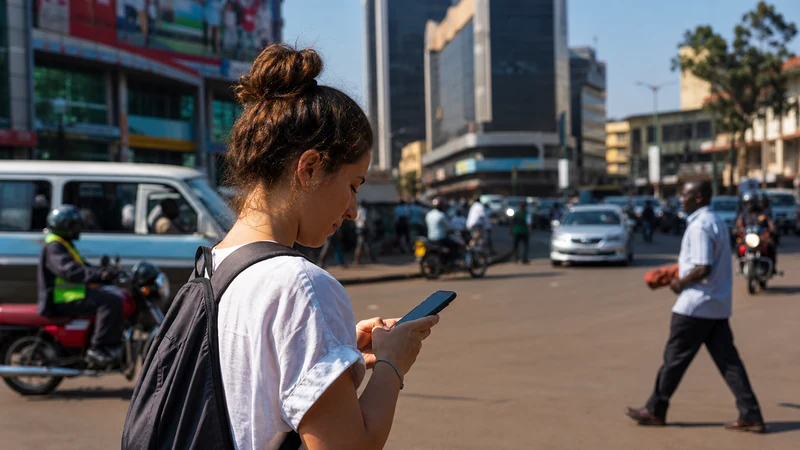

Mobile data in Uganda helps travellers use maps, receive booking changes, contact accommodation and manage transfers away from hotel Wi-Fi. With a compatible unlocked phone, a NoveSIM Uganda eSIM can provide a separate travel-data line without replacing the usual physical SIM.
Data use and reception are different issues. A larger allowance lets you perform more online activities, but it cannot improve coverage on a remote road or inside an area without a suitable mobile signal. Prepare important travel information offline before leaving a connected town.
A NoveSIM Uganda eSIM is data-only. It does not provide a Ugandan telephone number, traditional calls or carrier SMS, but WhatsApp and other internet-based communication apps can work through the mobile-data connection.
Quick answer: Install NoveSIM before departure, select it as the mobile-data line after arrival and enable Data Roaming on that eSIM. Keep roaming disabled on the primary SIM, control automatic downloads and reserve part of the allowance for maps, messages and the final travel day.
Top Uganda eSIMs

Uganda eSIM
Fixed
1 GB, 7 days€ 11.112 GB, 15 days€ 21.333 GB, 30 days€ 29.33Unlimited
Unlimited, 1 day€ 10.22Unlimited, 3 days€ 29.33Unlimited, 5 days€ 47.99
What can tourists use mobile data for in Uganda?
Mobile data is most valuable for information that can change while you are away from a trusted Wi-Fi connection. It keeps useful travel services available during airport transfers, urban journeys and connected sections of an intercity route.
Common uses include:
- opening live maps and checking the next turn;
- contacting a driver or accommodation;
- receiving changed pickup and departure times;
- checking transport or flight information;
- using internet-based messaging and calling apps;
- retrieving booking references;
- checking opening information;
- sharing a location with a travel companion;
- using banking or authentication apps when necessary.
A travel eSIM is particularly useful between Wi-Fi locations. The wider guide to internet in Uganda for tourists compares eSIMs with local SIM cards, roaming, pocket Wi-Fi and venue Wi-Fi.
How should you set up NoveSIM before travelling?
Install the eSIM at home over stable private Wi-Fi. Do not wait until a time-sensitive airport transfer to begin the installation process.
- Open the installation information provided with the NoveSIM order.
- Add the eSIM using the supplied method.
- Confirm that the new profile appears in the phone’s mobile settings.
- Give it an obvious label such as “NoveSIM” or “Uganda”.
- Keep the eSIM installed.
- Follow the activation timing specified for the selected plan.
- Save the installation and support information somewhere accessible offline.
Installation and activation may be separate stages. Follow the complete Uganda eSIM installation guide and then check the instructions for activating a Uganda eSIM.
Select the correct mobile-data line after arrival
After landing, the phone must use NoveSIM for mobile data. If the primary SIM remains selected, the phone may use home-carrier roaming instead of the travel allowance.
- Turn on the NoveSIM line.
- Select NoveSIM as the mobile-data line.
- Enable Data Roaming for NoveSIM.
- Disable automatic mobile-data switching.
- Keep Data Roaming disabled on the primary SIM.
- Leave network selection on Automatic.
- Temporarily turn off Wi-Fi.
- Open a new webpage to test the mobile connection.
Data Roaming is normally required on a travel eSIM because it connects through permitted partner networks. Enabling it on NoveSIM does not require you to enable roaming on the primary SIM.
Separate instructions are available for a Uganda eSIM on iPhone and a Uganda eSIM on Android. Menu names can vary by manufacturer and software version.
How can you confirm that NoveSIM is carrying the data?
Turn Wi-Fi off before testing. A webpage that was already open may display cached content, so load a new page or refresh current information.
Check the following:
- NoveSIM is turned on;
- NoveSIM is selected for mobile data;
- Data Roaming is enabled on NoveSIM;
- the primary SIM is not selected for data;
- automatic data switching is disabled;
- Airplane Mode is off;
- the phone displays a usable mobile signal.
If the page loads with Wi-Fi disabled, the phone is using mobile data. The displayed network technology may vary with the plan, device, partner network, location and local conditions. A stable 4G connection is normally sufficient for maps, messages and booking tasks; 5G is not required for ordinary travel use.
How much mobile data does a Uganda trip need?
The required allowance depends more on activities than on trip length. A traveller using offline maps and text messages may need much less data than someone making video calls, uploading photographs or tethering a laptop.
| Activity | Relative demand | Useful control |
|---|---|---|
| Text messages and email | Usually light | Avoid automatically downloading large attachments |
| Maps and navigation | Light to moderate | Download the required regions over Wi-Fi |
| Web browsing and travel apps | Moderate | Disable video autoplay |
| Internet voice calls | Moderate | Use audio instead of video when practical |
| Photo and cloud backup | Potentially heavy | Set backup to Wi-Fi only |
| Video calls and streaming | Heavy | Reduce video quality or move the activity to Wi-Fi |
| Laptop hotspot use | Variable and potentially heavy | Pause updates and cloud synchronisation |
Use recent phone statistics to estimate your normal daily consumption, then adjust for the activities planned during the trip. Keep a reserve for delays, changed bookings and the return journey. The guide explaining how much data a Uganda trip needs provides a more detailed calculation method.
Reduce background data before the trip
Background activity can consume a travel allowance without providing an immediate benefit. Review these settings before relying on mobile data:
- set cloud photo and video backup to Wi-Fi only;
- pause automatic application updates;
- pause operating-system downloads;
- disable automatic video playback;
- limit background data for non-essential applications;
- download music and entertainment before travelling;
- remove unnecessary offline email synchronisation;
- check whether messaging apps automatically download videos.
Do not block applications needed for navigation, authentication or live travel communication without understanding the effect. The goal is to remove optional background traffic while keeping essential services available.
Use offline maps to preserve mobile data
Download map areas while the phone has a dependable Wi-Fi connection. Offline maps can reduce repeated downloads and keep basic navigation information visible through a temporary coverage gap.
They do not guarantee that every lodge entrance, park route or road condition is current. Save written directions from the property or tour operator separately. The guide to using Google Maps in Uganda covers map downloads, data control and practical limitations.
Monitor the travel allowance during the journey
Check mobile-data statistics periodically rather than waiting for an allowance warning. Phone counters may not match the provider’s accounting period exactly, but they can reveal which apps are using the most data.
A practical routine is:
- Record or reset the phone’s data statistics at the beginning of the trip.
- Check the total after the first full day.
- Identify any application using more data than expected.
- Move optional downloads to trusted Wi-Fi.
- Recheck before a long road or safari section.
- Protect a reserve for the final transfer and departure day.
Do not interpret the word “unlimited” without reading the current plan terms. High-speed allowances, fair-use rules or other restrictions can affect how the plan behaves. Review the guide to unlimited mobile data in Uganda before choosing a plan on the basis of that label.
Can you share Uganda mobile data through a hotspot?
Hotspot availability depends on the selected NoveSIM plan, phone and current network conditions. Where tethering is supported, the phone can share its connection with a laptop, tablet or another traveller’s device.
Connected computers can use data rapidly through:
- operating-system updates;
- cloud file synchronisation;
- automatic application downloads;
- high-resolution video;
- photo and video backup;
- browser tabs refreshing in the background.
Pause those activities before connecting the laptop. Verify the current plan terms if hotspot use is important to the journey. The Uganda eSIM hotspot guide covers the relevant setup and data controls.
What should you expect in Kampala and other towns?
Mobile data is useful in Kampala for street navigation, accommodation communication, transport information and live booking changes. A connected city stay is also a good opportunity to update offline maps and save information for the next stage.
Do not use a good result in central Kampala as proof of what the phone will receive elsewhere. Reception can change between neighbourhoods, buildings, regional towns and intercity roads. The guide to internet in Kampala for tourists covers the capital-specific use case.
Expect different conditions on rural roads
Coverage can become less predictable as the itinerary moves away from towns and major travelled corridors. Terrain, distance from infrastructure, buildings, local demand and the precise location of the phone can affect reception.
A large remaining data allowance cannot solve the absence of a usable signal. Before a rural journey, save:
- the complete route;
- the next accommodation address;
- lodge and operator contacts;
- pickup points and times;
- booking references and permits;
- insurance and emergency details;
- any directions supplied by the property.
Review the guides to Uganda eSIM coverage and rural mobile coverage in Uganda before leaving a connected town.
Prepare differently for safari travel
Mobile data may work in gateway towns, on connected approach roads or near some accommodation. Reception inside a park, forest or remote safari area may weaken or disappear.
Follow the communication arrangements supplied by the lodge, guide or tour operator. Ordinary mobile data is not a satellite emergency system and should not replace an operator’s safety procedure.
Use a connected stop to download the itinerary, permits, contact information and return arrangements. The guide to mobile internet on safari in Uganda explains how to combine NoveSIM with offline preparation.
What should you do if mobile data stops working?
First decide whether the problem is likely to be a setting issue or a coverage gap. If the connection disappeared only after entering a remote area, repeatedly changing the phone configuration may not help.
In a location where service should be available:
- Confirm that NoveSIM is enabled.
- Confirm that it is selected for mobile data.
- Check that Data Roaming is enabled on the NoveSIM line.
- Turn Airplane Mode on, wait briefly and turn it off.
- Restart the phone.
- Leave network selection on Automatic.
- Check the NoveSIM APN if support instructions require it.
- Test again with Wi-Fi disabled.
The NoveSIM APN is data.esim. Do not enter a domestic operator’s APN or another provider’s settings. Do not delete the installed eSIM unless NoveSIM support specifically instructs you to do so.
Use the dedicated guide when a Uganda eSIM is not working. If the connection exists but performance is poor, follow the checks for slow mobile data in Uganda.
Related Articles
- Internet in Uganda for Tourists
- Best Way to Get Internet in Uganda
- Uganda eSIM Plans
- How Much Data Do You Need for a Uganda Trip?
- Unlimited Mobile Data in Uganda
- Uganda eSIM Coverage
- 4G and 5G in Uganda for Tourists
- Using a Hotspot with a Uganda eSIM
- Using Google Maps in Uganda
- Mobile Internet on a Uganda Road Trip
FAQ
How should tourists set up mobile data in Uganda?
Install NoveSIM before departure, select it as the mobile-data line after arrival and enable Data Roaming on that eSIM. Keep roaming disabled on the primary SIM and test with Wi-Fi turned off.
Does NoveSIM need Data Roaming in Uganda?
Yes, Data Roaming normally needs to be enabled on the NoveSIM line so it can connect through permitted partner networks. It can remain disabled on the primary SIM.
Does NoveSIM include calls and SMS?
No. NoveSIM is data-only and does not provide a Ugandan number, traditional calls or carrier SMS. Internet-based messaging and calling apps can work through mobile data.
What uses the most travel data?
Video streaming, video calls, cloud photo backup, software updates and laptop tethering generally consume much more data than text messages or occasional map use.
Can I use a Uganda eSIM as a hotspot?
Hotspot use depends on the selected plan, phone and network conditions. Verify the current plan terms and pause updates and cloud synchronisation on connected devices.
Will mobile data work everywhere in Uganda?
No mobile service should be expected everywhere. Reception can vary between cities, buildings, intercity roads, parks and remote accommodation.
What is the NoveSIM APN?
The NoveSIM APN is data.esim. Change or add it only when required by the supplied instructions or NoveSIM support.
Final Recommendation
Use a NoveSIM Uganda eSIM as a separate mobile-data line when you have a compatible unlocked phone. Install it before departure so maps, messages and booking information do not depend entirely on airport or hotel Wi-Fi.
After arrival, select NoveSIM for data, enable Data Roaming on that line and keep automatic data switching off. Reduce background traffic and protect part of the allowance for the final transfer and departure day.
Before leaving a connected town, save routes, accommodation contacts and operator instructions offline. This keeps mobile data focused on information that can change while allowing the journey to continue through temporary rural or safari coverage gaps.