


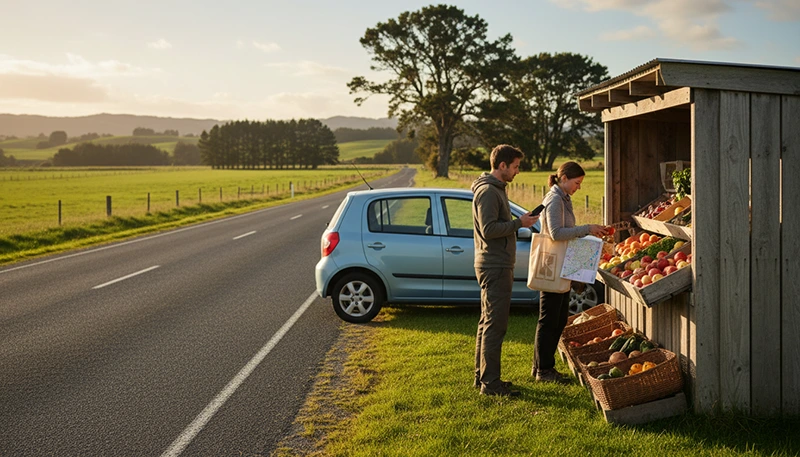

Mobile data is one of the most useful travel tools during a New Zealand road trip. It helps with navigation, accommodation messages, weather forecasts, fuel stops, activity confirmations and changes to your route.
However, driving between cities, rural towns, mountain areas and remote coastal regions means that signal quality may not remain identical throughout the journey. Choosing a suitable data plan is important, but preparing offline maps and essential travel information is equally important.
Quick answer: most tourists can use a travel eSIM or local prepaid SIM for mobile data in New Zealand. A travel eSIM is usually the most convenient option when you want to organise your connection before departure. Download offline maps before long drives because no mobile plan can guarantee uninterrupted coverage on every rural or mountainous route.
Top New Zealand eSIMs

New Zealand eSIM
Fixed
1 GB, 7 days€ 2.182 GB, 15 days€ 3.933 GB, 30 days€ 5.24Unlimited
Unlimited, 1 day€ 2.62Unlimited, 3 days€ 6.54Unlimited, 5 days€ 10.47
Asia eSIM
Fixed
1 GB, 7 days€ 4.362 GB, 15 days€ 7.853 GB, 30 days€ 10.47Unlimited
Unlimited, 1 day€ 5.67Unlimited, 3 days€ 15.27Unlimited, 5 days€ 24.87Best Mobile Data Options for a New Zealand Road Trip
| Option | Best For | Main Consideration |
|---|---|---|
| Travel eSIM | Tourists who want mobile data immediately after arrival | Requires an unlocked eSIM-compatible phone |
| Local prepaid SIM | Visitors who also need a New Zealand telephone number | Usually purchased and activated after arrival |
| International roaming | Short journeys with an affordable roaming package | Costs may be high without a suitable bundle |
| Pocket WiFi | Families or groups sharing one connection | Requires another charged device |
| Public WiFi | Downloading maps and media at accommodation | Cannot provide continuous road-trip connectivity |
Why Mobile Data Is Important When Driving
A working mobile connection can support almost every stage of a self-drive journey.
You may use it for:
- Turn-by-turn navigation.
- Traffic and road-condition updates.
- Weather forecasts.
- Accommodation check-in instructions.
- Fuel station searches.
- Electric vehicle charging locations.
- Restaurant and supermarket searches.
- Activity tickets and confirmations.
- Rental car communication.
- Ferry and transport information.
- WhatsApp, Viber and internet calls.
- Changing bookings while travelling.
Mobile data becomes particularly valuable when accommodation, attractions or rental depots use digital confirmations rather than printed documents.
Travel eSIM for Mobile Data in New Zealand
A travel eSIM is a digital mobile plan installed directly on a compatible phone. It can provide data without requiring you to replace your primary SIM.
This is useful for road trips because you can install the eSIM before travelling and activate the required settings after arriving in New Zealand.
A travel eSIM may be the best choice when:
- You want mobile data immediately after landing.
- You are collecting a rental vehicle at the airport.
- You do not want to visit a mobile shop.
- You want to keep your home SIM installed.
- You mainly communicate through internet-based applications.
- You are travelling between several cities and regions.
Browse New Zealand eSIM plans.
Local Prepaid SIM for a Road Trip
A local prepaid SIM can also provide mobile data throughout New Zealand. It may be preferable when you need a New Zealand telephone number, traditional calls or SMS.
Before buying a prepaid package, check:
- The included mobile data.
- The plan validity.
- Whether calls and SMS are included.
- Whether hotspot sharing is allowed.
- Whether the SIM includes an active package.
- How additional data can be purchased.
A physical SIM may require you to remove your home SIM unless your phone supports more than one active line.
Compare a local SIM and eSIM for New Zealand.
How Much Mobile Data Do You Need?
The right data allowance depends on the length of the journey and how you use your phone.
| Road Trip Length | Suggested Starting Point |
|---|---|
| 3 to 5 days | 3 GB to 5 GB |
| 7 days | 5 GB to 10 GB |
| 10 to 14 days | 10 GB to 20 GB |
| 3 to 4 weeks | 20 GB or more |
| Remote work or regular hotspot use | A larger data allowance |
These figures are practical starting points rather than guaranteed requirements. Maps and messaging usually consume much less data than streaming, cloud backup or video calls.
Read the full New Zealand data allowance guide.
Which Activities Use the Most Data?
| Activity | Typical Data Impact |
|---|---|
| Messaging and email | Low |
| Maps and route searches | Low to moderate |
| Accommodation and activity searches | Low to moderate |
| Internet audio calls | Moderate |
| Social media video | High |
| Video calls | High |
| Video streaming | Very high |
| Automatic photo and video backup | Very high |
| Laptop hotspot use | Varies significantly |
Automatic cloud backup is a common reason for unexpectedly high data use. A phone may begin uploading travel photos and videos as soon as it detects a mobile connection.
Can You Expect Mobile Coverage Everywhere?
No mobile plan can guarantee uninterrupted signal across every part of New Zealand.
Coverage is generally easier to find in cities, larger towns and populated transport corridors. Signal may vary in:
- Mountain passes.
- Deep valleys.
- Dense forests.
- National park areas.
- Remote coastal roads.
- Sparsely populated regions.
- Long rural sections between towns.
Your phone may move between 5G, 4G or a weaker connection depending on location, device compatibility, available frequencies and the local partner network.
Seeing 4G instead of 5G does not necessarily indicate a problem. A stable 4G connection is sufficient for maps, messaging, booking management and most travel applications.
Mobile Data on North Island Routes
Popular North Island road trips may include Auckland, Hamilton, Rotorua, Taupo and Wellington.
Mobile data is useful for traffic conditions near major cities, booking information around Rotorua, weather checks near Taupo and rural navigation towards attractions outside the main urban areas.
Download routes in advance when travelling through rural Waikato, forested regions or volcanic landscapes where signal may vary.
Mobile Data on South Island Routes
South Island journeys may include Christchurch, Queenstown, Dunedin, Te Anau, Aoraki Mount Cook and the West Coast.
These routes often involve longer distances, mountainous terrain and rapidly changing weather. Download complete driving sections before leaving larger towns.
Save:
- The full route.
- Accommodation addresses.
- Fuel or charging stops.
- Tour confirmations.
- Alternative routes.
- Emergency and roadside assistance details.
Why Offline Maps Are Essential
Offline maps are one of the most important backups for a New Zealand road trip. They allow navigation to continue during temporary signal loss.
Before each long drive:
- Download the complete route area.
- Save the final accommodation location.
- Mark planned fuel or charging stops.
- Save attraction entrances and meeting points.
- Download an alternative route if available.
- Take screenshots of important instructions.
Keep location services enabled. Your phone can often continue displaying its position on a downloaded map even when mobile data is unavailable.
Mobile Data for Rental Cars and Campervans
A mobile connection is useful from the moment you collect your vehicle.
You may need it to:
- Locate the rental depot.
- Open the booking confirmation.
- Contact the rental company.
- Find the first accommodation.
- Check parking information.
- Locate fuel or charging stations.
- Find campsites and holiday parks.
- Access roadside assistance details.
Save the rental provider’s contact information offline before beginning the journey.
Using Mobile Data in an Electric Vehicle
Electric vehicle travellers may depend more heavily on mobile data for charging information.
Before beginning each major section:
- Identify the planned charging stop.
- Save at least one alternative charger.
- Check the expected driving distance.
- Review accommodation charging options.
- Take screenshots of backup locations.
Do not wait until the battery is low before searching for the next charger, especially on rural routes.
Can You Use a Mobile Hotspot?
Hotspot sharing may be available depending on the selected eSIM, prepaid SIM or roaming package.
It can be useful for connecting a passenger’s phone, tablet or laptop. However, laptops and tablets may perform automatic updates, cloud synchronisation and media downloads that consume data quickly.
When using a hotspot:
- Disable automatic software updates.
- Pause cloud synchronisation.
- Use lower video quality.
- Disconnect devices when they are not needed.
- Monitor the data allowance regularly.
How to Reduce Mobile Data Use
- Download maps through accommodation WiFi.
- Save music and podcasts offline.
- Pause automatic photo and video backups.
- Disable automatic application updates.
- Turn off automatic video playback.
- Reduce streaming quality.
- Save tickets and confirmations locally.
- Use WiFi for large downloads.
- Turn off hotspot sharing when not required.
- Monitor data use in the phone settings.
Can You Keep Your Home SIM Active?
Yes. A compatible Dual-SIM phone can use a travel eSIM for mobile data while keeping the primary SIM available for calls, SMS and verification codes.
To reduce accidental roaming charges:
- Select the travel eSIM for Mobile Data.
- Turn off Data Roaming on the primary SIM.
- Disable Automatic Data Switching.
- Check the selected line before making traditional calls.
Your home provider may still charge for calls, voicemail or certain messages while abroad.
Will WhatsApp Keep Your Existing Number?
Yes. WhatsApp normally continues using the number already registered to your account while the travel eSIM or prepaid SIM provides mobile data.
Do not select Change Number unless you intentionally want to move the account to another telephone number.
How to Check Whether Your Phone Supports eSIM
Check the manufacturer’s specifications for your exact phone model and regional version.
You can also dial *#06#. An eSIM-compatible device may display an EID together with one or more IMEI numbers.
The phone must also be carrier-unlocked.
Recommended eSIM Settings for New Zealand
| Setting | Recommended Value |
|---|---|
| Travel eSIM | Enabled after arrival |
| Mobile Data | Travel eSIM |
| Data Roaming on travel eSIM | On |
| Data Roaming on primary SIM | Off |
| Automatic Data Switching | Off |
| Network Selection | Automatic |
| APN | data.esim when required |
What If Mobile Data Does Not Work?
- Confirm that the selected plan includes New Zealand.
- Check that the travel eSIM is enabled.
- Select the travel eSIM for Mobile Data.
- Enable Data Roaming on the travel eSIM.
- Turn off Data Roaming on the primary SIM.
- Disable Automatic Data Switching.
- Leave Network Selection on Automatic.
- Check that the APN is data.esim.
- Turn Airplane Mode on for 30 seconds and turn it off.
- Wait several minutes for network registration.
- Restart the phone if necessary.
Move to an open area before changing advanced settings because temporary signal loss may be caused by local terrain rather than the eSIM configuration.
Do not delete the eSIM while troubleshooting. The installation QR code may be valid for one installation only.
New Zealand Road Trip Mobile Data Checklist
- Choose enough validity for the entire trip.
- Select a realistic mobile data allowance.
- Confirm that the phone is unlocked and supports eSIM.
- Install the eSIM before departure where possible.
- Save the installation instructions offline.
- Download maps before every long driving section.
- Save accommodation and rental information.
- Mark fuel or charging stops.
- Pause cloud backups.
- Carry a car charger or power bank.
- Enable Data Roaming on the travel eSIM.
- Disable roaming on the primary SIM.
- Do not rely on continuous rural coverage.
- Do not delete the eSIM during troubleshooting.
Related New Zealand Travel Internet Guides
- New Zealand eSIM Plans
- Best eSIM for New Zealand
- Buy an eSIM for New Zealand
- Mobile Internet in New Zealand
- Internet for a New Zealand Road Trip
- How Much Data Do You Need for New Zealand?
- New Zealand Roaming Charges
- Local SIM vs eSIM in New Zealand
FAQ
What is the best mobile data option for a New Zealand road trip?
A travel eSIM is usually the most convenient choice for tourists who mainly need mobile data. A local prepaid SIM may be preferable when you need a New Zealand telephone number.
Will mobile data work everywhere in New Zealand?
No. Signal may vary in rural, mountainous, forested and remote coastal areas. Download offline maps before every long drive.
How much data do I need for a two-week road trip?
Approximately 10 GB to 20 GB is a practical starting point for navigation, messaging, bookings and moderate social media use. Choose more for streaming or regular hotspot use.
Does navigation use a lot of mobile data?
Navigation usually uses less data than video streaming or cloud backup. Downloading maps in advance can reduce usage further.
Can I use my phone as a hotspot?
Hotspot sharing may be available depending on the selected plan. Check the plan conditions and monitor connected devices carefully.
Can I keep my normal SIM active?
Yes. Use the travel eSIM for Mobile Data, disable roaming on the primary SIM and turn off Automatic Data Switching.
What APN should I use for NoveSIM?
Use data.esim when manual APN configuration is required.
Final Recommendation
For most visitors, a travel eSIM is the simplest way to arrange mobile data for a New Zealand road trip. It can be installed before departure and used while keeping the primary SIM in the phone.
Choose enough data for navigation, bookings and communication, but control streaming, hotspot use and automatic cloud backup to avoid unnecessary consumption.
Most importantly, download maps, accommodation details, charging or fuel stops and booking confirmations before every long rural or mountain drive. Mobile data is extremely useful, but offline preparation remains essential.