


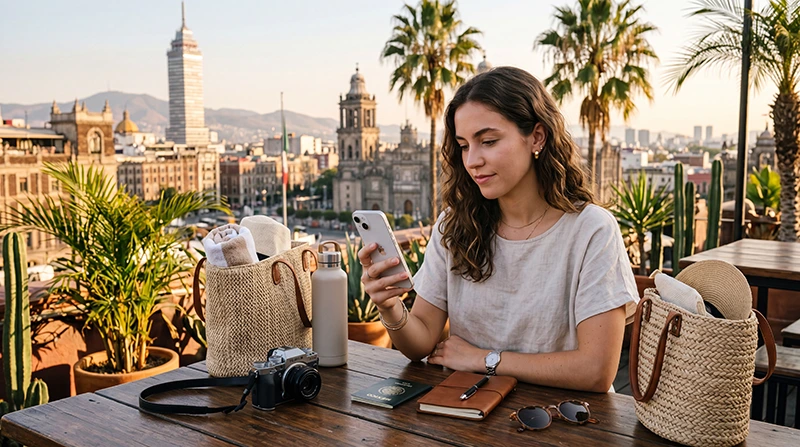

If you are traveling to Mexico, one of the most important things to check before departure is how much your mobile operator may charge for roaming.
Many travelers arrive in Mexico and start using mobile data without realizing that international roaming can become expensive very quickly.
Whether you are visiting Mexico City, Cancun, Tulum, Playa del Carmen, Riviera Maya, Los Cabos, Puerto Vallarta, Guadalajara, Monterrey, Merida or Oaxaca, mobile internet is essential for maps, transport, WhatsApp, hotel communication, bookings and travel safety.
Quick answer: Mexico roaming charges depend on your home mobile provider and plan. Some operators offer daily roaming passes, while others charge per megabyte or limit data speeds. For many travelers, an eSIM is a more predictable and convenient alternative because you can buy a travel data plan before departure and avoid using expensive roaming from your home SIM.
Top Mexico eSIMs

Mexico eSIM
Fixed
1 GB, 7 days4.00$2 GB, 15 days6.00$3 GB, 30 days8.00$Unlimited
Unlimited, 1 day4.00$Unlimited, 3 days9.50$Unlimited, 5 days15.00$
North America eSIM
Fixed
1 GB, 7 days4.50$2 GB, 15 days8.00$3 GB, 30 days11.00$Unlimited
Unlimited, 1 day6.50$Unlimited, 3 days17.00$Unlimited, 5 days28.00$Central America eSIM
Fixed
1 GB, 7 days8.00$2 GB, 15 days13.00$3 GB, 30 days17.50$Unlimited
Unlimited, 1 day7.50$Unlimited, 3 days18.50$Unlimited, 5 days29.50$What Are Roaming Charges in Mexico?
Roaming charges are fees your mobile operator may apply when your phone connects to a mobile network outside your home country.
When you travel to Mexico, your phone may automatically connect to a Mexican mobile network if roaming is enabled on your primary SIM card.
This can allow you to use calls, SMS and mobile data abroad, but the cost depends entirely on your home provider.
For travelers, the biggest risk is usually mobile data roaming because apps can use data in the background even when you are not actively browsing.
Why Mexico Roaming Can Become Expensive
Roaming can be convenient, but it is not always cost-effective.
Many travelers use mobile data more than they expect during a trip.
Common travel activities that use data include:
- Google Maps and Apple Maps
- Uber and transport apps
- WhatsApp and Messenger
- Hotel check-in details
- Restaurant searches
- Tour bookings
- Social media uploads
- Flight updates
- Translation apps
- Digital tickets
If your roaming plan has high daily fees, low data limits or pay-per-use pricing, normal travel behavior can lead to unexpected charges.
How Mexico Roaming Charges Usually Work
Mobile operators usually handle Mexico roaming in several different ways.
| Roaming Type | How It Works | Risk for Travelers |
|---|---|---|
| Daily roaming pass | You pay a fixed daily fee for international usage | Can become expensive on longer trips |
| Pay-per-MB roaming | You pay based on data used | Can become very expensive quickly |
| Included roaming allowance | Your plan includes limited roaming data | May slow down or stop after allowance is used |
| Travel add-on | You buy a temporary roaming package | May have restrictions, speed limits or limited validity |
Should You Use Roaming in Mexico?
Roaming can be useful for emergencies or very short trips, but it is not always the best option for regular travel use.
You may consider roaming if:
- Your home plan includes Mexico at no extra cost
- You only need very light data use
- You are traveling for one or two days
- You need calls or SMS from your regular number
However, if you plan to use maps, messaging, transport apps, hotel communication and social media every day, a travel eSIM or local SIM card may be more practical.
Mexico Roaming vs eSIM
An eSIM can help you avoid using expensive roaming on your primary SIM card.
With an eSIM, you install a travel data plan on your phone and use it for mobile internet while keeping your regular SIM active if needed.
| Option | Best For | Main Advantage | Main Limitation |
|---|---|---|---|
| Roaming | Emergency use or very short trips | No setup needed | Can be expensive or limited |
| eSIM | Most tourists and travelers | Predictable travel data and fast setup | Requires eSIM-compatible unlocked phone |
| Local SIM card | Longer stays or local number needs | Widely available in Mexico | Requires physical SIM purchase and setup |
| Public WiFi | Backup connection | Often free in hotels and cafes | Not reliable for travel movement |
How to Avoid Roaming Charges in Mexico
The safest way to avoid unexpected roaming fees is to control which SIM card uses mobile data.
Before traveling, review your phone settings and decide how you want to connect in Mexico.
- Turn off data roaming on your primary SIM if you do not want to use roaming
- Install your Mexico eSIM before departure
- Set the eSIM as your mobile data line after arrival
- Keep your home SIM active only for calls or SMS if needed
- Disable automatic mobile data switching if your phone has that option
- Use WiFi only as a backup, not your main connection
Can You Keep Your Home SIM Active Without Roaming Charges?
Yes, in many cases you can keep your home SIM active while using an eSIM for mobile data.
This is useful if you need to receive:
- SMS verification codes
- Banking messages
- Calls from your regular number
- Two-factor authentication messages
To reduce the risk of charges, make sure mobile data is assigned to the Mexico eSIM and not your home SIM.
You can also turn off data roaming on your primary SIM while keeping it available for calls or SMS, depending on your device and operator settings.
Mexico Roaming Charges for Short Trips
If you are visiting Mexico for only one or two days, roaming may be acceptable if your home provider offers a reasonable daily pass.
However, you should still check the cost before traveling.
Short trips can still use a surprising amount of data because you may rely heavily on maps, airport transfers, hotel communication and transport apps.
Mexico Roaming Charges for One-Week Trips
For a one-week trip, daily roaming fees can become expensive.
Even if the daily fee seems small, it can add up across seven days.
This is where an eSIM often becomes more attractive because you can choose a travel data plan based on your expected usage and validity period.
Mexico Roaming Charges for Long Stays
For long stays, using roaming from your home operator is rarely the most practical option unless your plan includes generous international roaming.
Long-stay travelers, remote workers and digital nomads usually benefit from either an eSIM, local SIM card or a combination of mobile data and reliable WiFi.
Roaming in Mexico City
Mexico City is a data-heavy destination for travelers.
You may use your phone constantly for maps, transport, museum tickets, restaurant reservations, hotel directions and neighborhood navigation.
If your primary SIM uses roaming in Mexico City, data usage can build quickly.
An eSIM can help you use mobile data more confidently without relying on your home operator’s roaming rates.
Roaming in Cancun
Cancun travelers often need internet immediately after arrival for airport transfers, hotel communication, resort details and tour confirmations.
If you rely on roaming, your phone may start using data as soon as it connects after landing.
To avoid unexpected costs, install your eSIM before your trip and select it for mobile data when you arrive.
Roaming in Tulum and Riviera Maya
Tulum and Riviera Maya are popular for beaches, cenotes, ruins, wellness retreats and day trips.
Mobile internet is useful because travelers often move between hotels, beaches, town areas and attractions.
Coverage can vary in some remote areas, but having a dedicated travel data plan is usually more practical than depending on roaming or public WiFi.
Roaming in Los Cabos and Puerto Vallarta
Los Cabos and Puerto Vallarta attract beach travelers, luxury vacationers, digital nomads and long-stay visitors.
Mobile data is useful for airport transfers, maps, restaurants, excursions, hotel communication and local exploration.
If you use roaming every day, costs may become higher than expected, especially if you upload photos or use video calls.
Mexico Roaming for World Cup 2026 Travelers
Mexico will be one of the host countries for World Cup 2026, and mobile internet will be essential for fans.
During major events, travelers often need mobile data for:
- Digital tickets
- Stadium directions
- Transport apps
- Hotel communication
- Fan zones
- Flight updates
- WhatsApp groups
Using roaming during a high-activity event can be risky if your plan has limited data or high charges.
For tournament travelers, buying an eSIM before departure is often a smarter option.
Can One eSIM Help Avoid Roaming in Mexico, USA and Canada?
If your trip includes Mexico plus the USA or Canada, check whether a regional eSIM plan covers all destinations.
This can be useful for North America travel, especially during World Cup 2026.
Instead of using roaming in multiple countries or buying separate physical SIM cards, a regional eSIM may help you stay connected across your full route.
How Much Data Do You Need to Avoid Roaming?
The right amount of data depends on how long you stay in Mexico and how much you use your phone.
| Trip Type | Suggested Data | Typical Usage |
|---|---|---|
| Short trip | 1GB–3GB | Maps, WhatsApp, transport apps |
| One-week vacation | 3GB–10GB | Daily navigation, social media, bookings |
| Two-week trip | 10GB–20GB | Frequent travel apps, uploads and video calls |
| Remote work or heavy use | 20GB+ or unlimited option | Hotspot, meetings, cloud tools and heavy browsing |
Apps That Can Increase Roaming Costs
Some apps can use data in the background.
If you are trying to avoid roaming charges, be careful with:
- Automatic photo backup
- Cloud storage sync
- Video streaming apps
- Social media autoplay videos
- App updates
- Podcast downloads
- Navigation apps running continuously
When using a travel eSIM, it is still smart to monitor your data usage, especially on longer trips.
How to Turn Off Roaming on iPhone
To avoid using data roaming on your primary SIM, check your iPhone settings before and after arrival.
- Open Settings
- Tap Cellular or Mobile Data
- Select your primary SIM
- Turn off Data Roaming
- Select your Mexico eSIM for mobile data
- Enable Data Roaming on the eSIM profile if required
The key is to turn off roaming on your home SIM while enabling it on the travel eSIM if the eSIM requires roaming to work.
How to Turn Off Roaming on Android
Android settings vary by device, but the logic is similar.
- Open Settings
- Go to Network & Internet or SIM Manager
- Select your primary SIM
- Turn off Data Roaming
- Select your Mexico eSIM for mobile data
- Enable Data Roaming on the eSIM profile if required
If you are unsure, check your phone’s SIM settings before departure while you still have reliable internet access.
APN Settings for Mexico eSIM
Most devices configure APN settings automatically.
If your eSIM does not connect after arrival, check the APN manually.
| Setting | Value |
|---|---|
| APN | data.esim |
| Username | Leave blank |
| Password | Leave blank |
What If Your Phone Still Uses Roaming?
If your phone continues using your home SIM for data, check your mobile data settings.
Make sure the Mexico eSIM is selected as the preferred mobile data line.
Also disable automatic data switching if your phone has this option, because some devices can switch back to the primary SIM if the eSIM connection is temporarily weak.
What If Your Mexico eSIM Does Not Work?
If your Mexico eSIM does not connect, do not delete it immediately.
Try these steps first:
- Make sure the eSIM is enabled
- Select the eSIM for mobile data
- Enable data roaming on the eSIM profile
- Check APN settings and use data.esim if needed
- Turn airplane mode on for 30 seconds, then turn it off
- Restart your phone
- Wait a few minutes for network registration
- Try manual network selection if available
Public WiFi vs Roaming in Mexico
Public WiFi can help reduce roaming usage, but it should not be your only internet solution.
You may find WiFi in:
- Hotels
- Airports
- Cafes
- Restaurants
- Shopping malls
- Coworking spaces
However, public WiFi is not always available when you need maps, transport or emergency communication.
A travel eSIM gives you more independence while moving around.
Safety Tips for Avoiding Roaming Surprises
- Check your provider’s Mexico roaming policy before travel
- Disable data roaming on your primary SIM if you do not want to use it
- Install your eSIM before departure
- Select the eSIM as your mobile data line
- Monitor data usage during the trip
- Download offline maps before long journeys
- Disable automatic app updates on mobile data
- Turn off cloud photo backup on mobile data if needed
Internal Mexico Travel Guides
- Mexico eSIM
- Best eSIM for Mexico
- Buy eSIM Mexico
- Best SIM Card Mexico
- Best eSIM for Mexico Travel
- Internet for Tourists in Mexico
- Local SIM vs eSIM Mexico
- How to Get Internet in Mexico
FAQ: Mexico Roaming Charges
Are roaming charges expensive in Mexico?
They can be, depending on your home mobile provider. Some operators offer daily passes, while others charge per MB or limit data speeds.
How can I avoid roaming charges in Mexico?
Turn off data roaming on your primary SIM, use a Mexico eSIM for mobile data and make sure your phone is not using your home SIM for internet.
Is eSIM better than roaming in Mexico?
For many travelers, yes. An eSIM can offer a more predictable and convenient way to use mobile data while traveling.
Can I keep my home SIM active while using an eSIM?
Yes. Most modern phones allow you to keep your home SIM active while using the eSIM for mobile data.
Do I need data roaming enabled on my eSIM?
Yes. Most travel eSIMs require data roaming to be enabled on the eSIM profile.
Should I turn off roaming on my primary SIM?
If you want to avoid roaming charges from your home provider, you should turn off data roaming on your primary SIM.
Will WhatsApp work if I turn off roaming?
Yes. WhatsApp can work over WiFi or mobile data from your eSIM while keeping your existing WhatsApp number.
What APN should I use for Mexico eSIM?
If manual APN setup is required, use data.esim. Leave username and password blank.
Is airport WiFi enough to avoid roaming?
Airport WiFi can help temporarily, but it is not enough for a full trip. Mobile data is more useful for maps, transport and communication.
Can I use one eSIM for Mexico, USA and Canada?
It depends on the plan. If you are traveling across multiple countries, choose an eSIM plan that covers your full route.
Final Recommendation
Mexico roaming charges can vary widely depending on your home mobile provider, plan and data usage.
If you want to avoid unexpected costs, check your roaming policy before travel and consider using an eSIM for mobile data in Mexico.
For most tourists visiting Mexico City, Cancun, Tulum, Riviera Maya, Los Cabos, Puerto Vallarta or World Cup 2026 host cities, an eSIM is a practical way to stay connected while keeping roaming charges under control.