


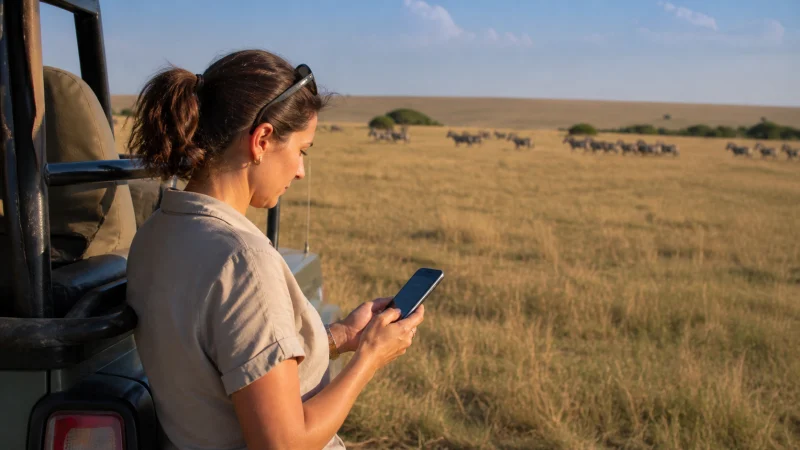

Mobile internet in the Masai Mara needs two separate checks: whether your travel plan can connect at the places you will visit, and what internet your booked camp provides. A lodge’s Wi-Fi listing does not tell you whether your phone will have service on a game drive.
Start with the property’s exact name and location, not a promise of “Mara coverage”. Ask about your tent, shared areas and arrival meeting point. Those details are more useful than a speed test taken elsewhere in Kenya.
We provide data-only Kenya travel eSIMs. They do not add a Kenyan number, conventional calls or SMS. Internet messaging can work when data is available, but the eSIM cannot supply a signal where its supported network has no reception.
Quick answer: For Masai Mara mobile internet, confirm your camp’s Wi-Fi arrangements and recent experience with the network supported by your chosen plan. Prepare for game drives without continuous data, save the exact pickup instructions, and schedule uploads or calls at a checked connection point rather than on the moving safari vehicle.
Top Kenya eSIMs


Camp Wi-Fi: check where it works, not just whether it exists
A tented camp can offer internet without providing it in the tents. For example, Mara Siligi Camp’s own FAQ describes lounge Wi-Fi and says its tents do not have internet. That is one property’s arrangement, not a rule for every Mara camp.
Before booking a stay around a work call, ask the property whether you can use the connection from your accommodation or need to sit in a shared area. Also ask about permitted usage and availability at the time of your call. An advertised Wi-Fi facility is not a guarantee of upload speed or video-call quality.
If several people need to upload photographs, agree with the camp how to do that without monopolising a shared connection. Keep an offline copy of the day’s pictures regardless of whether an upload succeeds.
What “coverage in the Masai Mara” leaves unanswered
A broad destination label does not establish reception at a particular camp, airstrip or game-viewing location. Ask the operator which mobile network guests have recently used at your accommodation, then compare that with the partner access listed on the current Kenya eSIM plan.
Do not assume a travel eSIM includes every domestic operator or can switch freely to whichever has the strongest signal. Network access, 4G or 5G availability and hotspot use depend on the selected plan, handset and local conditions.
Choose an allowance for your expected use, but keep that decision separate from coverage. Paying for more gigabytes will not restore reception in a location without service. Our Kenya data guide can help with the allowance calculation.
Keep game-drive communication with the guide
Arrange routine check-ins for times when you are back at a known connection point. Tell anyone expecting an immediate reply that you may be offline during a drive. A message waiting to send does not necessarily indicate a problem with the eSIM.
Follow the guide’s instructions about phone use and vehicle behaviour. Do not leave the vehicle or wander away from an authorised stop to seek reception. If plans change or help is needed, use the operator’s communication procedure rather than depending on your consumer data connection.
Keep the phone quiet during wildlife viewing. Disable automatic photo backup on mobile data so an unexpected return of signal does not trigger a large upload while you are trying to send an essential message.
Flying in or arriving by road: save the right meeting details
For an airstrip collection, confirm the airstrip name, flight details and the person or vehicle meeting you with your operator. For a road arrival, obtain the agreed gate or meeting point and the camp’s directions. Do not treat a map pin as permission to take any route the navigation app suggests.
- Save the booking reference and written pickup instructions on the phone.
- Keep the operator’s contact and an agreed fallback if the vehicle is delayed.
- Download map areas where useful, without replacing the operator’s directions.
- Confirm how to charge the phone at camp and carry sufficient battery for the transfer.
For a longer journey between destinations, the Kenya coverage and route-preparation guide covers preparing navigation and contacts before departure.
Test mobile data at camp before changing settings
When you reach a place where reception is expected, turn off Wi-Fi briefly and open a fresh webpage using the travel data line. This distinguishes working camp Wi-Fi from working mobile service.
If mobile data fails, check the selected line, remaining allowance and the settings supplied with the purchase. Retain the installed eSIM. Use our Kenya eSIM troubleshooting instructions if the issue persists; reinstalling a profile is not a remedy for a local coverage gap.
If Wi-Fi works but mobile data does not, you can still complete essential messages over Wi-Fi while investigating. If neither works, follow your pre-arranged offline plan rather than repeatedly scanning for networks.
Related Articles
FAQ
Is there Wi-Fi in Masai Mara camps?
Some properties offer it, but access arrangements differ. Check your booked camp directly. Mara Siligi, for example, advertises lounge Wi-Fi rather than internet in its tents; that does not describe every property.
Can I rely on mobile internet during a Mara game drive?
Do not plan on continuous access. Your route, device and the network included in the plan determine whether data is available. Agree essential communication procedures with the guide beforehand.
Will an eSIM connect to any available Kenyan network?
No. A travel plan uses its supported partner access, not necessarily every network visible on the phone. Check the current plan details before comparing them with the camp’s local advice.
Can I work remotely from my tent?
Only if the accommodation’s actual connection supports that task. Confirm where Wi-Fi is provided, test it before a critical call and arrange a fallback. Do not assume a camp-wide facility includes the tent.
Final Recommendation
Plan Masai Mara mobile internet around your booked camp and collection point. Verify the property’s Wi-Fi arrangements and the selected eSIM’s network access separately.
Use a checked connection for calls and uploads, and keep the game drive workable without live data.
Written pickup instructions, charged equipment and an agreed communication plan matter more than an unverified promise of coverage across the Mara.