


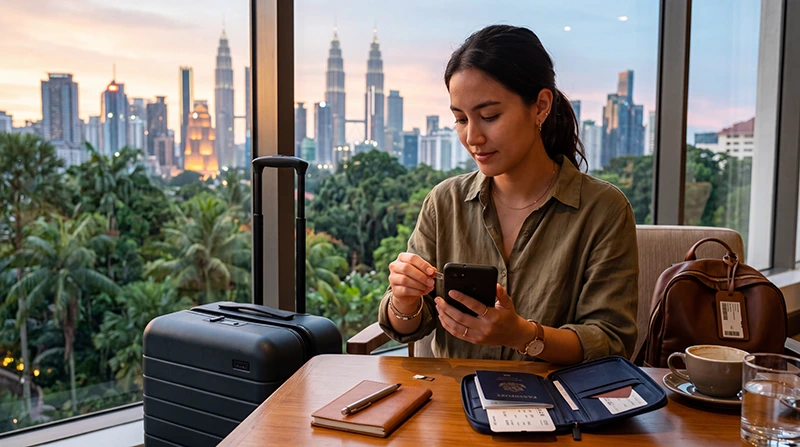

If you are traveling to Malaysia with an Android smartphone, an eSIM is one of the easiest ways to get mobile internet without purchasing a physical SIM card.
Whether you are visiting Kuala Lumpur, Penang, Langkawi, Johor Bahru, Kota Kinabalu or Borneo, an eSIM allows you to stay connected from the moment you arrive.
Quick answer: Most modern Android phones support eSIM technology. Install the eSIM before departure, activate it after arriving in Malaysia, enable Data Roaming and select it as your preferred mobile data source.
Top Malaysia eSIMs

Malaysia eSIM
Fixed
1 GB, 7 days€ 3.932 GB, 15 days€ 6.983 GB, 30 days€ 9.16Unlimited
Unlimited, 1 day€ 5.24Unlimited, 3 days€ 12.65Unlimited, 5 days€ 20.51
Does Android Support eSIM?
Yes. Many modern Android smartphones support eSIM functionality.
Your Android device should work with a Malaysia eSIM if:
- Your phone supports eSIM technology
- Your device is network unlocked
- Your eSIM includes Malaysia coverage
- The eSIM is installed correctly
- Data Roaming is enabled on the eSIM profile
Popular Android Phones That Support eSIM
Many Android devices support eSIM, including:
- Samsung Galaxy S25 Series
- Samsung Galaxy S24 Series
- Samsung Galaxy S23 Series
- Samsung Galaxy S22 Series
- Samsung Galaxy Z Fold Series
- Samsung Galaxy Z Flip Series
- Google Pixel 9 Series
- Google Pixel 8 Series
- Google Pixel 7 Series
- Google Pixel 6 Series
- Motorola Razr Models
- Selected Xiaomi Devices
- Selected Oppo Devices
Availability may vary depending on your region and mobile carrier.
How to Check if Your Android Phone Supports eSIM
The exact menu depends on your phone manufacturer.
On most Android devices:
- Open Settings
- Tap Network & Internet or Connections
- Select SIM Manager or Mobile Network
- Look for Add eSIM
If you see the Add eSIM option, your device likely supports eSIM technology.
How to Install a Malaysia eSIM on Android
It is best to install your eSIM before departure while connected to reliable WiFi.
- Open Settings
- Select Network & Internet or Connections
- Tap SIM Manager
- Select Add eSIM
- Choose Scan QR Code
- Scan your eSIM QR code
- Follow the installation instructions
- Label the eSIM as “Malaysia” or “Travel”
After installation, you can keep the eSIM disabled until you arrive in Malaysia.
When Does a Malaysia eSIM Activate?
Most travel eSIMs activate when they connect to a supported network in Malaysia.
You can usually install the eSIM before traveling and activate it after arrival.
This allows you to prepare everything in advance.
How to Activate Your Malaysia eSIM on Android
After arriving in Malaysia:
- Open Settings
- Open SIM Manager
- Enable the Malaysia eSIM
- Select it as your mobile data SIM
- Enable Data Roaming on the eSIM profile
- Disable automatic switching if available
Your device should then connect to a supported network.
Do You Need Data Roaming Enabled?
Yes.
Most travel eSIMs require Data Roaming to be enabled on the eSIM profile.
Important:
- Enable roaming on the Malaysia eSIM
- Disable roaming on your primary SIM
This helps prevent unwanted roaming charges.
APN Settings for Malaysia eSIM on Android
Most Android devices automatically configure APN settings.
If manual setup is needed, use:
| Setting | Value |
|---|---|
| APN | data.esim |
| Username | Leave blank |
| Password | Leave blank |
After changing APN settings, restart your phone or use Airplane Mode for approximately 30 seconds.
Can You Keep Your Primary SIM Active?
Yes.
Most Android smartphones with eSIM support allow dual-SIM functionality.
You can:
- Use the Malaysia eSIM for mobile data
- Keep your regular SIM active
- Receive calls
- Receive SMS verification codes
- Receive banking notifications
This setup is very popular among travelers.
Recommended Android Settings for Malaysia eSIM
| Setting | Recommended Option |
|---|---|
| Mobile Data | Malaysia eSIM |
| Calls | Primary SIM |
| Data Roaming on eSIM | On |
| Data Roaming on primary SIM | Off |
| Automatic Data Switching | Off |
Disabling automatic switching can help prevent accidental use of your home SIM for mobile data.
Does WhatsApp Work with a Malaysia eSIM?
Yes.
WhatsApp remains linked to your existing phone number.
The eSIM simply provides mobile internet access.
No number changes are normally required.
Can You Use Google Maps with a Malaysia eSIM?
Yes.
Google Maps is one of the most common reasons travelers purchase an eSIM.
Mobile internet is useful for:
- Navigation
- Grab rides
- Restaurant searches
- Hotel directions
- Tour planning
- Public transport information
What If Your Malaysia eSIM Does Not Work?
If your eSIM does not connect after arrival, do not immediately delete the profile.
Try these steps:
- Make sure the eSIM is enabled
- Select it as your mobile data SIM
- Enable Data Roaming
- Check APN settings
- Use data.esim if necessary
- Turn Airplane Mode on for 30 seconds
- Restart your device
- Wait several minutes for network registration
Should You Delete the eSIM?
No.
Most connectivity issues are caused by settings rather than installation problems.
Deleting the eSIM may make troubleshooting more difficult.
Always check settings before removing the profile.
Where Can You Use a Malaysia eSIM?
Your Malaysia eSIM can be used throughout major tourist and business destinations, including:
- Kuala Lumpur
- KLIA Airport
- Penang
- Langkawi
- Malacca
- Johor Bahru
- Kota Kinabalu
- Kuching
- Cameron Highlands
- Malaysia Islands
Coverage may vary in very remote areas, mountains and rainforest regions.
Related Malaysia eSIM Guides
- Malaysia eSIM for iPhone
- How to Activate Malaysia eSIM
- Install Malaysia eSIM
- Does My eSIM Work in Malaysia
- eSIM Not Working Malaysia
- APN Settings Malaysia eSIM
- Best eSIM for Malaysia
FAQ: Malaysia eSIM for Android
Can I use a Malaysia eSIM on Android?
Yes. Many modern Android smartphones support eSIM technology and can use travel eSIM plans in Malaysia.
How do I check if my Android phone supports eSIM?
Open Settings and look for an “Add eSIM” option under Mobile Network, SIM Manager or Connections settings.
Should I install the eSIM before traveling?
Yes. Installing the eSIM before departure is usually the easiest approach.
Do I need Data Roaming enabled?
Yes. Most travel eSIMs require Data Roaming to be enabled on the eSIM profile.
Can I keep my regular SIM active?
Yes. Most eSIM-compatible Android phones support dual-SIM functionality.
Will WhatsApp still work?
Yes. WhatsApp normally remains linked to your existing number.
What APN should I use?
If manual setup is needed, use data.esim and leave username and password blank.
Should I delete the eSIM if it does not connect?
No. Most issues can be solved by checking settings, APN configuration and Data Roaming before removing the eSIM.
Final Recommendation
Using a Malaysia eSIM on Android is one of the most convenient ways to access mobile internet while traveling.
Install the eSIM before departure, activate it after arrival, enable Data Roaming and select it as your preferred mobile data source.
For most Android users, this setup provides reliable connectivity throughout Malaysia while allowing the primary SIM to remain active for calls, messages and verification codes.