


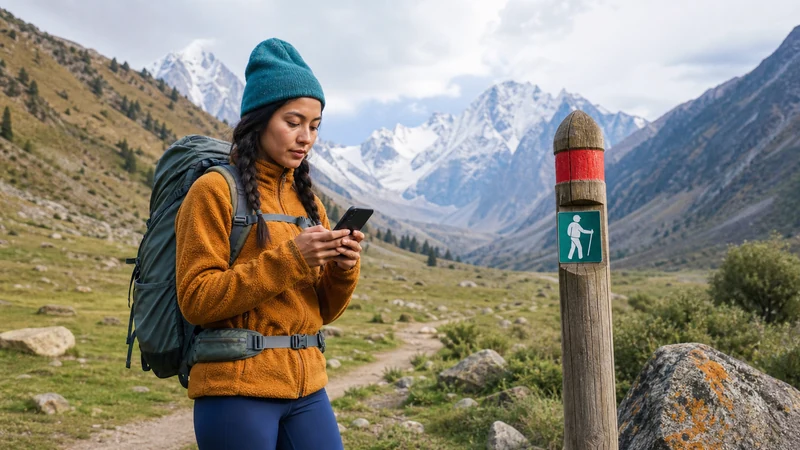

A travel eSIM is useful before and after trekking in Kyrgyzstan and at any point where its supported network provides reception. It is not a substitute for offline route information or an agreed communication plan during a multi-day walk.
The preparation differs from a road transfer: you may spend several days away from charging facilities and cannot assume that a message will be delivered at your intended campsite. Plan how to manage the entire walking itinerary, including a delayed return, before leaving your last dependable connection.
Our NoveSIM travel eSIMs are data-only. We do not provide a Kyrgyz phone number, conventional calls or SMS with these plans. Internet calls and messages require usable data; storing a contact number does not make ordinary calling available through the travel eSIM.
Quick answer: Test the eSIM before the trek, save the full itinerary and contacts offline, and agree check-in and delayed-return arrangements. Ask the organiser about recent reception on the exact trail and the communication equipment actually provided. Prepare for gaps without declaring every trail permanently offline.
Top Kyrgyzstan eSIMs

Kyrgyzstan eSIM
Fixed
1 GB, 7 days3.50$2 GB, 15 days6.50$3 GB, 30 days9.00$Unlimited
Unlimited, 1 day6.00$Unlimited, 3 days13.50$Unlimited, 5 days21.00$
Commonwealth of Independent States eSIM
Fixed
1 GB, 7 days9.00$2 GB, 15 days19.50$3 GB, 30 days20.50$Unlimited
Unlimited, 1 day9.50$Unlimited, 3 days25.50$Unlimited, 5 days41.00$Define the Communication Plan for Trekking in Kyrgyzstan
Start with the walking dates, planned overnight stops and expected return point. Tell the person expecting news which days may have no check-in, rather than promising a daily message that depends on unverified reception.
If you are joining an organised trek, ask who communicates with the office, when that happens and what the procedure is if the itinerary changes. Confirm these arrangements with the organiser; do not assume the guide can call from every camp.
For questions about reception across a wider mountain journey, use the mountain-route connectivity guide. Here the priority is having a workable communication routine for consecutive days on foot.
Ask About Your Trail, Not Just the Starting Town
A successful mobile-data test in Karakol or Arslanbob does not establish reception on the route you will walk. Ask the organiser for recent experience on that precise itinerary, including the overnight stops.
- Which operator worked, and where was the connection tested?
- Could someone send a message, or did the phone merely show signal bars?
- Are any planned check-ins dependent on a specific location?
- What happens if that connection is unavailable on your walking dates?
Keep uncertainty visible. “No confirmed reception” is a reason to prepare offline; it is not proof that there is no signal anywhere on the trail. Equally, a report of one connected campsite does not guarantee service between camps.
Compare the reported network with those available to your exact Kyrgyzstan eSIM package. A guide’s domestic SIM and your travel eSIM may not have identical network access.
Save the Whole Itinerary Before the First Walking Day
- Download the route information supplied or approved by your organiser, including the return or pickup arrangements.
- Save guide, organiser and accommodation contacts locally.
- Keep relevant booking, insurance and assistance details accessible offline.
- Open the saved maps and documents with Wi-Fi and mobile data unavailable to check that they are stored on the phone.
- Agree with your contact at home what to do if you miss the planned return check-in.
Downloaded information supports preparation but does not establish current trail conditions. An offline map cannot tell you that a crossing is safe or replace decisions by a qualified guide. Keep route and safety decisions separate from the question of internet access.
For a yurt overnight stop, ask about the actual facilities at that camp. The yurt-camp guide covers mobile reception, guest Wi-Fi and charging as separate checks.
Test the eSIM While Help Is Still Reachable
Before the trek, confirm that your phone is eSIM-compatible and carrier-unlocked, and read the order’s activation and validity conditions. The package must remain valid for the connected days when you expect to use it, not simply the day you enter Kyrgyzstan.
Install the profile over a dependable connection when appropriate under those instructions. Then, at a place with reception, select the travel line for mobile data, enable Data Roaming as instructed and disable automatic data switching. Turn Wi-Fi off temporarily and load a fresh page.
If the test fails, resolve it before the trail departure using the Kyrgyzstan troubleshooting guide. If manual NoveSIM APN entry is required, use data.esim according to the order instructions.
Keep the installed eSIM profile. Do not delete it when reception disappears on the walk; remove it only if NoveSIM Support explicitly tells you to do so.
Allocate Battery Power for Several Days
Ask how many days you must manage without a confirmed charging opportunity. Carry charged backup power appropriate to your devices and the organiser’s equipment guidance; a camp booking alone does not establish that you can recharge.
Keep optional screen time and uploads separate from essential access to the itinerary. Pause unnecessary backups and large downloads before departure. Protect the phone and power bank from moisture and follow their manufacturers’ operating and storage instructions.
If you choose to use Airplane Mode during an offline stretch, remember that incoming mobile communication is unavailable until the relevant connections are enabled again. Coordinate that choice with the agreed check-in arrangements rather than switching off a connection someone expects you to monitor.
Verify Any Alternative Communication Equipment
Do not assume that a guide carries a satellite communicator. Ask whether equipment is provided for your trek, who operates it, what service is active and how it fits the organiser’s emergency procedure.
If you bring your own equipment, confirm its requirements, service and permitted use for your journey before departure. This article does not verify a device’s coverage or establish that carrying it makes a route safe.
A mobile eSIM and alternative communication equipment serve different purposes. The eSIM depends on the mobile networks available to its package; an emergency arrangement should not rely only on an internet messaging app receiving a connection.
Use Reconnection Time Deliberately
When you reach a connected stop, send the agreed update first and check onward arrangements. Photos, videos and app synchronisation can wait if you need to preserve battery or data.
Budget for tasks deferred during the trek. Days without reception do not shrink the photos you intend to upload afterwards, so do not choose a smaller allowance solely because you expect offline walking days.
Related Articles
FAQ
Will an eSIM work throughout a trek in Kyrgyzstan?
Do not assume continuous service. It can provide data where the package’s supported network has usable reception. Seek recent information for the exact trail and prepare the itinerary offline.
Should I promise a daily internet check-in?
Only make arrangements supported by the organiser’s communication plan. If reception is unverified, agree expected gaps, a return check-in and what happens if you are delayed.
Does my guide automatically provide satellite communication?
No provision should be assumed. Ask the organiser what equipment and service are included, who operates them and how they are used in the agreed emergency procedure.
Should I reinstall the eSIM when the trail has no signal?
No. A coverage gap is not fixed by deleting the profile. Keep it installed and troubleshoot only when appropriate; remove it solely on explicit support instructions.
Final Recommendation
Prepare for trekking in Kyrgyzstan with an itinerary and communication arrangements that remain usable without internet. The eSIM is a connection for available reception, not a guarantee of trail-wide access.
Complete the phone test before departure, save essential information locally and plan power for the days without confirmed charging. Verify the organiser’s equipment instead of assuming it is included.
Use a returning connection for the agreed check-in and onward plans first. Leave optional uploads until you can spare the data and battery.