


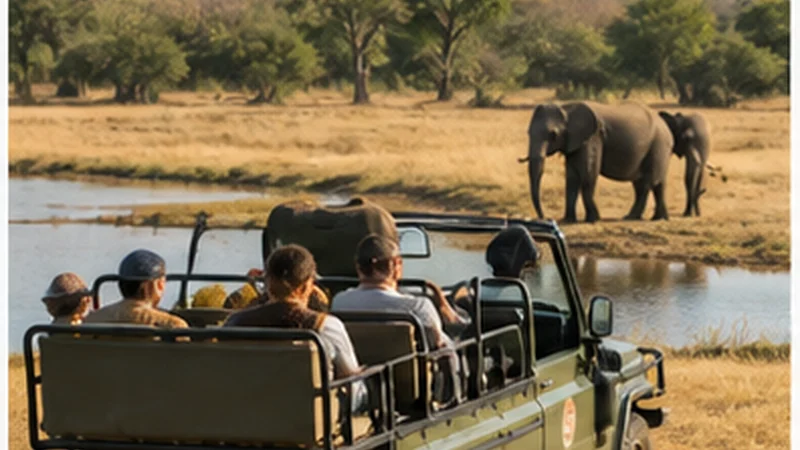

Mobile internet in Kruger National Park can vary between gates, rest camps and long sections of road. Reception at one camp does not mean a phone will stay connected throughout a self-drive or guided excursion.
Use mobile data for updates when it is available, but keep gate times, camp directions, bookings and the next route offline before entering the park.
NoveSIM South Africa eSIMs are data-only. Their service follows the selected plan’s authorised partner networks and local coverage and does not include a South African number, conventional calls or carrier SMS.
Quick answer: Ask the exact camp about current reception and Wi-Fi, download the route and booking details before the gate, and expect coverage gaps during drives. Keep Automatic network selection enabled and carry power for the full day.
Top South Africa eSIMs

South Africa eSIM
Fixed
1 GB, 7 days5.50$2 GB, 15 days9.50$3 GB, 30 days12.50$Unlimited
Unlimited, 1 day6.00$Unlimited, 3 days15.50$Unlimited, 5 days24.50$
Coverage differs by camp and road
Distance from a network site, terrain, vegetation and the phone itself can change the result. A signal near a gate or main camp is not a park-wide promise.
Check the selected plan’s supported networks and ask the accommodation about the actual camp. The South Africa coverage guide explains the broader network factors.
Save the park information before entry
- The route to the correct gate and camp.
- Booking confirmation and entry information.
- Gate and reception times relevant to the itinerary.
- Camp contact details and meeting points.
- The next fuel stop and essential vehicle information.
Use official park information for road access, rules and time-sensitive changes. A general map app is a navigation aid, not the authority for park regulations.
Do not troubleshoot while driving
Loss of signal on a park road is often a local coverage gap. Continue according to the prepared route and wait until a permitted safe stop before handling the phone.
Follow park rules and staff instructions. Do not stop, leave a vehicle or change position solely to improve reception.
Protect the battery during a long drive
Camera use, screen brightness, navigation and network searching can drain the battery. Carry a charged power bank and cable, and use Battery Saver if needed.
Pause automatic photo and video backup. Taking photographs does not use mobile data, but uploading a full day of images can consume a substantial allowance and power.
Understand camp Wi-Fi limitations
Wi-Fi availability, speed and coverage area vary by camp and accommodation. It may be limited to reception or another shared area.
Ask where Wi-Fi works and whether any login or purchase is required. Use it for non-urgent uploads only after confirming that the connection is stable and trusted.
Configure the eSIM before entering Kruger
- Install the profile on reliable Wi-Fi before the park journey.
- Label the line South Africa.
- Select it for mobile data at the appropriate activation time.
- Turn Data Roaming on for the travel eSIM.
- Keep roaming off for the home SIM.
- Leave Network Selection on Automatic.
The South Africa activation guide covers the complete setup before departure.
If data does not return at camp
Confirm the eSIM is enabled, selected for mobile data and has Data Roaming on. Test outdoors in an appropriate area to separate an indoor signal problem from a configuration problem.
If coverage is expected but data still fails, follow the South Africa troubleshooting guide. The manual NoveSIM APN is data.esim when required. Keep the profile installed unless NoveSIM Support instructs you to delete it.
Related Articles
- Mobile Internet on Safari in South Africa
- Rural Mobile Coverage in South Africa
- South Africa Road-Trip Internet
- How Much Data You Need in South Africa
FAQ
Is there mobile coverage throughout Kruger National Park?
No. Coverage varies between gates, camps and roads. Prepare the essential route and booking information offline.
Will a South Africa eSIM work in Kruger?
It can work where an authorised partner network for the selected plan has usable coverage. No eSIM can guarantee reception throughout the park.
Is Wi-Fi available at Kruger camps?
Availability and conditions can vary. Ask the exact camp where it works and whether access or payment is required.
Should I choose a network manually in Kruger?
Keep Automatic selection first. Test a supported network manually only at a safe stop and when troubleshooting requires it.
Final Recommendation
Prepare Kruger National Park mobile internet as an occasional aid rather than a continuous service.
Download gate, camp, booking and route information before entry, preserve battery and delay large uploads.
Use the South Africa eSIM when partner coverage is available while following official park information and keeping the day fully manageable offline.