


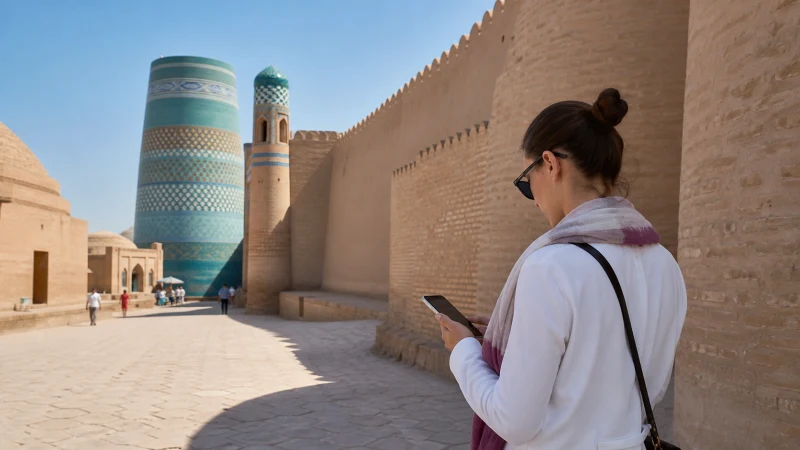

Mobile internet in Khiva can help you meet a driver, find your guesthouse and look up information while visiting Itchan Kala. The most important preparation is knowing exactly where you are going: the name of a large historic area is not the same as an accommodation entrance or meeting point.
Keep the Khiva stay separate from the transfer that brings you there. A connection at a hotel does not demonstrate reception on the journey from Urgench or along an onward route to Bukhara.
We do not provide local telephone numbers, ordinary calls or SMS with our travel eSIMs. They provide mobile data, so check whether your accommodation and driver accept an app message or internet call.
Quick answer: For Khiva, save your guesthouse’s entrance and agreed drop-off point before arrival. Install a compatible Uzbekistan eSIM on reliable Wi-Fi and test it where you are staying. Download sightseeing information and arrange a fixed return meeting point; assess regional transfers separately from reception inside the city.
Top Uzbekistan eSIMs

Uzbekistan eSIM
Fixed
1 GB, 7 days€ 3.182 GB, 15 days€ 4.093 GB, 30 days€ 5.00Unlimited
Unlimited, 1 day€ 2.73Unlimited, 3 days€ 5.46Unlimited, 5 days€ 8.19
Save the Guesthouse Entrance, Not Just Itchan Kala
UNESCO describes Itchan Kala as Khiva’s walled inner town. If your accommodation is in or near it, ask the host to identify the correct approach, entrance and place to meet. Do not assume a driver can reach the door or that the nearest gate is the one your host intends.
Keep a screenshot with the entrance marked and the written property name. If the host proposes meeting you elsewhere, record that point separately. These details should remain accessible when a map will not load.
Agree on a fallback for a late arrival or an undelivered message. A fixed meeting arrangement is less dependent on a live connection than trying to find each other through continuously updated location sharing.
Prepare Mobile Data before the Khiva Transfer
Compare the Uzbekistan packages for country inclusion, network access, validity and data allowance. Verify that your exact handset is unlocked and supports eSIM. If those checks fail, do not expect a QR code to solve the hardware or carrier restriction.
Use the Uzbekistan installation instructions while you have dependable Wi-Fi. Read the package’s activation terms so you know when validity starts, and keep the purchase instructions available for the journey.
When ready to connect, enable the travel line and choose it for mobile data. Follow the roaming instructions for that line, keep home-SIM roaming data off and prevent automatic data switching if you do not want the home tariff used.
Check Indoor Reception without Making a City-Wide Assumption
At the property, turn off Wi-Fi and open a fresh webpage to test the travel data line. If you need to use it from a room, test in that room as well. A connection outdoors is not a guarantee for every indoor location.
Consult the coverage guide for address-level planning, but treat an operator map as an indication rather than a measurement inside your accommodation. This article does not claim that a specific operator is fastest throughout Itchan Kala.
If a page fails to load, check the active data line, allowance and validity before changing network settings. Use the troubleshooting steps if needed. Do not delete the installed eSIM unless support specifically asks you to.
Walk with a Saved Return Point and Visit Information
Before heading out, save the places on your day plan and the route back to your property or meeting point. Download any ticket or booking confirmation that you need to show; a bookmarked page may still require internet access.
Check current visitor arrangements with the venue or host. Neither a map listing nor this guide confirms opening times, entrance conditions or which areas are accessible on your visit.
Translation and app messages can help with a change of plan, but avoid making the day’s arrangements depend on a continuous connection. If your group splits up, agree where and when to meet rather than relying only on live location sharing.
Keep Uploads and Transfer Preparation for a Working Connection
Use suitable accommodation Wi-Fi for large photo uploads and map downloads before the next leg. Confirm the Wi-Fi name with staff and do not ignore unexpected certificate warnings. If you tether another device, check the package’s hotspot terms and stop unnecessary background transfers.
Before leaving Khiva, save the next address, ticket details and pickup arrangements. Assess the actual transport route independently. For an onward journey, the Bukhara–Khiva route guide covers preparation in either direction; it is distinct from this city-stay advice.
If an excursion goes farther into western Uzbekistan, ask the organiser for the named stops and communication arrangements. Reception during sightseeing in Khiva does not establish service at a distant site.
Related Articles
FAQ
Is “Itchan Kala” enough information for a pickup?
No. Agree on a particular entrance or meeting point with your host or driver and save it offline. A historic-area name does not identify the exact place where you should meet.
Does outdoor reception guarantee data inside my Khiva guesthouse?
No. Test the mobile connection in the room where you need it, with Wi-Fi switched off. Keep accommodation Wi-Fi as another option rather than assuming identical reception indoors.
Will the travel eSIM give me a local number to call the host?
We do not provide a local number or ordinary calls with the travel data eSIM. Agree on app contact or arrange another telephone service when conventional calls are necessary.
Can I use Khiva reception to judge the road to Bukhara?
No. Inspect the route separately and download the next accommodation address and transfer details before departure. Two connected city locations do not establish uninterrupted service between them.
Final Recommendation
For mobile internet in Khiva, start with a precise entrance and meeting point. Those details are more useful during arrival than a general pin for Itchan Kala.
Prepare the eSIM before the transfer, test the selected mobile line at your accommodation and keep the day’s visit information available offline.
Use data for communication and changes while in the city, then reassess the next route on its own terms. Keep the return plan workable even if an app message has to wait.