


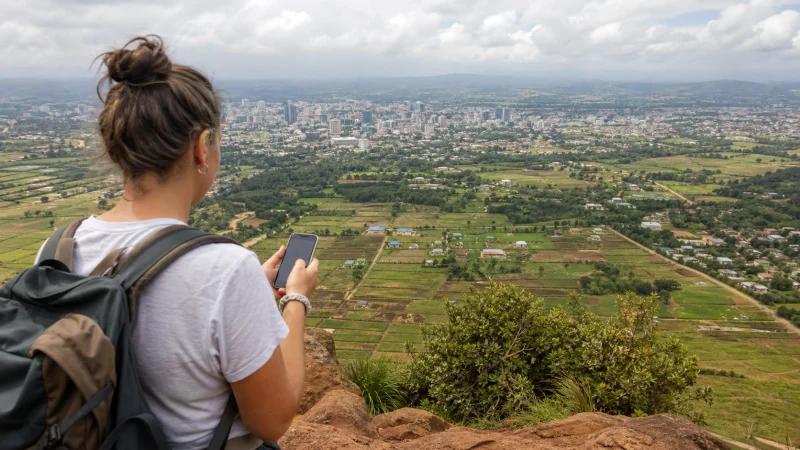

Kenya eSIM coverage depends first on the network included in your purchased plan, then on reception at the place where you use it. Our Kenya product page currently lists Safaricom 4G, but that is not a promise of signal across every reserve, coastal property or intercity road.
For a journey combining Nairobi, a safari and the coast, check each overnight stop and essential transfer point separately. A working connection in the arrival terminal tells you little about the room or camp where you will later need data.
Our travel eSIMs are data-only. We do not provide a Kenyan phone number, conventional calls or SMS with these plans. Keep offline contact details and agree a way to meet your driver if internet is unavailable.
Quick answer: Check Kenya eSIM coverage by confirming the selected plan’s partner network and asking your accommodation or guide about that operator at the exact location. Separate room, reception-area and road coverage. Save maps and meeting details before leaving a reliable connection; neither a coverage map nor signal bars guarantee usable data throughout the route.
Top Kenya eSIMs

Kenya eSIM
Fixed
1 GB, 7 days€ 9.332 GB, 15 days€ 15.553 GB, 30 days€ 21.33Unlimited
Unlimited, 1 day€ 10.22Unlimited, 3 days€ 26.22Unlimited, 5 days€ 42.66
Start with the network your Kenya eSIM can use
Read the supported-network information on the Kenya eSIM product page and the terms for your selected plan. At this check, the page lists Safaricom 4G. Do not assume the package includes every domestic operator or that another plan has identical access.
A national operator can advertise technologies that a particular travel package does not include. For example, Safaricom’s September 2024 rollout announcement described 5G sites across all counties, not complete 5G coverage within each county. That announcement does not change the 4G access currently listed for our Kenya plan.
If your question is which operator to choose rather than where an existing package can connect, use the separate Kenya network comparison. Here, the task is to test the suitability of the network your package actually permits.
Ask about the property, not just the nearest town
An accommodation can truthfully say it has internet while relying entirely on its own Wi-Fi. Ask about mobile reception on the relevant operator, and distinguish guest-room access from reception in a lounge, at reception or outdoors.
- Nairobi or another city stay: give the building address and ask whether mobile data works in the room where you will use it.
- Mombasa or a coastal stay: check the actual hotel or beach property, not a broad statement about the city.
- A safari camp: ask about the camp’s exact location, the arrival point and the network staff currently use.
- An intercity transfer: save the route and next contact before departure; a connected town does not establish continuous road reception.
These are checks to make, not verified reception ratings for those locations. Without a current report from the property or a location-specific measurement, it would be misleading to label the whole area excellent, reliable or uncovered.
Build a simple route check before travelling
- Write down each accommodation address, camp name and transfer meeting point.
- Confirm the operator included in your purchase rather than using a generic Kenya network list.
- Ask the property or guide where that operator supplies usable mobile data and whether there are known dead spots.
- Mark any essential task that lacks a confirmed connection, such as a work upload or arranging onward transport.
- Arrange a fallback for that task and save tickets, directions and contact details offline.
For a park stay, the Kenya safari internet guide helps you agree communications with the guide. If your accommodation is in the Mara, the Masai Mara connectivity guide focuses on camp-specific questions rather than treating the reserve as one coverage zone.
Do not rely on mobile data as your only emergency arrangement. Ask the operator or guide how to contact them when an app cannot connect, and keep that procedure available without internet.
Keep the road trip workable when mobile data drops
Before an intercity drive, save the planned fuel stops, overnight address and final approach instructions offline. Confirm the route with your host or driver rather than assuming that a map pin identifies the correct entrance. Keep the next contact number outside a messaging app so you can retrieve it without internet.
Charge the phone and a power bank before departure, and prepare navigation and charging cables before the vehicle moves. The driver should make phone adjustments only after stopping safely; a passenger can manage messages or route checks during the journey. Do not detour or stop somewhere unsafe simply to find reception.
If coverage disappears between stops, use the saved information rather than repeatedly changing eSIM settings. Recheck the connection at the next safe stopping point. Downloaded maps have limitations, so review the Kenya offline-map instructions before relying on them for the drive.
Coverage maps are a screening tool, not a room-level test
When a provider offers a map, confirm that it represents mobile coverage rather than fibre availability or a fixed home-internet service. Check the technology layer and date before applying it to a travel eSIM.
Population coverage, geographic coverage and network quality scores describe different things. None establishes reception inside your room. Nearby terrain, building materials, congestion and device support can affect the connection even within a broadly served area.
Use map information to identify uncertainties you should ask about. Do not fill those gaps with a nationwide percentage or an old traveller’s speed test from another property.
A weak connection does not always mean a broken eSIM
| What changes | Useful next check |
|---|---|
| Data returns outside the building. | Indoor reception may be limiting the connection; compare a safe nearby position. |
| Service disappears between stops. | Use the saved route and reassess when stationary at the next safe stop. |
| Signal remains but nothing loads. | Check the data line, plan validity and allowance before assuming a coverage gap. |
| Only one app fails. | Test a simple webpage before changing the network configuration. |
Never move into an unsafe location merely to seek a signal. If the failure persists where reception is expected, use the Kenya eSIM troubleshooting guide. When NoveSIM instructions require manual APN entry, use data.esim; an APN change cannot extend radio coverage. Keep the installed eSIM and do not delete it unless our support team instructs you.
Related Articles
FAQ
Which network does the NoveSIM Kenya eSIM use?
The current Kenya product page lists Safaricom 4G. Confirm the selected plan’s supported-network information before buying because partner access can change.
Does Kenya eSIM coverage include every safari camp?
There is no blanket guarantee. Ask your camp or guide about the included operator at the exact property and arrival point, separately from reception during game drives.
Does a coverage map guarantee internet inside my hotel?
No. A map cannot establish room-level performance. Ask about mobile reception inside the property and distinguish it from hotel Wi-Fi.
Should I reinstall my eSIM when reception disappears on the road?
No. A local radio gap cannot be repaired by reinstalling a profile. Keep the eSIM, use offline information and reassess at a safe stop; investigate settings only if service remains unavailable where it is expected.
Final Recommendation
Assess Kenya eSIM coverage around your actual addresses and meeting points, not a single nationwide promise.
Confirm the plan’s network, ask where it works at each property and distinguish mobile data from accommodation Wi-Fi.
For coast transfers, safari stays and intercity journeys, carry offline information and agree a fallback before you need it.