


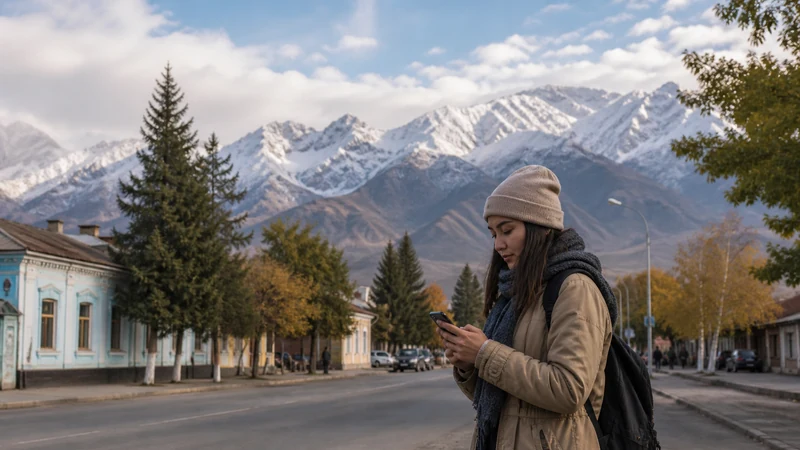

Karakol mobile internet is useful for organising your stay and preparing an excursion, but a town connection does not establish reception on the route ahead. Check data at your accommodation and finish downloads and guide arrangements before departure.
If Karakol is your base before trekking, give yourself time to open the route files, confirm the meeting point and save the return instructions. Those tasks are harder to resolve after leaving your last dependable connection.
Our NoveSIM travel eSIMs are data-only. We do not provide a Kyrgyz number, conventional calls or SMS with these plans. Ask whether your guide or driver accepts internet messages, and arrange another calling option if telephone contact is required.
Quick answer: Use your Karakol stay to test mobile data, check guest Wi-Fi and save excursion details offline. Confirm the exact meeting point, route and return plan with the organiser. Do not assume reception in town proves coverage at a ski area, Jeti-Oguz or a mountain camp.
Top Kyrgyzstan eSIMs

Kyrgyzstan eSIM
Fixed
1 GB, 7 days3.50$2 GB, 15 days6.50$3 GB, 30 days9.00$Unlimited
Unlimited, 1 day6.00$Unlimited, 3 days13.50$Unlimited, 5 days21.00$
Commonwealth of Independent States eSIM
Fixed
1 GB, 7 days9.00$2 GB, 15 days19.50$3 GB, 30 days20.50$Unlimited
Unlimited, 1 day9.50$Unlimited, 3 days25.50$Unlimited, 5 days41.00$Check Karakol Mobile Internet at Your Accommodation
Ask the host which operator has recently provided usable data inside the guest rooms. An observation at the property is more relevant than a broad assurance that every network works across town. Compare the reported operator with the access permitted by your chosen package.
Review the Kyrgyzstan eSIM plan details for the included country, validity and allowance. Check that your exact phone supports eSIM and is unlocked. Preparing the profile before travel does not guarantee a working connection immediately after landing or on arrival in Karakol.
At the property, turn Wi-Fi off briefly and open a fresh page. Then test Wi-Fi separately. This distinguishes the mobile connection from a guest network that may have its own login, room coverage or internet problem.
Use the Town Stay to Finish Excursion Preparation
Agree where the guide or driver will meet you, how to recognise them and what happens if you cannot send a message. Save the actual instructions rather than relying on a pin buried in a chat.
- Download the map area and any route files supplied for your excursion.
- Save the organiser’s contact, meeting point and departure time locally.
- Record the return arrangement and the agreed response to missed contact.
- Open the documents with Wi-Fi and mobile data off to check they are available offline.
- Restore your connections and charge the phone and suitable backup power.
The Kyrgyzstan trekking connectivity guide covers preparation for days away from a dependable connection. A stored map is a reference, not an emergency communication method or confirmation that a trail is suitable.
Ask About the Exact Excursion, Not “Coverage Near Karakol”
Reception at one departure point cannot establish where a connection will stop working. Ask the organiser for recent information about your actual route and planned overnight locations. Do not use an invented distance from town as a universal signal boundary.
For a ski visit, ask about the specific accommodation, meeting area and communication arrangements. Tourism facilities do not prove that a mobile network reaches every slope or that guest Wi-Fi is available wherever you need it.
The same distinction applies to a Jeti-Oguz excursion: town reception is not evidence for the access road or your stopping point. Consult the mountain mobile-internet guide for route-level questions, and verify access and safety arrangements separately with the organiser.
Resolve Connection Problems Before Departure Where Possible
If mobile data is not working in Karakol, confirm the selected data line, plan validity and remaining allowance. Apply the settings supplied with the order rather than substituting a domestic operator’s configuration.
Keep the installed profile. Use the Kyrgyzstan eSIM troubleshooting guide for reversible checks and contact support with the exact model and location when necessary. Removing the eSIM does not create local reception.
If the connection is essential for a task, complete it on a dependable available connection before leaving. Tell others about an agreed offline period instead of promising availability that the route may not support.
Related Articles
FAQ
Can I rely on every mobile network throughout Karakol?
Do not assume that. Check the networks your plan permits and seek recent information for your property, then test the actual data connection. Reception can differ between locations and indoors.
Does town reception confirm data on my trek?
No. Ask about the exact route and camps, and prepare offline documents and an agreed communication plan before leaving town.
Will Karakol’s ski facilities have the same connection as my hotel?
That needs a separate check. Ask about the specific facility and communication arrangements; a working hotel connection does not establish reception on slopes or elsewhere.
What should I download before meeting my guide?
Save the supplied route files, relevant map area, meeting instructions, organiser’s contact and return plan. Test that they open without internet and keep the phone charged.
Final Recommendation
Use Karakol mobile internet to organise the next part of the trip while you can verify a working connection. Check the accommodation rather than relying on town-wide operator promises.
Finish the downloads, meeting arrangements and return plan before an excursion. Test mobile data separately from Wi-Fi and keep the installed profile if troubleshooting is needed.
Leave town with an itinerary that works offline. Reception during a trek, ski visit or valley excursion must not be inferred from a successful test at your guesthouse.