
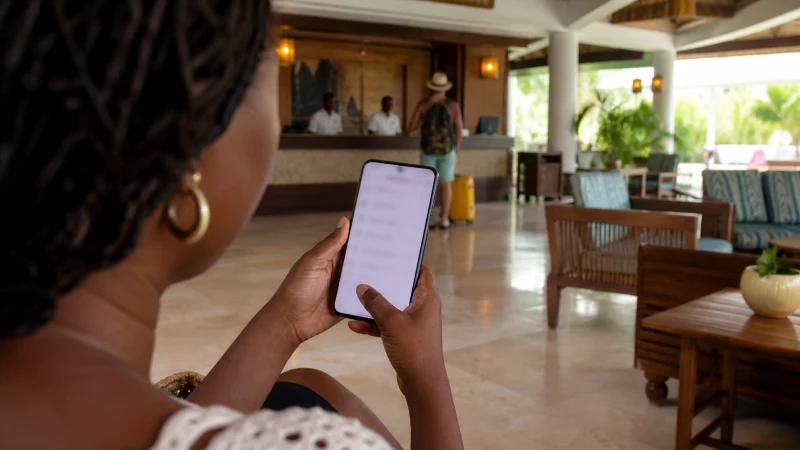

Traveller using a smartphone in Jamaica while using a Jamaica eSIM on Android

How to Use a Jamaica eSIM on Android

Android labels differ between Samsung, Google and other manufacturers, but the Jamaica eSIM still needs to be enabled and selected for data.

The best way to handle using a Jamaica eSIM on Android varies with the device, itinerary and expected data use. Even with good urban service, tickets and key directions are worth keeping offline.

With our Jamaica plan, the eSIM handles the phone’s internet traffic. Travellers who require a Jamaican telephone number or ordinary mobile service should arrange that separately. Keeping the two lines distinct helps avoid unintended home-network roaming.

Quick answer: When using a Jamaica eSIM on Android, confirm the exact unlocked handset supports eSIM, label both lines and keep the Jamaica line selected for travel data.

Top Jamaica eSIMs

Use stable 4G when it works better

A fast speed test is not required for navigation, messaging or bookings. Automatic network mode gives the phone room to choose the most stable available connection. When using a Jamaica eSIM on Android, the useful choice is the one that fits the actual route and the next task, rather than a broad coverage claim.

The next useful resources are Does My Phone Support an eSIM for Jamaica? and Can You Use a Hotspot with a Jamaica eSIM?.

Do not judge a whole Jamaica itinerary from one speed test. Check whether essential apps work, then preserve battery and data instead of repeatedly testing throughput. Checking the phone and its settings early prevents a compatibility surprise after arrival.

Control background use during the stay

Check the remaining allowance before a day trip. Keep enough data for the return route, ticket access and any last-minute platform or pickup change. This check for using a Jamaica eSIM on Android is easier to complete before a busy transfer begins.

Navigation and text are relatively light; video, automatic photo uploads and tethering are the heavy users. Pause automatic uploads until trusted accommodation Wi-Fi is available. A successful test on travel data is more useful than relying on a menu label alone.

For the next step, open Internet in Montego Bay for Tourists and Using Google Maps in Jamaica Without Wasting Data.

Keep dual-SIM behaviour predictable

Check which line is selected before a call, message or hotspot session. Conventional service on the home SIM can still create roaming charges even when cellular data uses the eSIM. While using a Jamaica eSIM on Android, it also reduces the temptation to change several phone settings at once.

For the next step, open Mobile Internet Beyond Resort Wi-Fi in Jamaica and Roaming Charges in Jamaica: Costs and Better Data Options.

The home number can remain active for incoming service while the Jamaica eSIM handles data, subject to the phone and home operator. Online messaging continues through the selected data line. When using a Jamaica eSIM on Android, the useful choice is the one that fits the actual route and the next task, rather than a broad coverage claim.

Create a practical backup

Check hotspot terms and allowance before sharing data. Disconnect idle devices because software updates can consume data without an obvious action on the phone. This check for using a Jamaica eSIM on Android is easier to complete before a busy transfer begins.

Accommodation Wi-Fi and travel data fail in different ways, so they can support each other. A downloaded document and a charged phone remain useful when neither connection is perfect. A successful test on mobile data is more useful than relying on a menu label alone.

More detail is available in Jamaica eSIM vs Pocket Wi-Fi: A Traveller’s Comparison and Unlimited Mobile Data in Jamaica: What the Limits Mean.

Prepare these details offline

  • Save the first address, booking reference and one useful contact.
  • Confirm the exact handset is unlocked and supports eSIM.
  • Keep installation details where another device can display them.
  • Carry enough battery power for the longest planned transfer.
  • Pause automatic updates, cloud backup and video downloads.

Before using a Jamaica eSIM on Android, review the live Jamaica eSIM plans for the current allowance, validity, networks and hotspot terms. The Jamaica destination guide will bring the wider Jamaica cluster together.

Safe checks if the connection changes

If data stops while using a Jamaica eSIM on Android, confirm signal, the enabled eSIM and the selected mobile-data line. Data Roaming should be on for the Jamaica eSIM and off for the home line. Allow automatic network selection to register, try aeroplane mode and one restart, then verify data.esim only if manual APN entry is required. Do not delete the eSIM unless NoveSIM support specifically requests it.

For a connection issue while using a Jamaica eSIM on Android, more focused help is available in Buying a SIM Card at Sangster International Airport.

Match the connection to the itinerary

When using a Jamaica eSIM on Android, menu names vary between phone brands and software versions, but the underlying checks are consistent: the handset must be unlocked, eSIM support must be present for that exact model, and the Jamaica profile must be selected for data. Keep the home line available for its number if needed, with roaming disabled on that line.

Related Articles

FAQ

What should be prepared first?

Before using a Jamaica eSIM on Android, confirm the phone, first journey and tasks that cannot wait. Install on secure Wi-Fi and keep travel essentials offline.

Does a Jamaica eSIM include a local number?

No. When using a Jamaica eSIM on Android, remember that our Jamaica travel plans are data-only and do not include a Jamaican number, ordinary voice minutes or carrier SMS.

Which networks are currently listed for Jamaica?

When checking the live plan while using a Jamaica eSIM on Android, note that the live product page currently lists Cable & Wireless Jamaica Limited and 4G; available access depends on the selected plan. Check the selected plan because access and features can change.

Should the eSIM be removed if data stops?

No. While using a Jamaica eSIM on Android, check the active line, Data Roaming, network selection and APN data.esim first, then contact NoveSIM support before removing an installed profile.

What to do before departure

When using a Jamaica eSIM on Android, combine the correctly configured travel line with saved directions, useful contacts and realistic expectations about local reception.

Before using a Jamaica eSIM on Android, choose an allowance and setup that fit the itinerary, then check the live Jamaica plan shortly before departure. That is more dependable than relying on an old screenshot or a general coverage claim.

Scroll to Top