
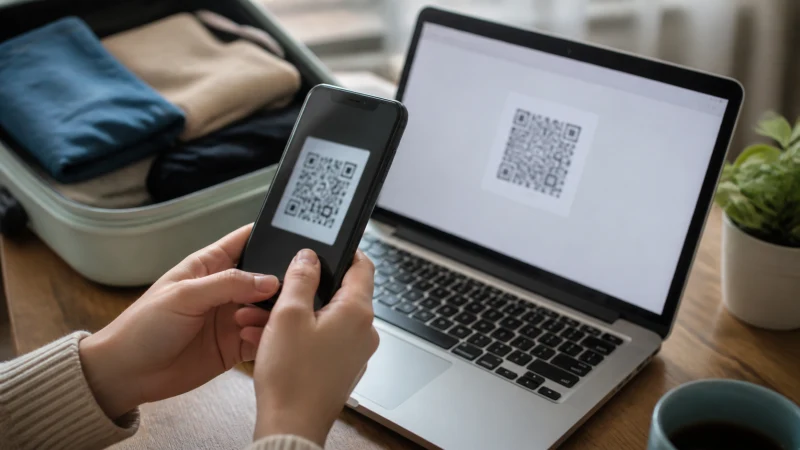

Traveller using a smartphone in Jamaica while installing an eSIM for Jamaica

How to Install an eSIM for Jamaica Before You Travel

Installing a Jamaica eSIM before departure removes an arrival task, provided the passenger does not confuse installation with activation.

The best way to handle installing an eSIM for Jamaica varies with the device, itinerary and expected data use. Even with good urban service, tickets and key directions are worth keeping offline.

Our Jamaica travel line can carry maps, bookings and online messages but does not add a domestic number, standard calls or carrier SMS. Separating those roles helps prevent accidental roaming on the home line.

Quick answer: When installing an eSIM for Jamaica, install on secure Wi-Fi, follow the plan’s activation timing and select the Jamaica eSIM for data after arrival.

Top Jamaica eSIMs

Move from terminal Wi-Fi to mobile data

Keep a screenshot of the essential route and a useful contact number. That fallback matters when the arrival hall is crowded or the portal does not load immediately. The journey can then continue even if a notification is delayed.

Prepare the eSIM before the flight so the transition does not depend on a retailer or public network. Select the travel line only when the phone is ready to connect in Jamaica. Choose the setup around the places and tasks in the itinerary rather than the country name alone.

The next useful resources are How to Activate Your Jamaica eSIM and Does My Phone Support an eSIM for Jamaica?.

Configure the travel line after arrival

Enable the Jamaica eSIM, select it as the mobile-data line and turn on Data Roaming for that eSIM only. Keep mobile-data switching and home-line roaming disabled. A plan for installing an eSIM for Jamaica should still work when the trip changes or the next connection is delayed.

For the next step, open Buying a SIM Card at Sangster International Airport and Internet in Ocho Rios for Tourists.

Allow automatic network selection time to register. If the supplied instructions require a manual APN, enter data.esim and leave unrelated fields unchanged. When installing an eSIM for Jamaica, keeping this information offline protects the most important part of the onward journey.

Expect reception to change with geography

Cities and resorts differ from islands, lake shores and long rural roads. Terrain, forest, building materials and distance from a site can affect the result. Use the live plan details and the planned route as the final comparison.

Read next: Taxi and Ride Apps in Jamaica: Data and Pickup Tips and Jamaica Internet Guide for Digital Nomads.

Use a stable 4G connection when it works rather than repeatedly changing network settings. Current local advice and road conditions should take priority over an old cached route. The journey can then continue even if a notification is delayed.

Read network information realistically

Cable & Wireless Jamaica Limited and 4G are currently identified on the live Jamaica product page. Partner access can change, so the selected plan page remains the authority immediately before purchase. The setup is complete only when the travel line can load a page without using Wi-Fi.

Continue with The Best Ways to Get Internet in Jamaica While Travelling and Mobile Networks in Jamaica: A Visitor’s Guide.

A listed operator does not guarantee identical reception everywhere. The handset, exact location, building materials, congestion and distance from the serving site still affect performance. Completing this on dependable Wi-Fi makes it easier to correct a typo or reopen the installation instructions.

Prepare these details offline

  • Confirm the exact handset is unlocked and supports eSIM.
  • Keep installation details where another device can display them.
  • Carry enough battery power for the longest planned transfer.
  • Pause automatic updates, cloud backup and video downloads.
  • Save the first address, booking reference and one useful contact.

Before installing an eSIM for Jamaica, review the live Jamaica eSIM plans for the current allowance, validity, networks and hotspot terms. The Jamaica destination guide will bring the wider Jamaica cluster together.

Safe checks if the connection changes

If data stops while installing an eSIM for Jamaica, confirm signal, the enabled eSIM and the selected mobile-data line. Data Roaming should be on for the Jamaica eSIM and off for the home line. Allow automatic network selection to register, try aeroplane mode and one restart, then verify data.esim only if manual APN entry is required. Do not delete the eSIM unless NoveSIM support specifically requests it.

For a connection issue while installing an eSIM for Jamaica, more focused help is available in Jamaica eSIM Not Working? Safe Troubleshooting Steps.

Match the connection to the itinerary

When installing an eSIM for Jamaica, installation, activation and first connection are separate stages. Add the eSIM on dependable Wi-Fi, follow the activation timing shown with the plan and select the Jamaica line for travel data after arrival. If manual APN entry is requested, use data.esim exactly as supplied and leave unrelated authentication fields unchanged.

Related Articles

FAQ

What should be prepared first?

Before installing an eSIM for Jamaica, confirm the phone, first journey and tasks that cannot wait. Install on secure Wi-Fi and keep key information offline.

Does a Jamaica eSIM include a local number?

No. When installing an eSIM for Jamaica, remember that our Jamaica travel plans are data-only and do not include a Jamaican number, ordinary voice minutes or carrier SMS.

Which networks are currently listed for Jamaica?

When checking the live plan while installing an eSIM for Jamaica, note that the live product page currently lists Cable & Wireless Jamaica Limited and 4G; available access depends on the selected plan. Check the selected plan because access and features can change.

Should the eSIM be removed if data stops?

No. While installing an eSIM for Jamaica, check the active line, Data Roaming, network selection and APN data.esim first, then contact NoveSIM support before removing an installed profile.

Prepare the connection before the journey

When installing an eSIM for Jamaica, combine the correctly configured travel line with saved directions, useful contacts and realistic expectations about local reception.

Before installing an eSIM for Jamaica, choose an allowance and setup that fit the itinerary, then check the live Jamaica plan shortly before departure. That is more dependable than relying on an old screenshot or a general coverage claim.

Scroll to Top