


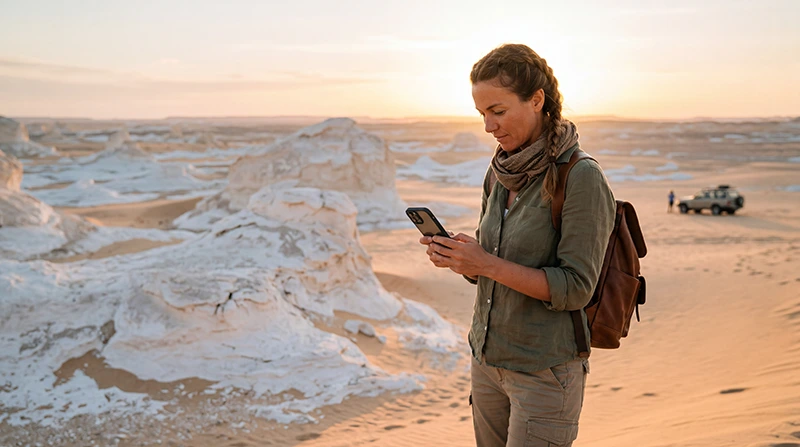

For internet in Egypt’s White Desert, plan for periods without a usable mobile connection. An Egypt-covered eSIM can help with arrangements before and after the excursion, but buying one does not establish reception at your campsite or along the tour route.
The useful preparation happens while you are still connected: settle the pickup, save the booking and agree when people at home should expect to hear from you. Ask the operator how communication is handled on the actual itinerary.
Our NoveSIM travel eSIMs supply data only, without an Egyptian number, conventional calls or SMS. They connect through supported terrestrial mobile networks; we do not provide satellite communication or an emergency service with these plans.
Quick answer: Do not depend on live internet during a White Desert excursion. Save your tour documents and contact details, confirm arrangements with the operator and tell your contact when you expect to reconnect. Use an Egypt eSIM where its supported network is available, not as a guarantee of desert coverage.
Top Egypt eSIMs

Egypt eSIM
Fixed
1 GB, 7 days€ 4.442 GB, 15 days€ 7.103 GB, 30 days€ 9.76Unlimited
Unlimited, 1 day€ 4.88Unlimited, 3 days€ 11.54Unlimited, 5 days€ 18.64
Africa eSIM
Fixed
1 GB, 7 days€ 10.202 GB, 15 days€ 19.083 GB, 30 days€ 26.62Unlimited
Unlimited, 1 day€ 13.75Unlimited, 3 days€ 39.49Unlimited, 5 days€ 65.22Ask about the route you have booked
The White Desert is part of Egypt’s Western Desert, and the official tourism authority describes excursions from Al-Farafra. A regional destination name does not identify the exact stops, campsite or connection conditions on your booking.
Ask your operator where the tour starts, when it returns and whether guests should expect any opportunity to connect. Do not turn a report of signal near an oasis into an assumption that it continues through the excursion. Reception has not been measured for the route in this guide.
If being reachable at a particular time is essential, discuss that before booking. An operator’s answer about their communication arrangements is more useful than choosing a larger data allowance and hoping it solves a lack of signal.
Agree what happens when messages cannot be sent
Tell a trusted contact the operator’s name and your expected return or reconnection time. Make clear that a missing update during the excursion may simply mean you are offline. Agree in advance what they should do if you miss the agreed check-in, using the operator’s instructions.
Ask the operator how guests can communicate with the guide and how they handle incidents when ordinary mobile service is unavailable. Do not assume that the vehicle has Wi-Fi, a satellite link or charging facilities unless these have been confirmed for your booking.
A saved phone number is useful, but it does not create a connection. Likewise, an offline map is a reference, not a substitute for the guide’s route knowledge or the operator’s safety arrangements. Stay with the tour and do not leave it to search for reception.
Make an offline folder before departure
- Save the booking confirmation, operator name and contact details in files that open without an internet connection.
- Record the pickup address, meeting time and return arrangements, including any instructions for a changed pickup.
- Download the relevant area map as a reference and keep your accommodation address separately accessible.
- Open the saved documents with mobile data and Wi-Fi temporarily off to confirm they really are available offline.
- Charge the phone and prepare a suitable power bank, rather than assuming charging will be available on the excursion.
Keep the important details together so you do not have to search an inbox or reload a booking app. If a confirmation contains a live link or changing code, ask the operator what offline proof they accept; a screenshot does not necessarily replace the required document.
Before leaving the capital, the Cairo internet guide can help with the connected part of the journey. Finish downloads before departure instead of making a roadside connection part of the plan.
Where an Egypt eSIM fits into the trip
Use it for the parts of your Egypt itinerary where the supported network is available: contacting the operator before pickup, checking the next accommodation or sending an update after returning. Review the Egypt package details for coverage information, allowance and validity before buying.
Your exact phone must support eSIM and be unlocked. Install using a reliable connection when the package’s activation rule permits. Follow the Egypt activation instructions, select the travel line for data and apply its roaming requirements. Keep home-line data roaming off unless you deliberately use an included service.
If manual APN entry is required for NoveSIM, use data.esim. A correct APN helps a supported connection work; it cannot supply coverage where the network is unavailable. Neither 5G capability nor hotspot support removes that limitation.
No signal is different from a setup problem
Test the eSIM before joining the excursion, with Wi-Fi off briefly. If it works there and stops connecting later, keep the installed profile and do not repeatedly change settings in an attempt to create reception.
When you return to a place with usable service, check whether the connection resumes. If the problem persists, review the selected line, package validity and remaining data, then follow Egypt eSIM troubleshooting. Delete the profile only if support specifically instructs you to do so.
Do not walk away from the group or climb to an exposed place just to send an update. Tell the guide if you need to communicate and follow the operator’s arrangements.
Budget for the connected days, not continuous desert uploads
Estimate data for the whole holiday, including the time in Cairo or other destinations. A period offline does not pause package validity, so check that the plan still covers your return and onward travel.
Pause automatic photo backup over mobile data before the tour. Otherwise, queued pictures may upload as soon as reception returns and consume the allowance you need for travel arrangements. Use the Egypt data-usage guide to estimate your normal use rather than buying an arbitrary “desert” GB amount.
Related Articles
FAQ
Can I rely on internet at a White Desert campsite?
No campsite-specific reception is confirmed here. Plan to be offline and ask the operator about your booked route and camp, rather than assuming an Egypt mobile plan will connect there.
Does an eSIM provide satellite internet in the desert?
No. NoveSIM travel eSIMs use supported terrestrial mobile networks. They do not provide satellite communication or replace the tour operator’s safety arrangements.
Can I use Wi-Fi during the excursion?
Only if your operator or accommodation actually provides it and it has a working internet connection. Confirm any promised service for your booking; do not assume vehicle or campsite Wi-Fi.
Should I reinstall the eSIM after losing signal?
No. Retain the installed profile and check again when service is available. If it still fails, follow the troubleshooting instructions or contact support before considering deletion.
Final Recommendation
Prepare for internet in Egypt’s White Desert by making the excursion workable without it. Confirm the operator’s communication arrangements and save documents before leaving.
Use a tested Egypt travel line for the connected parts of the itinerary, without treating it as guaranteed campsite reception.
Keep the group arrangements clear, agree when you will check in after the tour and leave photo uploads until you have a suitable connection.