
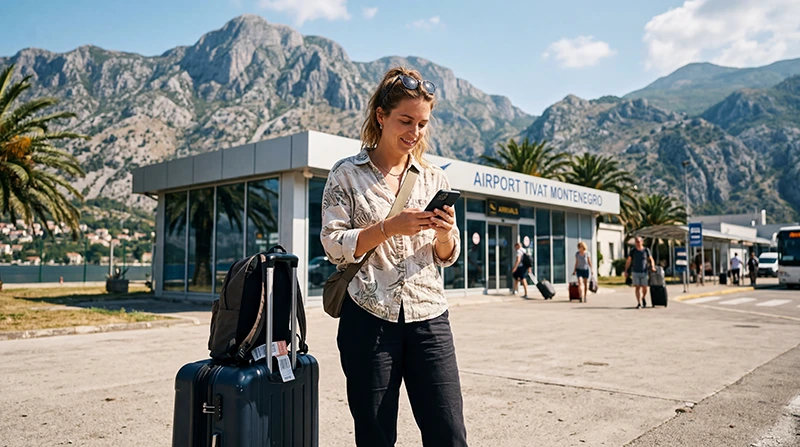

Traveler using mobile internet after arriving at Tivat Airport in Montenegro

Internet at Tivat Airport: Complete Guide for Travelers

Tivat Airport (TIV) is one of Montenegro’s two international airports and the main gateway to the country’s Adriatic coast. Located just a few minutes from Tivat and close to Kotor, Porto Montenegro, Budva and Herceg Novi, it welcomes millions of tourists during the summer season.

As soon as you land, you’ll probably need internet to contact your accommodation, order a taxi, use Google Maps, check restaurant recommendations or simply let friends and family know you’ve arrived safely.

Quick answer: the easiest way to get internet at Tivat Airport is to install a Montenegro travel eSIM before your flight. After landing, simply enable your eSIM and you’ll have mobile internet within minutes without replacing your physical SIM card.

Top Montenegro eSIMs

Ways to Get Internet at Tivat Airport

Option Convenience Best For
Travel eSIM ★★★★★ Most tourists
Airport WiFi ★★★★☆ Quick internet access
Local SIM Card ★★★☆☆ Longer stays
International Roaming ★★☆☆☆ Emergency use

Does Tivat Airport Have Free WiFi?

Yes.

Tivat Airport provides free WiFi for passengers throughout the terminal. This is useful for checking messages, contacting your hotel, downloading travel documents or browsing the web while you’re still inside the airport.

Once you leave the terminal, however, you’ll need mobile internet for navigation, transportation and staying connected during your trip.

Why Install an eSIM Before You Fly?

Installing your eSIM before departure is the simplest way to stay connected from the moment you arrive.

  • Purchase online before travelling.
  • Receive your QR code instantly.
  • Install while connected to WiFi at home.
  • No physical SIM card required.
  • No airport queues.
  • Keep your regular SIM active.
  • Use mobile internet immediately after landing.

Can You Buy a SIM Card at Tivat Airport?

SIM card availability at Tivat Airport is much more limited than at larger European airports, especially during busy summer periods. Depending on your arrival time, you may prefer to purchase a SIM card later in Tivat or install a travel eSIM before departure to avoid delays.

Internet Coverage After Leaving the Airport

Mobile coverage is excellent immediately outside Tivat Airport and along the coastal roads leading to Montenegro’s most popular destinations.

Destination Coverage
Tivat Excellent
Porto Montenegro Excellent
Kotor Excellent
Perast Very Good
Budva Very Good
Herceg Novi Very Good
Cetinje Very Good
Lovćen National Park Good to Very Good

How Much Data Do You Need?

Trip Length Recommended Data
Weekend trip 1–3 GB
One-week holiday 5–10 GB
Two-week vacation 10–20 GB
Remote work 20 GB+

Typical Tourist Data Usage

Activity Approximate Usage
Google Maps 5–10 MB/hour
WhatsApp messages Very low
Voice calls 30–50 MB/hour
Video calls 250–500 MB/hour
Instagram 100–300 MB/hour
YouTube HD 1–3 GB/hour
TikTok 500 MB–1 GB/hour

Does EU Roaming Work?

No.

Montenegro is outside the EU Roam Like at Home agreement. If you continue using your European SIM card, international roaming charges may apply. A Montenegro travel eSIM provides predictable prepaid mobile data throughout your trip.

Can You Keep Your Home SIM?

Yes.

Most Dual SIM smartphones allow you to:

  • Use your Montenegro eSIM for mobile data.
  • Keep your regular SIM active.
  • Receive SMS verification codes.
  • Continue using your normal phone number.

Does WhatsApp Work?

Yes.

WhatsApp works normally using either airport WiFi or your Montenegro eSIM. Your account remains linked to your existing phone number.

Recommended Phone Settings

Setting Recommended Value
Mobile Data Montenegro eSIM
Data Roaming ON
Network Selection Automatic
Automatic Data Switching OFF
Primary SIM Calls and SMS
APN data.esim if required

Common Internet Problems After Landing

  • Data Roaming is disabled.
  • The wrong SIM is selected for Mobile Data.
  • Automatic Data Switching is enabled.
  • Manual network selection.
  • Incorrect APN settings.
  • The phone has not been restarted after installation.

How to Fix Connection Problems

  1. Restart your phone.
  2. Enable Data Roaming.
  3. Select your eSIM for Mobile Data.
  4. Verify the APN is data.esim if manual configuration is required.
  5. Turn Airplane Mode on for 30 seconds.
  6. Leave Network Selection on Automatic.

Related Montenegro Guides

FAQ

Is there free WiFi at Tivat Airport?

Yes. Free WiFi is available throughout the airport terminal.

Can I buy a SIM card at Tivat Airport?

SIM card availability is limited, especially during peak season and outside normal operating hours. Many travelers prefer installing an eSIM before departure.

What is the easiest way to get internet after landing?

A Montenegro travel eSIM installed before your flight is the fastest and most convenient option.

Does WhatsApp work?

Yes. WhatsApp works normally using airport WiFi or your eSIM.

Do I need to enable Data Roaming?

Yes. Most travel eSIMs require Data Roaming to be enabled.

Can I keep my regular SIM card?

Yes. Most Dual SIM smartphones allow you to use an eSIM for mobile data while keeping your primary SIM active.

Final Recommendation

Tivat Airport offers free WiFi for passengers, but a Montenegro travel eSIM is the best solution for uninterrupted internet throughout your holiday. By installing your eSIM before departure, you’ll be connected from the moment you leave the terminal and ready to explore Tivat, Kotor, Budva and the rest of Montenegro without worrying about roaming charges.

Browse Montenegro eSIM plans here.

Scroll to Top