


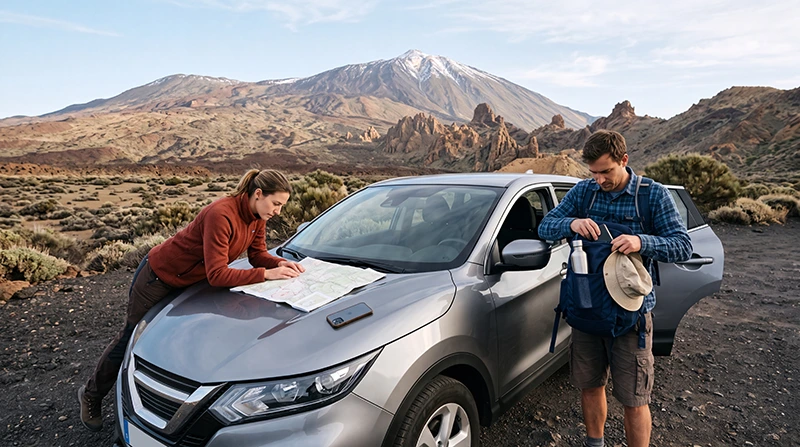

Teide National Park is one of Tenerife’s most impressive places to explore, but its volcanic terrain, high altitude and remote roads make mobile connectivity less predictable than in the island’s cities and coastal resorts.
You may have a usable mobile signal in some open areas, near roads or around popular visitor locations, while reception can weaken or disappear in valleys, behind volcanic formations and on remote walking routes. WiFi should not be expected throughout the park.
Quick answer: Mobile internet may work in parts of Teide National Park, but coverage can vary considerably. Travellers should download offline maps, save tickets and routes, charge their phones fully and avoid relying on mobile data as their only navigation or safety tool. A Tenerife eSIM is useful where a supported network is available, but it cannot guarantee coverage in every part of the park.
Top Canary Islands eSIMs

Canary Islands eSIM
Fixed
1 GB, 7 days2.00$2 GB, 15 days4.00$3 GB, 30 days5.00$Unlimited
Unlimited, 1 day2.50$Unlimited, 3 days5.50$Unlimited, 5 days9.00$
Europe Extra eSIM
Fixed
1 GB, 7 days2.50$2 GB, 15 days4.00$3 GB, 30 days5.00$Unlimited
Unlimited, 1 day3.00$Unlimited, 3 days6.00$Unlimited, 5 days10.00$Europe+ eSIM
Fixed
1 GB, 7 days3.00$2 GB, 15 days4.50$3 GB, 30 days6.00$Unlimited
Unlimited, 1 day3.00$Unlimited, 3 days7.00$Unlimited, 5 days11.50$Europe Lite eSIM
Fixed
1 GB, 7 days2.50$2 GB, 15 days4.00$3 GB, 30 days5.00$Unlimited
Unlimited, 1 day3.00$Unlimited, 3 days6.00$Unlimited, 5 days10.00$Is There Mobile Internet in Teide National Park?
Mobile internet can be available in parts of the national park, particularly in open areas and locations closer to established roads or visitor facilities. However, coverage is affected by the surrounding volcanic landscape.
Signal quality can change within a short distance because of:
- High altitude.
- Volcanic ridges and rock formations.
- Deep depressions and valleys.
- Distance from populated areas.
- Road bends and changes in elevation.
- Network congestion around busy visitor locations.
- The local partner network used by your SIM or eSIM.
A strong signal at one viewpoint does not mean that the connection will continue throughout your route.
What Mobile Coverage Should Visitors Expect?
| Location Type | Possible Connectivity | Recommended Preparation |
|---|---|---|
| Main access roads | Signal may be available in some sections | Keep offline navigation ready |
| Popular viewpoints | May have usable coverage | Do not assume all viewpoints are connected |
| Visitor facilities | Connectivity may be better nearby | Save information before leaving |
| Remote hiking trails | Coverage may be weak or unavailable | Use downloaded maps and route notes |
| Volcanic valleys | Signal can be obstructed | Expect interruptions |
| Mountain routes | Highly variable | Carry a charged phone and backup power |
The exact experience depends on your location, device, plan, network access, congestion and supported frequencies.
Does WiFi Work in Teide National Park?
Visitors should not expect continuous public WiFi across Teide National Park. The park is a protected volcanic landscape rather than an urban area with widespread public hotspots.
Limited connectivity may be available at selected accommodation, restaurants, visitor facilities or other buildings, but availability, access conditions and performance can change.
WiFi should therefore be treated as a possible convenience rather than a guaranteed service.
Can You Use a Tenerife eSIM at Teide?
Yes, a compatible Tenerife or Spain travel eSIM can connect in areas where its supported local partner network has coverage.
An eSIM can be useful for:
- Checking the weather before entering the park.
- Starting navigation from your accommodation.
- Opening saved route information.
- Contacting a tour provider.
- Sharing your location when coverage is available.
- Checking road information before continuing your journey.
However, an eSIM does not create coverage where no mobile signal exists. A physical local SIM and an eSIM are both dependent on available network infrastructure.
Why Does Phone Signal Vary Around Mount Teide?
Mountain and volcanic environments naturally create challenges for radio signals. Mobile networks work best when a phone can communicate clearly with nearby network infrastructure.
At Teide, the connection may be affected by:
- Rock formations blocking the direct signal path.
- Rapid changes in altitude.
- Distance from towns and network equipment.
- Weather conditions.
- Indoor areas or thick building walls.
- Large numbers of visitors using the same available network.
Your phone may move between 5G, 4G or a slower available connection as conditions change. The availability of 5G depends on the device, plan, local partner network, exact location, congestion and supported frequencies.
Do Not Rely Only on Live Navigation
Live navigation applications are useful, but they can become less dependable if the mobile connection disappears. Before entering the park, download the relevant area for offline use.
Offline preparation should include:
- The route from your accommodation to the park.
- The route back to your accommodation.
- Parking locations.
- Planned viewpoints.
- Walking trails.
- Alternative routes.
- Nearby petrol stations.
- Emergency and accommodation contact information.
Take screenshots of essential directions in addition to downloading the map.
How to Download Offline Maps Before Visiting Teide
- Connect your phone to stable WiFi.
- Open your preferred map application.
- Select the area covering Teide National Park and the surrounding roads.
- Download the map for offline use.
- Save your accommodation and planned stops.
- Test that the map opens while mobile data and WiFi are turned off.
- Update the downloaded map shortly before the trip.
Offline maps can show roads and saved destinations, but live traffic, closures and route changes may still require an active internet connection.
Internet Preparation Before Driving to Teide
Most visitors reach the park by car, organised tour or coach. Complete important online tasks before beginning the mountain journey.
- Check the weather forecast.
- Confirm opening times and reservations.
- Download tickets and booking confirmations.
- Save the parking location.
- Download offline maps.
- Send your route to a family member or friend.
- Charge the phone fully.
- Pack a power bank and charging cable.
- Save accommodation contact details.
Do not wait until you reach a remote viewpoint to download a ticket or important route information.
Mobile Internet for the Teide Cable Car Area
The cable car area is one of the most visited locations near Mount Teide. Mobile connectivity may be available, but it should not be assumed to be continuously fast or stable.
Before arrival, keep the following available offline:
- Booking confirmation.
- Identification requirements.
- Arrival time.
- Parking information.
- Return route.
- Any permit or access information required for your activity.
High visitor numbers can increase network congestion, especially during busy periods.
Internet for Hiking in Teide National Park
Hikers should be especially careful about relying on mobile internet. A route that begins near a road or visitor area can continue into terrain with much weaker coverage.
Before starting a walk:
- Download a detailed offline trail map.
- Save the complete route.
- Check the distance and elevation.
- Review weather conditions.
- Tell someone where you are going.
- Carry enough water.
- Charge your phone.
- Carry a power bank.
- Keep essential information available offline.
A mobile phone is useful, but it should not replace appropriate route planning and hiking preparation.
Does GPS Work Without Mobile Internet?
GPS location can often continue working without mobile data because the phone receives positioning information independently of an internet connection.
However, the map itself must already be downloaded. Without an offline map, your phone may know your approximate location but be unable to display the surrounding roads or trails properly.
| Feature | Works Without Mobile Data? |
|---|---|
| GPS location | Often yes |
| Downloaded offline map | Yes |
| Live traffic | No |
| New online searches | No |
| Updated road closures | Usually requires internet |
| Live weather updates | Requires internet |
How Much Data Does Navigation Use?
Map navigation generally uses less data than video streaming or social media. However, a full day of searching, route changes, image loading and live traffic can consume more than expected.
| Activity | Relative Data Use |
|---|---|
| Basic route navigation | Low |
| Searching for locations | Low to medium |
| Satellite imagery | Medium |
| Uploading photos | Medium |
| Video calls | Medium to high |
| Video streaming | High |
Downloading maps on WiFi before the journey reduces both data use and dependence on the mobile signal.
How to Preserve Phone Battery at High Altitude
Phones can lose battery more quickly when they repeatedly search for a weak network. Navigation, photography, bright screen settings and cold conditions may also increase consumption.
To preserve battery:
- Download maps before the trip.
- Reduce screen brightness.
- Close unnecessary applications.
- Disable automatic cloud backups.
- Use battery-saving mode.
- Carry a charged power bank.
- Keep the phone protected from very cold conditions.
- Use Airplane Mode temporarily when no signal is available and communication is not required.
Should You Use Airplane Mode in Areas Without Signal?
If you are in a location with no signal for an extended period, Airplane Mode can reduce battery consumption by stopping the phone from continuously searching for a network.
Remember that Airplane Mode also prevents normal mobile calls, SMS and data connections. Turn it off when you return to an area where a signal may be available.
Recommended eSIM Settings Before Entering the Park
| Setting | Recommended Configuration |
|---|---|
| Travel eSIM | Enabled |
| Mobile Data | Select the Tenerife travel eSIM |
| Data Roaming on travel eSIM | Enabled |
| Data Roaming on primary SIM | Disabled |
| Automatic Data Switching | Disabled |
| Network Selection | Automatic |
| APN | Use data.esim only when required by the plan |
These settings help ensure that the phone uses the travel eSIM for mobile data rather than switching back to the primary SIM and creating roaming charges.
What to Do if the eSIM Loses Signal at Teide
A temporary loss of signal in the national park may be caused by the terrain rather than a configuration problem.
- Move to a more open location when it is safe to do so.
- Wait a few minutes for the phone to reconnect.
- Confirm that the travel eSIM remains enabled.
- Keep Network Selection on Automatic.
- Turn Airplane Mode on for approximately 30 seconds.
- Turn Airplane Mode off.
- Restart the phone if necessary.
- Continue using your downloaded offline maps.
Do not delete the eSIM while troubleshooting. The QR code may be single-use, and removing the profile can make reinstallation difficult.
What to Do if the eSIM Has Signal but No Internet
- Confirm that the travel eSIM is selected for Mobile Data.
- Enable Data Roaming on the travel eSIM.
- Disable roaming on the primary SIM.
- Turn off Automatic Data Switching.
- Keep Network Selection on Automatic.
- Restart the connection using Airplane Mode.
- Restart the phone.
- Enter the APN data.esim only when required by the selected plan.
If the phone works normally in a town or resort but loses data only in a remote part of Teide, the cause is likely local coverage rather than the eSIM settings.
Can You Make Calls in Teide National Park?
Traditional calls require an available mobile network and a plan that supports voice service. Many travel eSIMs are data-only and do not include standard calls or SMS.
When mobile data is available, you can use internet-based calling applications such as:
- WhatsApp.
- Viber.
- FaceTime.
- Messenger.
- Other VoIP services.
Keep your primary SIM available if you need standard calls or SMS, but check roaming charges first.
Emergency Preparation Without Internet
Do not depend on the ability to search online during an urgent situation. Save important information before entering the park.
Keep offline copies of:
- Your route.
- Accommodation details.
- Tour-provider contact information.
- Rental-car company details.
- Relevant emergency contact information.
- Medical information you may need.
- Identification and travel insurance details.
Inform someone about your planned route when walking in a remote area.
Internet During a Guided Teide Tour
Visitors joining a guided tour may need internet before departure to confirm the meeting point, communicate with the provider and open digital booking information.
Download the following before leaving your hotel:
- Tour confirmation.
- Meeting-point map.
- Provider telephone number.
- Pickup time.
- Return details.
- Clothing and equipment instructions.
Once the tour enters remote areas, connectivity may become less reliable.
Internet During a Teide Stargazing Trip
Stargazing trips often continue into the evening, when battery management and offline preparation become even more important.
Before departure:
- Save the meeting location.
- Download the route home.
- Charge the phone fully.
- Carry a power bank.
- Save the tour provider’s contact details.
- Download any tickets.
- Pack suitable warm clothing.
Do not assume that a dark-sky observation area will have strong mobile coverage or public WiFi.
Internet During a Tenerife Road Trip Through Teide
Many travellers cross the park while driving between northern and southern Tenerife. Mobile data is helpful for planning, but offline navigation should remain available.
Before beginning the drive:
- Download the entire route.
- Save planned stops.
- Check fuel levels.
- Check road and weather information.
- Save your destination address.
- Carry water and a charging cable.
Do not depend on being able to search for petrol stations or alternative routes after entering a weak-coverage area.
Internet at Accommodation Near Teide
Hotels, rural properties and guesthouses near the national park may provide WiFi, but performance varies by location and building.
Before booking, ask:
- Whether WiFi works inside the room.
- Whether the connection is shared.
- Whether mobile coverage is available at the property.
- Whether the router remains available overnight.
- Whether the connection is suitable for video calls.
Travellers working remotely should keep an eSIM as backup connectivity, although mobile coverage may also vary in rural accommodation.
Best Internet Strategy for Teide National Park
The safest and most practical approach is to combine several tools:
- Use accommodation WiFi to prepare before departure.
- Download offline maps and tickets.
- Use a Tenerife eSIM where mobile coverage is available.
- Carry a charged power bank.
- Keep essential information available offline.
- Do not rely on mobile internet as your only safety resource.
Related Canary Islands Travel Internet Guides
- Tenerife eSIM
- Best eSIM for Tenerife
- Mobile Data in Tenerife
- WiFi in Tenerife for Tourists
- Tenerife Roaming Charges
- Canary Islands WiFi vs eSIM
FAQ
Is there internet in Teide National Park?
Mobile internet may be available in some areas, but coverage varies because of altitude, terrain and distance from populated locations. Do not expect a continuous connection throughout the park.
Is there WiFi at Mount Teide?
Limited WiFi may be available at selected buildings or visitor facilities, but public WiFi should not be expected across the national park.
Does a Tenerife eSIM work at Teide?
A compatible eSIM can work wherever its supported partner network has coverage. It cannot provide a connection in an area without a mobile signal.
Does GPS work without internet at Teide?
GPS positioning can often continue working without mobile data, but you should download the map and route before entering the park.
Should I download offline maps before visiting Teide?
Yes. Download the park, surrounding roads, planned stops and return route while connected to stable WiFi.
Why does my phone lose signal in Teide National Park?
Volcanic formations, valleys, altitude, distance from network infrastructure and congestion can all affect mobile reception.
Should I delete my eSIM if it loses signal?
No. A loss of signal in remote terrain is usually related to coverage. Keep the eSIM installed because its QR code may only allow one installation.
How can I save phone battery at Teide?
Use offline maps, reduce screen brightness, enable battery-saving mode, close unnecessary applications and carry a charged power bank.
Final Recommendation
Internet access in Teide National Park can be useful but should never be treated as guaranteed. Mobile coverage may work near roads and popular locations, then weaken in volcanic valleys, remote trails and higher terrain.
Install a suitable NoveSIM Tenerife eSIM before travelling, configure it correctly and use it wherever a supported network is available. More importantly, download offline maps, save tickets and routes, charge your phone and carry backup power before entering the park. This combination gives you the convenience of mobile data without becoming dependent on a signal that may change throughout the journey.