


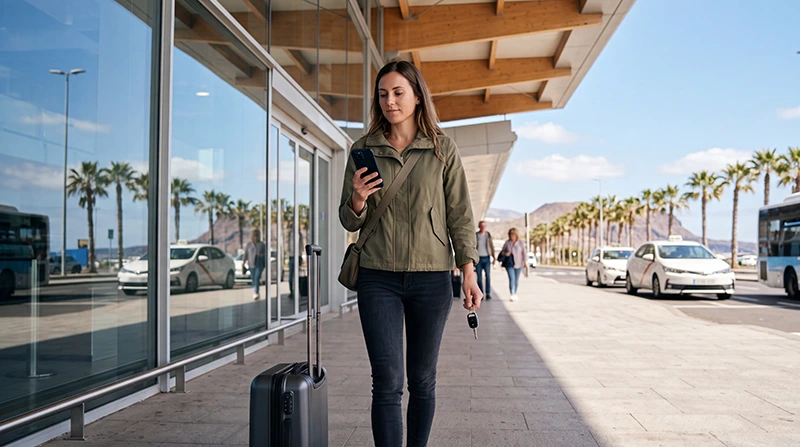

Arriving in Tenerife with mobile data already prepared can make the first part of your holiday much easier. You may need internet immediately to contact your accommodation, find a transfer driver, locate a rental-car desk, check public transport or begin navigation towards your resort.
Tenerife has two main airports: Tenerife South Airport and Tenerife North Airport. A travel eSIM can be used after arrival at either airport, provided the selected plan supports Tenerife or Spain and your phone connects to an available partner network.
Quick answer: The easiest approach is to buy and install your Tenerife eSIM before departure while connected to stable WiFi. After landing, enable the eSIM, select it for Mobile Data, turn on Data Roaming for the travel line and keep Automatic Data Switching disabled. Do not delete the eSIM if it does not connect immediately.
Top Canary Islands eSIMs

Canary Islands eSIM
Fixed
1 GB, 7 days€ 1.782 GB, 15 days€ 3.563 GB, 30 days€ 4.45Unlimited
Unlimited, 1 day€ 2.23Unlimited, 3 days€ 4.90Unlimited, 5 days€ 8.02
Europe Extra eSIM
Fixed
1 GB, 7 days€ 2.232 GB, 15 days€ 3.563 GB, 30 days€ 4.45Unlimited
Unlimited, 1 day€ 2.67Unlimited, 3 days€ 5.35Unlimited, 5 days€ 8.91Europe+ eSIM
Fixed
1 GB, 7 days€ 2.672 GB, 15 days€ 4.013 GB, 30 days€ 5.35Unlimited
Unlimited, 1 day€ 2.67Unlimited, 3 days€ 6.24Unlimited, 5 days€ 10.25Can You Use an eSIM at Tenerife Airport?
Yes. A compatible travel eSIM can connect at Tenerife South Airport or Tenerife North Airport once the phone reaches a supported local network.
An airport eSIM connection can help you:
- Open accommodation and transfer details.
- Contact your hotel or host.
- Find the rental-car collection area.
- Check bus or taxi information.
- Access digital booking confirmations.
- Begin navigation to your destination.
- Send an arrival message to family or friends.
The eSIM does not need to be purchased physically at the airport. It can normally be ordered online and installed before you travel.
Tenerife South Airport vs Tenerife North Airport
| Airport | Common Destinations | Why Mobile Data Helps |
|---|---|---|
| Tenerife South Airport | Costa Adeje, Los Cristianos, Playa de las Américas and southern resorts | Transfers, rental-car navigation and accommodation communication |
| Tenerife North Airport | Santa Cruz, La Laguna, Puerto de la Cruz and northern Tenerife | Public transport, city navigation and onward travel |
The same correctly selected Tenerife, Spain or Canary Islands eSIM may work at either airport, depending on the coverage included in the plan.
Should You Buy the eSIM Before Flying?
For most travellers, buying and installing the eSIM before departure is the most convenient option.
Benefits include:
- You can install it using reliable home WiFi.
- You have time to check the installation instructions.
- The QR code is available before the journey.
- You do not need to search for a mobile shop after landing.
- You can connect before leaving the terminal.
Check the activation rules before installing. Some plans begin when they first connect to a supported network, while others may start according to different conditions.
How to Install a Tenerife Airport eSIM Before Departure
- Confirm that your phone supports eSIM.
- Check that the device is network-unlocked.
- Select a plan that includes Tenerife, the Canary Islands or Spain.
- Complete the purchase online.
- Connect your phone to stable WiFi.
- Scan the supplied QR code or enter the installation details manually.
- Label the new mobile plan clearly, such as Tenerife eSIM.
- Keep the eSIM installed until the trip is complete.
Do not remove the eSIM after installation simply because it is not yet connected. It may only activate after reaching Tenerife.
How to Activate the eSIM After Landing
- Open the phone’s mobile network settings.
- Switch on the installed travel eSIM.
- Select the eSIM as the preferred line for Mobile Data.
- Enable Data Roaming on the travel eSIM.
- Disable Data Roaming on the primary SIM.
- Turn off Automatic Data Switching.
- Set Network Selection to Automatic.
- Wait a few minutes for the phone to register on a supported network.
If the connection does not appear immediately, turn Airplane Mode on for approximately 30 seconds, turn it off and restart the phone.
Recommended Airport eSIM Settings
| Setting | Recommended Configuration |
|---|---|
| Travel eSIM | Enabled |
| Mobile Data | Select the Tenerife travel eSIM |
| Data Roaming on travel eSIM | Enabled |
| Data Roaming on primary SIM | Disabled |
| Automatic Data Switching | Disabled |
| Network Selection | Automatic |
| APN | Use data.esim only when required by the plan |
Using an eSIM at Tenerife South Airport
Tenerife South Airport serves many international holiday flights and is a common arrival point for visitors staying in the southern part of the island.
Mobile data can be useful for journeys towards:
- Costa Adeje.
- Los Cristianos.
- Playa de las Américas.
- El Médano.
- Golf del Sur.
- Los Gigantes.
After landing, use your eSIM to open the transfer details, locate the rental-car desk or start navigation before leaving the terminal area.
Using an eSIM at Tenerife North Airport
Tenerife North Airport is convenient for Santa Cruz, La Laguna, Puerto de la Cruz and other northern areas.
An active eSIM can help you:
- Check bus and tram connections.
- Contact your accommodation.
- Open city maps.
- Find a taxi or pickup point.
- Navigate towards northern Tenerife.
- Access onward flight or ferry information.
Can You Buy a Physical SIM at Tenerife Airport?
Physical SIM availability at airports can vary by terminal, retailer and opening hours. Even when a SIM is available, the selection may be limited compared with shops in larger towns or shopping centres.
A physical local SIM may also require:
- Identification.
- Registration.
- Visiting a staffed retailer.
- Replacing your existing physical SIM.
- Waiting for activation.
An eSIM avoids the need to depend on airport shop availability.
eSIM vs Airport SIM Card
| Feature | Travel eSIM | Airport SIM Card |
|---|---|---|
| Purchase | Online before travel | Usually after arrival |
| Installation | Digital | Physical card |
| Shop required | No | Usually yes |
| Keep primary SIM | Usually easier | Depends on the phone |
| Local number | Usually not included | May be included |
| Best for | Quick airport connectivity | Travellers needing local voice service |
Can You Use Airport WiFi Instead?
Airport WiFi may be useful for a short connection, but access conditions and performance can vary. It may require a login page, registration or repeated reconnection.
Airport WiFi can help with:
- Opening an email.
- Sending a short message.
- Reviewing a reservation.
- Completing eSIM installation when permitted.
An eSIM is more practical after you leave the terminal because the connection continues while travelling towards your accommodation.
Should You Install the eSIM Using Airport WiFi?
It may be possible, but installing before departure is safer and more convenient. Airport WiFi can be busy, unstable or subject to session limits.
If you must install it at the airport:
- Connect to the official airport network.
- Confirm the correct network name.
- Open the eSIM installation email or account page.
- Follow the supplied instructions carefully.
- Keep the QR code available on a second device when possible.
- Do not delete the profile after installation.
How Much Data Do You Need After Landing?
The first day of a Tenerife trip usually requires relatively little data unless you stream video or upload large files.
| Arrival Activity | Relative Data Use |
|---|---|
| Messaging your accommodation | Very low |
| Opening booking confirmations | Very low |
| Map navigation | Low |
| Transport searches | Low |
| Video call after landing | Medium to high |
| Uploading travel videos | High |
For a full one-week holiday, 3GB to 5GB may be enough for navigation, messaging and moderate browsing. Frequent social media use, video calls or hotspot activity may require more.
Using the eSIM for an Airport Transfer
An airport transfer may require live communication, particularly if the driver and passenger cannot find each other immediately.
Mobile data allows you to:
- Receive updated pickup instructions.
- Send your current location.
- Contact the driver through a messaging application.
- Open a terminal map.
- Confirm the vehicle details.
Save the transfer company’s telephone number and meeting-point information offline before travelling.
Using the eSIM for a Rental Car
Travellers collecting a rental car often need mobile data immediately for route planning.
Before leaving the airport:
- Set your accommodation as the destination.
- Download the route for offline use.
- Check the fuel policy and return location.
- Save the rental company’s contact details.
- Connect the phone to a car charger when available.
Downloading offline maps provides backup navigation if coverage changes on mountain roads.
Using the eSIM for Buses and Public Transport
Mobile data can help visitors check routes, timetables, interchange points and walking directions from the airport.
Save the name and address of your accommodation in a format that can be shown to a driver or transport employee even when the connection is unavailable.
Can You Keep Your Home SIM Active?
Many dual-SIM phones allow the home SIM and travel eSIM to remain active together.
A practical setup is:
- Use the Tenerife eSIM for Mobile Data.
- Keep the primary SIM available for calls and SMS.
- Disable Data Roaming on the primary SIM.
- Disable Automatic Data Switching.
Your home operator may still charge for calls, outgoing SMS, voicemail or other roaming services.
Can You Receive Verification Codes?
In many cases, you can keep the primary SIM active to receive bank codes and verification messages while using the eSIM for data.
Receiving SMS may be free under some roaming plans, but policies vary. Check your operator’s rules before travelling.
Does the Tenerife eSIM Include Calls?
Many travel eSIMs are data-only. They may not include a local telephone number, traditional voice calls or standard SMS.
You can still use internet-based services such as:
- WhatsApp.
- Viber.
- Messenger.
- FaceTime.
- Other VoIP applications.
What to Do if the eSIM Does Not Work at the Airport
- Confirm that the travel eSIM is enabled.
- Select it for Mobile Data.
- Enable Data Roaming on the travel eSIM.
- Disable Data Roaming on the primary SIM.
- Turn off Automatic Data Switching.
- Set Network Selection to Automatic.
- Turn Airplane Mode on for approximately 30 seconds.
- Turn Airplane Mode off.
- Restart the phone.
- Enter the APN data.esim only when required.
Do not delete the eSIM while troubleshooting. The QR code may be valid for only one installation.
Why Does the Phone Show Signal but No Internet?
A phone can register on a mobile network without immediately establishing a working data connection.
Possible reasons include:
- The wrong SIM is selected for Mobile Data.
- Data Roaming is disabled on the travel eSIM.
- The eSIM is not yet activated.
- The APN is missing when the plan requires one.
- The phone is still switching between networks.
- Automatic Data Switching is interfering with the setup.
Wait a few minutes after changing settings and restart the connection using Airplane Mode.
Why Is the Airport Connection Slow?
Mobile speeds at the airport may vary because many passengers are using the same local network at the same time.
Other possible factors include:
- Indoor terminal construction.
- Network congestion.
- The phone model.
- The selected partner network.
- The plan’s fair-use terms.
- Supported mobile frequencies.
The availability of 5G depends on the device, plan, local partner network, exact location, congestion and supported frequencies.
Can You Use the Same eSIM for the Whole Tenerife Trip?
Yes, provided the plan remains valid and has enough data. The same eSIM can be used after leaving the airport and while visiting cities, resorts and other parts of Tenerife where the supported network has coverage.
You do not need a separate eSIM for the airport, hotel and road trip.
Airport Arrival Checklist
- Install the eSIM before departure.
- Save the QR code and instructions.
- Download accommodation details.
- Save the airport transfer information.
- Download an offline map.
- Charge the phone fully.
- Carry a power bank or charging cable.
- Disable roaming on the primary SIM.
- Select the travel eSIM for Mobile Data after landing.
Related Canary Islands Travel Internet Guides
- Tenerife eSIM
- Best eSIM for Tenerife
- Mobile Data in Tenerife
- WiFi in Tenerife for Tourists
- Tenerife Roaming Charges
- Internet in Teide National Park
FAQ
Can I use an eSIM at Tenerife South Airport?
Yes. A compatible travel eSIM can connect after landing when it is enabled, selected for Mobile Data and allowed to use Data Roaming.
Can I use an eSIM at Tenerife North Airport?
Yes. The same type of Tenerife, Spain or Canary Islands plan can work at Tenerife North Airport when the selected partner network has coverage.
Should I install the eSIM before flying?
Yes. Installing it on stable WiFi before departure is usually easier than relying on airport internet after landing.
Does the eSIM activate before I arrive?
Activation rules vary. Some plans begin when they first connect to a supported network, while others may start under different conditions. Check the plan instructions.
Can I buy an eSIM inside Tenerife airport?
An eSIM is normally purchased online, so you do not need to depend on an airport shop. It is usually better to arrange it before departure.
Can I keep my normal SIM active?
Yes, on many dual-SIM phones. Use the eSIM for Mobile Data, disable roaming on the primary SIM and turn off Automatic Data Switching.
Why does my eSIM not connect after landing?
Check that it is enabled, selected for Mobile Data and allowed to use Data Roaming. Then use Airplane Mode for approximately 30 seconds and restart the phone.
Should I delete the eSIM if it does not work?
No. Keep it installed and troubleshoot the settings because the QR code may only allow one installation.
Final Recommendation
The most convenient way to use an eSIM at Tenerife airport is to prepare it before travelling. Install it on stable WiFi, save the instructions and activate the correct mobile settings after landing.
A suitable NoveSIM travel eSIM can provide mobile data for airport transfers, rental-car navigation, public transport searches and communication with your accommodation. Select it for Mobile Data, enable Data Roaming on the travel line, disable roaming on your primary SIM and keep Automatic Data Switching turned off to reduce the risk of unexpected roaming charges.