
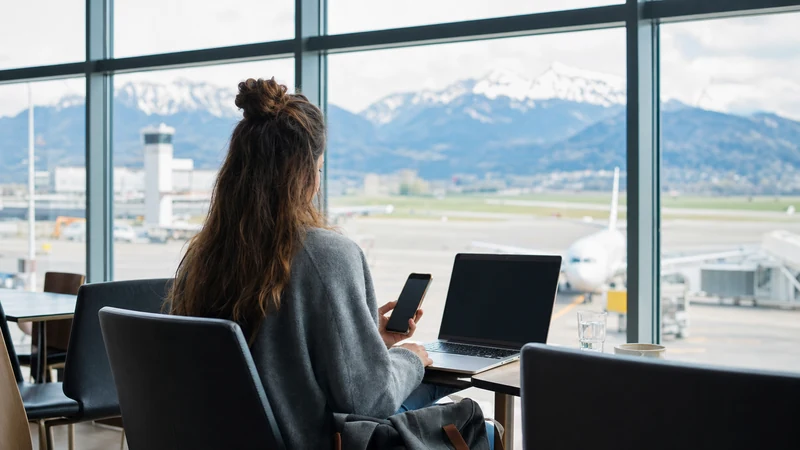

Traveller checking mobile internet after arriving at Salzburg Airport

Internet at Salzburg Airport: WiFi, eSIM and Mobile Data

Internet at Salzburg Airport is available through the airport’s free Freewave WiFi, mobile roaming, an Austria eSIM or a physical SIM card. Free WiFi is convenient inside both terminals, while mobile data is the practical choice for navigation and messaging after you leave the building.

The right option depends on how quickly you need to connect, whether your phone supports eSIM and where you will travel after Salzburg. A passenger being collected at arrivals may need only airport WiFi; an independent traveller continuing by bus, train or rental car benefits from continuous mobile data.

NoveSIM travel eSIM plans are data-only. They normally do not provide a local Austrian number, traditional voice calls or SMS, but internet calling and messaging apps can work through the plan’s mobile data.

Quick answer: Use the free Freewave network for short tasks inside Salzburg Airport. Install an Austria eSIM before departure if you want maps, transport information and messaging from arrivals to Salzburg and throughout the trip. Check phone compatibility, plan coverage and activation rules before travelling.

Top Austria eSIMs

What Internet Options Are Available at Salzburg Airport?

Travellers have four main ways to get online: free airport WiFi, a travel eSIM, home-network roaming and a physical Austrian SIM. They solve different problems, so it is useful to separate terminal access from all-day connectivity.

Internet option When it works best What to check
Freewave airport WiFi Boarding passes, messages and quick browsing inside both terminals Captive portal, signal strength and public-network security
Austria travel eSIM Immediate mobile data from arrival through the rest of the trip Compatible unlocked phone, included country and activation policy
Home SIM roaming Convenience when Austria is already included in the home plan Roaming price, fair-use limit and non-EU/EEA contract terms
Physical Austrian SIM Phones without eSIM or travellers needing a local mobile arrangement Retail availability, registration, opening hours and SIM format

A resilient arrival plan can combine two options. For example, use Freewave while collecting luggage, then switch to an installed eSIM before walking to the bus stop. This avoids depending on one connection at the exact moment you need directions.

How Does Free WiFi at Salzburg Airport Work?

Salzburg Airport officially provides free wireless internet in both terminal buildings. The network is named Freewave and is available in common passenger areas such as check-in, departure halls, shops, information points and restaurants.

  1. Open the WiFi settings on your phone, tablet or laptop.
  2. Switch WiFi on and select Freewave.
  3. Open a web browser if the welcome page does not appear automatically.
  4. Choose the connect option on the airport welcome page.
  5. Open a normal webpage to confirm that internet access is active.

The airport describes the service as free and unlimited, but this does not guarantee a particular speed. Performance can change when many passengers are connected, when you move between terminal areas or when your device remains attached to a weak access point. The dedicated Salzburg Airport WiFi guide covers captive-portal fixes and public-network safety in more detail.

What Can You Do with Airport WiFi?

Free WiFi is suitable for lightweight arrival and departure tasks. You can retrieve a reservation, message a host, check a transport website or download a small document. It can also help you install an eSIM, although installation before travel on a trusted connection is safer.

  • Open a digital boarding pass or airline message.
  • Confirm a hotel address or meeting point.
  • Check current bus and train information.
  • Send messages through internet-based apps.
  • Download an offline map before leaving the terminal.
  • Review eSIM installation instructions.

Avoid relying on the public network for a time-critical video meeting, a large operating-system update or a confidential business transfer. Shared capacity and security conditions are outside your control. Mobile data or an employer-approved connection may be more appropriate for sensitive work.

Where Airport WiFi Stops Being Useful

Terminal WiFi is not designed to provide continuous coverage at the bus stop, on the road into Salzburg or in the historic centre. Your phone may still display a weak WiFi symbol near the building even though usable internet has already disappeared. Turn WiFi off or select mobile data when leaving so the phone does not cling to an unusable connection.

This matters because the first part of the trip often requires live information. You may need to identify the correct stop, follow a bus route, update a transfer company or find the entrance to accommodation. A screenshot helps, but mobile data makes it easier to react when a timetable or platform changes.

Salzburg Airport’s current public-transport information lists city buses connecting the airport with the main railway station and city centre. Timetables and service details can change, so check the airport and local operator immediately before travelling rather than relying on an old blog timetable.

Why Use an eSIM at Salzburg Airport?

An eSIM is a digital mobile profile that can be installed without replacing the physical SIM card. For a compatible unlocked phone, it offers a practical way to prepare Austrian mobile data before landing. You can keep the home line available for calls or verification texts while selecting the eSIM for data.

The main advantage is continuity. You do not need to remain inside the terminal, find a retail counter or handle a small plastic card after a flight. Once the eSIM connects to a supported local network, it can provide data for maps, transport, messaging and bookings.

Availability of 4G or 5G, speed, hotspot use and the local networks available depend on the plan, device, location and coverage. A travel eSIM should not be described as guaranteeing the same signal everywhere. Alpine terrain, indoor structures and busy events can all affect real-world performance.

The step-by-step Salzburg Airport eSIM guide explains how to prepare the line and switch data settings after arrival.

Check Phone Compatibility Before You Travel

Do not assume that every recent phone supports eSIM. Compatibility can differ by exact model, sales region and carrier configuration. The device must also be unlocked; a carrier-locked phone may reject another provider’s eSIM even when the hardware supports digital SIM profiles.

  1. Find the exact model number in the phone settings.
  2. Check the manufacturer’s official eSIM documentation for that model and region.
  3. Look for an option to add an eSIM or mobile plan.
  4. Confirm with the home carrier that the device is network-unlocked.
  5. Make sure the phone has the latest stable software appropriate for the device.

Use the complete Austria eSIM compatibility checklist before purchasing. If the phone does not support eSIM, compare physical options in the guide to a SIM card at Salzburg Airport.

When to Install and When to Activate

Install the eSIM before departure while you have a dependable internet connection. Keep the installation QR code or manual details available on another screen, because a phone cannot scan a QR code displayed only on its own screen without a supported import method.

Installation does not always start plan validity. Some products begin at installation; others begin when the eSIM first connects to a supported network. Read the instructions for the exact product. Installing too early under the wrong activation rule can waste part of a time-limited plan.

  1. Install the eSIM according to the supplied instructions.
  2. Label it clearly, for example “Austria Data”.
  3. Leave the home SIM selected for calls and SMS if you need it.
  4. After landing, choose the eSIM for cellular or mobile data.
  5. Enable data roaming on the eSIM if the plan instructions require it.
  6. Turn off data switching if you want to prevent unintended home-SIM data use.
  7. Wait several minutes for network registration, then test a webpage.

For platform-specific settings, follow how to activate an Austria eSIM. Keep the profile installed if it does not connect immediately; deleting it can make recovery harder and should be done only when support instructs you.

Can You Use Your Home SIM Through Roaming?

Yes, provided your carrier allows roaming in Austria. Travellers with an EU or EEA mobile contract may have regulated roaming benefits, but fair-use limits, special tariffs and exclusions can still apply. Visitors from the United Kingdom, Switzerland, the United States and other markets should not assume Austria is included.

Check the carrier’s current price and data allowance before departure. A convenient roaming plan may remove the need for another SIM; an expensive daily pass can make a travel eSIM more predictable. The overview of Austria roaming charges explains the questions to ask your provider.

If you keep both lines active, disable data roaming on the home SIM unless you deliberately want it to use data. Incoming calls and outgoing SMS can still create charges depending on the contract, even when mobile data comes from the eSIM.

Should You Buy a Physical SIM?

A physical SIM remains useful when the phone lacks eSIM, when a traveller needs a particular local arrangement or when a longer stay makes a domestic plan more suitable. However, airport availability, shop hours, identity-registration requirements and plan conditions may change.

Do not plan around a specific kiosk or price without checking immediately before travel. If a suitable card is not available at the terminal, airport WiFi can help you navigate to an authorised retailer in Salzburg. Keep the original SIM safe and know whether removing it will interrupt calls or authentication messages.

Compare the total trip requirement rather than only the advertised data amount. Activation assistance, top-up method, validity, hotspot rules and cross-border coverage can matter as much as the headline allowance.

How Much Data Do You Need After Arrival?

Maps, text messaging and transport searches use relatively little data. Video, cloud photo backup, social media feeds and laptop tethering use much more. Estimate from your normal behaviour and include the days you will spend outside reliable accommodation WiFi.

Travel pattern Typical activities Planning approach
Light Maps, messaging, email and occasional searches Use offline maps and a modest allowance
Moderate Frequent browsing, music and social media Monitor per-app use and limit automatic downloads
Heavy Video, remote work, uploads and hotspot sharing Choose a larger plan and confirm tethering support

Download offline maps and entertainment before the flight, pause automatic updates and postpone full-resolution photo backups. Read how much data an Austria trip needs for a more detailed activity-based estimate.

Using Maps and Transport Apps from the Airport

Save the full accommodation address, not only its name. Salzburg contains streets and properties with similar names, and a hotel pin can be misplaced. Store the route offline, but check live information when connected because traffic, construction and service disruptions may alter the best journey.

The airport currently describes regular bus connections to Salzburg Main Station and the city centre, as well as regional services. The route you need depends on the final destination. Verify the current platform, timetable and ticket method through official transport information on the day of travel.

If your trip continues into Bavaria or another country, confirm that the data plan includes the next destination. Austria-only coverage should not be assumed to work across a border. A regional eSIM may be more suitable for a multi-country itinerary, but included countries and networks must be checked on the exact plan page.

How to Troubleshoot Mobile Data at Arrivals

If the eSIM shows no service, work through the settings methodically. Do not repeatedly change unrelated options and do not delete the profile.

  1. Turn airplane mode off and confirm that the eSIM line is enabled.
  2. Select the eSIM as the cellular or mobile-data line.
  3. Enable data roaming on the travel eSIM if required by the instructions.
  4. Wait several minutes, then restart the phone once.
  5. Leave network selection on automatic unless support provides another direction.
  6. Check that the APN matches the plan instructions, if an APN is required.
  7. Move near a window or outside the terminal if indoor reception is weak.

The Austria eSIM troubleshooting guide provides a safe diagnostic order. If an APN needs attention, follow the plan-specific information and the Austria eSIM APN guide rather than copying settings from an unrelated provider.

Messaging, Calls and Dual-SIM Use

Internet messaging apps can use airport WiFi or eSIM data. WhatsApp normally continues with the account’s existing number, so adding a data line does not require changing the WhatsApp number. The guide to WhatsApp with an Austria eSIM explains how the primary number and travel data line work together.

A data-only eSIM does not supply traditional voice service or SMS. Keep the home SIM enabled if you need authentication texts, but review roaming charges for calls and messages. WiFi calling depends on the home carrier, phone and configuration and should not be assumed to work in every situation.

For urgent assistance, 112 is the European emergency number. Emergency calling relies on available voice-service capabilities and should not be confused with an internet calling app or a data-only plan.

Security and Battery Tips

  • Use only the official Freewave airport network and confirm the name with staff if unsure.
  • Do not proceed through unexpected certificate warnings.
  • Turn off file sharing and automatic joining of unfamiliar open networks.
  • Forget airport WiFi after leaving the terminal.
  • Carry a charged power bank, because navigation and weak-signal searching use battery.
  • Download tickets and essential addresses for offline access.
  • Use low-data mode when the allowance or battery is limited.

When the phone is struggling between weak terminal WiFi and mobile data, manually choose one connection. This can improve reliability and reduce repeated radio searching. Re-enable WiFi later at trusted accommodation if appropriate.

Salzburg Airport Internet Checklist

  • Confirm eSIM compatibility and carrier-unlocked status.
  • Compare roaming costs with a travel eSIM before departure.
  • Install the chosen eSIM on a dependable connection.
  • Save the QR code, hotel address and transport route offline.
  • Use Freewave for short tasks inside both terminals.
  • Select the eSIM for mobile data before leaving the building.
  • Keep the home SIM’s data roaming off unless intentionally used.
  • Verify official bus information on the travel date.
  • Do not delete an eSIM during troubleshooting without support instructions.

Related Articles

FAQ

Is there free internet at Salzburg Airport?

Yes. Salzburg Airport provides free WiFi through the Freewave network in both terminals. Select Freewave, open a browser and choose the connect option on the welcome page.

What is the best internet option after leaving Salzburg Airport?

An Austria eSIM, a suitable roaming plan or a physical SIM can provide mobile data beyond the terminal. An eSIM is convenient for compatible unlocked phones because it can be installed before travel.

Can I activate an eSIM on Salzburg Airport WiFi?

It may be possible, but installation before departure on a dependable connection is safer. Check whether the plan starts at installation or at first network connection.

Will an Austria eSIM include calls and SMS?

NoveSIM travel plans are normally data-only and do not include traditional calls, SMS or a local number. Messaging and calling apps can use the mobile-data connection.

Does mobile data work on the bus into Salzburg?

It can work where the selected local network has coverage. Signal and speed depend on the plan, device, route and local conditions, so keep essential directions available offline as a backup.

Should I delete an eSIM that does not connect at the airport?

No. Keep the profile installed, verify the data line, roaming and APN instructions, then contact support if needed. Delete it only when support specifically instructs you.

Final Recommendation

Use Salzburg Airport’s Freewave WiFi for quick online tasks while you remain inside the terminals. Connect through the official welcome page, follow normal public-network precautions and save essential travel information offline.

For uninterrupted maps and messaging after arrivals, prepare an Austria eSIM or confirm an affordable roaming plan before departure. Check exact device compatibility, activation timing, included coverage and data needs rather than making assumptions at the airport.

A combination of offline essentials, free terminal WiFi and prepared mobile data provides the strongest arrival setup. It keeps you connected from the airport into Salzburg and gives you a practical fallback for onward travel.

Scroll to Top