


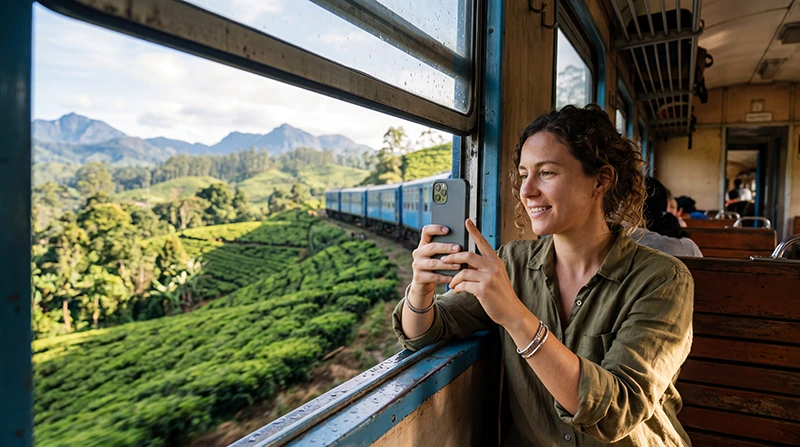

Internet on Sri Lanka trains is intermittent rather than continuous. Mobile data may work near towns and open sections, then disappear in tunnels, deep cuttings, hills or sparsely served areas. Prepare the journey as an offline period with occasional connectivity.
A travel eSIM or local SIM can reconnect whenever a supported network is available, but it cannot remove route-specific coverage gaps. Do not schedule an essential live meeting around a train journey.
NoveSIM travel eSIMs are data-only. We do not provide conventional calls, SMS or a Sri Lankan number, but maps and messaging work when mobile data is available.
Quick answer: Download tickets, maps, accommodation details and entertainment before boarding. Keep network selection automatic, save battery and treat any working signal as useful but temporary.
Top Sri Lanka eSIMs

Sri Lanka eSIM
Fixed
1 GB, 7 days€ 4.442 GB, 15 days€ 7.103 GB, 30 days€ 9.32Unlimited
Unlimited, 1 day€ 4.88Unlimited, 3 days€ 11.09Unlimited, 5 days€ 17.30
Why Train Coverage Changes
Railways pass through terrain that can block radio signals. Tunnels and mountain cuttings cause predictable interruptions, while congestion and distance from infrastructure can reduce performance elsewhere. The experience also depends on the plan, partner network, device and carriage position.
Prepare Before Reaching the Platform
- Save the ticket or booking reference offline.
- Download the departure, arrival and surrounding map areas.
- Screenshot the accommodation address and check-in instructions.
- Download music, video or reading material.
- Send time-sensitive messages before boarding.
- Charge the phone and power bank.
For map preparation, see Google Maps in Sri Lanka.
Use Mobile Data During the Journey
Keep automatic network selection enabled and avoid repeatedly switching networks during brief gaps. Text messages and lightweight browsing are more realistic than large uploads or live video. A seat near a window may help, but it is not a guarantee.
Current travel-data options are listed on the Sri Lanka eSIM page.
Can You Work on a Sri Lanka Train?
Offline writing or downloaded documents are practical. Live calls, remote desktops and cloud-dependent work are risky because even a short dropout can end a session. Upload completed work after reaching stable accommodation.
For wider work planning, use the Sri Lanka remote-work guide.
Save Battery in Weak-Signal Areas
- Lower screen brightness.
- Stop background cloud backup.
- Use downloaded media.
- Switch to Airplane Mode during a long offline task if you do not need incoming data.
- Keep a charged power bank accessible.
If the eSIM Does Not Reconnect
Wait until the train reaches a populated or open area, then use Airplane Mode briefly. If signal returns without data, verify the selected line and roaming through the Sri Lanka no-internet guide. Do not delete the eSIM.
Related Articles
FAQ
Is there reliable internet on Sri Lanka trains?
No. Mobile data can work in sections, but tunnels and terrain create interruptions.
Do Sri Lanka trains have Wi-Fi?
Do not plan around onboard Wi-Fi. Prepare your own mobile connection and offline files.
Can I use Google Maps without signal?
Yes, after downloading the required map area. Live traffic and new searches may still need data.
Should I select a network manually on the train?
Keep automatic selection as the default because coverage changes quickly along the route.
Final Recommendation
Plan internet on Sri Lanka trains as intermittent mobile access, not a continuous working connection.
Download every essential item, save battery and avoid critical live commitments during the journey.
Let the eSIM reconnect automatically and troubleshoot only after reaching a section with stable signal.