


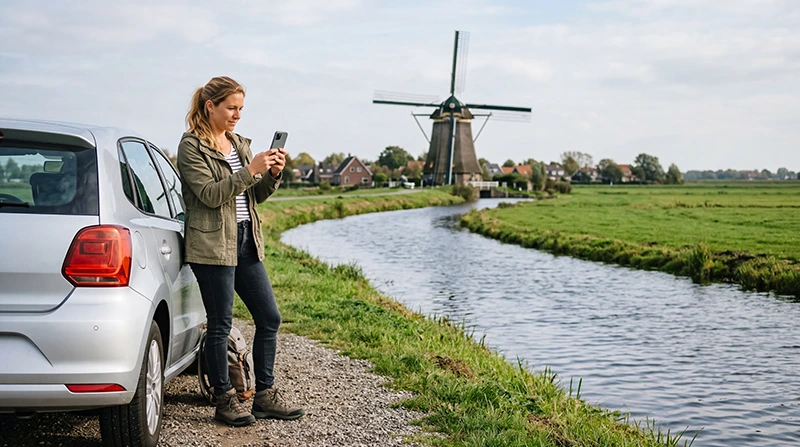

A road trip is a flexible way to explore the Netherlands beyond Amsterdam. You can combine major cities with windmills, beaches, tulip fields, historic villages, national parks and the Dutch islands.
Reliable mobile internet helps with navigation, traffic updates, parking, accommodation check-ins, attraction tickets and finding fuel or charging stations. It is especially useful when travelling through unfamiliar rural areas where public WiFi may not be available.
Quick answer: a Netherlands travel eSIM is usually the most convenient option for visitors with an unlocked eSIM-compatible phone. Install it before departure, activate it after arrival and download offline maps as a backup before starting your road trip.
Top Netherlands eSIMs

Netherlands eSIM
Fixed
1 GB, 7 days€ 2.242 GB, 15 days€ 3.583 GB, 30 days€ 4.48Unlimited
Unlimited, 1 day€ 2.24Unlimited, 3 days€ 5.37Unlimited, 5 days€ 8.06
Europe Extra eSIM
Fixed
1 GB, 7 days€ 2.242 GB, 15 days€ 3.583 GB, 30 days€ 4.48Unlimited
Unlimited, 1 day€ 2.69Unlimited, 3 days€ 5.37Unlimited, 5 days€ 8.95Europe+ eSIM
Fixed
1 GB, 7 days€ 2.692 GB, 15 days€ 4.033 GB, 30 days€ 5.37Unlimited
Unlimited, 1 day€ 2.69Unlimited, 3 days€ 6.27Unlimited, 5 days€ 10.29Best Internet Options for a Netherlands Road Trip
| Option | Best For | Main Limitation |
|---|---|---|
| Netherlands travel eSIM | Continuous data across cities and countryside | Requires a compatible unlocked phone |
| Regional Europe eSIM | Road trips crossing several European countries | Coverage depends on the selected plan |
| Home SIM roaming | Travellers with included Netherlands roaming | Charges and limits depend on the operator |
| Local prepaid SIM | Visitors needing a Dutch telephone number | Requires physical purchase and activation |
| Hotel and public WiFi | Large downloads and evening use | No continuous coverage while driving |
Why Mobile Data Is Important on a Road Trip
Driving gives you more freedom, but it also creates additional connectivity needs. Mobile data can support the complete journey rather than only the time spent at your accommodation.
You may need internet for:
- Turn-by-turn navigation.
- Live traffic and road closure information.
- Finding parking facilities.
- Locating fuel and electric vehicle charging stations.
- Opening hotel and attraction reservations.
- Checking ferry and bridge information.
- Finding restaurants and public facilities.
- Contacting a rental car company.
- Checking weather conditions.
Do not operate your phone while driving. Set the route before departure or let a passenger manage navigation and travel searches.
Using a Netherlands Travel eSIM
A travel eSIM provides mobile data without requiring you to remove your regular SIM card. It can be installed before departure and activated when you arrive in the Netherlands.
The same Netherlands plan can be used across supported destinations, allowing you to travel between cities, coastal areas and rural attractions without buying a separate SIM in each location.
Browse Netherlands eSIM plans.
Netherlands eSIM or Europe eSIM?
| Road Trip Itinerary | Recommended Option |
|---|---|
| Amsterdam, Rotterdam and the Dutch countryside | Netherlands eSIM |
| Netherlands coastal and island trip | Netherlands eSIM |
| Netherlands and Belgium | Regional Europe eSIM |
| Netherlands, Germany and France | Regional Europe eSIM |
| Extended multi-country road trip | Regional Europe eSIM |
Check the complete country list before buying a regional plan. A Netherlands-only eSIM is normally sufficient when the vehicle will remain within the country.
Install and Test the eSIM Before Driving
- Check that your phone supports eSIM.
- Confirm that the device is carrier-unlocked.
- Choose a Netherlands or regional Europe plan.
- Install the eSIM before departure using reliable WiFi.
- Label it Netherlands eSIM or NoveSIM.
- Enable it after arriving in the Netherlands.
- Select it for Mobile Data.
- Test the connection before collecting the rental car.
Turn off WiFi briefly and open a webpage to confirm that mobile data is working. Complete any troubleshooting while safely parked rather than after beginning the journey.
Recommended eSIM Settings
| Setting | Recommended Value |
|---|---|
| Travel eSIM | Enabled |
| Mobile Data | Travel eSIM |
| Data Roaming on travel eSIM | On |
| Data Roaming on primary SIM | Off |
| Automatic Data Switching | Off |
| Network Selection | Automatic |
| APN | data.esim when required |
Mobile Coverage on Dutch Roads
Mobile data can work across much of the Netherlands, particularly around cities, towns and major roads. However, connection quality can still vary during a long road trip.
Temporary changes may occur in:
- Remote coastal or rural areas.
- Tunnels and underground parking facilities.
- Nature reserves and isolated roads.
- Ferries and routes across open water.
- Buildings with thick walls.
- Areas experiencing temporary network congestion.
A brief loss of signal does not necessarily indicate a problem with the eSIM. Keep Network Selection on Automatic and allow the phone time to reconnect.
Download Offline Maps Before Departure
Mobile data is useful for live navigation, but offline maps provide an important backup. Download the required regions while connected to hotel WiFi before beginning the day.
Offline preparation should include:
- The complete driving route.
- Your accommodation address.
- Rental car return location.
- Fuel or charging stops.
- Parking locations.
- Ferry terminals when relevant.
- Emergency and roadside assistance numbers.
Offline maps may not show current congestion or temporary closures, so reconnect to mobile data whenever possible for live updates.
Internet for Parking in Dutch Cities
Parking can be one of the most important reasons to have mobile data during a Netherlands road trip. Visitors may need internet to locate a garage, check restrictions or complete a digital payment.
Before entering a busy city:
- Choose a parking facility in advance.
- Save the address in your navigation app.
- Check opening and access times.
- Confirm the vehicle height when using a garage.
- Save the parking location before walking away.
- Keep enough battery for the return journey.
Avoid handling parking apps or payment pages while the vehicle is moving.
Internet for Electric Vehicle Road Trips
If you rent an electric vehicle, mobile data can help you locate compatible charging stations, check availability and plan the route around charging stops.
Prepare by saving:
- The rental vehicle charging specifications.
- Several charging options along each route.
- The rental company support number.
- Your overnight accommodation details.
- Alternative stations in case the first is unavailable.
Some charging services may require an app, payment card or account. Review the rental company’s instructions before leaving the collection point.
Internet on Ferries and Island Routes
A Netherlands road trip may include a ferry crossing or a visit to an island such as Texel. Mobile data can help with ferry schedules, terminal navigation and accommodation communication.
Signal may vary briefly while crossing open water. Save tickets, boarding information and the destination address offline before departure.
Read the internet guide for visitors to Texel.
Can You Rely on Public WiFi?
Hotels, holiday parks, restaurants, cafés and some visitor centres may provide WiFi. It is useful for large downloads, video calls and uploading road trip photos.
However, public WiFi cannot replace mobile data because it will not normally cover:
- Driving routes.
- Rural roads.
- Parking searches.
- Fuel and charging stops.
- Roadside emergencies.
- Navigation between attractions.
Connect only to official networks and use mobile data for sensitive accounts or payments.
Using Your Phone as a Hotspot
A travel eSIM may allow you to share mobile data with a passenger’s phone, tablet or laptop, depending on the selected plan and device settings.
Hotspot use can consume data and battery quickly. Use it mainly for essential tasks and avoid continuous video streaming when working with a limited allowance.
Keep the phone ventilated and connected to a suitable car charger during longer hotspot sessions.
Will WhatsApp Work During the Road Trip?
Yes. WhatsApp works through mobile data or WiFi. A data-only travel eSIM does not normally change the number registered with your WhatsApp account.
You can keep your existing number while using the Netherlands eSIM for messages and internet-based calls.
Learn how WhatsApp works with a Netherlands eSIM.
How Much Data Do You Need?
| Road Trip Activity | Typical Data Use |
|---|---|
| Navigation and traffic checks | Low |
| Parking and charging searches | Low |
| Messaging | Low |
| Music streaming | Moderate |
| Photo uploads | Moderate |
| Video streaming and hotspot use | High to very high |
Navigation, traffic checks and messaging usually use relatively little data. Streaming music throughout each driving day, uploading videos and sharing a hotspot will consume more.
NoveSIM unlimited plans include 1 GB of high-speed data per 24-hour period. Speed may be reduced after the daily high-speed allowance is used and restored at the next reset.
How to Reduce Data and Battery Use
- Download offline maps through hotel WiFi.
- Download playlists and podcasts before driving.
- Pause automatic photo and video backups.
- Disable automatic app updates.
- Upload large files at your accommodation.
- Turn off automatic video playback.
- Use a reliable car charger.
- Carry a power bank as a backup.
What If the eSIM Has No Internet?
- Park the vehicle safely before checking the phone.
- Confirm that the travel eSIM is selected for Mobile Data.
- Turn on Data Roaming for the travel eSIM.
- Keep Data Roaming off on the primary SIM.
- Disable Automatic Data Switching.
- Keep Network Selection on Automatic.
- Check that the APN is data.esim.
- Turn Airplane Mode on for 30 seconds and turn it off.
- Restart the phone when necessary.
Move out of a tunnel, underground garage or isolated area before changing advanced settings. The connection may return automatically when coverage improves.
Do not delete the eSIM during troubleshooting. The installation QR code may support one installation only.
Read the Netherlands eSIM troubleshooting guide.
Netherlands Road Trip Internet Checklist
- Install the eSIM before departure.
- Activate and test it before collecting the car.
- Select it for Mobile Data.
- Enable Data Roaming on the travel eSIM.
- Disable Automatic Data Switching.
- Download offline maps and accommodation addresses.
- Save parking, fuel and charging locations.
- Carry a car charger and power bank.
- Never adjust the phone while driving.
Related Netherlands Internet Guides
- Netherlands eSIM Plans
- Internet in Amsterdam for Tourists
- Internet in Rotterdam for Tourists
- Internet at Kinderdijk
- Internet in Giethoorn
- Internet on Texel
- How to Use an eSIM in the Netherlands
- No Internet on a Netherlands eSIM
FAQ
What is the easiest way to get internet on a Netherlands road trip?
A Netherlands travel eSIM is usually the easiest option for travellers with a compatible unlocked phone.
Will mobile data work in rural parts of the Netherlands?
It can work across many rural areas, but signal quality may temporarily vary in isolated locations, tunnels and coastal regions.
Do I still need offline maps?
Yes. Offline maps provide a useful backup if mobile coverage weakens or the phone temporarily loses its connection.
Can I use the eSIM for parking and navigation apps?
Yes. A data-only travel eSIM can provide internet for maps, parking services, traffic information and other travel apps.
Can I share the eSIM connection with passengers?
Hotspot sharing may be available depending on the plan and device. It can increase data and battery consumption.
Will WhatsApp keep my existing number?
Yes. WhatsApp normally keeps the number already registered to your account while the eSIM supplies mobile data.
What APN should I use for NoveSIM?
Use data.esim when manual APN configuration is required.
Should I delete the eSIM if it stops connecting?
No. Check Mobile Data, Data Roaming, APN and network settings first because the QR code may be single-use.
Final Recommendation
A Netherlands travel eSIM is a practical choice for road trips because it provides mobile data for navigation, traffic, parking, accommodation and roadside planning across supported areas.
Install and test the eSIM before collecting your vehicle. Select it for Mobile Data, enable Data Roaming and keep Automatic Data Switching off to prevent your primary SIM from using roaming data.
Download offline maps, save essential addresses and keep a charger in the vehicle. Complete all phone adjustments while safely parked and never use a handheld device while driving.