


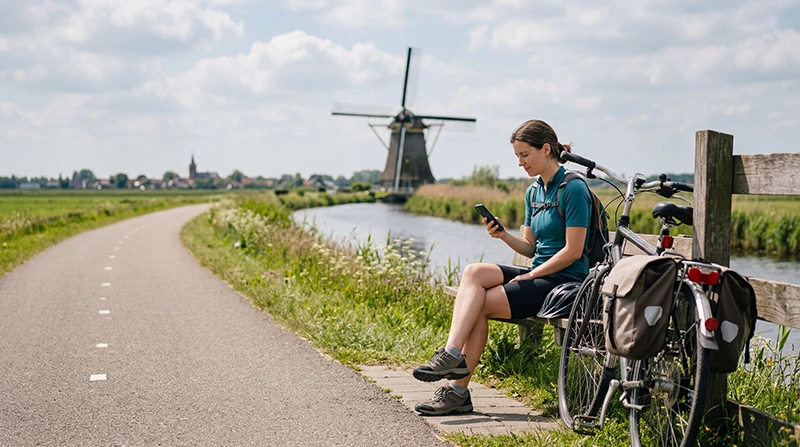

The Netherlands is one of Europe’s most popular cycling destinations. Visitors can explore Amsterdam, historic cities, coastal routes, windmills, flower fields, national parks and rural villages using an extensive network of bicycle paths.
Reliable mobile internet is useful for route navigation, weather updates, bicycle rental communication, public transport connections and finding cafés, repair services or accommodation along the way.
Quick answer: a Netherlands travel eSIM is usually the easiest option for international cyclists with an unlocked eSIM-compatible phone. Install it before departure, activate it after arrival and download your cycling routes offline before starting each day.
Top Netherlands eSIMs

Netherlands eSIM
Fixed
1 GB, 7 days€ 2.242 GB, 15 days€ 3.583 GB, 30 days€ 4.48Unlimited
Unlimited, 1 day€ 2.24Unlimited, 3 days€ 5.37Unlimited, 5 days€ 8.06
Europe Extra eSIM
Fixed
1 GB, 7 days€ 2.242 GB, 15 days€ 3.583 GB, 30 days€ 4.48Unlimited
Unlimited, 1 day€ 2.69Unlimited, 3 days€ 5.37Unlimited, 5 days€ 8.95Europe+ eSIM
Fixed
1 GB, 7 days€ 2.692 GB, 15 days€ 4.033 GB, 30 days€ 5.37Unlimited
Unlimited, 1 day€ 2.69Unlimited, 3 days€ 6.27Unlimited, 5 days€ 10.29Best Internet Options for Cycling in the Netherlands
| Option | Best For | Main Limitation |
|---|---|---|
| Netherlands travel eSIM | Continuous data across cities and countryside | Requires a compatible unlocked phone |
| Regional Europe eSIM | Multi-country European cycling trips | Coverage depends on the selected plan |
| Home SIM roaming | Travellers with included Netherlands roaming | Charges and limits depend on the operator |
| Local prepaid SIM | Cyclists needing a Dutch telephone number | Requires physical purchase and activation |
| Café or accommodation WiFi | Route downloads and large uploads | No continuous coverage while cycling |
Why Cyclists Need Mobile Data
Dutch cycling infrastructure is extensive, but visitors may still need help choosing the correct path, following numbered junctions or adjusting a route when the weather changes.
Mobile data can help you:
- Use cycling navigation and maps.
- Check rain, wind and temperature forecasts.
- Find bicycle rental and repair shops.
- Locate cafés, toilets and rest areas.
- Check ferry, train and bus connections.
- Contact your hotel or tour provider.
- Find alternative routes when a path is closed.
- Access travel and accommodation bookings.
Stop in a safe place before using your phone. Do not hold or operate it while actively cycling.
Using a Netherlands Travel eSIM
A travel eSIM provides mobile data without requiring you to replace your primary SIM card. You can install it before departure and activate it after arriving in the Netherlands.
The same plan can support cycling routes through Amsterdam, Haarlem, Utrecht, Rotterdam, the flower region, Kinderdijk, Giethoorn and other supported destinations.
Browse Netherlands eSIM plans.
Netherlands eSIM or Europe eSIM?
| Cycling Itinerary | Recommended Option |
|---|---|
| Amsterdam and nearby Dutch routes | Netherlands travel eSIM |
| Multi-day tour entirely in the Netherlands | Netherlands travel eSIM |
| Netherlands and Belgium cycling trip | Regional Europe eSIM |
| Netherlands, Germany and France | Regional Europe eSIM |
| Long European bicycle tour | Regional Europe eSIM |
Check the complete country coverage before purchasing a regional plan.
Install and Test the eSIM Before Cycling
- Check that your phone supports eSIM.
- Confirm that the device is carrier-unlocked.
- Choose a Netherlands or regional Europe plan.
- Install the eSIM using reliable WiFi before departure.
- Label it Netherlands eSIM or NoveSIM.
- Enable it after arriving in the Netherlands.
- Select it for Mobile Data.
- Test the connection before starting your first route.
Turn off WiFi briefly and open a webpage to confirm that mobile data is working. Complete any troubleshooting before leaving your accommodation or bicycle rental location.
Recommended eSIM Settings
| Setting | Recommended Value |
|---|---|
| Travel eSIM | Enabled |
| Mobile Data | Travel eSIM |
| Data Roaming on travel eSIM | On |
| Data Roaming on primary SIM | Off |
| Automatic Data Switching | Off |
| Network Selection | Automatic |
| APN | data.esim when required |
Mobile Coverage on Dutch Cycling Routes
Mobile data can work across much of the Netherlands, particularly around cities, towns and populated cycling corridors. Signal quality can still vary during countryside, coastal or nature routes.
Temporary changes may occur near:
- Remote beaches and dunes.
- Nature reserves and forests.
- Ferries and routes across open water.
- Long rural stretches.
- Tunnels and underground bicycle parking.
- Buildings with thick walls.
Keep Network Selection on Automatic and allow the phone time to reconnect. A brief signal interruption does not necessarily indicate an eSIM problem.
Download Cycling Routes Offline
Mobile data provides live navigation, but offline maps are an important backup. Download your planned region through accommodation WiFi before beginning the route.
Save the following offline:
- The complete cycling route.
- Your accommodation address.
- The bicycle rental return location.
- Train stations and ferry terminals.
- Planned rest stops.
- Emergency and rental contacts.
Offline maps may not include current closures or live weather information, so reconnect to mobile data when available.
Internet for Dutch Cycling Junctions
Many recreational routes use numbered cycling junctions. These can make navigation easier, but missing one junction may take you away from the planned route.
Before starting:
- Save the sequence of junction numbers.
- Take a screenshot of the route.
- Download the surrounding map.
- Write down the final destination.
- Check the approximate distance and duration.
Use your phone only while stopped in a safe place away from moving cyclists.
Internet for Bicycle Rentals
Mobile data can help you locate the rental shop, open a booking confirmation and contact the provider if you experience a problem.
Save the following details before leaving:
- Rental company address and phone number.
- Return time and location.
- Bicycle identification or booking number.
- Instructions for locks or electric assistance.
- Emergency or breakdown support details.
Take photos of the bicycle and existing damage when required by the rental provider.
Internet for E-Bike Trips
E-bikes are popular for longer routes and windy coastal areas. Mobile data can help you find charging points, bicycle services and alternative transport if the battery becomes low.
Before departure:
- Check the expected battery range.
- Save the charger information.
- Identify possible charging stops.
- Reduce route length when strong wind is expected.
- Keep rental support details offline.
Do not assume every café or accommodation will allow e-bike charging. Confirm access before depending on a location.
Internet for Cycling and Train Connections
Cyclists often combine bicycle routes with trains. Mobile data is useful for checking departures, platforms and bicycle transport conditions.
You may need it to:
- Check live train times.
- Find the correct station entrance.
- Plan an alternative route during disruption.
- Open digital tickets.
- Navigate from the station to the next cycling path.
Save essential ticket and route details offline before boarding.
Read the internet guide for Dutch train travel.
Can You Rely on Public WiFi?
WiFi is commonly available in hotels, cafés, restaurants, museums and some transport locations. It is useful for downloading maps, backing up photos and making longer video calls.
It cannot replace mobile data during a cycling trip because it does not normally cover:
- Cycling paths between towns.
- Rural and coastal routes.
- Navigation during the journey.
- Unexpected detours.
- Breakdowns or emergencies.
Connect only to official networks and use mobile data for payments or sensitive accounts.
Will WhatsApp Work While Cycling?
Yes. WhatsApp works through mobile data or WiFi. A data-only travel eSIM does not normally change the number registered with your WhatsApp account.
You can keep your existing number while using the Netherlands eSIM for messages and internet-based calls.
Learn how WhatsApp works with a Netherlands eSIM.
How Much Data Do Cyclists Need?
| Cycling Activity | Typical Data Use |
|---|---|
| Route navigation | Low |
| Weather and transport checks | Low |
| Messaging | Low |
| Music streaming | Moderate |
| Photo uploads | Moderate |
| Video calls and uploads | High |
Navigation and messaging usually use relatively little data. Music streaming, automatic cloud backups and frequent video uploads can consume significantly more.
NoveSIM unlimited plans include 1 GB of high-speed data per 24-hour period. Speed may be reduced after the daily high-speed allowance is used and restored at the next reset.
How to Reduce Data and Battery Use
- Download maps and routes through accommodation WiFi.
- Save playlists and podcasts offline.
- Pause automatic photo and video backups.
- Disable automatic app updates.
- Upload large files after returning to your accommodation.
- Reduce screen brightness.
- Use Low Power Mode during longer rides.
- Carry a charged power bank.
Protecting Your Phone While Cycling
Dutch weather can change quickly. Protect your phone from rain, vibration and accidental drops.
- Use a secure bicycle phone mount.
- Choose a water-resistant case or cover.
- Keep the charging port protected.
- Do not leave the phone unattended on the bicycle.
- Stop before reading messages or changing the route.
Carry a small waterproof bag for the phone, power bank and travel documents.
What If the eSIM Has No Internet?
- Stop cycling and move to a safe location.
- Confirm that the travel eSIM is selected for Mobile Data.
- Turn on Data Roaming for the travel eSIM.
- Keep Data Roaming off on the primary SIM.
- Disable Automatic Data Switching.
- Keep Network Selection on Automatic.
- Check that the APN is data.esim.
- Turn Airplane Mode on for 30 seconds and turn it off.
- Restart the phone when necessary.
Move to an open area before changing advanced settings because signal may be weaker inside forests, buildings or underground bicycle parking.
Do not delete the eSIM during troubleshooting. The installation QR code may support only one installation.
Read the Netherlands eSIM troubleshooting guide.
Netherlands Cycling Internet Checklist
- Install the eSIM before departure.
- Activate and test it before renting a bicycle.
- Select it for Mobile Data.
- Enable Data Roaming on the travel eSIM.
- Disable Automatic Data Switching.
- Download the cycling route offline.
- Save rental and accommodation details.
- Check the weather before leaving.
- Carry a power bank and waterproof phone cover.
- Stop safely before using the phone.
Related Netherlands Internet Guides
- Netherlands eSIM Plans
- Internet on a Netherlands Road Trip
- Internet on Dutch Trains
- Internet at Kinderdijk
- Internet in Giethoorn
- Internet on Texel
- Internet During Tulip Season
- How to Use an eSIM in the Netherlands
- No Internet on a Netherlands eSIM
FAQ
What is the easiest way to get internet while cycling in the Netherlands?
A Netherlands travel eSIM is usually the easiest option for international cyclists with an unlocked eSIM-compatible phone.
Will mobile data work on rural cycling routes?
It can work across many rural areas, but signal quality may vary near remote coastlines, forests and nature reserves.
Should I download my cycling route offline?
Yes. Offline maps provide a valuable backup when the signal becomes weaker or your mobile connection is temporarily interrupted.
Can I use the eSIM for cycling navigation?
Yes. A data-only travel eSIM can provide internet for maps, route planning, weather information and transport apps.
Will WhatsApp keep my existing number?
Yes. WhatsApp normally keeps the number already registered to your account while the eSIM supplies mobile data.
What APN should I use for NoveSIM?
Use data.esim when manual APN configuration is required.
Should I delete the eSIM if it stops connecting?
No. Check Mobile Data, Data Roaming, APN and network settings first because the installation QR code may be single-use.
Final Recommendation
A Netherlands travel eSIM is a practical option for cycling trips because it provides mobile data for navigation, weather, transport and communication across supported destinations.
Install and test the eSIM before renting your bicycle. Select it for Mobile Data, enable Data Roaming and keep Automatic Data Switching off to prevent your primary SIM from using roaming data.
Download every route offline, protect your phone from rain and carry a power bank. Always stop in a safe place before checking navigation or changing phone settings.