


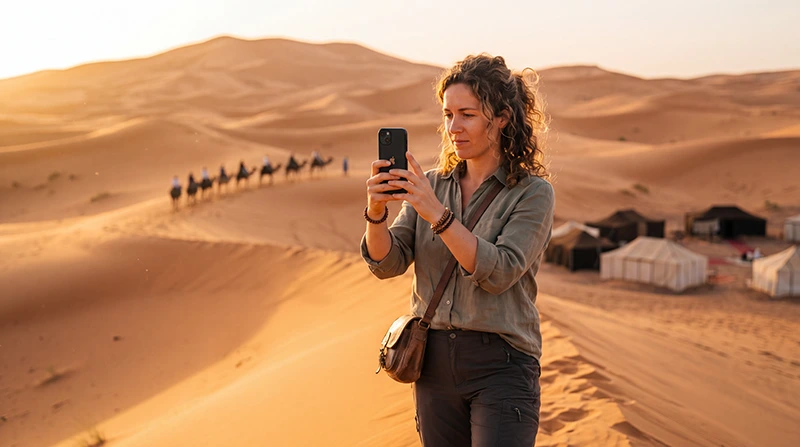

For internet in Merzouga, check two separate things: the mobile networks available on your plan and the Wi-Fi offered by your accommodation. Neither establishes that you will stay connected during an Erg Chebbi excursion or at the particular camp you have booked.
Use a working connection to settle the next handover: where you meet the driver, when you should arrive and what happens if you cannot message. Save those details before leaving for the dunes rather than expecting to retrieve them at the meeting point.
Our NoveSIM travel eSIMs provide mobile data. We do not provide a Moroccan number, conventional calls or SMS with these plans. WhatsApp and other internet services need mobile data or Wi-Fi; a conventional call may instead use your home SIM and its charges.
Quick answer: Choose a Morocco data plan compatible with your unlocked phone and valid for your itinerary, then test it before your transfer. Ask the accommodation about Wi-Fi at the actual property or camp. Save the meeting point, pickup time, organiser’s contact and booking reference offline. A successful connection in Merzouga does not guarantee reception farther into Erg Chebbi.
Top Morocco eSIMs

Morocco eSIM
Fixed
1 GB, 7 days€ 3.642 GB, 15 days€ 5.913 GB, 30 days€ 8.19Unlimited
Unlimited, 1 day€ 4.55Unlimited, 3 days€ 11.83Unlimited, 5 days€ 19.11
Africa eSIM
Fixed
1 GB, 7 days€ 10.462 GB, 15 days€ 19.563 GB, 30 days€ 27.30Unlimited
Unlimited, 1 day€ 14.10Unlimited, 3 days€ 40.49Unlimited, 5 days€ 66.88Choose a plan for your stay and onward journey
Look at the networks, allowance and validity of the selected Morocco eSIM plan. Check your phone’s exact model and regional version for eSIM support, and resolve any carrier lock before purchasing. The destination name alone does not establish compatibility or reception.
A local SIM may be appropriate if you need a Moroccan phone number, but confirm the calls, registration and purchasing requirements of the actual offer. Both local SIMs and travel eSIMs depend on mobile reception; changing the SIM format does not create coverage.
For a wider comparison, use the Morocco internet-options guide. There is no separate Merzouga-only package requirement merely because the trip includes an overnight camp.
Ask where the accommodation’s Wi-Fi is available
Ask about the exact place you booked. Internet at a village guesthouse, reception office or transfer hotel does not establish internet at an onward camp. Confirm whether Wi-Fi is provided in guest rooms or tents, only in shared areas, or not at all.
If a work call or large upload is important, explain that requirement before arrival. A property listing Wi-Fi does not prove it can support your particular call. Plan another time or location if the accommodation cannot confirm suitable access.
When asking about mobile reception, request the operator and the place where it was tested. Someone else’s recent experience can inform preparation, but it is not a guarantee for the networks supported by your package.
Keep the camp meeting point separate from its map pin
The location shown for an Erg Chebbi camp may not be where you should arrive with a car or meet your transfer. Obtain the organiser’s written arrival instructions instead of navigating directly to a pin and assuming vehicle access.
- Confirm the meeting-point name and location, the pickup time and the contact person.
- Ask for any parking, luggage or onward-transfer instructions relevant to your booking.
- Save the booking reference and accommodation details outside an app that may need to reload online.
- Ask how to handle a delay if you cannot send a message at the arrival point.
- Download the map area needed for the approach journey and check that the written instructions are readable offline.
These steps preserve the useful preparation from a desert-tour itinerary without treating every transfer as identical. For driving stages before Merzouga, see the Morocco road-trip connectivity checklist.
Do not infer Erg Chebbi reception from a village test
A phone working at your accommodation confirms access there at that time. It does not establish continuous data during a dune excursion, an onward transfer or a camp stay. The exact location, supported operator and device all affect the connection.
This guide does not grade reception along the roads from Erfoud or Rissani, at individual camps or across the dunes. Those claims would need location-specific evidence. Keep important instructions offline even when your first test succeeds.
Follow your organiser’s route and transfer advice; a downloaded map is not evidence that an unfamiliar track is suitable to drive. The Morocco Sahara connectivity guide covers camp questions and preparing for periods without internet.
Test mobile data before the next handover
- Check what starts the selected plan’s validity before installing or enabling it early.
- When ready to use it in Morocco, enable the installed travel line and select it for mobile data.
- Apply the required roaming setting to that line. Keep home-SIM data roaming off if you do not intend to use it.
- Turn Wi-Fi off briefly and load a small webpage, then test the messaging app used with your organiser.
- Confirm that the saved meeting instructions remain accessible without internet.
Do this while another connection is available. If the mobile-data test fails, investigate before departing rather than leaving all contact details dependent on the same untested connection.
Estimate consumption rather than buying a desert allowance
The amount you need depends on connected activities across the whole trip. Hotel messages and browsing differ from photo backups, video uploads or laptop tethering. An overnight camp stay does not automatically require 3, 5 or any other fixed number of GB.
Use your phone’s usage history and the Morocco data-budget guide to estimate the allowance, then check validity. If sharing through hotspot, confirm eligibility for the selected plan and phone first. Check any high-speed policy before treating unlimited as unrestricted use.
Pause large background transfers when you want to preserve allowance for messages. Save essential instructions on another traveller’s device as well, so one flat battery does not remove the entire group’s arrival information.
Separate Wi-Fi, no-signal and mobile-data problems
Wi-Fi connected but no internet: ask the accommodation whether its connection is working and whether a login is required. A Wi-Fi icon alone does not mean webpages can load. Reinstalling an eSIM will not repair the property’s Wi-Fi.
No mobile signal: a supported network may not be available at that location. Keep the profile installed and use saved information. Do not enter unfamiliar terrain merely to search for reception.
Signal but no data: check the chosen data line, required roaming setting, plan validity and remaining allowance. The NoveSIM APN is data.esim; enter it manually only when your instructions or support require it. Use the Morocco APN guide for the relevant settings.
Do not delete an installed eSIM unless support instructs you to do so. When reporting the issue, describe which of these symptoms you see and whether data worked earlier elsewhere.
Related Articles
FAQ
Can I use internet in Merzouga and at an Erg Chebbi camp?
Check the two locations separately. Working mobile data or Wi-Fi at a village accommodation does not establish access at the camp. Ask about the actual property and the networks supported by your plan.
Should I follow Google Maps directly to my camp?
Use the organiser’s arrival instructions. The meeting point may differ from the camp pin, and a map location does not confirm vehicle access or transfer arrangements.
Do I need a different eSIM for a Merzouga tour?
Not simply because it is a tour. Check Morocco coverage, supported networks, device compatibility, validity and allowance. No mobile plan guarantees reception throughout the dunes.
Why does hotel Wi-Fi work but my eSIM does not?
They are separate connections. With Wi-Fi temporarily off, check whether the phone has mobile signal. If it does, check line settings, validity and allowance; if not, consider whether a supported network is available.
Final Recommendation
Prepare Merzouga internet around the next accommodation or transfer, not a blanket promise of desert coverage. Confirm Wi-Fi at the place booked and test the mobile plan before relying on it.
Save the actual meeting point, pickup time and arrival instructions offline. Keep the camp location separate from the place where the organiser expects to meet you.
If connectivity disappears, retain the profile and distinguish Wi-Fi failure, no signal and signal without data. Clear offline arrangements keep the handover possible even when a message cannot be delivered.