


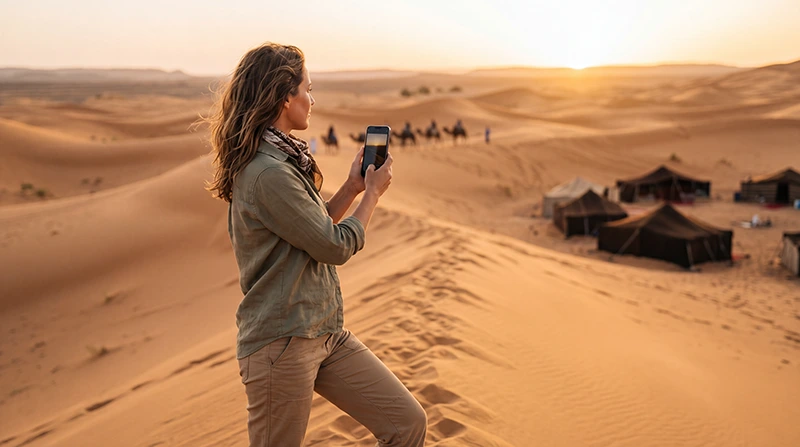

If you are visiting the Sahara Desert in Morocco, internet can be useful for WhatsApp, driver communication, desert camp details, maps, hotel messages, tour pickup times, emergency contacts and sharing photos from the dunes.
However, internet in the Sahara is not the same as internet in Moroccan cities. Mobile coverage can be available near villages, roads, hotels and some desert camps, but it can become weak, slow or unavailable in remote dunes, off-road routes and isolated camps.
Quick answer: the best setup is to use a Morocco travel eSIM together with camp WiFi where available and offline maps as backup. An eSIM works only where local mobile coverage exists, so prepare offline before entering remote desert areas.
Top Morocco eSIMs

Morocco eSIM
Fixed
1 GB, 7 days€ 3.552 GB, 15 days€ 5.773 GB, 30 days€ 7.99Unlimited
Unlimited, 1 day€ 4.44Unlimited, 3 days€ 11.54Unlimited, 5 days€ 18.64
Africa eSIM
Fixed
1 GB, 7 days€ 10.202 GB, 15 days€ 19.083 GB, 30 days€ 26.62Unlimited
Unlimited, 1 day€ 13.75Unlimited, 3 days€ 39.49Unlimited, 5 days€ 65.22Best Internet Options in the Sahara Desert Morocco
| Option | Best For |
|---|---|
| Morocco eSIM | Mobile data where coverage is available |
| Desert camp WiFi | Backup internet if the camp provides it |
| Local SIM card | Longer trips or local number needs |
| International roaming | Emergency use, often expensive |
| Offline maps | Essential backup for desert travel |
Important: eSIM Does Not Provide Satellite Internet
A Morocco eSIM connects to local mobile networks. It does not create signal in areas without mobile coverage and does not work like satellite internet.
In the Sahara Desert, coverage may be usable near towns such as Merzouga, Erfoud, Rissani, Zagora or M’Hamid, but it can be limited or unavailable in dunes, remote camps and desert tracks.
Expected Coverage in Sahara Desert Areas
| Area | Expected Mobile Coverage |
|---|---|
| Merzouga village | Good to Variable |
| Erg Chebbi dunes | Variable to limited |
| Desert camps near Merzouga | Variable |
| Erfoud and Rissani | Good to Very Good |
| Zagora | Good to Variable |
| M’Hamid | Variable |
| Erg Chigaga | Limited or unavailable |
| Remote Sahara routes | Limited or unavailable |
Morocco eSIM vs Desert Camp WiFi
| Feature | Morocco eSIM | Camp WiFi |
|---|---|---|
| Works before reaching camp | Yes, where coverage is available | No |
| Useful for driver communication | Yes | No |
| Available in remote dunes | Variable | Depends on camp |
| Reliable everywhere | No | No |
| Best use | Main mobile option | Backup if available |
How Much Data Do You Need?
| Trip Type | Recommended Data |
|---|---|
| One-night desert camp trip | 3–5 GB |
| Fes to Merzouga tour | 5–10 GB |
| Marrakech to Sahara tour | 5–10 GB |
| Multi-day Morocco desert tour | 10–20 GB |
| Road trip across Morocco | 10–20 GB |
| Hotspot or remote work | 20 GB+ with WiFi backup |
Recommended Phone Settings
| Setting | Recommended Value |
|---|---|
| Mobile Data | Morocco eSIM |
| Calls | Primary SIM |
| SMS | Primary SIM |
| Data Roaming on eSIM | ON |
| Data Roaming on Primary SIM | OFF |
| Automatic Data Switching | OFF |
| Network Selection | Automatic |
| APN | data.esim if required |
APN Settings for Morocco Desert eSIM
| Field | Value |
|---|---|
| APN | data.esim |
| Username | Leave blank |
| Password | Leave blank |
| Authentication | None |
Offline Preparation Before the Sahara
- Download offline Google Maps before leaving Marrakech, Fes, Ouarzazate, Erfoud or Zagora.
- Save your desert camp name and meeting point offline.
- Save driver, guide and hotel contacts.
- Screenshot booking confirmations.
- Save pickup times and route details.
- Charge your phone before desert activities.
- Carry a power bank.
- Tell someone your route if traveling independently.
Common Internet Problems in the Sahara Desert
- Weak or unavailable mobile signal in remote dunes.
- Camp WiFi is slow, limited or unavailable.
- Data Roaming is not enabled on the eSIM.
- The wrong SIM is selected for Mobile Data.
- APN settings are missing.
- Network Selection is set manually.
- Phone battery drains quickly in remote areas.
- The phone does not support eSIM.
What to Do If Internet Does Not Work
- Move to a more open area or closer to a village, road or camp.
- Check that the Morocco eSIM is turned ON.
- Select the Morocco eSIM for Mobile Data.
- Enable Data Roaming on the eSIM.
- Turn off Data Roaming on your primary SIM.
- Restart your phone.
- Turn Airplane Mode ON for 30 seconds, then OFF.
- Keep Network Selection on Automatic.
- Set APN to data.esim if required.
- Use camp WiFi if available.
Related Morocco Desert Internet Guides
- Morocco eSIM
- Best eSIM for Merzouga
- Internet in Merzouga
- Best eSIM for Morocco
- Mobile Internet in Morocco
- Internet in Morocco for Tourists
- How Much Data Do You Need for Morocco?
- Morocco eSIM APN Settings
FAQ
Is there internet in the Sahara Desert Morocco?
Yes, internet may be available near villages, roads, hotels or some desert camps. However, remote dunes and off-road areas may have weak or no mobile signal.
Does eSIM work in the Sahara Desert Morocco?
Yes, a Morocco eSIM can work where local mobile coverage is available. It will not work in areas with no mobile signal.
Is desert camp WiFi reliable?
Desert camp WiFi can vary. Some camps may offer basic WiFi, while others may have slow, limited or no internet access.
Can I use WhatsApp in the Sahara Desert?
Yes, WhatsApp works with mobile data or WiFi where internet is available. It may not work in remote desert areas without signal.
How much data do I need for a Sahara Desert trip?
For a one-night desert camp trip, 3–5 GB is usually enough. For a longer Morocco desert tour, 10–20 GB is more comfortable.
What APN should I use for Morocco eSIM?
If manual APN setup is required for a NoveSIM Morocco eSIM, use data.esim.
Final Recommendation
For most tourists, the best internet setup for the Sahara Desert in Morocco is a Morocco travel eSIM plus camp WiFi where available and offline maps as backup. An eSIM is useful for driver coordination, hotel messages, maps, WhatsApp and tour details before and after remote desert sections.
Because Sahara coverage can be variable or unavailable, install your eSIM before departure, enable Data Roaming after arrival, keep Network Selection on Automatic, download offline maps and use data.esim as the APN if manual setup is required.