


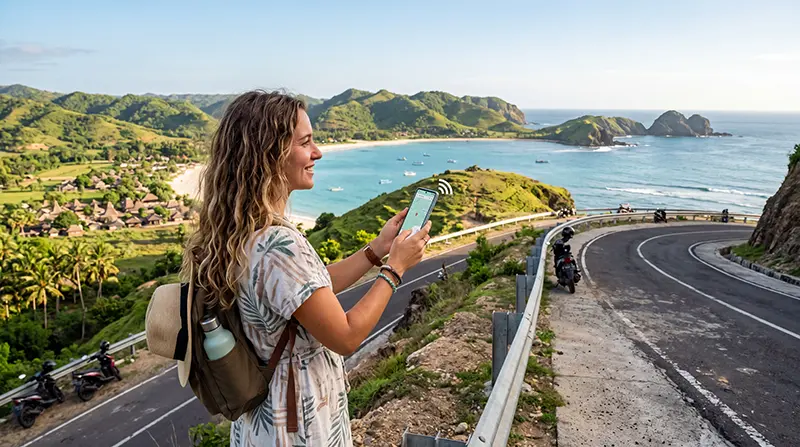

Internet in Lombok for tourists usually combines mobile data with accommodation Wi-Fi and offline preparation. Mobile service is useful for maps and transport, but reception can vary between towns, coastal areas, rural roads and mountainous terrain.
Choose the connection around the full route rather than a single hotel. Check the network used by the plan, expected data use, validity and whether you will continue to the Gili Islands, Bali or another Indonesian destination.
NoveSIM travel eSIMs are data-only. They support maps, messaging and internet calls but do not provide an Indonesian number, conventional calls or SMS.
Quick answer: Use mobile data for movement around Lombok, accommodation Wi-Fi for heavier activity and offline maps for weaker-signal routes. Confirm network coverage before travel and keep booking and transfer details available without a connection.
Top Indonesia eSIMs

Indonesia eSIM
Fixed
1 GB, 7 days€ 3.562 GB, 15 days€ 6.243 GB, 30 days€ 8.46Unlimited
Unlimited, 1 day€ 4.01Unlimited, 3 days€ 10.25Unlimited, 5 days€ 16.48
Internet in Lombok for tourists changes through the day
A typical day can move from hotel Wi-Fi to mobile navigation, a weak stretch of road and back to a property connection. No single speed reading describes that experience. Build a combination that keeps essential information available during each change.
| Part of the day | Likely connection | Useful precaution |
|---|---|---|
| Morning at accommodation | Property Wi-Fi | Download maps and tickets |
| Road journey | eSIM or local SIM | Keep the route offline |
| Remote stop | Variable mobile signal | Do not depend on live navigation |
| Evening uploads | Tested Wi-Fi | Pause cloud backup until stable |
Coverage changes across the island
Service around Mataram or a developed resort area does not prove coverage on every southern beach, inland road or mountain approach. Published maps are estimates, and buildings, terrain, congestion and weather can affect actual performance.
Identify the network used by the exact plan and compare it with the itinerary. The Indonesia network guide explains why network access matters more than an eSIM label alone.
Plan for roads and day trips
Download offline maps before travelling away from populated areas. Save the accommodation address, transport contact and return route. Do not rely on live navigation as the only record of a meeting point or ferry departure.
Signal can disappear temporarily on a route without indicating a configuration failure. Wait until you reach a better-served location before making major phone changes.
Wi-Fi at accommodation
A property advertising Wi-Fi does not guarantee suitable speed in every room. Ask recent guests or the property about workspace coverage when video calls or uploads matter, and test the actual room before an important session.
Use mobile data as a fallback only after confirming hotspot permission and allowance. For work-focused planning, the Bali digital-nomad eSIM guide contains principles that also apply to a Lombok work stay.
An eSIM is one layer, not the whole Lombok plan
Compare network, data, validity and hotspot terms. If Lombok is one part of a multi-island trip, verify that the same plan covers every Indonesian stop rather than assuming that a successful connection in Bali predicts the rest.
The dedicated Lombok eSIM guide explains the plan-selection decision. Travellers moving offshore should separately review the Gili Islands eSIM guide.
Install and activate before you need data
Confirm that the phone supports eSIM and is carrier-unlocked. Install the profile using dependable Wi-Fi, label it and follow the provider’s timing instructions. Keep the setup details offline.
Select the travel line for mobile data and enable roaming on it if required. Disable data roaming on the home line to control charges. The Indonesia installation guide provides the complete sequence.
Troubleshooting on Lombok
Check plan validity, country inclusion, the selected data line and network registration. Begin with automatic network selection and make one change at a time. Move outdoors or to another location when the issue may be local reception.
For manual NoveSIM APN entry, use data.esim. Keep the installed profile and follow the Indonesia troubleshooting guide; delete it only if support explicitly instructs you.
Move heavy data use back to the accommodation
Maps and messages are relatively light. Video, cloud photo uploads and laptop tethering consume substantially more. Disable automatic updates and backups when the allowance is limited.
Use the Indonesia data guide to estimate the required amount, and confirm whether a top-up extends validity or only adds data.
Related Articles
- Best eSIM for Indonesia Travel
- Best Internet Option in Indonesia
- Best SIM Card for Indonesia
- Indonesia Roaming Charges
FAQ
Is mobile internet available across Lombok?
Coverage exists in many areas but varies by network and location. Check the itinerary and keep offline maps for weaker-signal routes.
Is hotel Wi-Fi enough in Lombok?
It may cover ordinary use, but performance differs by property and room. Keep mobile data when reliable access is important.
Will my Bali eSIM work in Lombok?
It may if the plan includes Indonesia and its partner network covers Lombok. Verify the exact product rather than assuming.
Can I hotspot an eSIM in Lombok?
Only when the selected plan permits tethering. Check for a fair-use threshold or separate hotspot limit.
Final Recommendation
For internet in Lombok for tourists, combine route-appropriate mobile data with accommodation Wi-Fi and offline navigation.
Check the partner network, allowance, validity and hotspot policy before travel, then test the service at the places that matter.
Keep the eSIM installed during troubleshooting and retain offline copies of transport, accommodation and island-transfer details.