


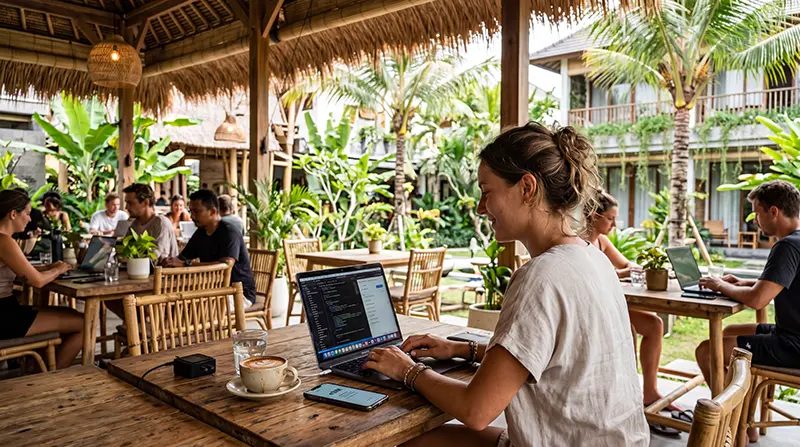

The best eSIM for digital nomads in Bali must support a full workday, not merely provide enough data for maps. Check the partner network at your accommodation and workspace, hotspot rules, plan validity and the cost of adding data.
Bali connectivity varies by neighbourhood, building and route. A connection that works well in one coworking space may weaken inside a villa or during travel across the island, so a backup matters when calls and deadlines cannot move.
A NoveSIM data eSIM is data-only. It supports internet-based calls and messages but does not include an Indonesian number, conventional calls or SMS.
Quick answer: For remote work in Bali, choose an eSIM with confirmed local network access, enough data for calls and tethering, and a validity period covering the full stay. Test it before the first work session and keep a second connection available for essential meetings.
Top Indonesia eSIMs

Indonesia eSIM
Fixed
1 GB, 7 days€ 3.562 GB, 15 days€ 6.243 GB, 30 days€ 8.46Unlimited
Unlimited, 1 day€ 4.01Unlimited, 3 days€ 10.25Unlimited, 5 days€ 16.48
Best eSIM for digital nomads in Bali: define the workload
A remote worker using Slack, email and documents needs much less data than someone joining hours of video calls, uploading media or tethering a laptop. Review recent device usage, separate phone traffic from laptop traffic and allow for operating-system updates and cloud sync.
| Work pattern | Priority |
|---|---|
| Email, chat and documents | Stable signal and suitable validity |
| Daily video meetings | Larger allowance and a tested backup |
| Media uploads | High data volume and reliable workspace Wi-Fi |
| Laptop tethering | Explicit hotspot permission |
| Multi-month stay | Easy top-ups or a longer-validity plan |
Check coverage where you will actually work
Do not choose from a country-level coverage label alone. Confirm the network used by the exact plan and compare its published coverage with your accommodation, coworking space and regular travel routes. Walls, terrain, congestion and indoor position can all affect a real session.
Automatic network selection is normally the best starting point. If the phone registers but data fails, work through the steps in the Indonesia eSIM troubleshooting guide before changing several settings at once. For manual NoveSIM APN configuration, use data.esim and keep the installed profile unless support tells you to delete it.
Plan hotspot use separately
An allowance advertised as unlimited may still have a fair-use threshold, speed reduction or tethering restriction. Read the plan terms before relying on it for a laptop. When hotspot use is allowed, secure it with a strong password and disconnect devices that may download updates automatically.
For a group or several work devices, compare the practical trade-offs in the Bali pocket Wi-Fi versus eSIM guide. A separate router can share one connection, but it also creates a battery and proximity dependency.
Build a two-connection work setup
A robust arrangement separates the main connection from the fallback. That could mean accommodation or coworking Wi-Fi as the primary link and eSIM data as backup, or the reverse when fixed Wi-Fi is inconsistent. Two services using the same underlying network are not fully independent.
Before an important meeting, test the room, audio platform and hotspot rather than trusting a speed test from reception. Download working files locally and save the venue address offline. The Indonesia network comparison explains why local network access matters.
Install without disrupting your regular SIM
Install the eSIM while you have reliable Wi-Fi, label both lines clearly and keep the QR code or manual details private. Follow the provider’s activation timing because some plans begin when installed and others when first connected in Indonesia.
Select the eSIM for mobile data, disable data roaming on the home line if you want to avoid roaming charges and keep the home SIM enabled only when you need incoming verification messages. The exact sequence is covered in the Indonesia eSIM installation guide.
Match validity to the whole Bali stay
Count calendar days carefully, including arrival and departure. A cheaper short plan may become inconvenient if it expires during a deadline. Check whether additional data extends validity or only replenishes the allowance.
For longer stays, use the long-term Indonesia eSIM guide. If Bali is one part of a multi-island itinerary, confirm Lombok, Gili or Komodo coverage separately instead of extrapolating from one successful Bali test.
Related Articles
- Best eSIM for Bali
- How Much Data for Indonesia?
- Best Internet Option in Indonesia
- Indonesia eSIM APN Settings
FAQ
Is an eSIM reliable enough for remote work in Bali?
It can be, but performance depends on the partner network and exact location. Keep an independently tested backup for important calls.
How much data does a digital nomad need in Bali?
It depends mainly on video meetings, uploads and tethering. Check recent usage and add a margin for work away from Wi-Fi.
Can I tether my laptop to a Bali eSIM?
Only if the selected plan permits hotspot use. Check for a separate tethering limit or fair-use policy.
Should I keep my home SIM active?
You can keep it enabled for verification messages, but select the eSIM for mobile data and control roaming on the home line.
Final Recommendation
The best eSIM for digital nomads in Bali combines suitable local-network access, enough data for real work and permitted laptop tethering.
Treat it as one part of a resilient setup: test the actual room or workspace, keep an independent backup and store essential files offline.
Install the profile before travel, follow its activation instructions and verify both the main connection and fallback before the first meeting.