


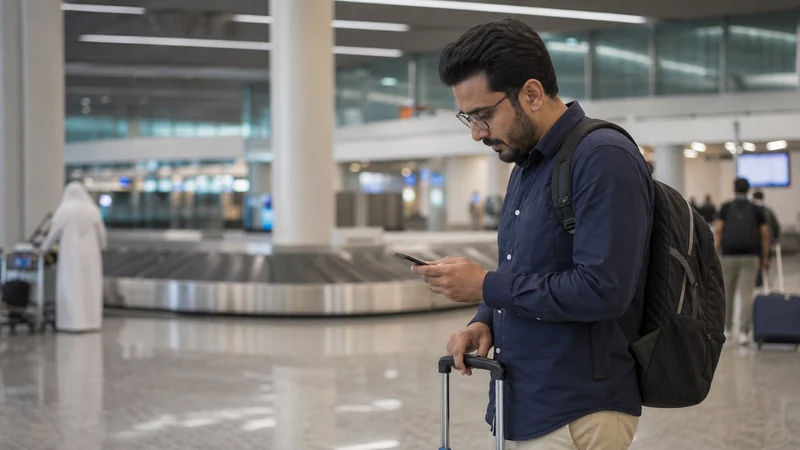

Internet at Kuwait Airport is easiest when one connection is prepared before the flight and another remains available inside the terminal. A travel eSIM can cover the onward journey, while verified airport or lounge Wi-Fi can help during arrival or transit.
Do not make a driver message, hotel address or boarding document dependent on a portal loading correctly. Store those essentials offline before departure, especially if you arrive late or must change terminals.
NoveSIM Kuwait plans are data-only unless the live product says otherwise. They do not provide a Kuwaiti number, conventional calls or SMS; app-based communication uses the data allowance.
Quick answer: install the eSIM on dependable Wi-Fi before flying, keep the arrival address and pickup point offline, and test mobile data before leaving the terminal. Join airport Wi-Fi only after confirming its current name on official signage or with staff.
Top Kuwait eSIMs


Internet at Kuwait Airport: your four choices
| Option | When it works best | What to check |
|---|---|---|
| Travel eSIM | Arrival data and onward travel | Installed profile, active line, roaming and plan coverage |
| Airport or lounge Wi-Fi | Brief checks while inside the terminal | Official network name, login conditions and signal location |
| Local prepaid SIM | Longer stay or need for a Kuwaiti number | Retail hours, passport requirements and current bundle |
| Home roaming | Emergency fallback | Exact tariff and daily roaming fees |
Make the first hour independent of a login portal
- Confirm that the exact phone model supports eSIM and is carrier-unlocked.
- Choose a plan that explicitly covers Kuwait and the full travel period.
- Install it on reliable private Wi-Fi and label the new line “Kuwait”.
- Save the QR code instructions privately, without sharing screenshots.
- Download the hotel address, transfer details and an offline map.
- Keep the profile installed even if it shows no service outside Kuwait.
Installation is not the same as activation or connection. A profile can be installed at home, activate according to the product rules and only register after the phone reaches Kuwait. Read the exact plan instructions before switching it on; activation policies are not identical across products.
Connect the eSIM after landing
Once the phone is permitted to connect, switch on the Kuwait line, select it for Mobile Data and enable Data Roaming on that line. Keep roaming off on the home SIM and disable automatic mobile-data switching. Leave Network Selection on Automatic for the first attempt and give registration several minutes.
NoveSIM Kuwait plans are data-only unless the selected product states otherwise. They do not supply a Kuwaiti number, conventional calls or SMS. Messaging and calling apps can use mobile data where available. A compatible dual-SIM phone can keep the usual number active, but the home carrier may still charge for calls, voicemail or messages.
Using Kuwait Airport Wi-Fi safely
Kuwait International Airport’s official hospitality information states that high-speed wireless internet is available in airport lounges. General terminal access, sign-in steps and network names can change, so use current airport signs or staff guidance rather than a network name copied from an old article.
- Confirm the exact SSID on official signage or with airport staff.
- Avoid look-alike networks with extra punctuation or misspellings.
- Prefer HTTPS sites and your own mobile connection for banking or sensitive work.
- Turn off automatic Wi-Fi joining and file sharing.
- Forget the airport network when you no longer need it.
If a portal does not open, disconnect and reconnect, switch off mobile data briefly while the login page loads, or open a normal website to trigger the portal. Moving closer to the terminal’s public seating area may help. Do not install an unknown certificate, configuration profile or app simply because a pop-up asks for it.
| Airport task | Safer connection |
|---|---|
| Check a public flight page | Verified airport Wi-Fi can be reasonable |
| Send a routine message | Verified Wi-Fi or mobile data |
| Banking or payment changes | A trusted mobile connection |
| Company systems | Employer-approved connection and VPN policy |
| Install a certificate or profile | Do not proceed unless independently verified |
If Kuwait Airport Wi-Fi does not work
- Check that Wi-Fi is on and Airplane Mode is not blocking it.
- Forget the verified network and join it again.
- Disable a VPN temporarily if it prevents the captive portal from opening.
- Open a non-sensitive browser page to trigger the sign-in screen.
- Ask airport staff whether the official service is experiencing an outage.
- Use prepared mobile data when the connection remains unavailable.
A failed public hotspot is not evidence that the phone or eSIM is broken. Test mobile data separately. Similarly, a working airport network says nothing about connectivity once you leave the building.
Buying a SIM card after arrival
A local prepaid SIM may make sense if you need a Kuwaiti number or are staying long enough to prefer a domestic bundle. Do not make an airport purchase the only plan unless you have verified the current sales location, opening hours, passport registration and payment options. Flight delays and terminal differences can affect what is available when you arrive.
Compare the total allowance, validity, calls, SMS, hotspot terms and top-up method. Kuwait’s regulator lists Zain, Ooredoo and stc among the country’s mobile service providers, but the most suitable operator depends on the live offer and your itinerary. The Kuwait SIM card guide explains the local-versus-travel choice in detail.
- Which terminal contains the current authorised outlet?
- Will it be open at your actual arrival time?
- What identification must the named user present?
- Does the quoted price include activation and the complete data bundle?
- How long are the SIM and allowance valid?
- Are calls, SMS, hotspot use and top-ups included?
Use a different plan for transit and entry
If you remain airside for a short connection, verified airport or lounge Wi-Fi may be sufficient for messages and a boarding-pass update. A travel eSIM becomes more useful when you leave the terminal, face a long layover, must remain reachable for work or want a backup if the public network is busy.
Check visa and entry requirements separately before planning to leave the transit zone; having mobile data does not grant entry. Keep the next boarding pass and gate information saved offline in case Wi-Fi drops.
From Kuwait Airport to the city
Wi-Fi usually ends as you move away from the terminal. Before meeting a driver or ordering transport, make sure the pickup point, accommodation address and contact details are visible offline. If using an eSIM, test that a webpage loads before leaving the arrivals area rather than relying only on signal bars.
For a private driver, retain the person’s name, vehicle details and a fallback meeting point. For a taxi, pin the exact hotel or building entrance rather than only its name. For connecting transport, save the operator, departure point and next booking reference. Take a route screenshot in every case.
Keep the activation QR code private: do not display it where a public camera or another traveller can capture it, and do not expose it through an airport Wi-Fi sharing screen.
For the rest of the trip, the mobile internet guide for Kuwait compares mobile data, local SIMs, roaming and Wi-Fi. Coverage is broad nationally, but the exact plan and location still matter; see Kuwait eSIM coverage for road, island and border expectations.
Fix an eSIM that does not connect at the airport
- Confirm the Kuwait profile is switched on and selected for Mobile Data.
- Enable Data Roaming on the travel line.
- Turn off automatic data switching and home-line roaming.
- Toggle Airplane Mode for 30 seconds and wait after reconnecting.
- Restart the phone and keep network selection on Automatic.
- If signal appears without internet, check the allowance and use data.esim only when manual APN entry is required.
Do not delete the installed eSIM as an early fix. A code may be valid for one installation, so removal can create a recovery problem. Contact support with the order number, phone model, location and safe screenshots if reversible checks fail.
Related Articles
- Kuwait eSIM plans
- Mobile internet in Kuwait
- Best SIM card for Kuwait
- Kuwait eSIM coverage
- How much data you need in Kuwait
- Troubleshoot a Kuwait eSIM
FAQ
Is Wi-Fi available at Kuwait International Airport?
The airport’s official hospitality pages confirm high-speed wireless internet in lounges. Terminal-wide access details can change, so verify the current official network and conditions on airport signage or with staff.
Can I buy a SIM card at Kuwait Airport?
Telecom retail availability may change by terminal and time. Confirm the current shop, opening hours, identification requirements and bundle directly before relying on an airport purchase.
Should I install my Kuwait eSIM at the airport?
It is safer to install it before departure on reliable private Wi-Fi, then follow the plan’s activation instructions. At the airport, switch it on for data and enable roaming on the travel line.
What should I do if my Kuwait eSIM has no internet after landing?
Check the active data line and roaming, toggle Airplane Mode, restart and leave network selection on Automatic. Use data.esim only if required and do not delete the installed profile unless support instructs you.
Final Recommendation
Prepare internet at Kuwait Airport before departure: install the travel profile, save the first address and retain a verified Wi-Fi option for the terminal.
After landing, choose the Kuwait eSIM for data, enable roaming on that line and test a normal webpage with Wi-Fi temporarily off. Keep the home line from supplying roaming data.
Use a local SIM only when its number or longer-term bundle solves a real need. Whatever the choice, leave arrivals with the route, pickup details and a working fallback already available.